MyHyundai with Bluelink v5.3.6
Hyundai Motor America





About this app
Developer Description
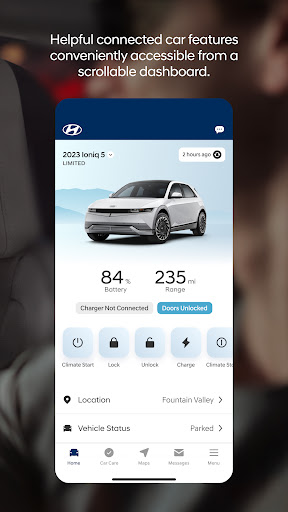
Connect to your Bluelink equipped Hyundai vehicle from your smartphone.
Access the app with your MyHyundai.com ID, password and PIN to take advantage of Bluelink’s Remote features. Log in and send commands conveniently using biometric authentication (fingerprint or face recognition). An active Bluelink subscription is required to use Bluelink features in the app. To renew or upgrade to either Remote or Guidance, please visit MyHyundai.com.
An active Bluelink Remote Package (R) or Guidance Package (G) subscription is required to access select features. Feature support varies by vehicle model. Please visit HyundaiBluelink.com to check what Bluelink features your vehicle supports.
With the MyHyundai app you can:
• Remotely start your vehicle (R)
• Remotely unlock or lock the door (R)
• Start your vehicle with saved presets you customize (R)
• View charging status, manage charging schedules and settings (EV and PHEV vehicles only) (R)
• Learn more about key features with user tutorials
• Remotely activate the horn and lights (R)
• Search and send Points of Interest to your vehicle (G)
• Access saved POI History (G)
• Make a Car Care service appointment
• Access Bluelink Customer Care
• Find your car (R)
• Access maintenance information and other convenient features.
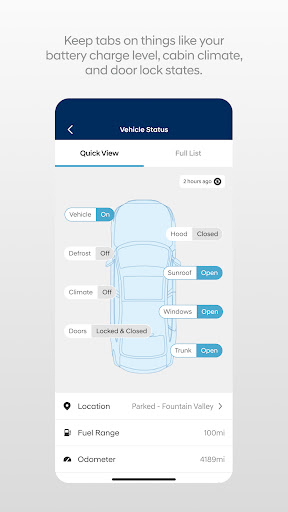
• Check Vehicle Status (supported on select 2015MY+ vehicles)
• Access vehicle features with four phone widgets for Remote Features, Parking Meter, POI search and Ioniq EV vehicle
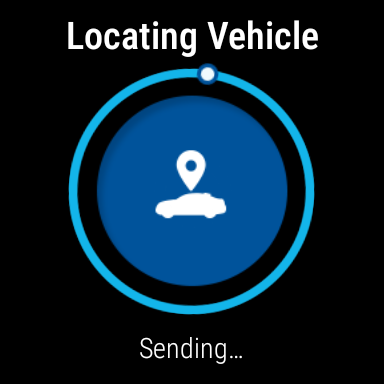
MyHyundai app also supports Wear OS smartwatch features. Use voice commands or the smartwatch menu to access select features.
With MyHyundai for Wear OS you can:
• Remotely start your vehicle (R)
• Remotely unlock or lock the door (R)
• Remotely activate the horn and lights (R)
• Find your car (R)
*Note: Active Bluelink subscription and Bluelink equipped vehicle with capabilities required.
The MyHyundai app asks for the following device permissions as needed:
• Camera: For adding driver and profile pictures
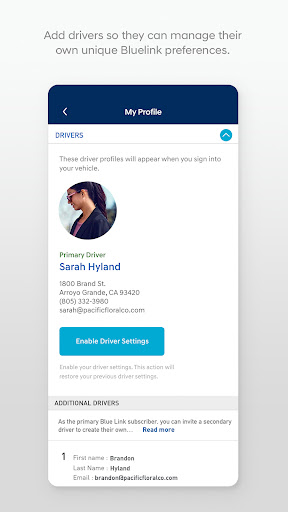
• Contacts: To select from phone contacts when sending secondary driver invites
• Location: For map and location functionality throughout the app
• Phone: For placing calls when tapping on buttons or links to call
• Files: For saving PDFs or other downloaded documents to the device
• Notifications: To allow push notification messages from the app
• Biometrics: For enabling fingerprint and/or face recognition for authentication
For technical assistance, please contact us at AppsTeam@hmausa.com.
Disclaimer: Feature support varies by vehicle model. Please visit HyundaiBluelink.com to check what Bluelink features your vehicle supports.
What's New
Version Information
- Version
- 5.3.6
- Downloads
- 1M+
- Updated on
- Nov 26, 2025
- Released
- Jul 28, 2014
- Requires
- Android Varies with device
Statistics
Google Play Rating History
Rating Distribution
Downloads Over Time
MyHyundai with Bluelink has been downloaded times. Over the past 30 days, it averaged downloads per day.
Shaded area shows 30-day prediction based on historical trends
Historical data collection started recently. More data points will be available over time.
MyHyundai with Bluelink users say on Google Play
 Darren Weyand
**Updated 2025/26 version.** App and service are near perfect. Remote Start works quickly, any of the former slow and unreliable interfaces have been fixed. Good job Hyundai!
 J J
J J
sometimes it won't start my car.
 Rhonda Behnke
doesn't always start . not sure if it's normal
 Jonathan Abraham
It works only about 50% of the time. I bought it for a remote start, but I get an error that my car isnt in an area of coverage, but other days it starts with no issue. I park in the same spot every day. the ap contstantly will text you annoying messages like fluid is low every time the car is turned on and off, yet when you need to start your car remotly you are told that your car is in a nos signal area. i live in a pretty nig populated area, one day it has coverage, other days ors has not.
 synonymist
"Oops! Something went wrong." Get used to seeing that message. Did something actually go wrong? Who knows? What I do know is that this app spends as much time verifying my contact info and randomly doing 2FA as being useful or usable. My Hyundai EV is no good, the company threw me under the bus about it, and the dealerships are inept... so it is unsurprising that the app is awful, too. This will be my first and last Hyundai, Kia or Genesis vehicle. Good riddance.
ApkTrusted Ratings & Reviews
More from Hyundai Motor America
See more apps



Similar Apps

Toyota
Free

Lexus
Free

State Farm®
Free

AutoZone Auto Parts & Repair
Free

Advance Auto Parts + Tools/Acc
Free

myVW
Free
U-Haul
Free

GEICO Mobile - Car Insurance
Free
myBuick
Free

Liberty Mutual Mobile
Free

Speedway: Rewards & Shopping
Free

My Porsche
Free
Smart Home Manager
Free
Carvana: Buy/Sell Used Cars
Free

Halo Collar
Free

Ace Hardware
Free
Scan this QR code to download

Forwarding you to the page at Google Play market in seconds...
Open Google Play market now