
Bluetooth Audio Connect Widget v9.0.4
Tomas Hadraba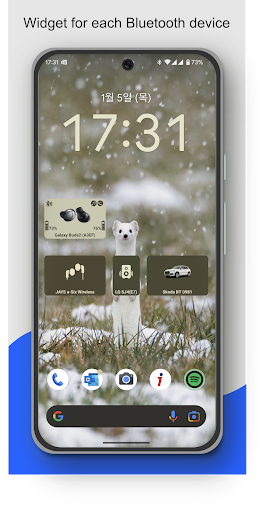


About this app
The Bluetooth Audio Connect Widget app solves the problem of easily managing and monitoring Bluetooth audio devices, particularly for users who frequently switch between different speakers or headphones. This app benefits most those who own multiple Bluetooth audio devices and need a simple way to track their battery life and connection status. Compared to other apps in the Music And Audio category, Bluetooth Audio Connect Widget stands out with its widget-based approach, providing quick access to device information without needing to open the app. However, its simplicity may also be a limitation for users seeking more advanced features.
Pros
- With over 5 million downloads and a 4.2-star rating, Bluetooth Audio Connect Widget has demonstrated its value to a large and satisfied user base, indicating a well-designed and functional app.
- The app's minimal permission request list of zero permissions is a significant advantage, suggesting a strong commitment to user privacy and security.
- The developer's active maintenance is evident from the regular updates, ensuring the app stays compatible with the latest Android versions and devices.
- The in-app purchase model, although present, is relatively non-intrusive, with a one-time fee for additional features, which may appeal to users who want to support the developer without committing to subscriptions.
- The app's focus on providing a simple, widget-based interface for managing Bluetooth audio devices makes it highly accessible to users of all technical skill levels.
Cons
- One concern is the presence of ads, which, although not overly intrusive, may still detract from the user experience, especially for those seeking a seamless and ad-free environment.
- The app's simplicity, while a pro for some, might be a con for users looking for more advanced features such as equalizer settings, audio effects, or detailed device analytics.
- The reliance on a third-party website for the developer's contact information and support might make it slightly more difficult for users to find help or report issues directly.
- There is a potential for the app to consume more battery in the background if not properly optimized, though this has not been widely reported by users.
Best for: The ideal user for Bluetooth Audio Connect Widget is likely an individual who frequently uses Bluetooth audio devices such as headphones or speakers, values simplicity and ease of use, and is looking for a convenient way to monitor their device's battery life and connection status without needing to navigate through multiple menus or apps.
Developer Description
Widget maker for Bluetooth speaker & headphones connect. Display earbuds battery
If you want to listen to music, you have to go to settings and connect Bluetooth headphones?
Do you need to easily switch between car audio, phone or handsfree?
Simply connect to permanently powered Bluetooth devices such as soundbars?
Need to monitor battery level of your Bluetooth headphones?
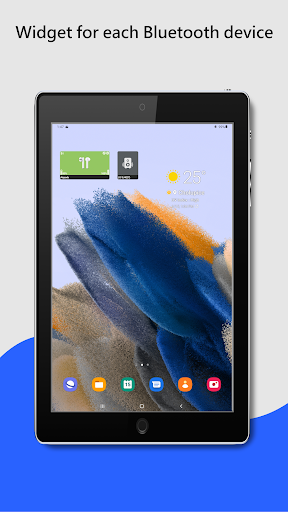
I have a better solution – just add a widget to the home screen for all your favorite BT wireless devices.
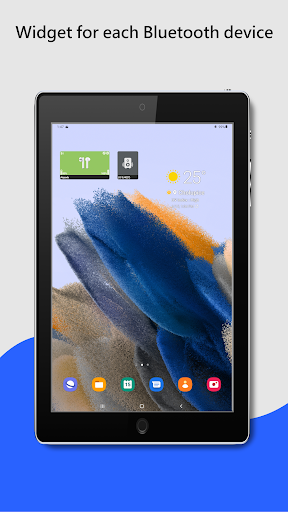
One click on the widget to connect Bluetooth headphones and play Spotify without going into the settings menu. The widget always clearly displays the status of the Bluetooth connection. You can see connected Bluetooth profiles (music, call) on the widget, if headphones support it.
Option to view and change (requires Android 15) the Bluetooth codec used (SBC, AptX, etc.) depending on what your device supports.
For supported devices, the widget displays the battery level of the Bluetooth devices (the manufacturer must support this feature).
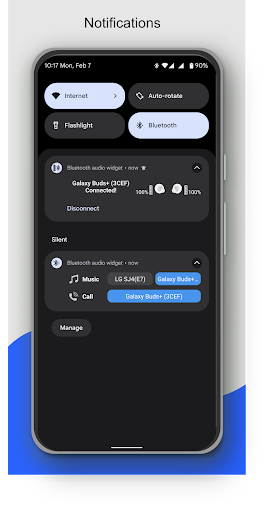
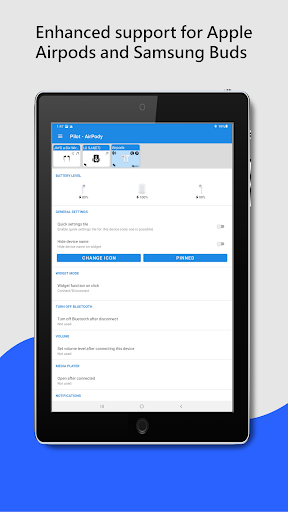
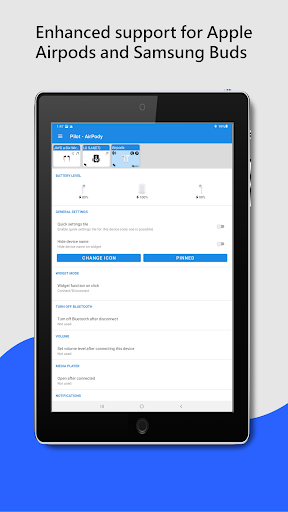
The app supports enhanced reading battery level from the following popular TWS earbuds: Google Pixel, Apple Airpods, Samsung Galaxy Buds Pro, Buds Live, Buds Plus. In the App, on the widget or in notification you can see the battery level of each earbud and the case.
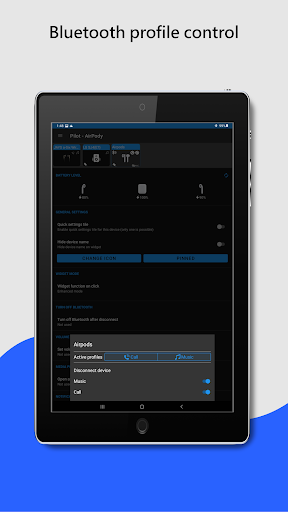
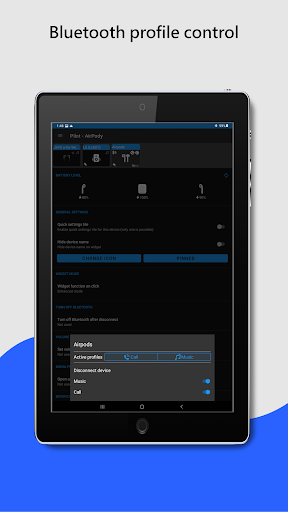
Enhanced widget mode: Widget tap to displays a menu with options to connect / disconnect, select the active device and control Bluetooth profiles (music, call).
Restore saved volume level when headphones connect.
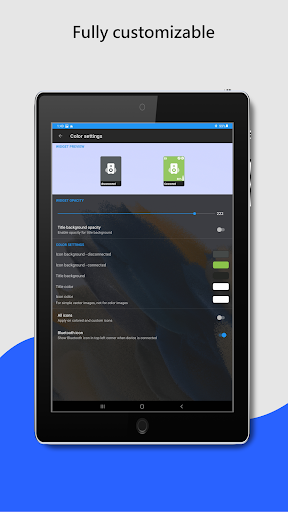
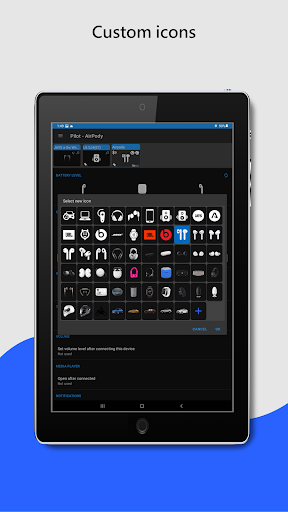
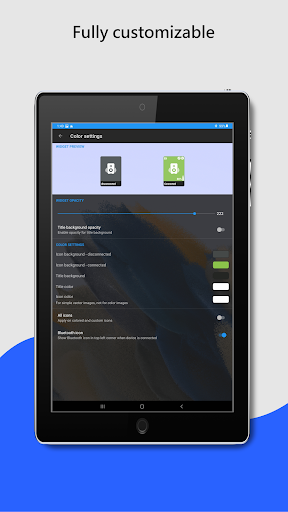
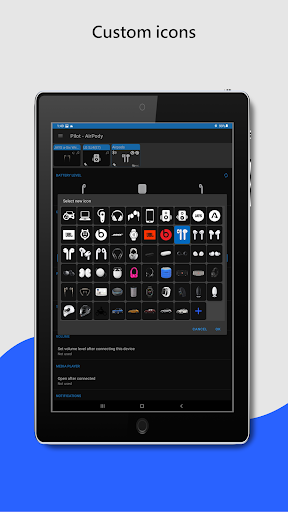
Customize widget size, color, margins, icon and transparency. On Android 12+, the widget supports dynamic color themes based on the user's wallpaper.
The app supports A2DP and Headset profiles, audio devices such as portable speakers, headphones, soundbars, handsfree, etc... On the widget and in the app, supported Bluetooth profiles are indicated by an icon in the top right corner. Note icon for A2DP - stream high quality audio (music) or phone icon for calls.
For help, visit: https://bluetooth-audio-device-widget.webnode.cz/help/
To avoid background restrictions: https://dontkillmyapp.com
Highlighted features:
✔️ Easy Headphones connect / disconnect
✔️ Easy connect / disconnect Bluetooth profiles (calls, music)
✔️ Switch BT audio output (active device)
✔️ Display info about codec
✔️ Info about connected Bluetooth profiles
✔️ Battery status (needs Android 8.1, not all devices support it)
✔️ Enhanced battery status for following TWS earbuds: Google Pixel, Apple Airpods, Samsung Galaxy Buds Pro, Buds Live, Buds Plus
✔️ Widget customization - colors, image, transparency, size
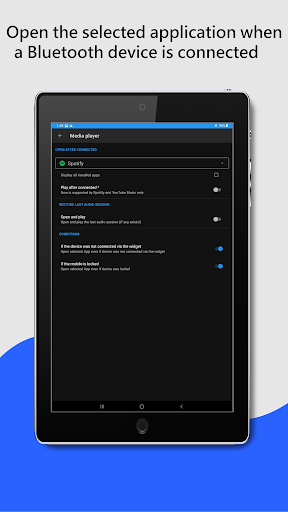
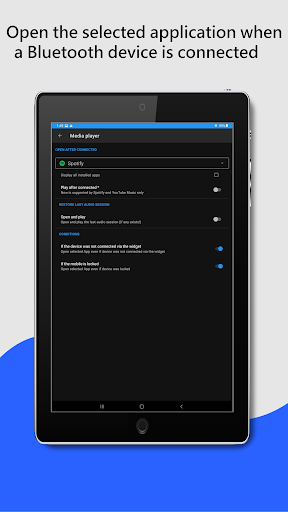
✔️ Open App after connecting (e.g. Spotify)
✔️ Set volume level after connect Bluetooth headphones
✔️ Notification when Bluetooth headphones is connected / disconnected
✔️ Quick settings tile
✔️ Auto resume of playback - Spotify and YouTube Music is supported
Not supported features:
❌ Dual audio playback not supported - this is currently not possible on Android, sorry. In the near future it will be solved by Bluetooth LE Audio.
❌ Bluetooth Scanner - App uses already paired Bluetooth devices!
If you are happy with my App, please take a minute to write a review or give me rating ☆☆☆☆☆👍. If not, feel free to contact me. I'm sure we can solve it :-)
Privacy
Given that Bluetooth Audio Connect Widget requests zero permissions, the risk of data collection for malicious purposes appears to be minimal. However, users should still be cautious when clicking on ads and ensure they are downloading the app from trusted sources like the Google Play Store. Regularly reviewing the app's permissions and privacy policy, if one becomes available, is also advisable.
Tips
For the best experience, users should first ensure their Bluetooth devices are properly paired with their Android device before adding the widget to their home screen. To optimize performance, it's recommended to close the app when not in use and consider disabling animations to reduce battery consumption. Additionally, exploring the in-app purchase options can unlock more features that enhance the app's functionality.
What's New
In-app purchases
$3.99 per item
Version Information
- Version
- 9.0.4
- Downloads
- 5M+
- Updated on
- Jan 6, 2026
- Released
- Jun 7, 2019
- Requires
- Android 6.0
Statistics
Google Play Rating History
Rating Distribution
Downloads Over Time
Bluetooth Audio Connect Widget has been downloaded times. Over the past 30 days, it averaged downloads per day.
Shaded area shows 30-day prediction based on historical trends
Historical data collection started recently. More data points will be available over time.
Bluetooth Audio Connect Widget - Google Play Rankings
Top Rankings
| Rank | Country | Category | List | Change |
|---|---|---|---|---|
| — |
Ranking History in
No ranking data available yet. Rankings are updated daily.
#68 in Top Free Music And Audio in Russia
 n-Track Studio DAW: Make Music
Bluetooth Audio Connect Widget
n-Track Studio DAW: Make Music
Bluetooth Audio Connect Widget
 Flat Equalizer - Bass Booster
Bluetooth Audio Connect Widget users say on Google Play
 Kyle Schroeder
Update per feedback: I turned off the priority setting (beta) and problem solved, thanks! Great app, just what I needed! however in the last few days (since the May 23rd update maybe?), Android 15 on Moto Edge+ 2023 constantly shows a Priority notification from BAC that pops up in notification bar, then closes. Force-closing the app stops it, but of course then the widgets are broken.
 Robert Sand
This is a GREAT app - providing a connection priority list which ought to standard in Android. Thanks! It helps me make sure that the car BT does not hijack my BT connection if I am already using my earbuds. Well the car captures it for a few seconds, then this great app brings it back to my earbuds. So delighted! But, I find it have difficulties doing the same with LE Audio connected earbuds/headsets. I hope this is going to be supported soon in the future as well. (I am happy to help test!)
 Anthony Ray Arani
When I first got it, it worked like a charm. I use the single device widget to connect to Android Auto adapter in one click. I do gig work from my car and get in and out 30+ times per day, and need a one click homescreen solution to prevent having to click through multiple screens and then navigate back to my homescreen every single time. Saved me about $3000/yr in lost income! Yes I did the math correctly. Except now it doesn't work with the latest Android update. Just opens Bluetooth menu.
 J Gilbert
Still has occasional connection issues, but deleting the app data fixes the redirecting audio to device speaker while connected to Bluetooth & automatic disconnect. However, latest update no longer shows the battery level for my devices like it used to.
 Matthew Czajkowski
Cannot connect to 2 Bluetooth speakers.
ApkTrusted Ratings & Reviews
More from Tomas Hadraba
See more apps
Similar Apps
Jabra Sound+
Free

Marshall Bluetooth
Free
PodsLink - AirPods Battery
Free

AmpMe - Speaker Booster
Free

JBL Headphones
Free

Smart Tutor for SAMSUNG Mobile
Free

Boom: Bass Booster & Equalizer
Free

UE | BOOM by Ultimate Ears
Free

Sony | Music Center
Free

Sony | Sound Connect
Free
USB Audio Player PRO
Paid

DI.FM: Electronic Music Radio
Free

Pioneer Smart Sync
Free

myPhonak
Free

ReSound Smart 3D
Free

SoundID™ Headphone Equalizer
Free
Scan this QR code to download

Forwarding you to the page at Google Play market in seconds...
Open Google Play market now