Bottom Quick Settings v6.3.0
Tom Bayley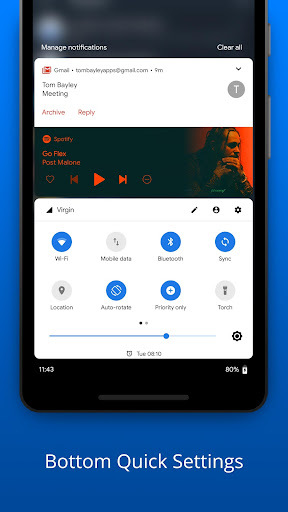




About this app
Developer Description
Redefining Android Accessibility. Easy to access quick settings & notifications
Don't like stretching your hand up to reach them?
You no longer have to!
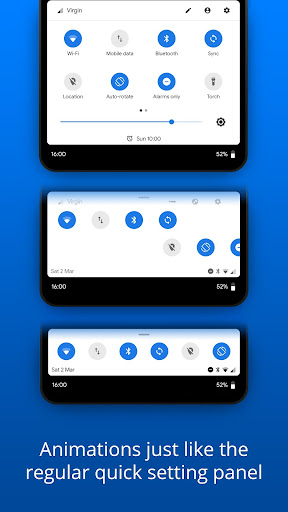
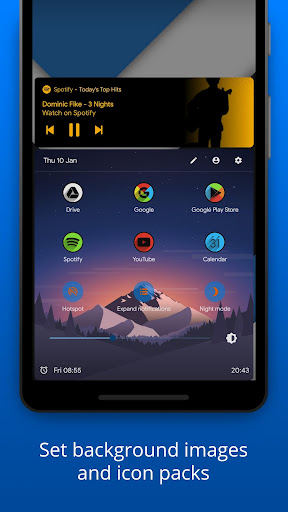
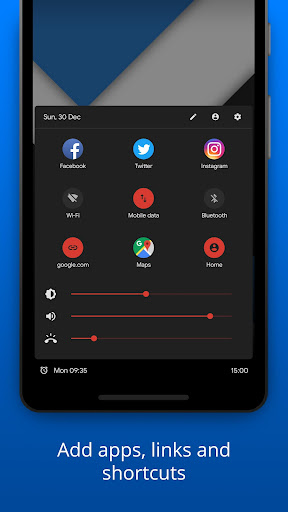
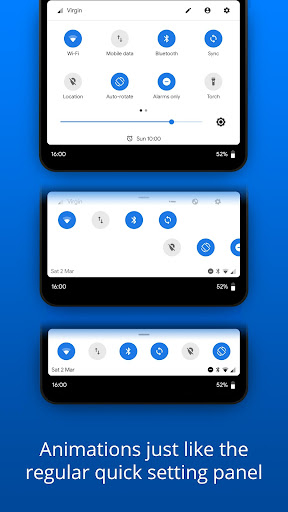
Bottom Quick Settings provides a smooth, fast and native feeling Android styled quick setting and notification panel at the bottom of your screen, allowing you to toggle settings like WiFi, Bluetooth, Flash and many more, as well as adding shortcuts to apps and websites in the panel too!
What is the difference between MIUI-ify and Bottom Quick Settings?
The main differences can be seen in the Play Store screenshots. MIUI-ify is cleaner, easier to use and follows the MIUI style. Bottom Quick Settings follows the style of Android P/Q.
NOTIFICATION SHADE
- Control all notifications
- Reply, open, dismiss, interact and manage
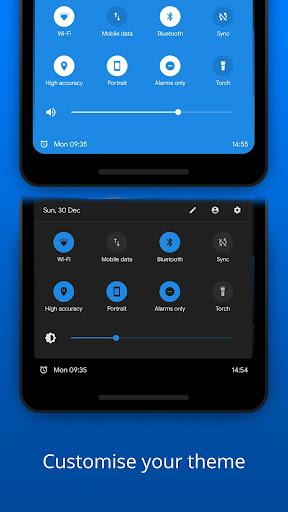
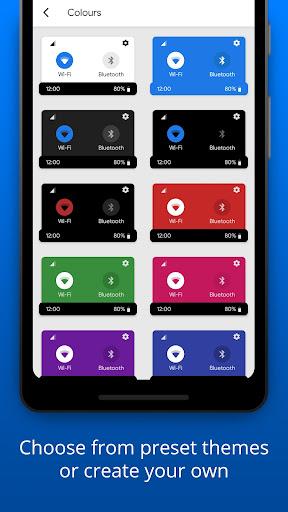
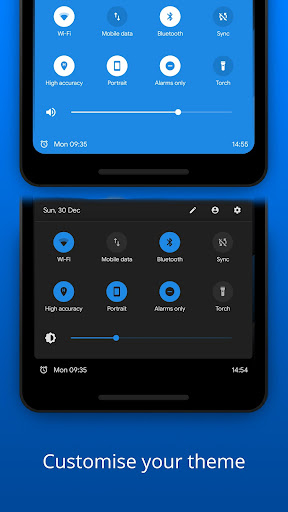
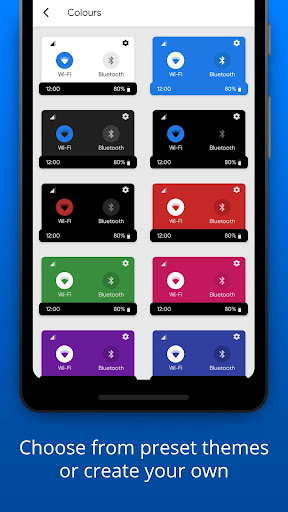
- Full color customization
- Dynamic colors
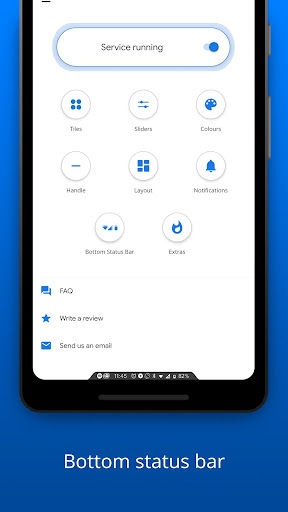
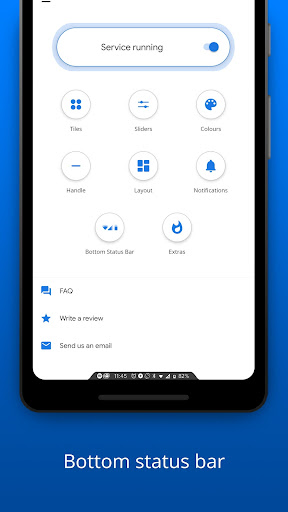
BOTTOM STATUS BAR
- Move your device's status bar to the bottom of the screen
- Full support for notifications and system setting icons
- Full color personalization
- Blacklist: hide the status bar in specific apps
QUICK SETTING TILES
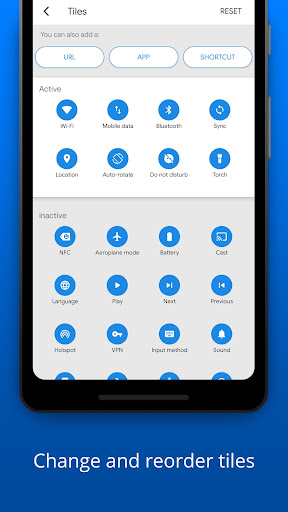
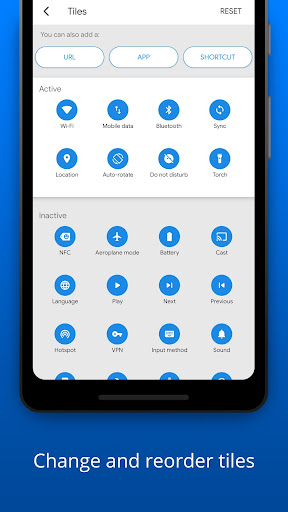
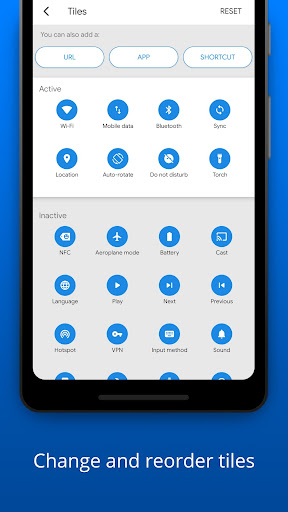
- 40+ different settings
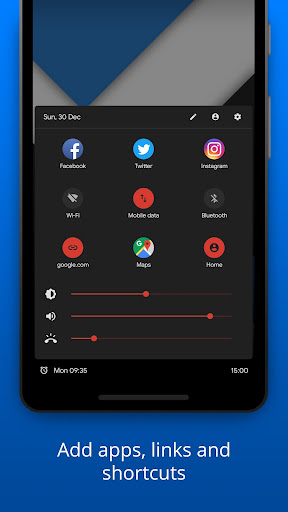
- Add any app or URL as a shortcut in the panel
- Layout: Change the number of tile rows and columns
- Sliders: Screen brightness, ringtone, alarm, notification and media volume
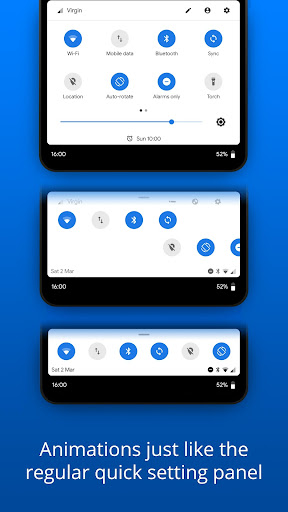
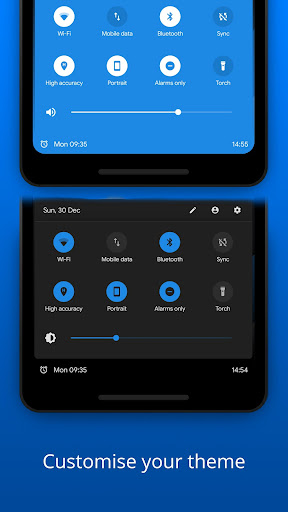
- Android Q & Pie themed
HANDLE TRIGGER AREA
- Customizable position and size so it doesn't interfere with navigation gestures
- Options to hide in landscape and fullscreen
- Blacklist: hide the handle trigger in specific apps
OTHER CUSTOMIZATIONS
- Blur the background
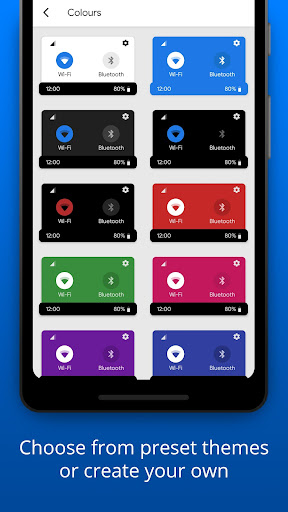
- Change the colors of the panel background and the quick setting icons
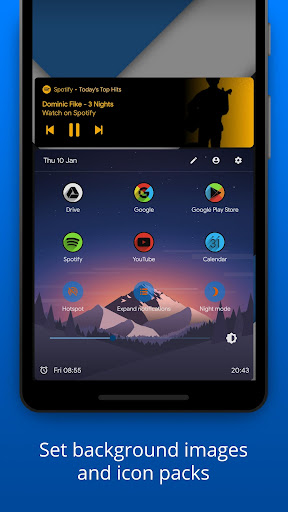
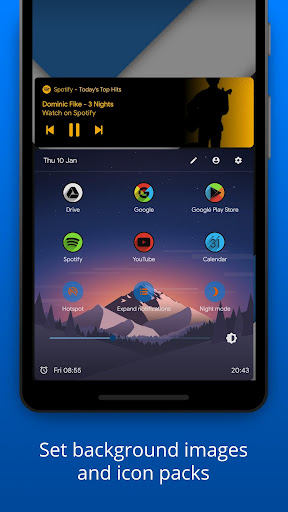
- Add a background image to the panel
- Select an app icon pack
- Match the navigation bar color to the footer color
- Dark mode
- Integration with Tasker
BACKUP / RESTORE
- Backup and Restore your customisations
- Share your own and use customizations created by others in this Telegram group: t.me/BottomQuickSettingsBackupSharing
Get extra features with Root / ADB
- Ability to toggle secure system settings such as Mobile Data and Location. These settings can only be toggled with root or a one time ADB command, due to Android's security restrictions
Some of the main quick settings:
- WiFi
- Mobile data
- Bluetooth
- Location
- Rotate mode
- Do not disturb
- Airplane mode
- Night mode
- Sync
- Torch / Flashlight
- NFC
- Music controls
- WiFi hotspot
- Screen timeout
- Immersive mode
- Caffeine (keep screen awake)
- Invert colors
- Battery Saver
- And over 20 more!
iOS has had the control center at the bottom of the screen for years.
With Bottom Quick Settings and its notification bar, you can finally get the same ease of access and more with a material design style!
Bottom Quick Settings uses Accessibility Services to display the custom quick settings on the screen.
LINKS
- Promo video: youtu.be/A5XghIuvweE
- Bottom Status Bar demonstration: youtu.be/0mCkf7rguXs
- In-depth look: youtu.be/I3BG9A536-s
- Twitter: twitter.com/tombayleyapps
- Telegram: t.me/joinchat/Kcx0ChNj2j5R4B0UpYp4SQ
- FAQ: tombayley.dev/apps/bottom-quick-settings/faq/
- Email: support@tombayley.dev
What's New
- Updated parts of the UI
- Bug fixes and improvements
In-app purchases
$0.99 - $7.49 per item
Version Information
- Version
- 6.3.0
- Downloads
- 1M+
- Updated on
- Aug 24, 2025
- Released
- Nov 3, 2018
- Requires
- Android 6.0
Statistics
Google Play Rating History
Rating Distribution
Downloads Over Time
Bottom Quick Settings has been downloaded times. Over the past 30 days, it averaged downloads per day.
Shaded area shows 30-day prediction based on historical trends
Historical data collection started recently. More data points will be available over time.
Bottom Quick Settings users say on Google Play
 Alana Gligora
It works wonders! I recommend. If the develors read this: I only wish I found a way to let the swiping go sideways instead of upwards, since there are so many functionalities on the bottom of the screen. I actually chose sideways swiping during app set up, but it is still upwards.
 Veiran X
Great when it works. It would seem a recent update broke some notification actions, namely opening the related app or any quick actions. I'm afraid it's a deal-breaker until it's fixed! EDIT: Dev responded and is looking into it! I don't see an option to message Dev; otherwise I'd just send a message instead of modifying my initial glowing review. Regardless, thank you Tom for looking into it!
 Mike
Mike
I appreciate the idea of this app, however the handle does not work and does not bring up the bottom quick settings. As I pull up the quick settings briefly comes up and then immediately comes down. On my other phone it works, but on my Itel RS4 it does not. My suggestion is to be able to add bottom quick settings as the default digital assistance app. That would be really great. Please do this. Pretty pretty pretty please! I would love to use it this way
 Bailey Burch
One of the most useful tools you can get on android, definitely worth paying for the full version there is almost nothing that can't be customized on this app Not properly optimized for Galaxy s24 ultra.. the handle position moves at random and the tab will sometimes expand more than what's set results in part of it going past the screen requiring you to reset it in app. Never had these issues on my S22 U
 S. Sucur
Wish the accessibility was better, by not locking the dark theme for the panel behind the premium paywall. Also, it does not hide the handle while the keyboard is open, despite the setting being enabled. Update 2024: All is still the same; accessibility nightmare.
ApkTrusted Ratings & Reviews
More from Tom Bayley
See more apps


Similar Apps

dynamicSpot - Dynamic Island
Free

Action Launcher: Pixel Edition
Free

Quikshort: Shortcut Creator
Free
Shortcut Maker
Free
Square Home
Free
POCO Launcher 2.0 - Customize,
Free
HiOS Launcher - Fast
Free

AIO Launcher
Free

Sesame Search & Shortcuts
Free

PurpleLine Icon Pack : LineX
Paid
Good Lock: Premium Lock Screen
Free

Ares Light: Pastel Icon Pack
Paid
Magazine Lockscreen XOS
Free
Icon Pack Studio
Free

ADW Launcher 2
Free

Retro Mode - Icon Pack (Light)
Paid
Scan this QR code to download

Forwarding you to the page at Google Play market in seconds...
Open Google Play market now