Microsoft SwiftKey AI Keyboard v9.12.19.14
SwiftKey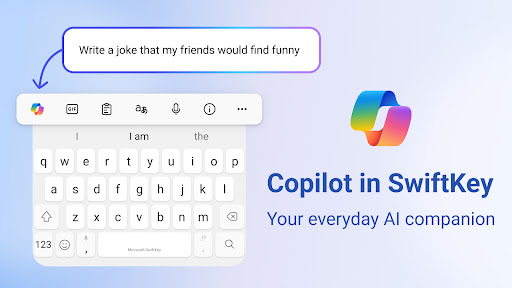
About this app
The Microsoft SwiftKey AI Keyboard solves the problem of tedious typing on Android devices by providing a personalized and AI-powered keyboard experience, making it an ideal solution for individuals who spend a significant amount of time typing on their smartphones. This app benefits most users who value convenience, customization, and speed in their typing experience. Compared to alternatives in the Personalization category, SwiftKey stands out with its robust feature set and frequent updates, but may fall short in terms of its ad-supported model. The app's high rating and large user base are testaments to its effectiveness.
Pros
- With over 1 billion downloads, Microsoft SwiftKey AI Keyboard has established itself as a trusted and reliable keyboard solution, demonstrating its quality and user satisfaction through its high rating of 4.4 out of 5 stars.
- The app's AI-powered copilot feature provides personalized predictions and corrections, enhancing the overall typing experience and making it more efficient.
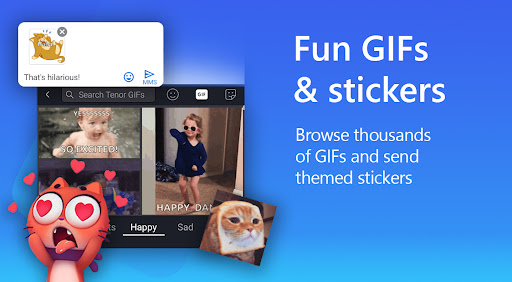
- SwiftKey's extensive collection of themes, gifs, and stickers allows users to customize their keyboard to suit their preferences, adding a touch of personality to their typing experience.
- The developer's reputation and frequent updates ensure that the app remains secure and up-to-date, addressing any issues or concerns that may arise.
Cons
- The app's ad-supported model may be a drawback for some users, potentially leading to a cluttered and distracting typing experience.
- Some users may find the app's lack of offline capability to be a limitation, as it requires a stable internet connection to function optimally.
- The app's permission requests are minimal, but users should still be aware of the potential data collection and privacy implications associated with the app's AI-powered features.
Best for: The ideal user for Microsoft SwiftKey AI Keyboard is a tech-savvy individual, likely between the ages of 18 and 45, who values convenience, customization, and speed in their typing experience, and is willing to tolerate the app's ad-supported model in exchange for its robust feature set and personalized typing experience.
Developer Description
AI-powered Copilot. Personalized keyboard with gifs, stickers & themes
Use your personalized keyboard to type and send emoji, GIFs and stickers just the way you like.
Microsoft SwiftKey comes with Copilot - your everyday AI companion. You can ask AI anything in your favourite apps.
The Microsoft SwiftKey swipe keyboard is always learning and adapting to match your unique way of typing - including your slang, nicknames and emoji.
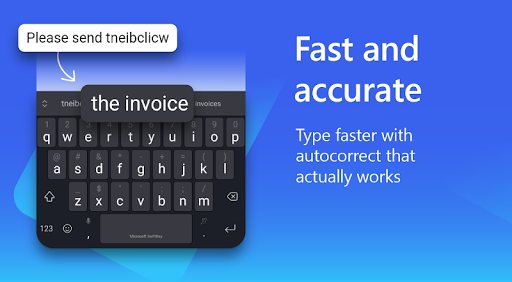
Microsoft SwiftKey caters to all typing tastes, with free designs and themes to fit any style. The custom keyboard provides autocorrect that actually works. Microsoft SwiftKey provides helpful predictions, so you can get your point across fast, without errors. Type and text any way you like, with swipe-to-type, tap-to-type, and searchable emojis and GIFs.
TYPE LESS, DO MORE
Typing
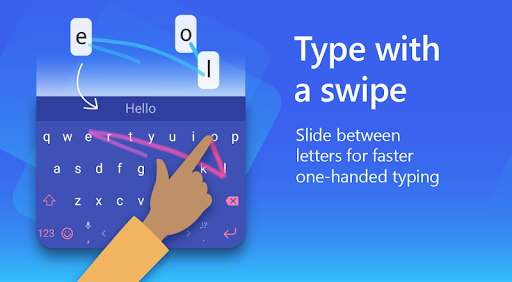
- Swipe to type or tap to type
- Spell checker and auto text with AI-powered predictions
- Custom keyboard toolbar with an expandable menu of quick shortcuts
- Rewrite your text in a different tone and Compose text to effortlessly transform your ideas into polished drafts via AI
Rich content
- Use emoji, GIFs and stickers to express yourself 😎
- Emoji keyboard is adaptive, learning and predicting your favorite emoticons for any conversation 👍
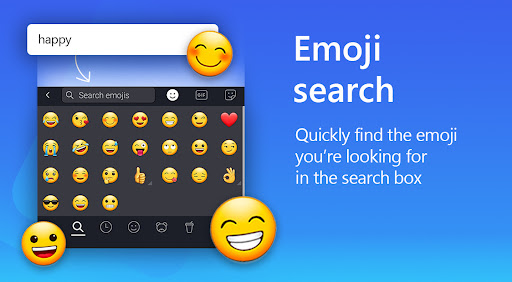
- Search emojis and GIFs to find the best one for your reaction 🔥
- Create unique AI-powered images and memes to stand out from the crowd 🪄
Customize
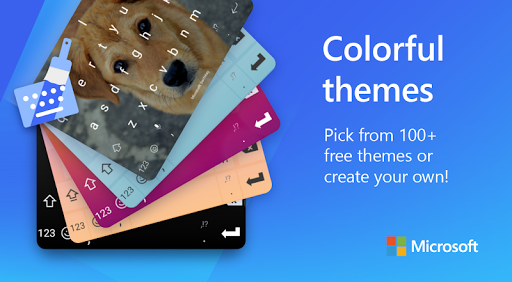
- 100+ colorful keyboard themes
- Make your own custom keyboard theme with your photo as the background
- Customize your keyboard size and layout
Multilingual
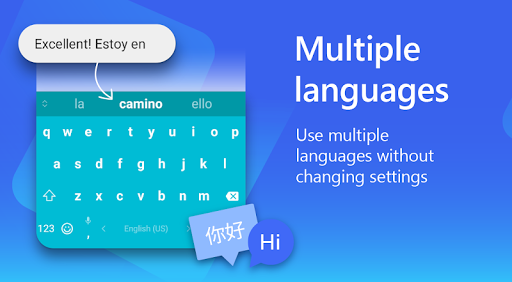
- Enable up to five languages at once
- Keyboard supports over 700 languages
Get the custom keyboard that always matches your style – download Microsoft SwiftKey Keyboard today!
Find out more about Microsoft SwiftKey’s key features: https://www.microsoft.com/swiftkey
SUPPORTS 700+ LANGUAGES including:
English (US, UK, AU, CA)
Spanish (ES, LA, US)
Portuguese (PT, BR)
German
Turkish
French
Arabic
Russian
Italian
Polish
Microsoft SwiftKey AI Keyboard may request the following optional permissions, which require your consent. You can continue to use Microsoft SwiftKey AI Keyboard without granting these permissions; however, some features may be limited or unavailable.
For more information, please see below:
- Microphone: To enter text via voice using the voice-to-text functionality.
- Photos and videos: To select images stored on your device and insert or share them in messages.
- Contacts: To access your contacts for easy entry when composing messages.
- Camera: To take photos to insert or share them in messages.
Privacy
Given the app's minimal permission requests, users can be relatively confident in its safety and security. However, it is essential to be aware of the potential data collection associated with the app's AI-powered features and to review the developer's privacy policy. To minimize potential risks, users should ensure that their device and app are updated regularly.
Tips
To get the most out of Microsoft SwiftKey AI Keyboard, users should take the time to customize their keyboard settings and explore the various themes and features available. Additionally, users can optimize their typing experience by enabling the app's AI-powered copilot feature and regularly updating their language models. By doing so, users can enhance their typing speed and accuracy.
What's New
Version Information
- Version
- 9.12.19.14
- Downloads
- 1.0B+
- Updated on
- Jan 12, 2026
- Released
- Sep 22, 2010
- Requires
- Android 8.0
Statistics
Google Play Rating History
Rating Distribution
Downloads Over Time
Microsoft SwiftKey AI Keyboard has been downloaded times. Over the past 30 days, it averaged downloads per day.
Shaded area shows 30-day prediction based on historical trends
Historical data collection started recently. More data points will be available over time.
Microsoft SwiftKey AI Keyboard - Google Play Rankings
Top Rankings
| Rank | Country | Category | List | Change |
|---|---|---|---|---|
| — |
Ranking History in
No ranking data available yet. Rankings are updated daily.
#44 in Top Free Personalization in Japan
 Yandex Browser with Protect
Microsoft SwiftKey AI Keyboard
Yandex Browser with Protect
Microsoft SwiftKey AI Keyboard
 Zedge™ Wallpapers & Ringtones
Microsoft SwiftKey AI Keyboard users say on Google Play
 Mohsen Srn
Good good very good
 Susan Serven
I loved it a little bit more, before After a recent (summer? Fall?) 2025 update the cursor jumps around awkwardly. This seems to happy everywhere email, social, texts, doesn't matter. I came here looking to uninstall and reinstall or simply see if I have the most recent version but seems I do Thanks
 Lộc
Lộc
Please disable the auto-correction feature after the user deletes a character in a word, and the automatic removal of Vietnamese diacritics for words containing special characters.
 Mikhail
Very small font, poor expectation of the words.
 Lila K
Refuses to let me edit OFF the Editor. Word Polish ( swipe) appears 100 % when I type emails.!? Lookig for a new Keyboard. Anybody? Any suggestions???????
ApkTrusted Ratings & Reviews
More from SwiftKey
See more apps
Similar Apps

CleverType AI Keyboard
Free

AI Keyboard: Writer, Grammar
Free

Typewise Custom Keyboard
Free
Fcitx5 for Android
Free
Mint Keyboard:Fonts,Emojis
Free

Microsoft Launcher
Free
Yandex Keyboard
Free

TECNO SPOT
Free

Nova Launcher
Free
HiOS Launcher - Fast
Free

Microsoft Ignite
Free

Fonts Keyboard Themes & Emoji
Free

Link to Windows
Free
Fonts Art - Keyboard Fonts
Free
A Launcher : Galaxy A Launcher
Free

Design Keyboard - Fonts, Emoji
Free
Scan this QR code to download

Forwarding you to the page at Google Play market in seconds...
Open Google Play market now