Microsoft Launcher v6.250701.0.1169580
Microsoft Corporation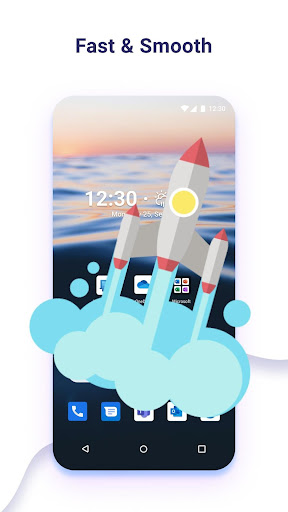
About this app
The Microsoft Launcher app solves the problem of personalization and organization on Android devices, benefiting users who value a customized and streamlined home screen experience. With its excellent rating of 4.7/5 and over 50 million downloads, it stands out as a top-tier app in the Personalization category, offering a robust feature set that compares favorably to alternatives. What sets it apart is its seamless integration with Microsoft services and its frequent updates, which ensure a secure and performant experience. However, it may fall short for users who prefer a more minimalist approach to customization.
Pros
- The app's high rating and large download numbers indicate a high level of user satisfaction and social proof, suggesting that it is a reliable and well-liked launcher option.
- The absence of ads and in-app purchases ensures a clean and distraction-free user experience, allowing users to focus on customizing their home screen without interruptions.
- Microsoft's reputation as a developer and its commitment to regular updates provide assurance that the app will continue to receive support and improvements, addressing any issues or concerns that may arise.
- The app's offline capability and accessibility features make it a practical choice for users who need to access their personalized home screen even without an internet connection.
Cons
- One concern is that the app may collect user data, such as usage patterns and preferences, which could raise privacy concerns for some users, although the app's permissions analysis shows that it does not request any permissions.
- Some users may find the app's feature set overwhelming or difficult to navigate, particularly if they are not familiar with Microsoft's ecosystem or prefer a more straightforward launcher experience.
- The app's compatibility with certain devices or Android versions may be limited, which could result in performance issues or bugs for some users.
Best for: The ideal user for the Microsoft Launcher app is a tech-savvy individual, likely between the ages of 25 and 45, who values a high degree of customization and integration with Microsoft services, and is looking for a reliable and performant launcher that can enhance their Android experience.
Developer Description
Personalize your phone and stay organized on the go.
This version of Microsoft Launcher has been rebuilt on a new codebase to make new features possible, including dark mode, and personalized news.
MICROSOFT LAUNCHER FEATURES
Customizable icons:
· Give your phone a consistent look and feel with custom icon packs and adaptive icons.
Beautiful wallpapers:
· Enjoy a fresh new image from Bing every day or choose your own photos.
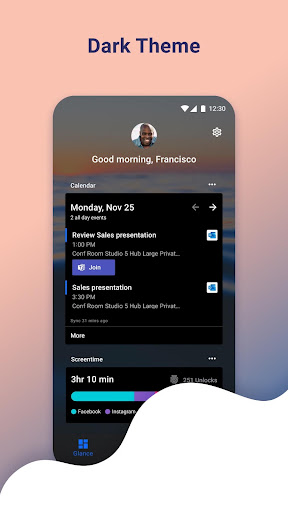
Dark theme:
· Comfortably use your phone at night or in low light environments with Microsoft Launcher’s new dark theme. This feature is compatible with Android’s dark mode settings.
Backup and Restore:
· Easily move between your phones or try Home Screen setups through Microsoft Launcher’s Backup and Restore feature. Backups can be stored locally or saved to the cloud for easy transfers.
Gestures:
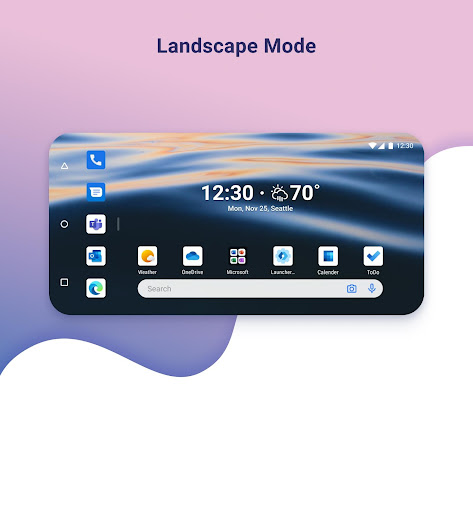
· Swipe, pinch, double tap, and more on the home screen to easily navigate on the Microsoft Launcher surface.
This app uses Accessibility Service Permission for optional gesture of screen lock and recent apps view.
Microsoft Launcher asks for the following optional permissions:
· Microphone: Used for speech-to-text functionality for Launcher features, such as Bing Search, Bing Chat, To Do, and Sticky Notes.
· Photo and video: Used for getting features, such as your wallpaper, Blur Effect, and Bing Chat Visual Search, and to show recent activities and backups. On Android 13 and higher, these permissions are replaced with the ‘All file’ access permissions.
· Notifications: Needed to notify you of any update or app activity.
· Contacts: Used for searching contacts on Bing Search.
· Location: Used for the Weather widget.
· Phone: Allows you to call your contacts with a swipe in Launcher.
· Camera: Used to create image notes for the Sticky Notes card and to search for images in Bing Search.
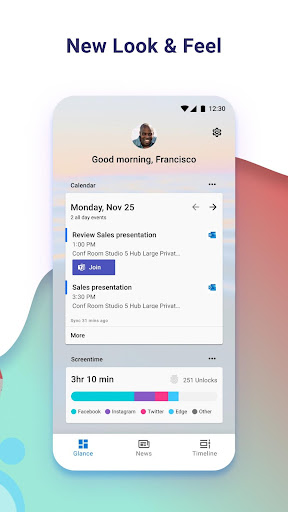
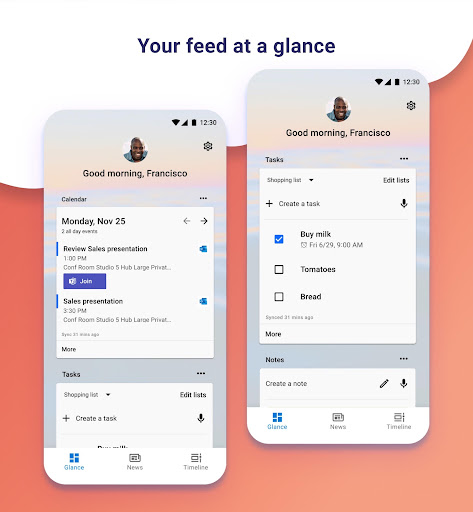
· Calendar: Used to show calendar info for the Calendar card in your Launcher feed.
You can still use Microsoft Launcher even if you do not consent to these permissions, but some functions may be restricted.
TERM OF USE
By installing this app, you agree to the Terms of Use (http://go.microsoft.com/fwlink/?LinkID=246338) and Privacy Policy (http://go.microsoft.com/fwlink/?LinkID=248686).
Downloading Microsoft Launcher gives the option to replace the default launcher or to toggle between device launchers. Microsoft Launcher does not replicate the user’s PC home screen on the Android phone. Users must still purchase and/or download any new apps from Google Play. Requires Android 7.0+.
Privacy
Given that the Microsoft Launcher app does not request any permissions, users can be assured that their data is not being collected or shared without their consent. However, as with any app, it is essential to be aware of the potential for data collection through other means, such as Microsoft's services or analytics tools. To minimize potential risks, users should review Microsoft's privacy policy and adjust their settings accordingly.
Tips
To get the most out of the Microsoft Launcher app, users should take the time to explore its various features and customization options, such as the ability to personalize their home screen with widgets and icons. Additionally, users can optimize the app's performance by regularly updating it and clearing any unnecessary data or cache. By doing so, users can create a tailored and efficient home screen experience that meets their specific needs and preferences.
Version Information
- Version
- 6.250701.0.1169580
- Downloads
- 50M+
- Updated on
- Jul 21, 2025
- Released
- Oct 28, 2015
- Requires
- Android 7.0
Statistics
Google Play Rating History
Rating Distribution
Downloads Over Time
Microsoft Launcher has been downloaded times. Over the past 30 days, it averaged downloads per day.
Shaded area shows 30-day prediction based on historical trends
Historical data collection started recently. More data points will be available over time.
Microsoft Launcher - Google Play Rankings
Top Rankings
| Rank | Country | Category | List | Change |
|---|---|---|---|---|
| — |
Ranking History in
No ranking data available yet. Rankings are updated daily.
#19 in Top Free Personalization in Japan

#85 in Top Free Personalization in Australia


#90 in Top Free Personalization in India


Microsoft Launcher users say on Google Play
 Ashraf Sidahmed
lovely manages my experience with a familiar PC look on my tablet
 Aashish Ratrey
Hello Microsoft Team, All are Good But I just want one more feature like I want to lock my homepage app folder please add this feature in your app thankyou
 Maks Sytchev
Найкращий. Зручний та красивий. Швидко налаштовуєтбся. Impossible to login with 2FA
 kourosh Ag
Don't support persian calendar. I hoped it was windows phone style
 Firoza Khtun
👍
ApkTrusted Ratings & Reviews
More from Microsoft Corporation
See more apps
Microsoft Authenticator
Free

Microsoft Bing Search
Free

Microsoft Azure
Free

MSN
Free

MSN Money- Stock Quotes & News
Free

MSN Weather - Forecast & Maps
Free

IoT Plug and Play
Free

Microsoft Build
Free

Microsoft Bing Webmaster Tools
Free

Link to Windows
Free

Warehouse Management
Free

Bing Wallpapers
Free

Microsoft Advertising
Free

Microsoft Identity Pass
Free

As Dusk Falls Companion App
Free

SMS Organizer
Free
Similar Apps

Nova Launcher
Free

Action Launcher: Pixel Edition
Free

Smart Launcher 6 ‧ Home Screen
Free
HiOS Launcher - Fast
Free
Computer Launcher Pro
Free
POCO Launcher 2.0 - Customize,
Free
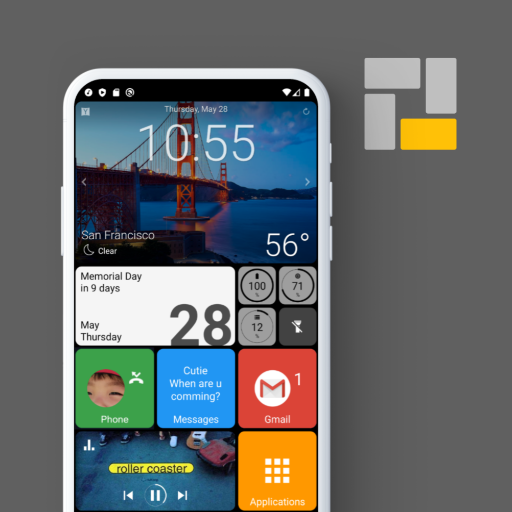
Square Home
Free
XOS Launcher -Cool Stylish
Free

GO Launcher S – 3D Theme, Wall
Free
Microsoft SwiftKey AI Keyboard
Free
Niagara Launcher ‧ Home Screen
Free

AIO Launcher
Free

GitHub
Free

fooView - FV Float Viewer
Free

DNA Launcher
Free
Magazine Lockscreen XOS
Free
Scan this QR code to download

Forwarding you to the page at Google Play market in seconds...
Open Google Play market now