Typewise Custom Keyboard v4.4.40
Typewise
About this app
Developer Description
Custom large keyboard with keyboard fonts & emojis for big keys & swift typing!
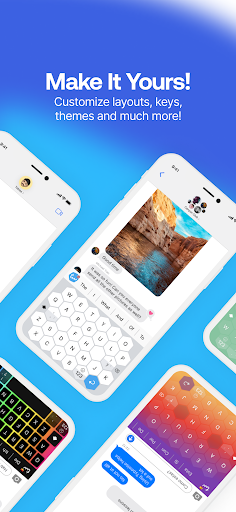
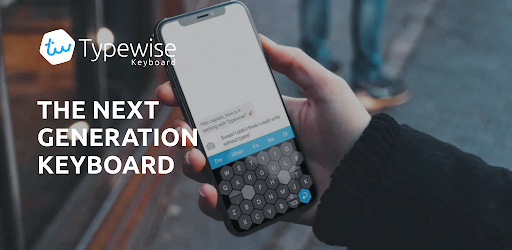
Typewise is an Android & iPhone keyboard app that helps you to make fewer typos, improve typing speed, customize the keyboard the way you want (different keyboard themes, keyboard fonts, emoji keyboard) while enjoying 100% privacy.
Featured on: TechCrunch, Wired, Esquire, The Telegraph, Tech Radar, Mac Observer
💡 Did you know?
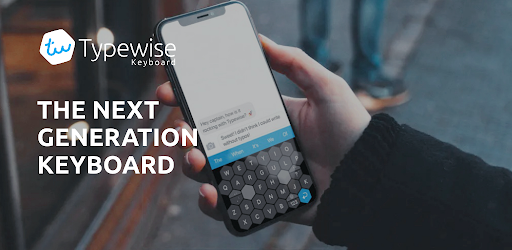
Current keyboards are based on the 140-year-old mechanical typewriter layout (QWERTY). Typewise is different. It’s the first font app that is specifically designed for smartphones. It’s revolutionary yet easy to use, and after a couple of messages you’ll love it.
Typewise provides you with a wide range of keyboard background options, emojis, text fonts, and other features, such as auto paste keyboard and emoji keyboard that will make its use fun and easy. Change fonts to any font you want to maximize your fonts keyboard experience.
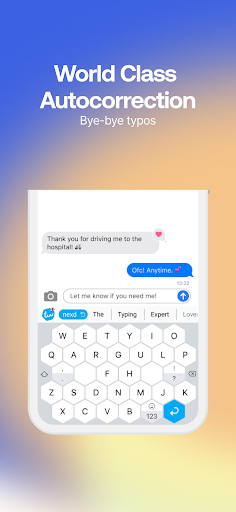
Our patented honeycomb layout is superior to the QWERTY layout used by most keyboards such as Gboard, Swiftkey, Kika Keyboard, Go Keyboard, Grammarly, Fleksy, Paste keyboard, Chrooma, and Cheetah Keyboard that ensure a wide range of fonts and paste keyboard simplicity.
🤩 4X fewer typos
A recent study with 37,000 participants showed that on current keyboards 1 out of 5 words contains typos. With Typewise you finally get rid of these ARRGGHH-moments. Thanks to the hexagon layout, keys are 70% larger and much easier to hit. It helps you to make 4 times fewer typos. Typewise is great for people looking for big keys keyboard (large keys keyboard).
👋 Intuitive gestures
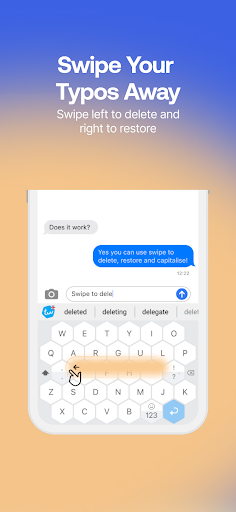
Swipe up to capitalize a letter, swipe left to delete or swipe right to restore. It's as simple as that.
✨ Smart autocorrect
Stop getting annoyed by wrong autocorrections or senseless predictions. Typewise learns what you type and helps you write that perfect sentence. This makes it truly your custom keyboard.
🔒 100% privacy
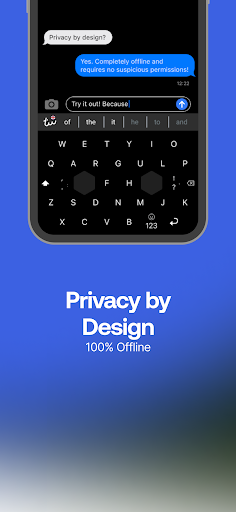
What you write is personal. That's why the keyboard runs locally on your device and none of your typing data is transmitted to the cloud. Other keyboards require dozens of permissions to access your calendar, contacts, files, GPS location and much more.
🗣️ Speaks your languages
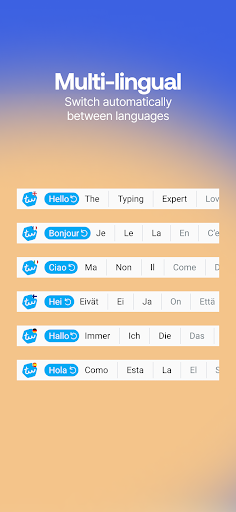
With Typewise you can write in all your languages at once. Typewise fonts switch automatically. Typewise supports:
- English keyboard (US, UK, AU, Canada)
- Afrikaans
- Albanian
- Basque
- Breton
- Catalan
- Croatian
- Czech
- Danish
- Dutch (Belgium, Netherlands)
- Estonian
- Filipino
- Finnish
- French (France, Canada, Switzerland)
- Galician
- German keyboard (Austria, Germany, Switzerland)
- Hungarian
- Hinglish
- Icelandic
- Indonesian
- Irish
- Italian
- Latvian
- Lithuanian
- Malaysian
- Norwegian
- Polish
- Portuguese keyboard (teclado) (Portugal, Brazil)
- Romanian
- Serbian
- Slovak
- Slovene
- Spanish keyboard (Spain, Latin, USA teclados)
- Swedish
- Turkish
Typewise supports our honeycomb layout (especially for fans of Dvorak and Colemak keyboard layouts), traditional QWERTY, QWERTZ, AZERTY keyboard layouts, and embedded emoji keyboard.
Use our honeycomb layout for a larger keyboard with big keys and large keys.
Get more with Typewise PRO
- Type in multiple languages without switching
- Get personalized word suggestions
- Additional 16 awesome themes (wallpapers, background)
- Create your own text replacements (shortcuts, copy paste)
- Turn on key vibration and set the perfect intensity
- Turn on tablet mode
- Change emoji style (emoji keyboard)
- Change font size (adjust fonts)
- Change swiping behavior
- Change space button sensitivity
- And many more
Supported devices
Typewise is optimized for smartphones with Android 6+ versions. Typewise is also a keyboard for iPhone
Privacy policy
To improve tutorial, game and settings, we rely on basic and anonymous usage tracking, which can be turned off completely using the offline mode feature. The keyboard itself is not tracked at all.
https://typewise.app/privacy-policy-app/
What's New
In-app purchases
$1.99 - $24.99 per item
Version Information
- Version
- 4.4.40
- Downloads
- 1M+
- Updated on
- Dec 8, 2025
- Released
- Dec 11, 2019
- Requires
- Android 6.0
Statistics
Google Play Rating History
Rating Distribution
Downloads Over Time
Typewise Custom Keyboard has been downloaded times. Over the past 30 days, it averaged downloads per day.
Shaded area shows 30-day prediction based on historical trends
Historical data collection started recently. More data points will be available over time.
Typewise Custom Keyboard - Google Play Rankings
Top Rankings
| Rank | Country | Category | List | Change |
|---|---|---|---|---|
| — |
Ranking History in
No ranking data available yet. Rankings are updated daily.
#14 in Top Grossing Personalization in Germany

#49 in Top Grossing Personalization in Italy

Typewise Custom Keyboard users say on Google Play
 Dale Beven
Update: dev response was prompt and they are working on issue. Will update review if issue persists for unreasonable duration but am currently very satisfied Great, except the minimise keyboard and change keyboard button cover the bottom half of bottom row of keys, and the AI support bot is garbage, it kept trying to navigate me to settings that don't exist to fix it. I want to keep using it, but this problem is likely going to force me to abandon this keyboard
 Joona Hautakoski
Nearly perfect keyboards app almost could rate 5/5. But, it's missing a few features I'd like to have. Although, a great step towards any improvement idea to be made true in the product is that there's a Telegram channel where the developers are actually active: respond to user questions, feedback and inform of upcoming features... 4/5
 Chris Hitchens
Great idea, but no speech to text and no clipboard :-( in essence this is a great idea but unfortunately it is missing some key functionality that should have been they're giving what they are charging. I can't see a clear road map and bought a one off licence unwittingly not knowing about the lack of speech-to-text or clipboard.
 Nathan Lewis
I tried but it's a bit broken. Love the hex layout and I dedicated some time to get better at it. Love that they thought to add a game to get used to it. Got the Pro. However, the typo corrections and suggestions are below par compared to GBoard and often simply don't work when you click on them. I couldn't even finish the tutorial because the long press function is broken. After awhile of super slow typing and many text msg typos I've given up. Security policy with openai is also sketchy
 Damien Rembold
It was an interesting enough concept and worked well enough at first for me to spring for the "pro" version since I use alternative key layouts and that feature is paywalled. Then, the errors started. Autocorrect started inserting the substituted words INSIDE the misspellings instead of overwriting. Random punctuation would be inserted that the backspace and delete actions couldn't remove. Copying anything to clipboard hard-crashes the phone's entire input system. If only I could refund.
ApkTrusted Ratings & Reviews
More from Typewise
See more apps
Similar Apps
Microsoft SwiftKey Beta
Free
Mint Keyboard:Fonts,Emojis
Free
Naver SmartBoard - Keyboard
Free
Microsoft SwiftKey AI Keyboard
Free

CleverType AI Keyboard
Free

Emoji Keyboard Lite-Emoji
Free

AI Keyboard: Writer, Grammar
Free
Shortcut Maker
Free

Design Keyboard - Fonts, Emoji
Free
Keyboard - Emoji, Emoticons
Free

Quikshort: Shortcut Creator
Free
Magazine Lockscreen XOS
Free
Good Lock: Premium Lock Screen
Free

Sesame Search & Shortcuts
Free

GIF Keyboard by Tenor
Free

My Photo Keyboard
Free
Scan this QR code to download

Forwarding you to the page at Google Play market in seconds...
Open Google Play market now