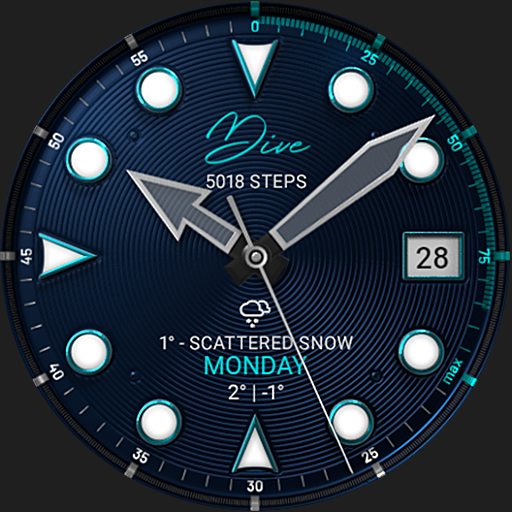
S4U Dive - Diver watch face vVARY
styles4you














About this app
Developer Description
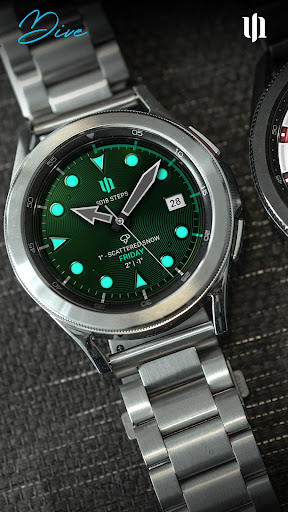
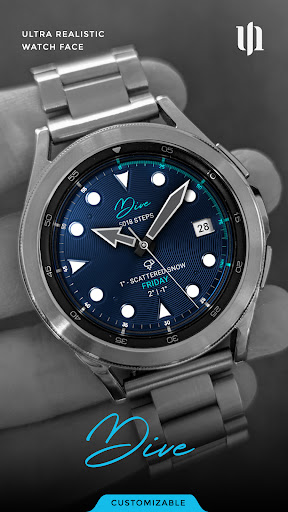
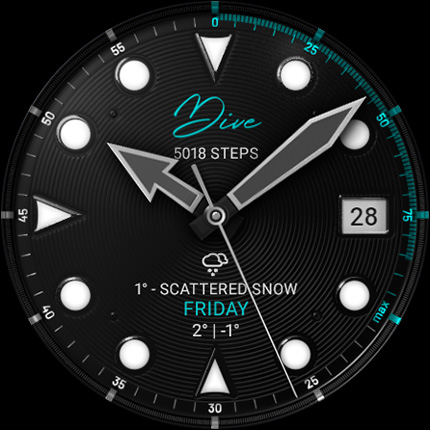
Transform your Wear OS watch with a realistic and customizable Diver watch face.
****
⚠️ IMPORTANT: Compatibility
This is a Wear OS Watch Face app and supports only smartwatches running Wear OS 5 or higher (Wear OS API 34+).
Compatible devices include:
- Samsung Galaxy Watch 4, 5, 6, 7, 8 (incl. Ultra and Classic Versions)
- Google Pixel Watch 1–3
- Other Wear OS 5+ smartwatches
If you experience any issues with installation or downloading, even on a compatible smartwatch:
1. Open the companion app provided with your purchase.
2. Follow the steps in the Install/Issues section.
Still need help? Feel free to email me at wear@s4u-watches.com for support.
****
✨ Key Features:
Ultra realistic design.
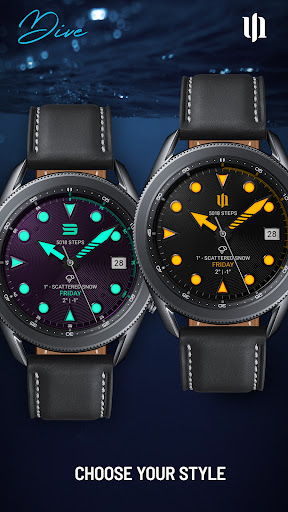
Wide range of color options for personalization.
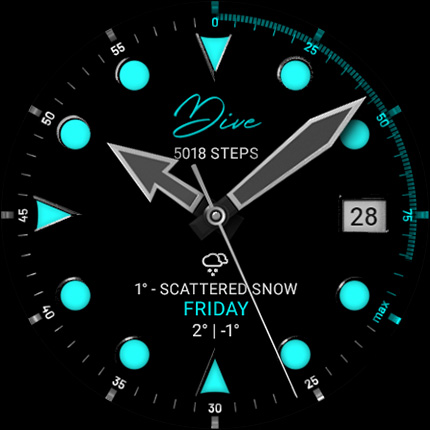
Clear and easily readable display with high-contrast markings.
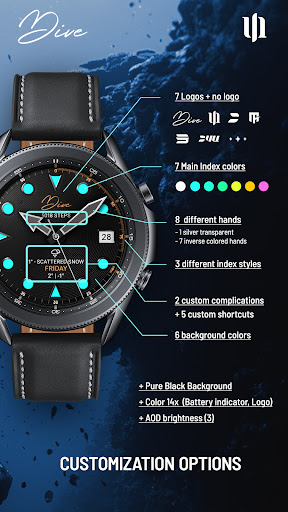
Two customizable complications.
Five customizable shortcuts.
Perfect for users who want a diving-themed watch face.
Completely black background is available as an option.
Dive into sophistication and elevate your Wear OS device with our unique and functional watch face. Download now and experience the difference!
****
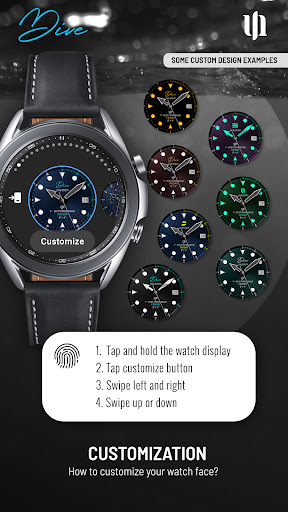
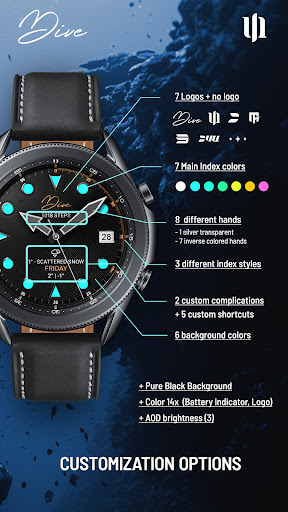
🎨 CUSTOMIZATION OPTIONS
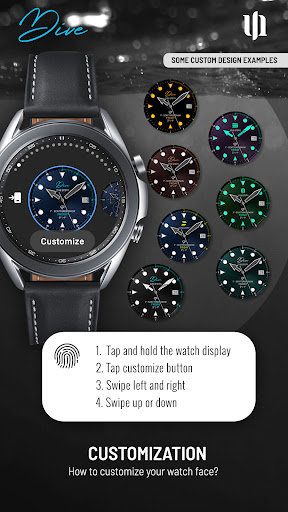
1. press and hold finger on the watch display.
2. press the button to adjust.
3. Swipe left or right to switch between the different customizable items.
4. Swipe up or down to change the options/color of the items.
- Color (14 different colors for battery indicator, day of the week and logo combined)
- Background Color (black, blue, mint, green, bordeaux, purple)
- Main Index Color (white, sky blue, mint, green, yellow, orange, pink)
- Index style (with numbers, without numbers, small marks)
- Hands (silver transparent, white, sky blue, mint, green, yellow, orange, pink)
- Logo (7 different logos + no logo)
- Pure Black (pure black background)
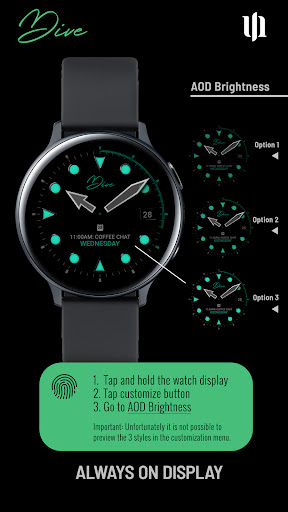
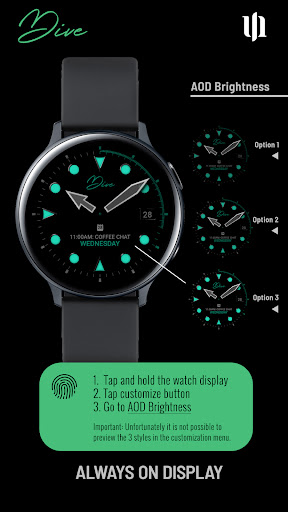
- AOD brightness (3 different brightness options)
****
Additional functionality:
The battery indicator is located in the upper right circle between 0 (0%) and 4 (100%) o'clock.
****
🌙 Always-On Display (AOD)
Important Notes:
- Using AOD will reduce battery life, depending on your smartwatch's settings.
- Some smartwatches may automatically dim the AOD display based on ambient light conditions.
⚙️ COMPLICATIONS & SHORTCUTS
Enhance your watch face with customizable app shortcuts and complications:
- App Shortcuts: Link to your favorite widgets for quick access.
- Editable Complications: Display the data you need most by customizing the visible values.
1. Press and hold the watch display.
2. Push the customize button.
3. Swipe from right to left until you reach the "complications".
4. 5 shortcuts and the 2 custom complications are highlighted. Click on it to set what you want here.
If you want to have more values inside of your complications list, check the Play Store for Wear OS complications.
****
📬 Stay Connected
If you enjoy this design, be sure to check out my other creations! I’m constantly working on new watch faces for Wear OS. Visit my website to explore more:
🌐 https://www.s4u-watches.com
Feedback & Support
I’d love to hear your thoughts! Whether it’s something you like, dislike, or a suggestion for future designs, your feedback helps me improve.
📧 For direct support, email me at: wear@s4u-watches.com
💬 Leave a review on the Play Store to share your experience!
Follow Me on Social Media
Stay up to date with my latest designs and updates:
📸 Instagram: https://www.instagram.com/matze_styles4you/
👍 Facebook: https://www.facebook.com/styles4you
▶️ YouTube: https://www.youtube.com/c/styles4you-watches
🐦 X: https://x.com/MStyles4you
What's New
Update to comply with the new Google policy for the Target SDK 34. Starting with this version, the watch face only supports Wear OS 5 or higher.
Version Information
- Version
- -
- Downloads
- 1K+
- Updated on
- Aug 12, 2025
- Released
- Feb 13, 2023
- Requires
- Android Varies with device
Statistics
Google Play Rating History
Rating Distribution
Downloads Over Time
S4U Dive - Diver watch face has been downloaded times. Over the past 30 days, it averaged downloads per day.
Shaded area shows 30-day prediction based on historical trends
Historical data collection started recently. More data points will be available over time.
S4U Dive - Diver watch face users say on Google Play
 Scotty Christopher Knight
This is a great watch face. My only suggestion: allow us to save our top 5 "finished faces" for quick access so we don't have to modify each time. Please consider!
 Daniel Royce
I really like the bright green and blue of this watch face. But if we add more patterns to the clock hands It's going to be really great.
 Paco Labbé
The app looks good. I cannot though customise it from my phone (Galaxy S24). When I try to do that, it just shows the dots that go round and round, trying to get something done. Longer than that, impossible. This needs to be fixed since an app should be customised from the phone.
 Michael Wright
Buggy, don't buy
ApkTrusted Ratings & Reviews
More from styles4you
See more apps
S4U EYE2 - digital watch face
Paid

S4U Abandon Time watch face
Paid
S4U Macau RX Racing Watch face
Paid

S4U Assen - Hybrid watch face
Paid
S4U Ancient Winter watch face
Paid

S4U Davos - Classic watch face
Paid
S4U Cyberpunk watch face
Paid
S4U Frost - classic watch face
Paid
S4U Arctic Blue watch face
Free
S4U Kyoto realistic watch face
Paid

S4U Chicago Golden watch face
Paid

S4U Ancient Gold Watch Face
Paid
S4U Atlanta
Paid

S4U Ancient SE watch face
Paid

S4U Dive Winter - watch face
Paid

S4U Legends soccer watch face
Paid
Similar Apps

Sevian : Diver Watch Face
Paid

ULTRA Diver watch face
Paid

JW230 LUMINOUS
Free

Roolex Submarine
Paid

Diver Classic 17 Wear OS 4+
Free

NW084: Analog watch face
Free
Modern Diver
Paid

Bangkero Dive-Master
Free
Diver Classic 9 Wear OS 4+
Paid

Diver Classic 16 Wear OS 4+
Free

HJ GENESIS02
Free
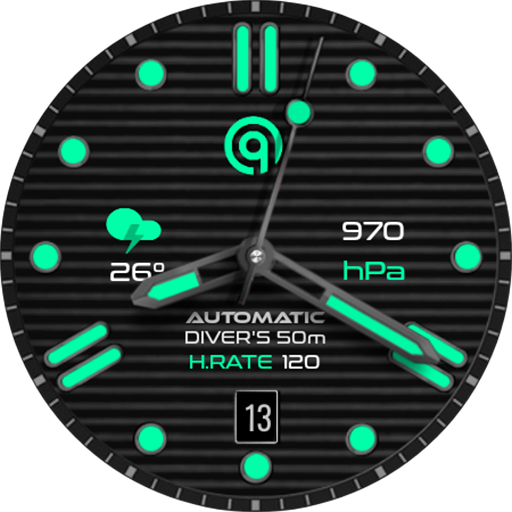
Diver Classic 10 Wear OS 4+
Paid

Pixoled P1 watch face
Free
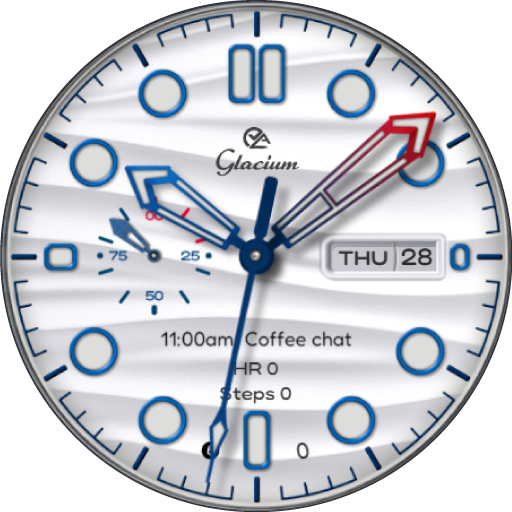
Glacium : Dive Watch Face
Paid

Aquastellar: Diver Watch Face
Paid

NeoDive : Diver Watch Face
Paid
Scan this QR code to download

Forwarding you to the page at Google Play market in seconds...
Open Google Play market now