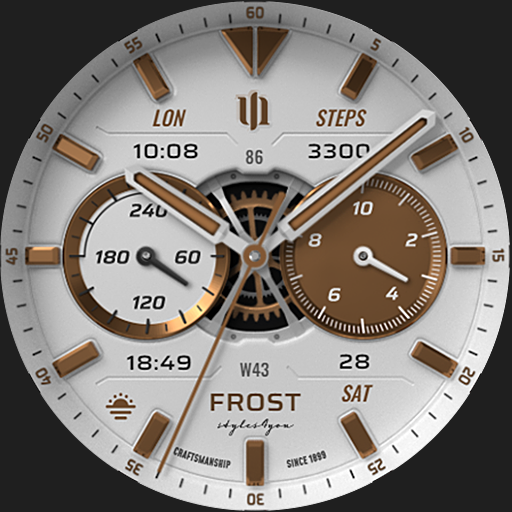
S4U Frost - classic watch face vVARY
styles4you




About this app
Developer Description
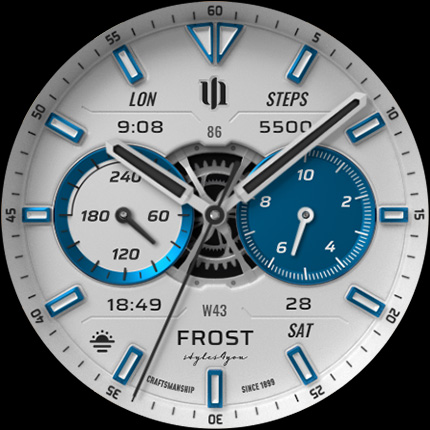
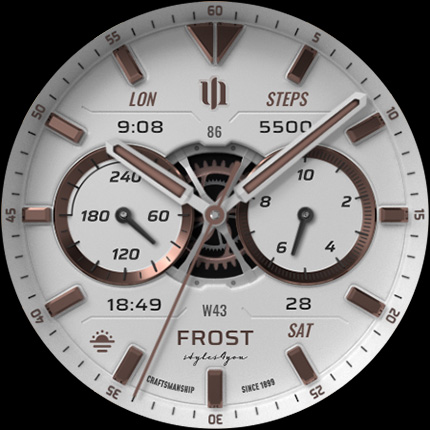
A white realistic classic analog watch face with many customization options.
✨ Key Features:
- Realistic analog dial
- 3 custom complications (for user-defined data).
- Color customization (9 colors).
- 4 custom shortcuts to access your favorite widget
- 3 AOD layouts
- Watch face displays: analog time, analog steps, analog heart rate, battery, day of the week, day of the month + 3 custom complications
****
⚠️ IMPORTANT: Compatibility
This is a Wear OS Watch Face app and supports only smartwatches running Wear OS 4 or higher (Wear OS API 33+).
Compatible devices include:
- Samsung Galaxy Watch 4, 5, 6, 7, 7 Ultra, 8
- Google Pixel Watch 1–3
- Other Wear OS 4+ smartwatches
If you experience any issues with installation or downloading, even on a compatible smartwatch:
1. Open the companion app provided with your purchase.
2. Follow the steps in the Install/Issues section.
Still need help? Feel free to email me at wear@s4u-watches.com for support.
****
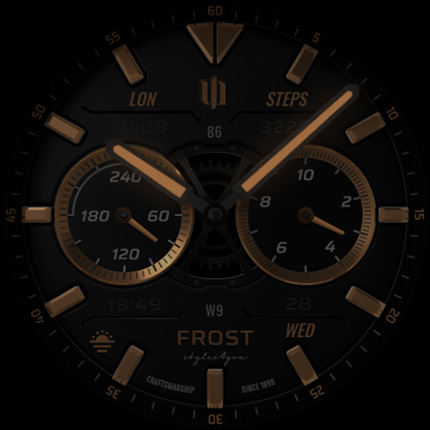
🌙 Always-On Display (AOD)
The dial has an always on display. You can change the layout in the customization menu. There are 3 layouts in total.
Important Notes:
- Using AOD will reduce battery life, depending on your smartwatch's settings.
- Some smartwatches may automatically dim the AOD display based on ambient light conditions.
- In AOD mode NO WHITE BACKGROUND!!!
🎨 CUSTOMIZATION OPTIONS
1. Press and hold your finger at center on the watch display.
2. Press the button to adjust.
3. Swipe left or right to switch between the different customizable items.
4. Swipe up or down to change the options/color of the items.
Available customization options:
Color: 10 (main hands, secondary complication color)
Index colors: 10
Inner dial background colors: 10
Inner dial Layout: 4
Index marks: 2
Background: 2
Logo: 4
Gear: 3
AOD Layout: 3
Complications: 3 custom complications, 4 shortcuts
****
⚙️ COMPLICATIONS & SHORTCUTS
Enhance your watch face with customizable app shortcuts and complications:
- App Shortcuts: Link to your favorite widgets for quick access.
- Editable Complications: Display the data you need most by customizing the visible values.
1. Press and hold the watch display.
2. Push the customize button.
3. Swipe from right to left until you reach the "complications".
4. 4 app shortcuts and 3 custom complications are highlighted. Click on them to make the desired settings.
****
📬 Stay Connected
If you enjoy this design, be sure to check out my other creations! I’m constantly working on new watch faces for Wear OS. Visit my website to explore more:
🌐 https://www.s4u-watches.com
Feedback & Support
I’d love to hear your thoughts! Whether it’s something you like, dislike, or a suggestion for future designs, your feedback helps me improve.
📧 For direct support, email me at: wear@s4u-watches.com
💬 Leave a review on the Play Store to share your experience!
Follow Me on Social Media
Stay up to date with my latest designs and updates:
📸 Instagram: https://www.instagram.com/matze_styles4you/
👍 Facebook: https://www.facebook.com/styles4you
▶️ YouTube: https://www.youtube.com/c/styles4you-watches
🐦 X: https://x.com/MStyles4you
What's New
Update to comply with the new Google policy for the Target API 34. The watch face only supports Wear OS 4 or higher.
Version Information
- Version
- -
- Downloads
- 50K+
- Updated on
- Jul 15, 2025
- Released
- Oct 31, 2023
- Requires
- Android Varies with device
Statistics
Google Play Rating History
Rating Distribution
Downloads Over Time
S4U Frost - classic watch face has been downloaded times. Over the past 30 days, it averaged downloads per day.
Shaded area shows 30-day prediction based on historical trends
Historical data collection started recently. More data points will be available over time.
S4U Frost - classic watch face - Google Play Rankings
Top Rankings
| Rank | Country | Category | List | Change |
|---|---|---|---|---|
| — |
Ranking History in
No ranking data available yet. Rankings are updated daily.
#22 in Top Paid Personalization in United States
 ULTRA Digital Retro watch face
S4U Frost - classic watch face
ULTRA Digital Retro watch face
S4U Frost - classic watch face
 WB DIGITAL BASE 2 Watch Face
#9 in Top Paid Personalization in Netherlands


#11 in Top Paid Personalization in Japan


#12 in Top Paid Personalization in South Korea
 ILLUMINATOR Digital Watch face
S4U Frost - classic watch face
ILLUMINATOR Digital Watch face
S4U Frost - classic watch face
 NW091한글: DIgital watch face
S4U Frost - classic watch face users say on Google Play
 Paco “Cisco08”
Just ... AWESOME!!! It is extremely cool! The animation in the middle is the cherry on top! It does take a bit to customize through the watch, but once you get it down it looks awesome! I wish you could change the background, some of the options would look cool in like black/blue/yellow/red. But either way it looks very cool! It does not disappoint!
 Tomaash Cernik
Great. Thanks for getting back to me. I have realized after your first response that I can customize the face on the watch. And so I put the battery where I couldn't edit the Complication on the phone. That's that solved. I'll have a play with it and see. It's a little fiddly to set it up on the watch but better than nothing. Thanks. I'll simplify this comment or will remove it soon.
 Nathan Franklin
The face is nice , but the customization is junk. When I attempt to customize the face, the blue and green dots just spin. I have to close and open the Wear app multiple times to get it to work. EDIT: I would like some help with the date complication. There's a small part that is cut off.
 Rob Nanne
This beautiful watch face is visually very appealing. However, some functions are not working well enough imo. The 3 different AOD settings do nothing for me. Numbers in complications, like week numbers or dates, are too small to read comfortably. Edit: I did try and test the 3 different AODs on my watch and I can't notice any difference. Galaxy watch 6
 Constantin Laculiceanu
This is scam. Cannot install, cannot get refund. Samsung watch 5. Why so much hassle. Stay away if you don't want to waste money as I did.
ApkTrusted Ratings & Reviews
More from styles4you
See more apps
S4U EYE2 - digital watch face
Paid

S4U Abandon Time watch face
Paid
S4U Dive - Diver watch face
Paid
S4U Macau RX Racing Watch face
Paid
S4U Ancient Winter watch face
Paid

S4U Assen - Hybrid watch face
Paid

S4U Davos - Classic watch face
Paid
S4U Cyberpunk watch face
Paid
S4U Arctic Blue watch face
Free
S4U Kyoto realistic watch face
Paid

S4U Chicago Golden watch face
Paid

S4U Ancient Gold Watch Face
Paid
S4U Atlanta
Paid

S4U Ancient SE watch face
Paid

S4U Dive Winter - watch face
Paid

S4U Legends soccer watch face
Paid
Similar Apps

Dream 72 White Watch Face
Paid
LMwatch bw classic 06
Paid
Luxury Watchface — NDW053
Paid

JW270 SILVER jwstudio
Paid

WAW003 Vibrant Smart Face
Paid

D380 Analog Classic Watch Face
Paid

SamWatch Analog Nut
Paid
KTdh
Paid

MJ152 Classic Analog
Paid
![AE KUDRAT [CLASSIC] icon](https://play-lh.googleusercontent.com/63nUO_Z7oNuFsLJkjRd2tyixWzJ5YB69YM7kvRMcjEC3wsi5NTxFTIS4-qfoLJSApG8)
AE KUDRAT [CLASSIC]
Free

CFS132 Premium
Paid

DADAM58W: Analog Watch Face
Paid

JND0090
Paid

CLA010 Analog Classic
Paid
AE ACTIVE MOND
Paid
MJ140 Elegant Hybrid
Free
Scan this QR code to download

Forwarding you to the page at Google Play market in seconds...
Open Google Play market now