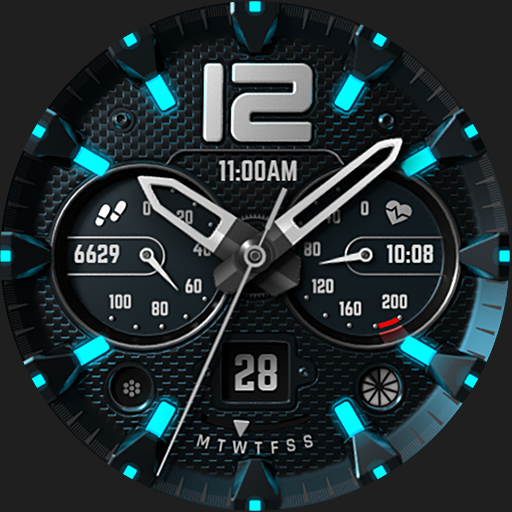
S4U Midnight Blue - watch face vVARY
styles4you





About this app
Developer Description
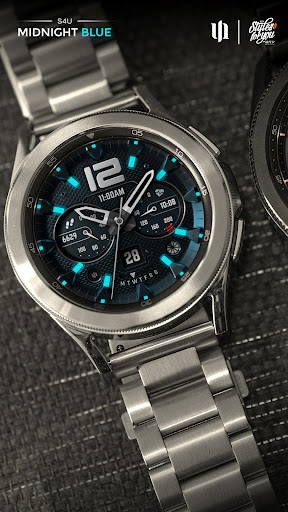
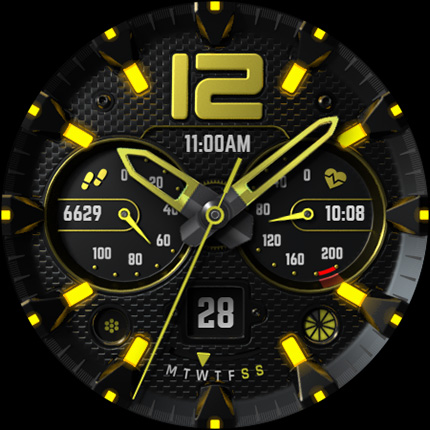
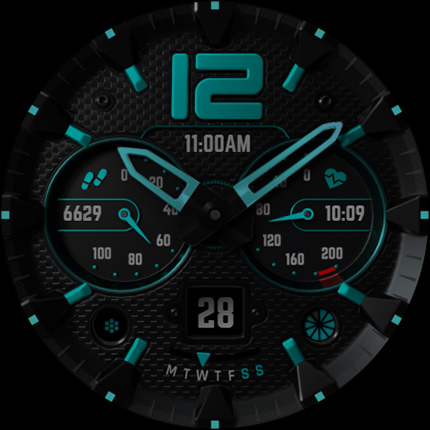
Realistic classic analog watch with multiple customization options.
⚠️ IMPORTANT: Compatibility
This is a Wear OS Watch Face app and supports only smartwatches running Wear OS 5 or higher (Wear OS API 34+).
Compatible devices include:
- Samsung Galaxy Watch 4, 5, 6, 7, 8 (incl. Ultra and Classic Versions)
- Google Pixel Watch 1–3
- Other Wear OS 5+ smartwatches
If you experience any issues with installation or downloading, even on a compatible smartwatch:
1. Open the companion app provided with your purchase.
2. Follow the steps in the Install/Issues section.
Still need help? Feel free to email me at wear@s4u-watches.com for support.
****
Enhance your Wear OS experience with the S4U Midnight Blue. A realistic classic analog watch face with multiple customization options, different color variations and editable complications.
✨ Key Features:
- Realistic classic analog watch face
- Color customization (primary, secondary, background, glowing index, watch hands)
- 3 editable complications (for user-defined data)
- 5 editable shortcuts to access your favorite widget
- 4 custom small hands
- 3 AOD brightness level
- Watch face displays time, steps (Daily target in percent), heart rate, day of the week, watch battery status
****
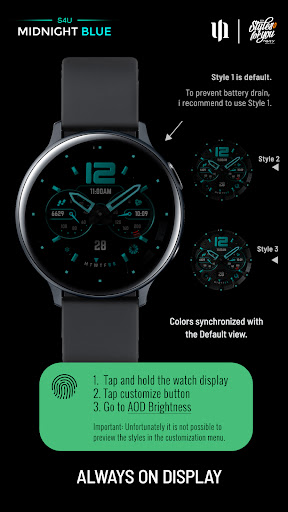
🌙 Always-On Display (AOD)
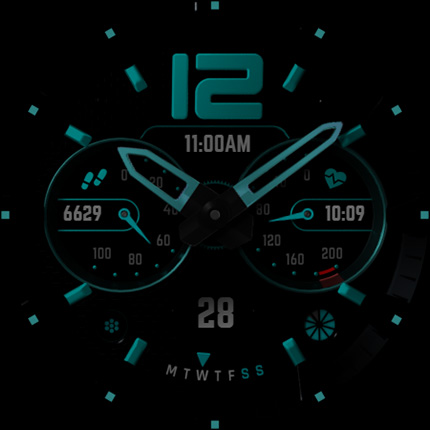
The dial has an always active display. You can change the brightness level in the customization menu. There are 3 levels in total.
The colors are synchronized with the normal view.
Important Notes:
- Using AOD will reduce battery life, depending on your smartwatch's settings.
- Some smartwatches may automatically dim the AOD display based on ambient light conditions.
****
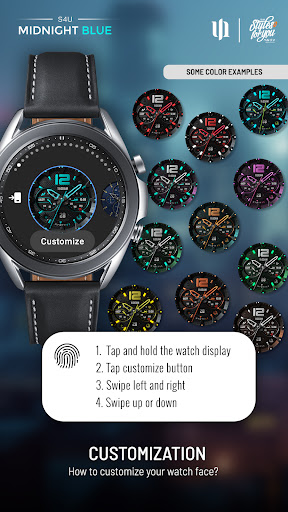
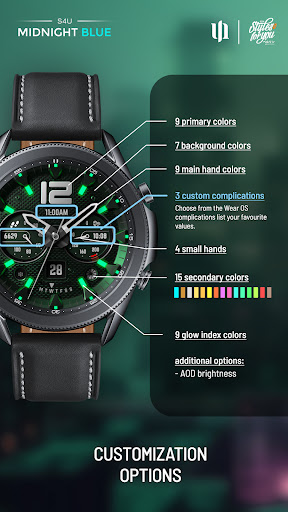
🎨 CUSTOMIZATION OPTIONS
1. Press and hold your finger at center on the watch display.
2. Press the button to adjust.
3. Swipe left or right to switch between the different customizable items.
4. Swipe up or down to change the options/color of the items.
Available customization options:
Color Primary: 9
Color: 15 colors (secondary color)
Color Background: 7
Color Hands: 9
Small hands: 4 styles
Index Glow: 9 (default: OFF)
Weekday Language: EN, DE, FR, SP, IT, PO, KO, RU
Border shadow: 4
AOD brightness: 3 level
Complications: 3 editable complications (data related), 5 editable shortcuts (links)
Additional functionality:
+ tap the battery indicator to open battery details
(not supported by every smartwatch)
****
⚙️ COMPLICATIONS & SHORTCUTS
Enhance your watch face with customizable app shortcuts and complications:
- App Shortcuts: Link to your favorite widgets for quick access.
- Editable Complications: Display the data you need most by customizing the visible values.
1. Press and hold the watch display.
2. Push the customize button.
3. Swipe from right to left until you reach the "complications".
4. 5 app shortcuts and 3 custom complications are highlighted. Click on them to make the desired settings.
That's it.
If you like the design, it is definitely worth to have a look at my other creations. More designs will be available for Wear OS in the future. Just check out my website: https://www.s4u-watches.com.
For quick contact with me, use the email. I also would be happy for every feedback in the play store. What you like, what you don't like or any suggestions for the future. I try to have everything in view.
My Social Media to be always up to date:
Instagram: https://www.instagram.com/matze_styles4you/
Facebook: https://www.facebook.com/styles4you
YouTube: https://www.youtube.com/c/styles4you-watches
Twitter: https://twitter.com/MStyles4you
What's New
Update to comply with the new Google policy for the Target SDK 34. Starting with this version, the watch face only supports Wear OS 5 or higher.
Version Information
- Version
- -
- Downloads
- 5K+
- Updated on
- Aug 14, 2025
- Released
- Feb 21, 2024
- Requires
- Android Varies with device
Statistics
Google Play Rating History
Rating Distribution
Downloads Over Time
S4U Midnight Blue - watch face has been downloaded times. Over the past 30 days, it averaged downloads per day.
Shaded area shows 30-day prediction based on historical trends
Historical data collection started recently. More data points will be available over time.
S4U Midnight Blue - watch face users say on Google Play
 Storm (Stormtrooper)
Awesome watch face
 daniel carrillo
too much trouble to change the face, takes too long to load up and sometimes just stops halfway through, i gave it 4 stars instead if 3 because if you do manage to get it the way you want it does look good, just wish it was easier
 r2d2cold
comes with blue face installed which is nice...but has issues when trying to customize in galaxy app (pro5).. app has spinning wheel, kicks screen back to home page, doesnt save custom version.
 Anuar Ali
cannot install to my smart warch
ApkTrusted Ratings & Reviews
More from styles4you
See more apps
S4U EYE2 - digital watch face
Paid

S4U Abandon Time watch face
Paid
S4U Dive - Diver watch face
Paid
S4U Macau RX Racing Watch face
Paid
S4U Ancient Winter watch face
Paid

S4U Assen - Hybrid watch face
Paid

S4U Davos - Classic watch face
Paid
S4U Cyberpunk watch face
Paid
S4U Frost - classic watch face
Paid
S4U Arctic Blue watch face
Free
S4U Kyoto realistic watch face
Paid

S4U Chicago Golden watch face
Paid

S4U Ancient Gold Watch Face
Paid
S4U Atlanta
Paid

S4U Ancient SE watch face
Paid

S4U Dive Winter - watch face
Paid
Similar Apps

KZY053
Paid

Pars Era Hybrid Watch Face
Paid

KZY102
Free
DF066
Free

ZKin Watch Blue Firefly Quartz
Paid

Voron LION Watch Face
Paid

CarbonX Dark Hybrid WatchFace
Paid

Oogly Techno Animation
Free

Chronograph Hybrid Wear OS 5+
Paid

OMG 28 - Digital Retro Watch
Paid
![AE COVERT [FUSION 33] icon](https://play-lh.googleusercontent.com/1CA6T6fk0KAaGUtJ5tBkq5mtSuTse_c84JR9ub_oJ1vpClJhoX9sufbcFd4NHfjrWg)
AE COVERT [FUSION 33]
Free

h503 Watch Face King
Paid
Phantom - Sports | watch face
Paid
Digital Sport V10
Free
IA127 Hybrid Watchface
Paid
SamWatch AD U 2024
Free
Scan this QR code to download

Forwarding you to the page at Google Play market in seconds...
Open Google Play market now