Zen Brush vVARY
PSOFT MOBILE





About this app
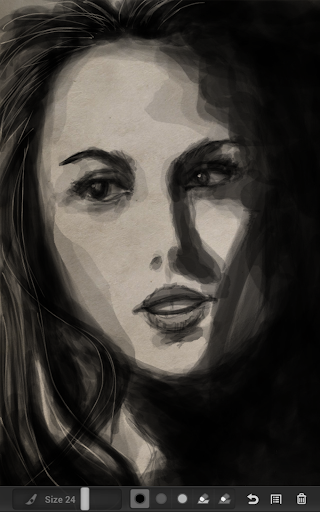
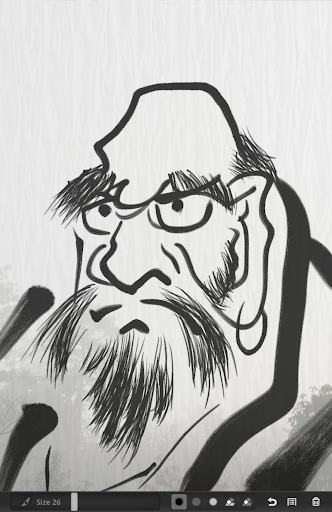
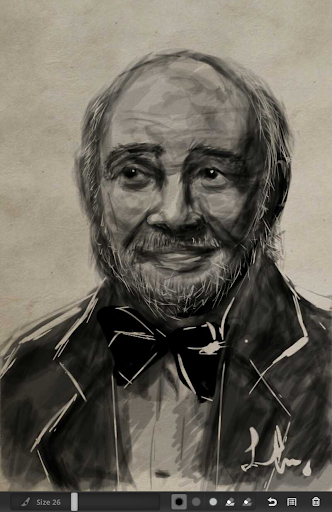
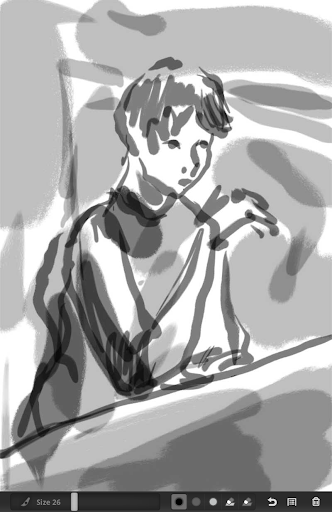
Zen Brush solves the problem of digital art lacking the organic feel of traditional mediums, benefiting artists and enthusiasts seeking a realistic ink brush experience. It stands out in the Art And Design category with its focus on simplicity and realism, though it falls short in terms of advanced features compared to alternatives. The app's moderate download numbers and good user rating suggest a dedicated user base. Overall, Zen Brush is ideal for those prioritizing the zen experience over complex digital art tools.
Pros
- With over 500,000 downloads and a 3.7/5 user rating, Zen Brush has established a moderate level of social proof, indicating a sizable and generally satisfied user base.
- The app's developer, PSOFT MOBILE, has a professional website and contact email, suggesting a commitment to user support and feedback.
- Zen Brush's minimalistic approach to digital art, focusing on the realistic simulation of an ink brush, can be very appealing to those looking for a straightforward and meditative creative experience.
- The absence of any permissions requests is a significant advantage, as it implies that the app does not collect or transmit user data, enhancing privacy and security.
- The option for in-app purchases allows users to expand their creative possibilities without being forced into a subscription model, offering flexibility.
Cons
- The presence of ads in a free version might disrupt the zen experience the app aims to provide, potentially frustrating users who are looking for an uninterrupted creative space.
- The limited feature set, while part of the app's charm for some, might not satisfy users seeking more advanced digital painting tools or effects, limiting its appeal to a broader audience.
- The variability in Android version requirements could lead to inconsistencies in user experience across different devices, potentially affecting performance and compatibility.
- Some users might find the $1.99 price point for in-app purchases to be somewhat steep, especially if they are unsure about the app's long-term value or if they are accustomed to free alternatives.
Best for: The ideal user for Zen Brush is an individual, likely an adult with a basic to intermediate level of artistic skill, who values simplicity, realism, and a meditative experience in digital art creation, and is looking for a straightforward, distraction-free tool to express their creativity without needing advanced features or complex editing options.
Developer Description
Enjoy the zen feeling of using a realistic ink brush to write and to paint.
Official Android version of the popular iPhone / iPad app!
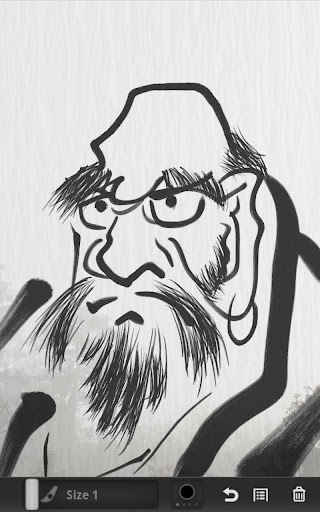
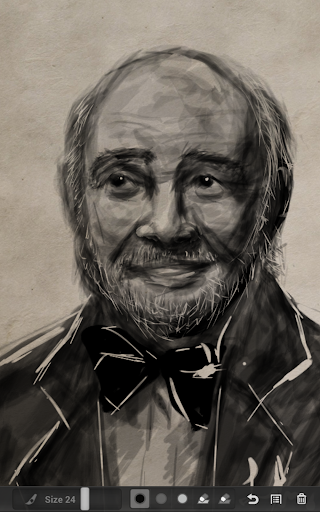
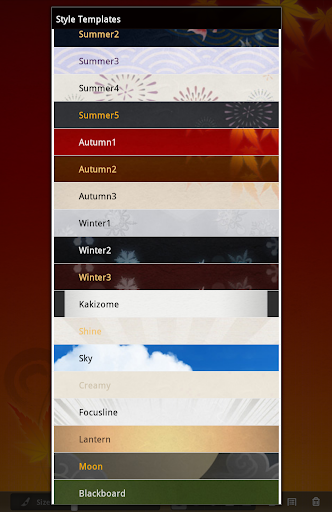
Zen Brush is an app that allows you to easily enjoy the feeling of using an ink brush to write and to paint. It allows anyone to easily perform fluent strokes while not compromising on the fascinating texture of a real ink brush. Create works that radiate the right atmosphere by choosing the best background template from our large collection.
FEATURES
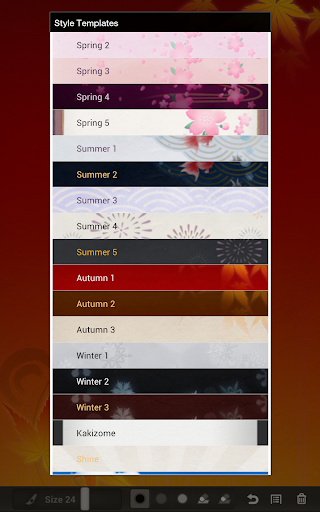
- Background style templates (62 kinds / 2 available for free).
- Brush size adjustment slider.
- 3 ink shades available.
- Eraser tool.
- Undo function (1 time, Full version only).
- Save pictures as photos.
- Share your pictures with your favorite sharing app (Twitter, Facebook, Email, ...).
- Supports stylus pressure (with supported devices / styluses).
About the Free version:
The Free version is ad supported.
Includes 2 style templates.
Applies a watermark to saved and shared images.
Undo/Redo function is disabled.
About the Full version:
* Take advantage of the Free version to make sure Zen Brush works well on your device before upgrading to the Full version.
The Full version is available as an in-app purchase option (uses Google Play in-app billing).
Removes ads.
Includes 62 style templates.
Does not apply watermarks.
Undo/Redo function is enabled.
Note regarding device support:
We observed problems with restoring the current image when quitting and returning to the app on some devices. Please take the time to experiment with the Free version before upgrading to the Full version.
Note for users who experience lag:
Try adjusting the power saving settings on your device.
We found that activating "System power saving" on some devices reduces the UI rendering speed, which greatly reduces the app's performance.
About the permissions:
- Storage: Required to save your work on the device's SD card.
- Network communication: Required to show ads in the Free version and to use the Google Play billing service to buy the Full version.
- Development tools: Required to check if the SD card is available when saving your work.
Privacy
Given that Zen Brush requests no permissions, it appears to be a very secure and private option for digital art creation. However, users should still be cautious when making in-app purchases and ensure they are buying from trusted sources. It's also advisable to review the app's terms of service and privacy policy, if available, to understand any data collection practices related to purchases or app usage.
Tips
To get the most out of Zen Brush, start by experimenting with the different brush strokes and ink effects to understand the app's capabilities. For optimal performance, consider closing other resource-intensive apps while using Zen Brush, especially on lower-end devices. Additionally, taking advantage of the app's offline capability can be beneficial for creating art anywhere without worrying about internet connectivity or data usage.
What's New
- Added support for Android 15 and 16. This can cause the app to run in landscape mode when that is the device's default orientation.
- Added support for 16 KB page sizes.
- Added support for x86-64 devices.
- Updated Google libraries used by the app.
In-app purchases
$1.99 per item
Version Information
- Version
- -
- Downloads
- 500K+
- Updated on
- Aug 3, 2025
- Released
- Feb 19, 2012
- Requires
- Android Varies with device
Statistics
Google Play Rating History
Rating Distribution
Downloads Over Time
Zen Brush has been downloaded times. Over the past 30 days, it averaged downloads per day.
Shaded area shows 30-day prediction based on historical trends
Historical data collection started recently. More data points will be available over time.
Zen Brush users say on Google Play
 Hum Didum
This is one of the best apps out there. The form factor where it should be used is a Tablet and a very good stylus (iPad and Apple Pencil 2 is ideal) Some people have given low ratings for 'not having more colours.' This app is for Japanese (East Asian) calligraphy which uses only a brush, paper and black ink (red ink is used for corrections). What you are using is the full app; the small screens, poor styluses of Android are the issues, and of course, a lack of understanding of the app
 Tila Sole
Was going to rate low, but tried it & honestly can not rate lower than 3 or 4*. If you have the money, this app looks worth it! Beautiful strokes! Perfect for calligraphy & ink painting, especially kanji & sumi-e, they even have the washi paper +others to go with it! Major problem though are the water marks, no undo & virtually everything behind a pay wall. If you already have ads, allow for more to be utilized by free users. Also allow for red +others, as it would go wonderfully with the black.
 A Google user
First, the good. The brush is impressive. With a pen the pressure feature is excellent. Simple three tones. But what would a comparatively expensive upgrade buy. A single undo? No colors? No layers? Not worth the price.
 C R
C R
Yep. Again. This is another promising app, but once again, lack of palm cancellation...i don't understand this. 100s of drawing apps on the store and mostly every single one fails to add a pen mode only, which is more than necessary for every single tablet that is pen able, like my Samsung Tablet S7+.
 Kerry Bentley
Rubbish,paid and nothing different,all geared toward IOS which considering it is coming through as a Samsung s pen app is just plain wrong. No colors,only shades of black and some templates.
ApkTrusted Ratings & Reviews
More from PSOFT MOBILE
See more apps
Similar Apps

DreamBuild: Sketch to 3D
Paid

3D Photo: Imager
Paid

ArtFlow: Paint Draw Sketchbook
Free

Geulgram - Text on Photo
Free

AR Drawing - Paint and Sketch
Free

Invitation Maker & Card Design
Free

Photobook: Photo Books & Gifts
Free

Artlette
Free
Color Grab (color detection)
Free

MediBang Paint:Draw Art, Comic
Free

Logo Maker Design AI Generator
Free

Apowersoft Background Eraser
Free
Photo Editor by BeFunky
Free
Greeting & Birthday Card Maker
Free

touchnotes
Free
PicMonkey Photo Editor
Free
Scan this QR code to download

Forwarding you to the page at Google Play market in seconds...
Open Google Play market now