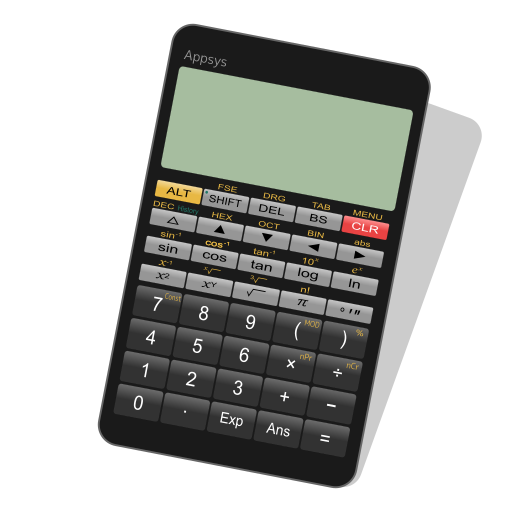
Panecal Plus v7.6.1
Appsys




About this app
Developer Description
For engineers and students
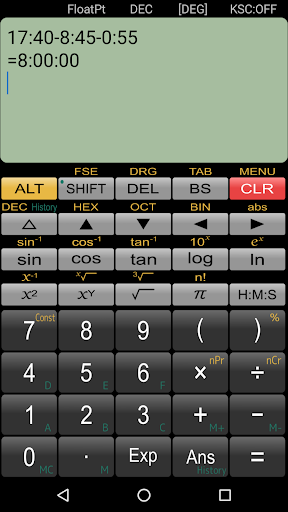
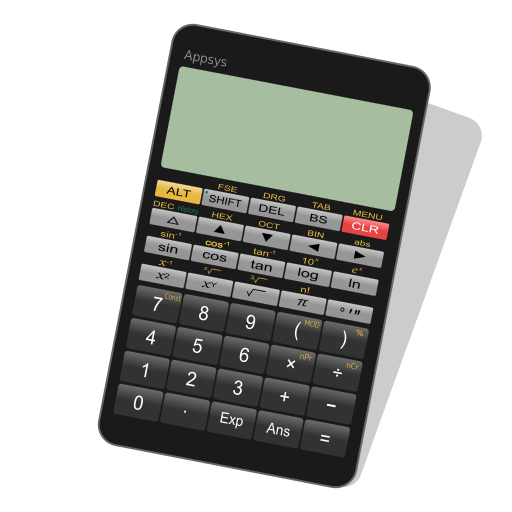
This app is a scientific calculator application for technical work such as information engineering, mechanical engineering, dynamics, measurements, and construction, an essential item for engineers and science students.
Panecal Scientific Calculator can display and correct mathematical expressions. You can use it to check expressions, which enables you to prevent input errors and calculation mistakes. Panecal Scientific Calculator has functions such as editing and recalculating calculation expressions entered in the past, as well as the capability to use variable memory to only change specific values and do calculations.
A cursor is displayed on the screen, and you can tap the screen or push arrow keys to quickly move to the location you want to edit. Panecal allow you to swipe to scroll through expressions, as well as copying and pasting using long tapping, which makes it a strong and flexible application with an intuitive user interface.
[Primary use of this scientific calculator]
- for information engineers, mechanical engineers.
- for calculation of dynamics, measurements, and construction.
- for science students.
- for a large calculator by using tablet device.
- In case you don't have a scientific calculator on an outing.
[Features]
- Move the cursor by tapping
- Swipe to scroll through the screen
- Copy and paste
- expressions history
- Binary numbers, octal numbers, decimal numbers, hexadecimal numbers up to 32 bits
- Radix conversion
- M+/M- memory
- 6 types (A-F) variable memory
- Degrees, radians, or grads for angle units
- FloatPt (floating decimal mode), Fix (fixed decimal mode), Sci (index mode), and Eng (index is in multiples of 3) for displaying format
- Decimals and grouping separator settings
- Horizontal screen display
- Vibration and orange coloring as tapping
- Arithmetic operations, inverse trigonometric, logarithmic, power, power root, factorials, absolute values, and percent calculations.
[Disclaimer]
Please note in advance that Appsys is not responsible for any damage or lost profits caused by the use of this software, or any claims from third parties.
What's New
- Updated libraries.
Version Information
- Version
- 7.6.1
- Downloads
- 50K+
- Updated on
- Jul 15, 2025
- Released
- Nov 12, 2011
- Requires
- Android 6.0
Statistics
Google Play Rating History
Rating Distribution
Downloads Over Time
Panecal Plus has been downloaded times. Over the past 30 days, it averaged downloads per day.
Shaded area shows 30-day prediction based on historical trends
Historical data collection started recently. More data points will be available over time.
Panecal Plus - Google Play Rankings
Top Rankings
| Rank | Country | Category | List | Change |
|---|---|---|---|---|
| — |
Ranking History in
No ranking data available yet. Rankings are updated daily.
#12 in Top Paid Tools in Japan

Panecal Plus users say on Google Play
 A Google user
Used this for years. Lovely clean interface without gimmicks. Works just like a good basic scientific calculator.
 Vikrant
Most of the time it asks for license verification and crashes.
A Google user
Nice application but I can't understand how to square e.g if I want to write ( under root A square + B square )
A Google user
Try to calculate sqrt(1-2/3*1.5): dividing before multiplying leads to wrong rounding.
 Ian Keeler
Would be 5 stars as this has been my favoritw calculator for 6+ years. Noticably laggy after the last update. To the point where numbers get double typed by me since Im used to an instantaneous response. Please sort out what changed!
ApkTrusted Ratings & Reviews
More from Appsys
See more apps

Similar Apps

Scientific Calculator Pro
Paid
Champ Scientific Calculator
Free
Scientific Calculator
Free
Scientific Calculator He-580
Free
Real Scientific Calculator
Free
Smart Calc: Daily Calculator
Free
HiPER Calc Pro
Paid
HiPER Scientific Calculator
Free
All in One Calculator
Free
Calculator Pro: Calculator App
Free

CalcTape Calculator with Tape
Free

KiWi Vault: Hide Photos, Video
Paid

OneCalc: All-in-one Calculator
Free

EMI Calculator Premium
Paid
Graphing Scientific Calculator
Free

Nothing Pomodoro Timer
Paid
Scan this QR code to download

Forwarding you to the page at Google Play market in seconds...
Open Google Play market now