Business Calendar Pro v1.6.1.5
Appgenix Software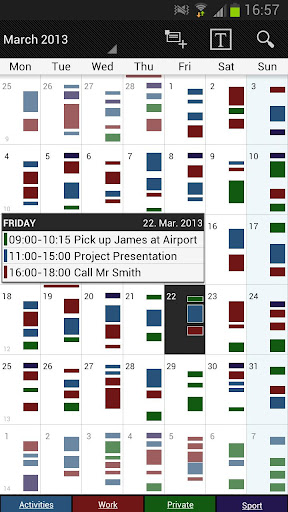







About this app
Developer Description
Professional calendar app for Google Calendar, MS Outlook & Exchange
★ "Our favorite calendar app on Android, due to its flexibility and ease of use." - Lifehacker 01/2014 ★
★ "One of the best Calendar Apps for 2014" - FastCompany ★
Features
▪ Quick Day View: for a fast overview of all events of the day
▪ Favorite Bar: for direct access to all your calendars
▪ smooth scroll and zoom: for better, intuitive interaction
Customization down to the last detail
▪ adapt all views & widgets to your liking
▪ individual reminders with vibration, sounds, repetitions, intervals, LED
▪ adjustable font sizes for the app & widgets
Details
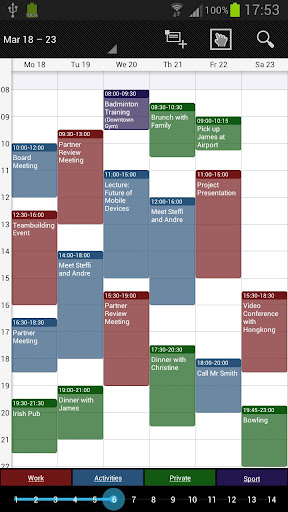
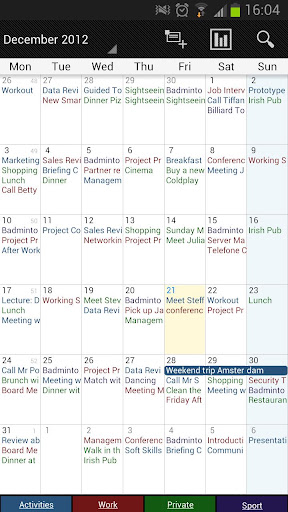
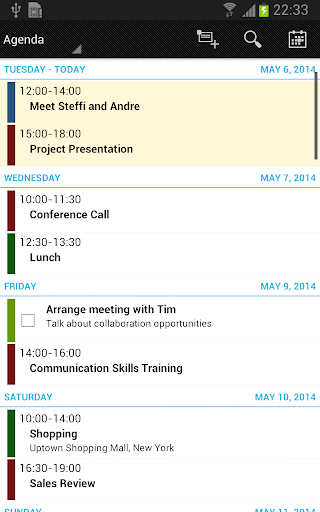
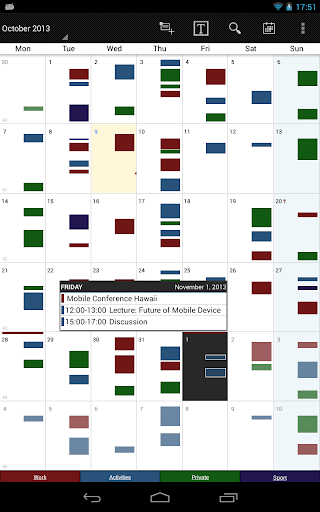
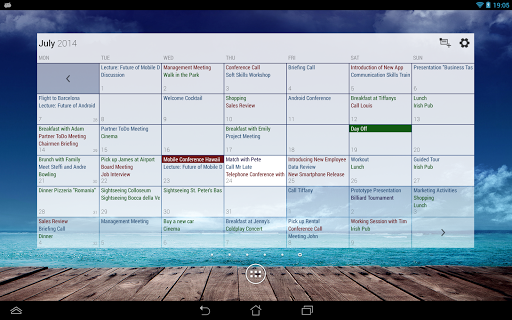
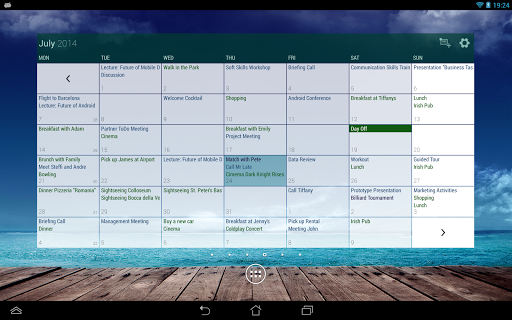
▪ month, week, day, agenda and event view
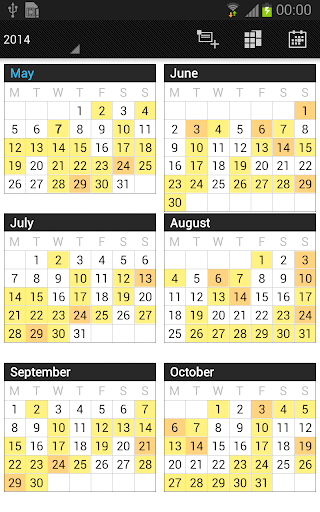
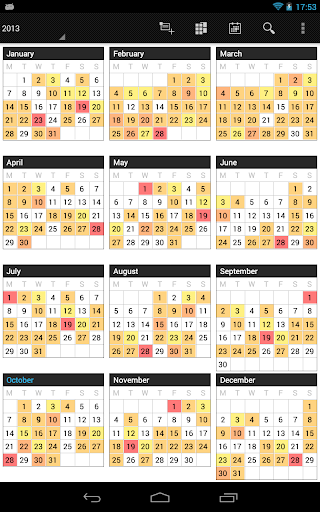
▪ color-coded year view
▪ scroll- and zoomable multi-day view (1-14 days)
▪ easy switching between timeline bars and event titles in month view
▪ search function
▪ sync your events with Google Calendar, Microsoft Outlook, Exchange etc. using the Android calendar synchronization
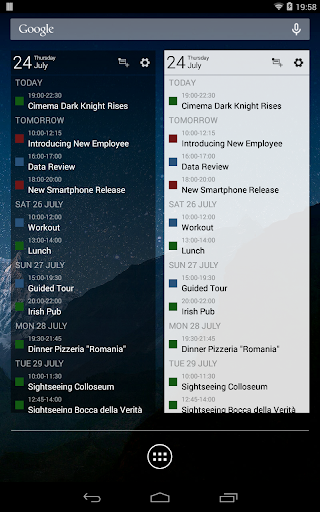
▪ professional widgets for month, week, agenda and day view
▪ intuitive handling: just move your finger over some days of interest in month view to open them in multi-day view
▪ many options for recurrent events (e.g. an event that takes place every other week on Tuesday and Thursday)
▪ birthday calendar
▪ context-sensitive help system to optimize your workflow
Additional features in this pro version
▪ manage contacts: link contacts to your events
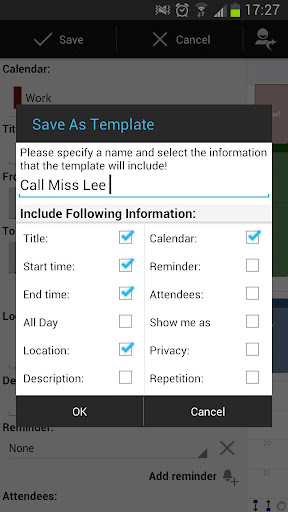
▪ customizable templates: create your own templates for new events
▪ multi-selection: delete, move or copy multiple events at once
▪ drag&drop: move and copy events easily in the multi-day view
▪ tasks add-on: use the integrated task-management tool to sync with Google Tasks & Toodledo
▪ notifications: comprehensive reminder functionality
▪ app theming: light and dark theme for the app
▪ advanced widgets: set colors, font sizes and individual calendars
▪ import & export: quickly import or export all your calendars in .ics format
We also offer a free, ad-supported version of Business Calendar, which we kindly advise you to test for the functionality and the general workflow of the app! We hope that in the long term the pro version result as indispensable for you if you use your mobile calendar regularly.
What's New
- bug fixes
Version Information
- Version
- 1.6.1.5
- Downloads
- 500K+
- Updated on
- Aug 27, 2025
- Released
- Mar 12, 2011
- Requires
- Android 4.1
Statistics
Google Play Rating History
Rating Distribution
Downloads Over Time
Business Calendar Pro has been downloaded times. Over the past 30 days, it averaged downloads per day.
Shaded area shows 30-day prediction based on historical trends
Historical data collection started recently. More data points will be available over time.
Business Calendar Pro - Google Play Rankings
Top Rankings
| Rank | Country | Category | List | Change |
|---|---|---|---|---|
| — |
Ranking History in
No ranking data available yet. Rankings are updated daily.
#10 in Top Paid Productivity in Germany

#10 in Top Paid Productivity in France


#13 in Top Paid Productivity in Australia


#38 in Top Paid Productivity in Turkey

Business Calendar Pro users say on Google Play
 Parthenon PUPS Professional Pet Services
I've been using this app for over a decade to manage my busy schedule running several businesses and still love it. I have it installed on multiple devices and until recently, it synced my calendars so that I had access regardless of the device I was on. ETA - I figured out that somehow my permissions to allow the app access to my contacts got turned off. Since I attach the client's contact to their appointment on my schedule, once I turned that back on everything started syncing again! YAY! 😊
 Ray Parker
Now that you're moving to a subscription model and getting a *lot* more of my money, can you please fix the broken calendar event reminder notifications? Reminders for rescheduled events appear at the original date/time, not the rescheduled date/time. I reached out via email long ago (more than a year?) for this, and it is still not fixed. The tablet edition widget does not provide a mechanism to force a refresh, and it *consistently* fails to refresh with updated calendar data.
 deibiddo jioji
Most recent version: it is hard to see what events I have selected to delete. Previous versions made the job much easier by the use of better color differentiation.
 Karan Motto (K)
App was working fine all this time, but off late the calendar widget has problems, the day lags behind by 1 day also when I schedule a new event the default reminder setting is none, how can this be if any use? looking to change this setting
 Ben Bonthuys
Fix the reminders repeatedly popping up an hour later even after having been dismissed
ApkTrusted Ratings & Reviews
More from Appgenix Software
See more apps



Similar Apps
DigiCal Calendar Agenda
Free
Calendar Widget: Month/Agenda
Free

Simple Calendar - easy planner
Free
Weekly Planner - Diary, Notes
Free

DAVx⁵ – CalDAV CardDAV WebDAV
Paid
SupaTask - Daily Planner, Todo
Free

Calendly Mobile
Free
Twos: Remember & Share Things
Free

Today Weather:Data by NOAA/NWS
Free

Daypad - Simple Time Tracker
Free
Diarium: Journal, Diary
Free

Engross: ADHD Focus Timer
Free

Life Organizer - Journal it!
Free

UpNote - notes, diary, journal
Free

TimeTree - Shared Calendar
Free

Email Blue Mail - Calendar
Free
Scan this QR code to download

Forwarding you to the page at Google Play market in seconds...
Open Google Play market now