
Wikipedia v50564-r-2025-12-15
Wikimedia Foundation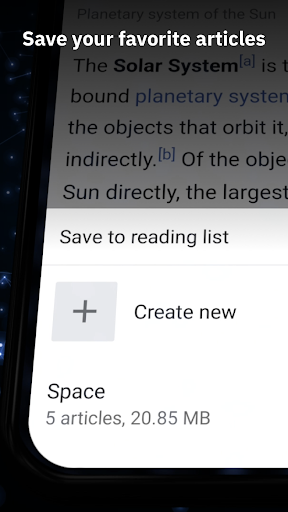
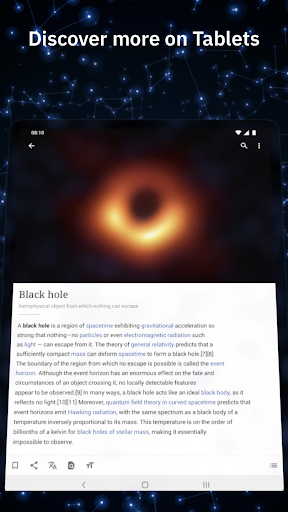
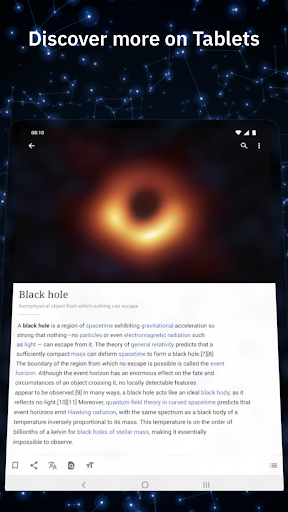
About this app
The Wikipedia app solves the problem of accessing a vast amount of knowledge on-the-go, benefitting students, researchers, and curious individuals alike. Compared to alternatives in the Books And Reference category, Wikipedia stands out for its comprehensive and crowd-sourced content, as well as its commitment to neutrality and accuracy. However, it falls short in terms of personalized recommendations and discovery features. Overall, the app's strengths lie in its robust search functionality and offline capabilities.
Pros
- With over 50 million downloads and a 4.4-star rating, the Wikipedia app has demonstrated its reliability and usefulness to a large user base, making it a trustworthy source of information.
- The app's lack of ads and in-app purchases ensures an uninterrupted browsing experience, aligning with the Wikimedia Foundation's non-profit mission and values.
- The frequent updates and improvements to the app demonstrate the developer's commitment to maintaining a high-quality product and addressing user feedback.
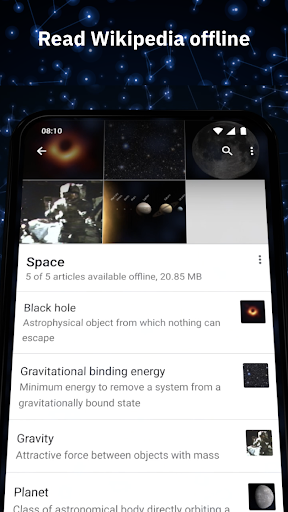
- The app's offline capability allows users to access articles even without an internet connection, making it a valuable resource for travelers, students, and individuals with limited internet access.
- The Wikimedia Foundation's reputation for transparency and accountability lends credibility to the app and its content, ensuring that users can trust the information they find.
Cons
- One concern is that the app's search functionality can be overwhelming for new users, with a steep learning curve to navigate the vast amount of content and find relevant information.
- Some users may find the app's design and user interface to be somewhat dated and in need of a refresh, which can make it less engaging and more difficult to use.
- The app's reliance on user-generated content can sometimes lead to inconsistencies and inaccuracies, although the Wikimedia Foundation's editorial processes and community moderation help to mitigate these issues.
- The app's lack of personalized recommendations and discovery features may make it less appealing to users who are looking for a more curated experience.
Best for: The ideal user for the Wikipedia app is a curious and self-directed learner, likely in the age range of 15-50, who values access to reliable and comprehensive information on a wide range of topics, and is willing to engage with a non-profit, community-driven platform that prioritizes knowledge sharing and collaboration over commercial interests.
Developer Description
The official app for Wikipedia, the world’s largest source of information.
== Why you'll love the this app ==
1. It's free and open
Wikipedia is the encyclopedia that anyone can edit. Articles on Wikipedia are freely licensed and the app code is 100% open source. The heart and soul of Wikipedia is a community of people working to bring you unlimited access to free, reliable and neutral information.
2. No ads
Wikipedia is a place to learn, not a place for advertising. This app is made by the Wikimedia Foundation, a nonprofit organization that supports and operates Wikipedia. We provide this service in the pursuit of open knowledge that’s always ad-free and never tracks your data.
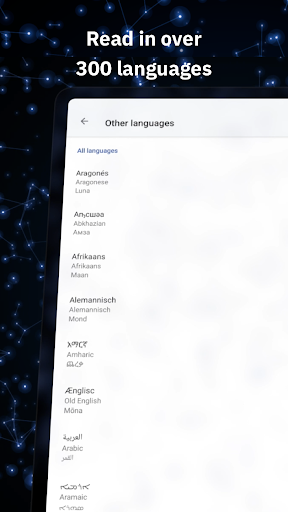
3. Read in your language
Search 40 million articles in over 300 languages in the world’s largest source of information. Set your preferred languages in the app and easily switch between them when browsing or reading.
4. Use it offline
Save your favorite articles and read Wikipedia offline with “My lists“. Name lists as you like and collect articles across different languages. Saved articles and reading lists are synced across all your devices and are available even when you do not have internet connectivity.
5. Attention to detail and night mode
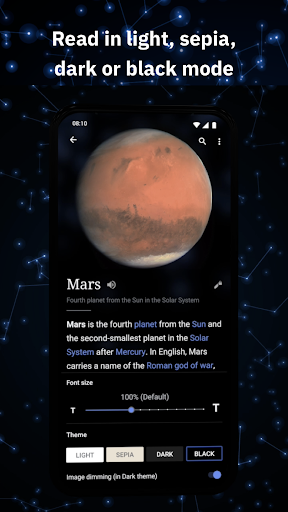
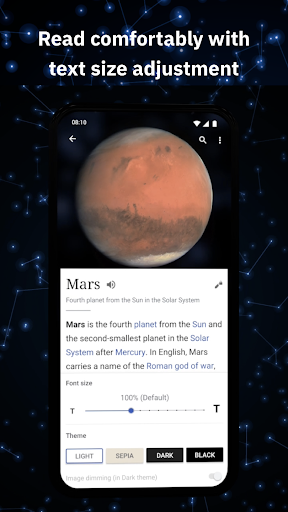
The app embraces Wikipedia’s simplicity and adds delight to it. A beautiful and distraction-free interface lets you focus on the essential: reading articles. With text size adjustment and themes in pure black, dark, sepia or light, you can choose the most pleasant reading experience for you.
== Broaden your horizon with these features ==
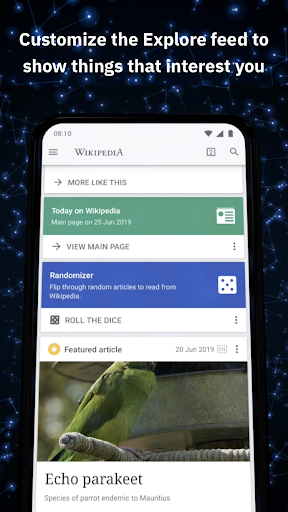
1. Customize your Explore feed
"Explore" lets you see recommended Wikipedia content including current events, popular articles, captivating freely-licensed photos, events on this day in history, suggested articles based on your reading history, and more.
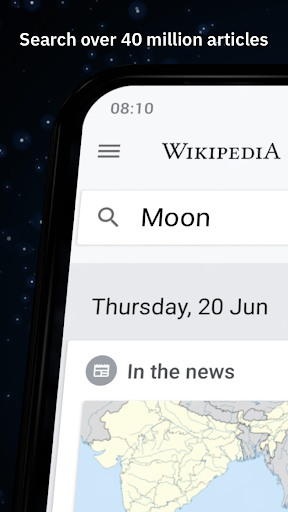
2. Find and search
Quickly find what you're looking for by searching within articles or with the search bar at the top of the app. You can even search using your favorite emojis or voice-enabled search.
== We'd love your feedback ==
1. To send feedback from the app:
In the menu, press "Settings", then, in the "About" section, tap "Send app feedback".
2. If you have experience with Java and the Android SDK, then we look forward to your contributions! More info: https://mediawiki.org/wiki/Wikimedia_Apps/Team/Android/App_hacking
3. Explanation of permissions needed by the app: https://mediawiki.org/wiki/Wikimedia_Apps/Android_FAQ#Security_and_Permissions
4. Privacy policy: https://m.wikimediafoundation.org/wiki/Privacy_policy
5. Terms of Use: https://m.wikimediafoundation.org/wiki/Terms_of_Use
6. About the Wikimedia Foundation:
The Wikimedia Foundation is a charitable nonprofit organization that supports and operates Wikipedia and the other Wiki projects. It is funded mainly through donations. For more information, please visit our website: https://wikimediafoundation.org/
Privacy
Since the Wikipedia app requires no permissions, users can be confident that their personal data is not being collected or shared. However, users should be aware that their browsing history and search queries may be stored locally on their device, and they should take steps to clear their history and cache periodically to maintain their privacy. Additionally, users should be cautious when clicking on external links or downloading attachments from articles, as these may pose security risks.
Tips
To get the most out of the Wikipedia app, users should take advantage of the offline capability by downloading articles for later reference, and use the search functionality to find specific topics and keywords. Additionally, users can customize their experience by adjusting the font size, layout, and language settings to suit their preferences. Users can also contribute to the Wikipedia community by creating an account and editing articles, which can help to improve the accuracy and comprehensiveness of the content.
What's New
Version Information
- Version
- 50564-r-2025-12-15
- Downloads
- 50M+
- Updated on
- Jan 6, 2026
- Released
- Jan 13, 2012
- Requires
- Android 6.0
Statistics
Google Play Rating History
Rating Distribution
Downloads Over Time
Wikipedia has been downloaded times. Over the past 30 days, it averaged downloads per day.
Shaded area shows 30-day prediction based on historical trends
Historical data collection started recently. More data points will be available over time.
Wikipedia - Google Play Rankings
Top Rankings
| Rank | Country | Category | List | Change |
|---|---|---|---|---|
| — |
Ranking History in
No ranking data available yet. Rankings are updated daily.
#36 in Top Free Books And Reference in Japan


#36 in Top Free Books And Reference in Germany


#37 in Top Free Books And Reference in Netherlands


#43 in Top Free Books And Reference in Italy
Wikipedia users say on Google Play
 lan
lan
my favourite part about the app is you don't *have* to use it. you can. it has cool extra features. but the site works fine and doesn't prompt you to switch to the app every 5 seconds! i love that!! i literally found out there even IS an app from a tumblr post. Fabulous. if the pressed it hard like some sites do, i would never have tried the app.
 Thomme Singh
Great app, free knowledge and what not, has unreliable information sometimes though and it can be a little misleading, like the time, I searched myself up, and I came up, and saw myself titled as "Professional Prat". Not very nice is it?
 Janitra A. Falah
In dark mode, even though the image dimming option has been deactivated, images in the article are still dimmed. Additionally, some images cannot be zoomed; despite being online, it says “Gallery view not available offline.”
 Manx30
How is it not possible to sort tables? I end up using a mobile browser with desktop site more often than not
 Coty Salisbury
this app used to be great. until it started blocking me from adding my account and editing pages around 5 minuted ago. the funniest thing that it did was it let me do that on the website itself which was after what happened on the app. so I just won't be using Wikipedia anymore. I'll find another source to get information.
ApkTrusted Ratings & Reviews
More from Wikimedia Foundation
See more apps

Similar Apps

Medium
Free

GitHub
Free

DeepSeek - AI Assistant
Free

Claude by Anthropic
Free

Manus AI
Free

Notion: Notes, Tasks, AI
Free

TED Talks: Watch and Learn
Free

Substack
Free

Amazon Kindle
Free

Grok • Smartest AI Advisor
Free

ResearchGate
Free

ReadEra – book reader pdf epub
Free

Quora: the knowledge platform
Free

MSN
Free

Memrise: Languages for life
Free

Oxford Dictionary & Thesaurus
Free
Scan this QR code to download

Forwarding you to the page at Google Play market in seconds...
Open Google Play market now