
Wikimedia Commons v6.2.1
Wikimedia Foundation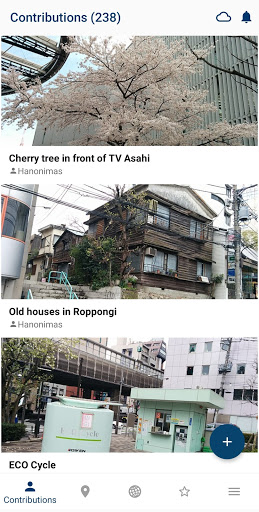
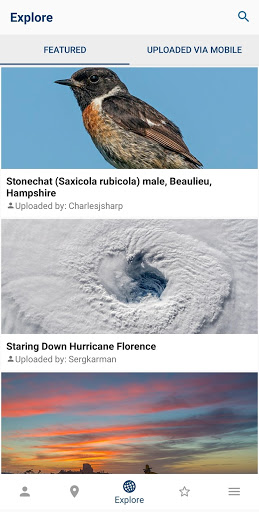
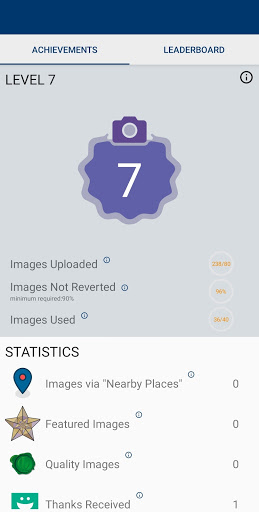
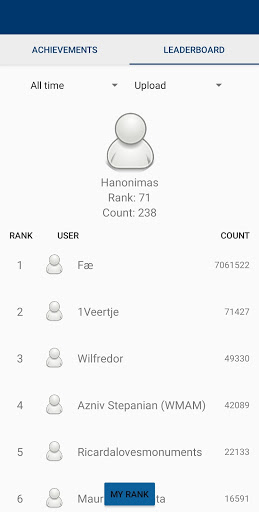
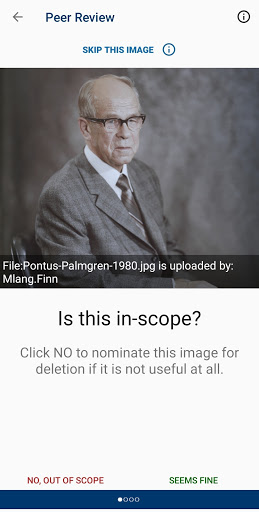

About this app
Developer Description
Upload your pictures to Wikimedia Commons, the reusable media repository
Join one of the largest photo and multimedia communities in the world! Commons is not only the image repository for Wikipedia, but an independent project that seeks to document the world with photos, videos and recordings.
The Wikimedia Commons app is an open-source app created and maintained by grantees and volunteers of the Wikimedia community to allow the Wikimedia community to contribute content to Wikimedia Commons. Wikimedia Commons, along with the other Wikimedia projects, is hosted by the Wikimedia Foundation. The Wikimedia Foundation is pleased to support community developers by offering the app here, but the Foundation did not create and does not maintain this app. For more information about the app, including its privacy policy, see the information at the bottom of this page. For information about the Wikimedia Foundation, visit us at wikimediafoundation.org.
Features:
- Upload photos to Commons directly from your smartphone
- Categorize your photos to make them easier for other people to find
- Categories are automatically suggested based on photo location data and title
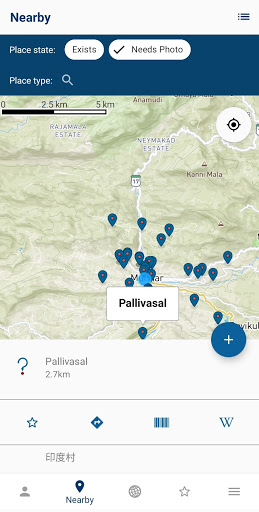
- View nearby missing images - this helps Wikipedia to have images for all articles, and you will discover beautiful places close to you
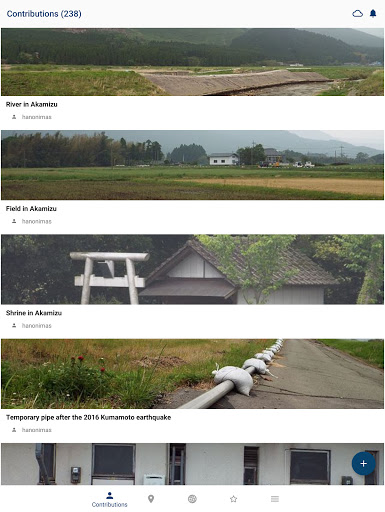
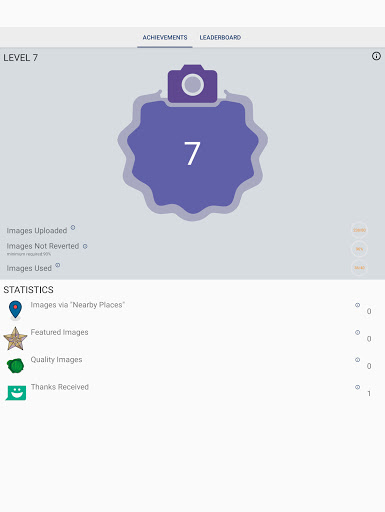
- View all the contributions you have made to Commons in one gallery
Using the app is easy:
- Install
- Log in to your Wikimedia account (if you don't have an account, create one for free at this step)
- Select 'From Gallery' (or the picture icon)
- Select the picture that you wish to upload to Commons
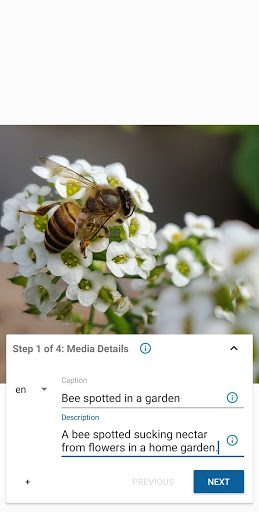
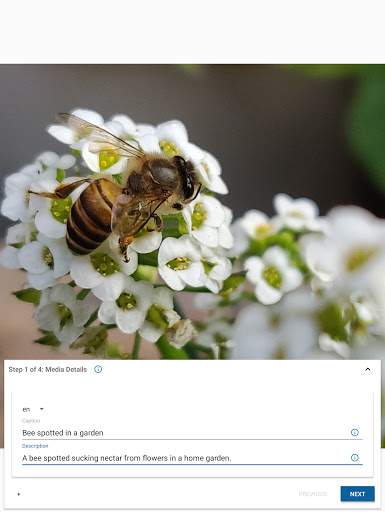
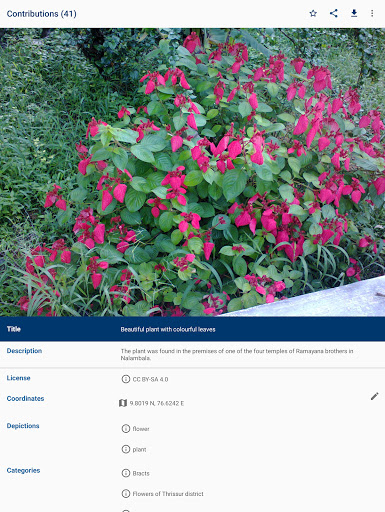
- Enter a title and description for the picture
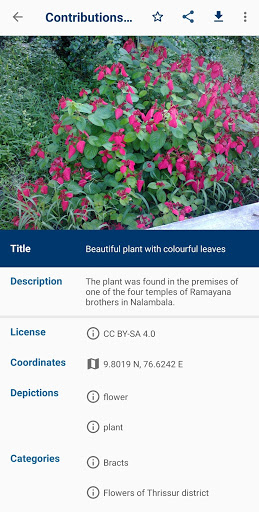
- Select the license that you wish to release your picture under
- Enter as many relevant categories as possible
- Press Save
The following guidelines will help you to understand what photos the community is looking for:
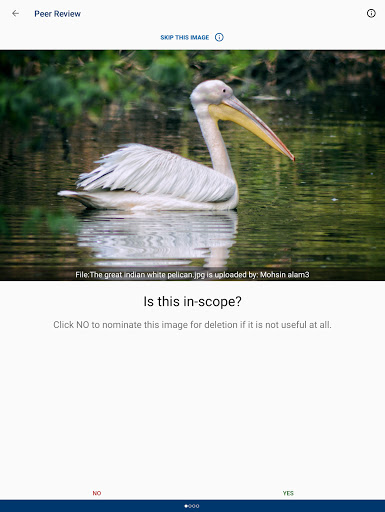
✓ Photos that document the world around you - famous people, political events, festivals, monuments, landscapes, natural objects and animals, food, architecture, etc
✓ Photos of notable objects that you find in the Nearby List in the app
✖ Copyrighted pictures
✖ Photos of you or your friends. But if you are documenting an event it doesn't matter if they are in the picture
✖ Photos of poor quality. Make sure the things you are trying to document are visible on the picture
- Website: https://commons-app.github.io/
- Bug reports: https://github.com/commons-app/apps-android-commons/issues
- Discussion: https://commons.wikimedia.org/wiki/Commons_talk:Mobile_app & https://groups.google.com/forum/#!forum/commons-app-android
- Source code: https://github.com/commons-app/apps-android-commons
What's New
* Support for larger zoom levels on the image upload preview screen
Version Information
- Version
- 6.2.1
- Downloads
- 100K+
- Updated on
- Dec 28, 2025
- Released
- Sep 8, 2015
- Requires
- Android 5.0
Statistics
Google Play Rating History
Rating Distribution
Downloads Over Time
Wikimedia Commons has been downloaded times. Over the past 30 days, it averaged downloads per day.
Shaded area shows 30-day prediction based on historical trends
Historical data collection started recently. More data points will be available over time.
Wikimedia Commons users say on Google Play
 Roger Bamkin
I loaded hundreds of pic with this but it became unreliable some years ago. It's fixed and better than ever. It makes a good choice of creating file titles, descriptions and categories and it's wikidata aware. much More than I expected. I like that it remembers your recent choices and saves a lot of retyping. .... Six stars when you can choose existing pics on wiki commons to add to a location so that you can add missing pics to wikidata monuments and buildings.
 Paul Bimler
I really need some help with this. Is there a way to access your app favorites from your website account that you access via your laptop. In other words, I've used the app to favorite a whole heap of pictures. How do I access those favorites from my laptop? Is there a way? I've spent a good couple of hours trying to find an answer online. Other than that, really enjoying the app!!!
 Osama Shukir Muhammed Amin
I had contributed to Wikimedia Commons via uploading 1000s of high-quality, in color, and exclusive images using my professional Nikon camera gear. I have seen that some of my images on this app display my name (author) but when I click on them, another page of a different contributor/userpage appears. Why? This creates a confusion about the intellectual property rights (misleading information). Should be corrected as soon as possible. I stopped contributing to Wikipedia & Wikimedia Commons.
 Karel Čapka
Too many bugs, won't load photos, won't show internal storage, still showing limited mode, can't load my profile.
 Daniel BP
I would love to contribute with Wikimedia Commons but this app is unusable: interface is confusing, does not support HEIF, fails to upload pictures without saying the reason, nonsense category and classification suggestions... I have no idea what to do with the map points...
ApkTrusted Ratings & Reviews
More from Wikimedia Foundation
See more apps

Similar Apps

NewsCvg: World News Coverage
Free

Xinhua News
Free

DW - Breaking World News
Free

National World News
Free

Pocketmags Magazine Newsstand
Free

ResearchGate
Free

Reuters - Breaking World News
Free

Medium
Free

AP News: World & Local
Free

You.com - Enterprise grade AI
Free

Washington Post: Live News
Free

Flipboard:Your Social Magazine
Free

MIT Technology Review
Free

Khoj AI
Free

Live Earth Map, GPS Navigation
Free

River Bridge AH
Free
Scan this QR code to download

Forwarding you to the page at Google Play market in seconds...
Open Google Play market now