
Riff: Fast Easy Photo Edits v2025-12-19T19:46:51Z
Riff AI










About this app
Riff: Fast Easy Photo Edits solves the problem of tedious photo editing by offering a user-friendly interface to swap outfits, change body types, and remove distractions, making it ideal for social media enthusiasts and amateur photographers. Compared to alternatives in the Photography category, Riff stands out with its AI-powered editing capabilities, but may fall short in terms of advanced manual editing features. With a 4.1/5 user rating and 10,000+ downloads, Riff has shown promise, but its limited feature set may not appeal to professional photographers. Overall, Riff is a great option for those seeking quick and easy photo edits without the need for extensive manual controls.
Pros
- Riff's AI-powered editing capabilities allow for quick and easy photo edits, making it perfect for users who want to enhance their photos without spending hours learning complex editing software.
- The app's user-friendly interface and minimalistic design make it accessible to users of all skill levels, from beginners to experienced photographers.
- With a 4.1/5 user rating and 10,000+ downloads, Riff has demonstrated social proof and a well-received user experience, indicating a high level of customer satisfaction.
- The developer's website and email support provide a clear channel for users to report issues or request new features, showing a commitment to customer support and feedback.
- Riff's lack of ads and minimal in-app purchases ($4.99 - $89.99 per item) make it a relatively affordable option for users who want to enhance their photo editing capabilities without breaking the bank.
Cons
- Riff's limited feature set may not appeal to professional photographers who require more advanced manual editing controls and features.
- The app's reliance on AI-powered editing may result in inconsistent or unpredictable results, particularly with complex or high-contrast images.
- The in-app purchases, although relatively affordable, may still be a barrier for some users who are accustomed to free photo editing apps with similar features.
- Riff's compatibility with Android 8.0 and above may limit its accessibility to users with older devices, potentially excluding a significant portion of the Android user base.
Best for: The ideal user for Riff is a social media enthusiast or amateur photographer between the ages of 18 and 35, with a moderate level of technical skill, who wants to quickly and easily enhance their photos without requiring extensive manual editing knowledge or experience, and is willing to pay for additional features or premium content.
Developer Description
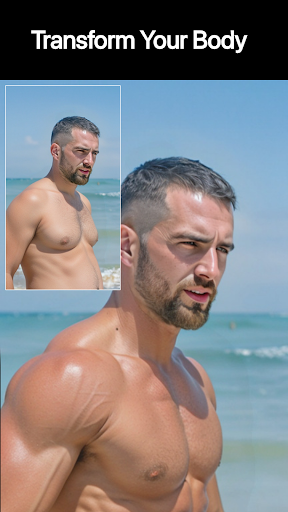
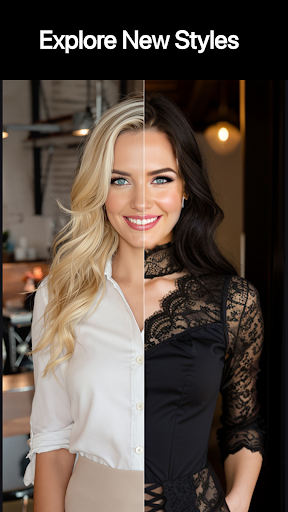
Swap outfits, change body types, add details, and remove distractions.
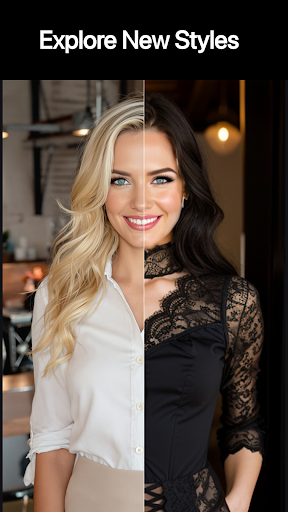
* Clothing Swaps
Easily change outfits by typing your desired attire.
* Body Changes
Try on bigger muscles, a larger chest, or different colored hair, skin, and eyes.
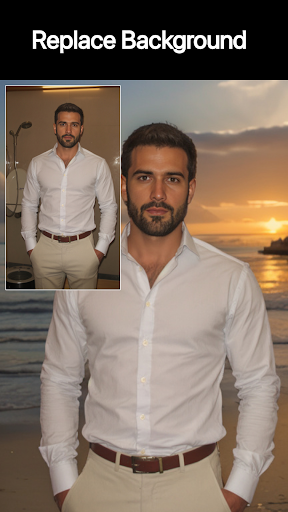
* Background Swaps
How about a day at the beach? Just type "background is mediterranean beach".
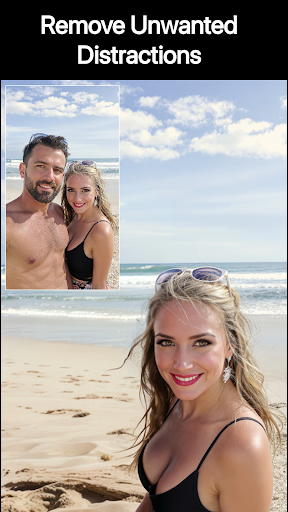
* Object Removal
Tap an unwanted guest and type “delete”.
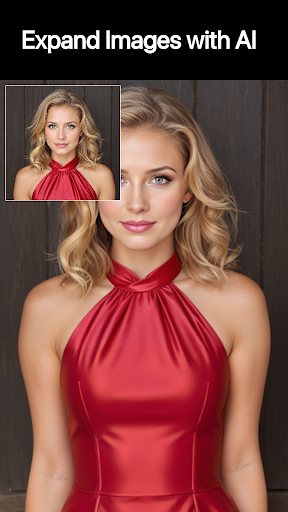
* Upscaling
Love an old photo? One tap transforms it to high definition with intricate details.
* Stylize
Convert photos into anime, comic, or watercolor art.
* Lighting Adjustments
Bad lighting? How about sunset, moonlight, or fireflies? Just type “lighting is fireflies” and watch the transformation.
* Detailed Control
Tap to select any object, or use a brush to paint by hand.
Privacy
Since Riff requires no permissions, users can rest assured that their data and device are secure. However, as with any photo editing app, users should be cautious when sharing edited photos online and consider the potential for metadata or EXIF data to be retained. To maintain privacy, users should regularly review the app's terms of service and privacy policy, available on the developer's website.
Tips
To get the most out of Riff, users should start by experimenting with the app's AI-powered editing features, such as outfit swapping and body type adjustment, to understand their capabilities and limitations. Additionally, users can optimize performance by closing other resource-intensive apps and ensuring their device has sufficient storage space. For best results, users should also consider using high-quality, well-lit images as input for the app's editing algorithms.
What's New
* Create Mode: Turn text into images and animate them instantly.
* UI Updates: Refreshed Search design for faster navigation.
* Bug Fixes: We’ve polished the app and improved performance under the hood.
In-app purchases
$4.99 - $89.99 per item
Version Information
- Version
- 2025-12-19T19:46:51Z
- Downloads
- 10K+
- Updated on
- Dec 19, 2025
- Released
- Jul 11, 2024
- Requires
- Android 8.0
Statistics
Google Play Rating History
Rating Distribution
Downloads Over Time
Riff: Fast Easy Photo Edits has been downloaded times. Over the past 30 days, it averaged downloads per day.
Shaded area shows 30-day prediction based on historical trends
Historical data collection started recently. More data points will be available over time.
Riff: Fast Easy Photo Edits - Google Play Rankings
Top Rankings
| Rank | Country | Category | List | Change |
|---|---|---|---|---|
| — |
Ranking History in
No ranking data available yet. Rankings are updated daily.
#61 in Top Grossing Photography in Australia


#70 in Top Grossing Photography in United Kingdom
 Future Baby Generator, AI Baby
Riff: Fast Easy Photo Edits
Future Baby Generator, AI Baby
Riff: Fast Easy Photo Edits
 AI Photo Editor, Remove Object
#78 in Top Grossing Photography in Canada


Riff: Fast Easy Photo Edits users say on Google Play
 xoxo
xoxo
This app blew me away! I can highlight any part of a photo and replace it with literally anything. Outfits, hair, parts of my body, backgrounds, objects, anything, and it looks incredibly real. It’s not for filters or tweaks, but for full-on transformations, it’s hands down the best I’ve used.
 Paul Smith
Great app. Shame about the payment scheme. It's Sub only, so you either have to pay 4 quid a week, or 89 quid a year to use it. I know it's rare to want an app to have ads, but I'd use it a lot more if there was a "Watch ads for credit" button. It's a shame because the app is very powerful! Great stuff.
 Joe Fresh
I'm not one to look for a free meal, but there needs to be more free uses. But it gives you 3 or 4 it seems then it's "game over" for the day. But you won't get an image edited. It's too random with its out puts, are you going to get the dress you wanted, or 6 legs? There's no ads though, so guess that's nice. Sign up on the website though, it's cheaper and has more features.
 Raoul Lopez
Average, it is clear a lot of work went in to this one but, sheer is not a nsfw prompt. Even less so when the subject is wearing layers. Using free while learning app, 2 attempts and then pay or come back tomorrow. If you think this through, most will not be back tomorrow. Too many other apps offer infinite creation with an ad. Sorry dev, great ideas, poor monetization.
 Paul Oliver
Utterly useless, very restricted in what can be done and how many times per day you can make photos, needs to be improved maybe add watching adverts to get extra choices, if not what is the point.
ApkTrusted Ratings & Reviews
Similar Apps

PicMaster - AI Photo Editor
Paid

Photo Studio: Edit Photos App
Free

Dawn AI - Avatar Generator
Free

PhotoBoost - AI Photo Enhancer
Free

POV – Disposable Camera Events
Free

eZy Watermark Photos Pro
Paid

Boosted Ad Maker by Lightricks
Free

Facewow: AI Headshot Generator
Free

AI Photo Editor: AI Expand
Free

AI Photo Generator - Fotorama
Free

AI Image Generator - Monet
Free

YouCam Perfect - Photo Editor
Free
MOVA - AI Hug Video & Filter
Free
Ink Cards
Free

Artisse - Realistic AI Photos
Free
PhotoApp - AI Photo Enhancer
Free
Scan this QR code to download

Forwarding you to the page at Google Play market in seconds...
Open Google Play market now