
ADV Screen Recorder v4.20.8
ByteRevApps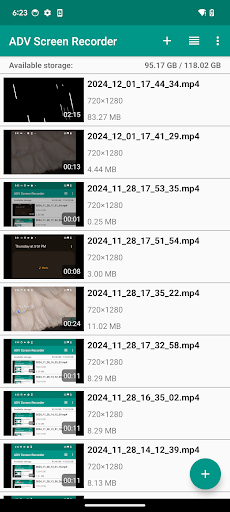

About this app
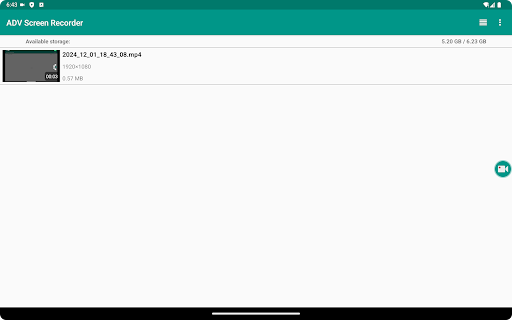
ADV Screen Recorder solves the problem of capturing screen activity without requiring root access, benefiting power users, developers, and gamers who need to record tutorials, demos, or walkthroughs. With over 10 million downloads and a 4.3-star rating, it stands out in the Tools category for its ease of use and feature set. Compared to alternatives, ADV Screen Recorder's lack of required permissions is a significant advantage, but its ad-supported model and in-app purchases may deter some users. Overall, it's a solid choice for those seeking a straightforward screen recording experience.
Pros
- With a high download count and positive user rating, ADV Screen Recorder has established a strong reputation for reliability and effectiveness, making it a trustworthy option for users.
- The app's ability to record screens without requiring root access is a significant advantage, expanding its compatibility to a broader range of devices.
- The developer, ByteRevApps, provides a clear email contact for support, indicating a commitment to user feedback and issue resolution.
- The app's small size and lack of required permissions suggest efficient coding and a focus on user privacy.
- Regular updates, as indicated by the version history, show that the developer is actively maintaining and improving the app.
Cons
- The presence of ads may disrupt the user experience, especially for those recording long videos or sensitive content, and the option to remove ads via in-app purchase may not be appealing to all users.
- Some users may find the in-app purchase model, with items priced at $0.99, to be overly aggressive or nickel-and-diming, potentially detracting from the overall value proposition.
- Despite its strong ratings, some users have reported issues with video quality or app stability, which could be a concern for critical recording tasks.
- The lack of a comprehensive user guide or tutorial within the app may leave new users confused about its full capabilities and settings.
Best for: The ideal user for ADV Screen Recorder is likely a tech-savvy individual or professional, such as a gamer, developer, or educator, who frequently needs to create high-quality screen recordings for tutorials, demonstrations, or feedback, and values ease of use, flexibility, and privacy in their screen recording software.
Developer Description
A complete screen recorder, no root required!
Need to record your screen in a easy way?
ADV Screen recorder was designed to be fully featured, without any kind of restritions and without requiring root.
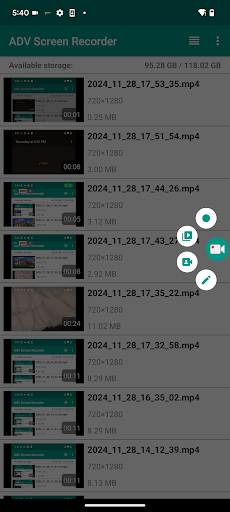
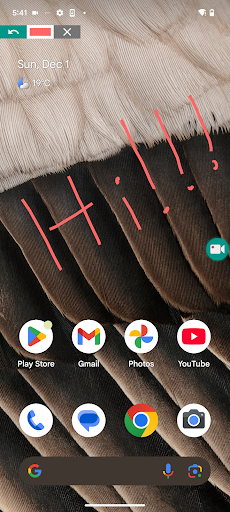
ADV Screen Recorder lets you:
- Recording with 2 engines (Default and Advanced)
- Pause Recording (Requires Advanced Engine)
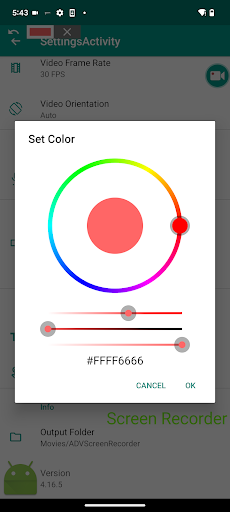
- Draw on the fly with your favorite color
- Use Front or Back Camera while recording
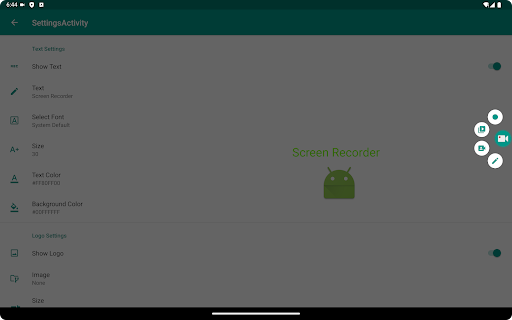
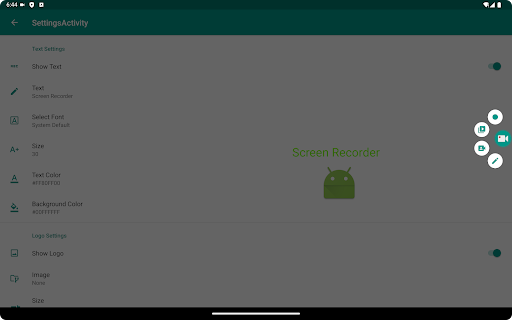
- Set your Text with full customization
- Set your Banner with full customization
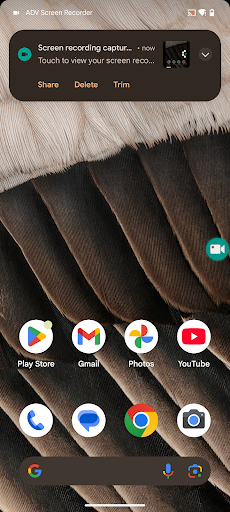
- Trim Video
- And much more!...
Feel free to let us know of any sugestions!
I would to like to say thank you to the following people for helping translating the app:
Italian - Vasc Nizz
Portuguese Brazilian - Celso Fernandes
German - Yellowbear007
Arabic - JetSub
Spanish - TBandroid
Privacy
Given that ADV Screen Recorder requires no permissions, the risk of data collection or privacy infringement appears to be minimal. However, users should still be cautious when installing apps from unknown sources and ensure they are downloading the authentic version from a trusted store. It's also advisable to review the app's terms of service and privacy policy, if available, to understand any potential data collection practices.
Tips
For optimal performance, users should close unnecessary background apps before recording to minimize resource usage and potential lag. Additionally, exploring the app's settings can help users customize the recording experience, such as choosing the video quality or setting a timer. Regularly checking for updates can also ensure users have the latest features and bug fixes.
What's New
Adjust App layout to support Android 15 Edge to Edge
Redo the Floating Button to improve user experience and fix bugs
Redo Floating Camera View
Redo Settings Screen
Add Option to Start/Exit Recording Service from Notification Tray
In-app purchases
$0.99 per item
Version Information
- Version
- 4.20.8
- Downloads
- 10M+
- Updated on
- Oct 20, 2025
- Released
- Aug 13, 2015
- Requires
- Android 5.0
Statistics
Google Play Rating History
Rating Distribution
Downloads Over Time
ADV Screen Recorder has been downloaded times. Over the past 30 days, it averaged downloads per day.
Shaded area shows 30-day prediction based on historical trends
Historical data collection started recently. More data points will be available over time.
ADV Screen Recorder users say on Google Play
 Daniel Kobin
It's great. Does a great job. The thing I don't like is that when you record videos using the internal record option.
 Jaya Kishore Nayak
good
 Bukermyles
when I was done recording and I check the video that I record it's has no sound when I check the settings and I see it only audio I select I didn't click no audio or sound so pls fix this
 Zain Rind
keep it up
ApkTrusted Ratings & Reviews
More from ByteRevApps
See more apps
Similar Apps

Screen Recorder - AZ Recorder
Free

Screen Recorder - Vidma REC
Free

Mobizen Screen Recorder
Free

Screen Recorder
Free

Glip Screen Recorder
Free

Screen Recorder - XRec Lite
Free
Screen Recorder GU Recorder
Free

Screen Recorder - Vidma Record
Free

Screen Recorder: Facecam Audio
Free

Screen Recorder Unlimited
Free

Screen Recorder - XRecorder
Free

Screen Recorder Video Recorder
Free

Screen Recorder - AX Recorder
Free

Screen Recorder Video Recorder
Free

Screen Recorder - Record Video
Free

Loom – Screen and Cam Recorder
Free
Scan this QR code to download

Forwarding you to the page at Google Play market in seconds...
Open Google Play market now