Text to Voice (PDF, OCR, TTS) v0.0.15
Health & Fitness AI Lab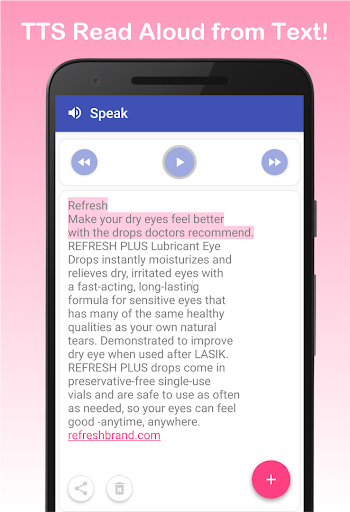
About this app
Developer Description
Text to Speech (TTS) - Read aloud text reader from Web, PDF + OCR text scanner
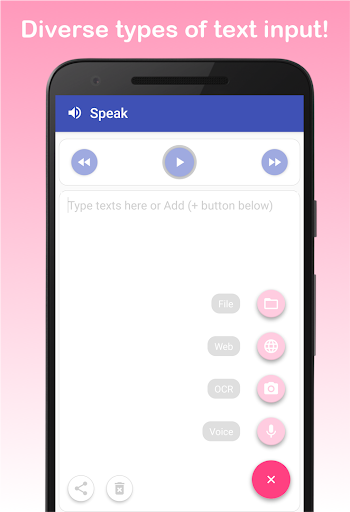
1. You can read text from files (PDF and TXT) like your ebook, papers, news article, email
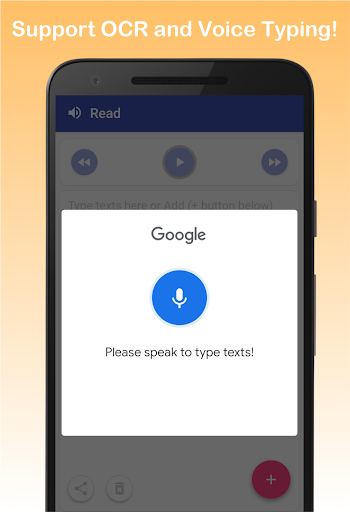
2. You can input or type text easily via google speech recognition
3. You can even scan text from book or real papers via camera-based OCR text scanner and text reader (only latin characters supported)
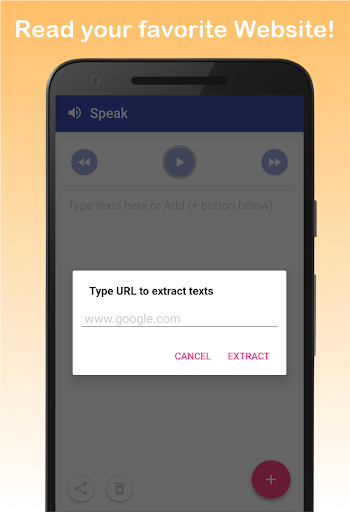
4. You can load text from your favorite websites (e.g, HTML and web page reader)
5. Still you can type text with keyboard
Support easy control of Text-to-Speech (TTS)
1. Play/Pause/Forward/Backward functions of TTS
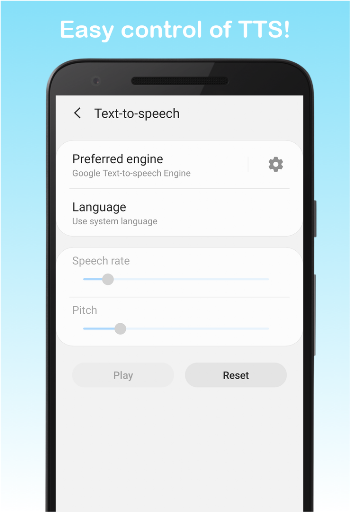
2. You can easily change language, speed, and pitch of TTS reading voice
(volume change should be done by physical volume keys)
3. Auto scrolling on text while read aloud on text
It’s ALL FREE
1. No restrictive features (e.g., unlimited read aloud and TTS speak)
2. Unlimited OCR, voice input, web page reading, no words limits
Support sharing feature
1. Share your texts - send an email, copy to clipboard and send to other apps
2. You can easily copy texts from other apps too. Then, paste and read aloud in our main read screen
* We strongly recommend to install google text-to-speech (TTS) engine. Our text to speech app is best compatible to it. Then, our app can read to me.
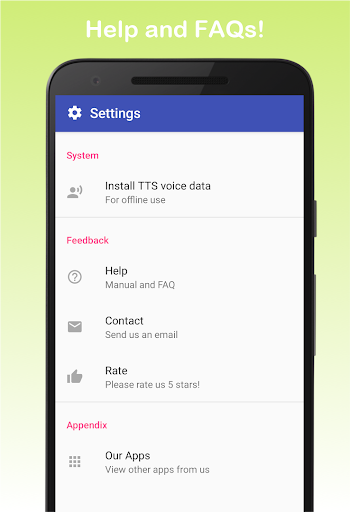
* For offline use, you need to install text-to-speech (TTS) voice data reader in advance. Please go to setting tab and click "Install TTS voice data". Then, you can download a specific text to speech voice you want.
* We'd appreciate your valuable feedback. Please, report bugs or request features to bluefish12390@gmail.com.
Version Information
- Version
- 0.0.15
- Downloads
- 1M+
- Updated on
- Oct 26, 2025
- Released
- Feb 22, 2020
- Requires
- Android 10
Statistics
Google Play Rating History
Rating Distribution
Downloads Over Time
Text to Voice (PDF, OCR, TTS) has been downloaded times. Over the past 30 days, it averaged downloads per day.
Shaded area shows 30-day prediction based on historical trends
Historical data collection started recently. More data points will be available over time.
Text to Voice (PDF, OCR, TTS) users say on Google Play
 Kelsee
Liked the fact I could just copy and paste text from my textbook and the fact that there was no word limit when copying and pasting except for being able to save under 4,000 characters was not a huge fan of that but other than that great app would highly recommend especially for college students who translate their textbooks into reading.
 Richard Champalbert
This is a fairly solid text reader. I find that it works best when I copy all of the text into the reader and then press the play button. Reading a PDF doesn't work too well as those files may contain special characters that the reader doesn't handle correctly. You can advance to the next sentance and rewind to the previous with a couple of buttons, but cannot jump to any part of the text and read from there. So there isn't a good way to simply restart from the beginning.
 D Jur
D Jur
Seems ok so far for my use of helping the child read back what he's doing. Had to show down the reading salt to understand it and it seems to slow the period ends down allot more then normal but all and all I'm happy.
 Matthew
A simple text-to-speech app that uses Androids built-in speech synthesis engine. unfortunately, this app has problems running in the background while reading things on Android 16, even with unrestricted battery usage exemptions. also, sometimes it starts reading in the middle of what you paste if you were reading something else, even if you click the wastebin on the bottom left to clear out the text entry field.
 William Weitzel
No way to turn it off from reading a web page. If it hits an advertisement,it reads the advertisement of them stops altogether. I can't turn it off and anything I touch simply makes it read again until it hits the ad again. The instructions at hey Google don't work. I cannot tell Google to turn it off. I cannot move the webpage by well I got to see continued / pause button for read aloud. Phooey.
ApkTrusted Ratings & Reviews
More from Health & Fitness AI Lab
See more apps




Similar Apps

Ava: Transcribe Voice to Text
Free

Listening: Text to Speech
Free

Dolphin EasyReader
Free
Recorder AI:Voice&Meeting Note
Free

NaturalReader - Text to Speech
Free
AI Transcribe. Speech to Text
Free

Speechify – Voice AI Assistant
Free

Talk & Translate AI Translator
Free

Letterly: Write by Voice & AI
Free
Text reader - text and voice
Free

TicNote: AI Recorder & Agent
Free
VoiceTra(Voice Translator)
Free

Talking Translator - Languages
Free
Podcast Guru - Podcast App
Free
AI Transcribe Speech to Text
Free

Voice Memos: Braindump
Free
Scan this QR code to download

Forwarding you to the page at Google Play market in seconds...
Open Google Play market now