TV Cast for Chromecast v2.3.4
BoostVision








About this app
Developer Description
Cast photo/video/IPTV channel to TV enabled Chromecast;Mirror screen via AirPlay
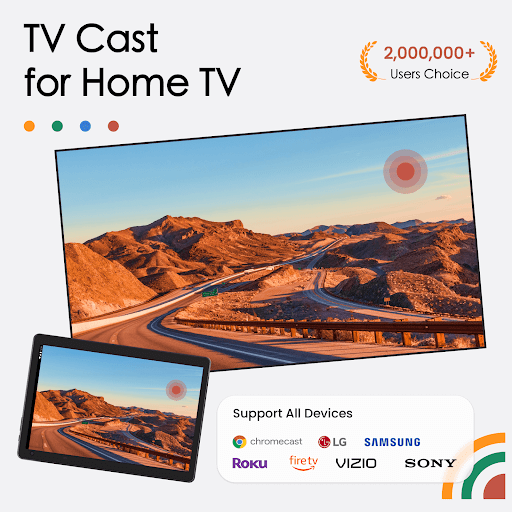
The chromecast: screen mirroring application is now available for all Chromecast products including Chromecast, Chromecast Audio, and Android TV & Google TV with Chromecast enabled & smart TVs supporting AirPlay protocol. In addition, the versatile app also supports wirelessly casting photos/videos to LG, Samsung, Roku, FireTV, Sony Bravia, Vizio, TCL, Hisense, Philips,Sharp Aquos, Panasonic Viera, Toshiba, JVC, RCA, Grundig.
This application is perfect for:
- Making an effective presentation in a business meeting or sharing session.
- Screen share fitness videos to cast enabled TV to help you work out better.
- Mirror phone screen to airplay-enabled TV, including games and other popular mobile apps.
- Cast online videos from to TV so you can watch web videos on TV
- Watch your favorite shows, movies and live channels on a bigger TV screen.
- Cast your family photos, travel photos and live photos to TV at a family party.
- Play music from phone to your home TV with great sound quality.
- Cast your teaching document to students' Mac/Win PC to conduct teaching work.
- Add IPTV m3u/m3u8 playlists & cast them on your Smart TV display.
- Remote control your Google TV, Android TV & Sony TV without worrying about losing physical TV control.
Features:
- Screen Mirroring: Mirror to TV with HD and smooth images by using our self-developed mirroring protocol.
- AirPlay Screen Mirroring:Screen mirror to TV via AirPlay protocol.
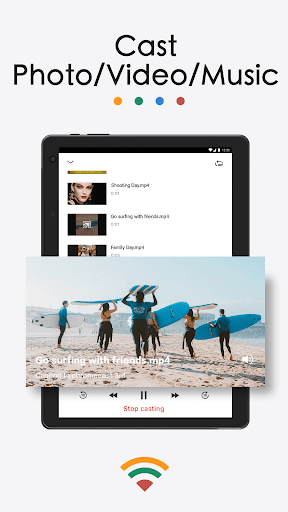
- Cast Video: Cast videos from phone albums to TV in a few taps.
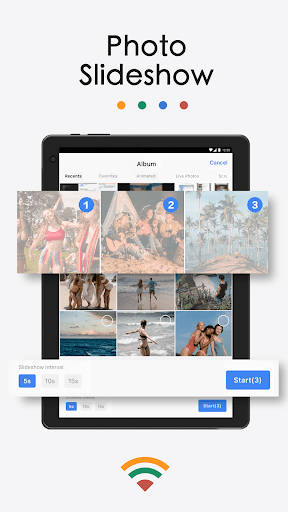
- Cast Photo: Cast your photos from camera roll to your home TV as a slideshow.
- Cast Web Videos: Cast videos from mobile phone to TV.
- Cast Music: Cast the music from your phone's local music library to TV.
- Cast Dropbox: Cast media files from Dropbox to TV.
- Cast Google Photos: Cast Google photos to TV.
- Cast local videos/audios/photos to Mac/Win PC.
- Cast IPTV channels to the big screen with one click.
- Ultimate universal remote control: Power off/Fast forward/Rewind/Play/Pause.
How to start screen mirroring?
Connect your phone and your TV to the same WIFI network.
Launch the cast to chromecast app and connect it to your TV.
Tap the "Screen Mirroring" button and go for the "Start Mirroring" button to get it started.
How to cast to your Mac/Win PC?
1. Install and open our cast to Chromecast TV app on your phone/tablet.
2. Download and launch the screen cast receiver app on Mac.
For win PC, please go to get https://bit.ly/3PfSeSb.
3. Make sure your phone/tablet and Mac/win PC are connected to the same network.
4. Choose the Mac/win PC device name installed with the cast receiver app from the devices list to connect with your phone/tablet.
5. Choose the corresponding function: "Photos", "Videos" or "Music" per your needs.
There are a bunch of ways to mirror/cast your mobile device's screen on big TV display, and we're here to look at the best ones: DoCast, AirDroid, Google Home, Screen Mirroring – Miracast, CastTo, Cast to TV,Chromcast & Roku as well as our TV Cast for Chromecast!
Chromecast is a trademark of Google LLC and this app is not affiliated with Google
Terms of Use: https://www.boostvision.tv/terms-of-use
Privacy Policy: https://www.boostvision.tv/privacy-policy
Visit Our Page: https://www.boostvision.tv/app/tv-cast-for-chromecast
What's New
* You can mirroring your phone to Apple devices via AirPlay(Apple TV, Macbook & other devices support airplay)
*Improving Users Experience
*Adapt the mirroring for the self-developed GoogleCast protocol, FireMirrorReceiver APP, LG_WebMirror, and the self-developed live streaming (m3u8mirror) protocol.
*Support Chromecast, LG、Roku、Samsung、FireTV、DLNA devices
Enjoy with your family!
In-app purchases
$3.99 - $29.99 per item
Version Information
- Version
- 2.3.4
- Downloads
- 5M+
- Updated on
- Jan 14, 2026
- Released
- Apr 20, 2022
- Requires
- Android 7.0
Statistics
Google Play Rating History
Rating Distribution
Downloads Over Time
TV Cast for Chromecast has been downloaded times. Over the past 30 days, it averaged downloads per day.
Shaded area shows 30-day prediction based on historical trends
Historical data collection started recently. More data points will be available over time.
TV Cast for Chromecast users say on Google Play
 Uğur Yıldız
It mirrors my S25 android screen through Apple's airplay. Greatt. Tried some 30 apps, only this one sees the Airplay on Samsung Galaxy S25. I can finally screen mirror my screen to Philips ambilight TV which does not have the normal smartview (miracast) support for Samsung.
 Chilukuru Pavani
superb
 Protik sharma
good
 Brian Green
too many ads when starting or updating
 Kevin Burt
This app does not function as described and is not an official Google app. A paywall appears before you are able to cast to a TV and it is questionable whether this app would ever work for you or not. Do not download since casting from your device to your own device should not cost money.
ApkTrusted Ratings & Reviews
More from BoostVision
See more apps
Cast to TV - Screen Mirroring
Free

AirMirror: TV Cast via AirPlay
Free
Miracast for Screen Mirroring
Free

Universal TV Remote for All TV
Free

Remote for Smart Web TV
Free

Remote for Fire TV & FireStick
Free

TV Remote control for All TV
Free
Remote for Smart Samsung TV
Free

Smart TV Remote for Android TV
Free
Similar Apps

Cast for Chromecast & TV Cast
Free
Screen Mirroring: Cast to TV
Free

LG ThinQ
Free

VIDAA Smart TV
Free

Smart Connect
Free
SmartLife - Smart Living
Free

SmartThings
Free
SmartHome (MSmartHome)
Free

spacedesk - USB Display for PC
Free

AnyDesk Remote Desktop
Free

Universal Remote for Smart TV
Free

MERCUSYS
Free

TeamViewer Remote Control
Free

ScreenStream
Free

Link to Windows
Free

Home Assistant
Free
Scan this QR code to download

Forwarding you to the page at Google Play market in seconds...
Open Google Play market now