P-touch Design&Print 2 v2.6.0(587)
Brother Industries, Ltd.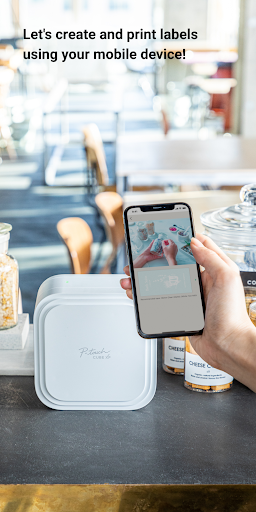
About this app
Developer Description
Let's create and print labels using your mobile device!
Let's create and print labels using your mobile device!
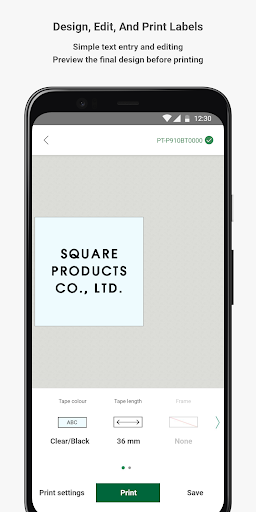
P-touch Design&Print2 is a free application that enables you to design labels on your Android™ mobile device and print them via Bluetooth® using your Brother label printer.
[Key Features]
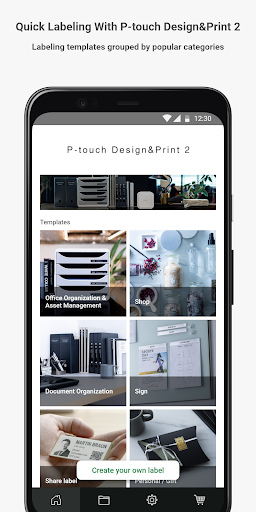
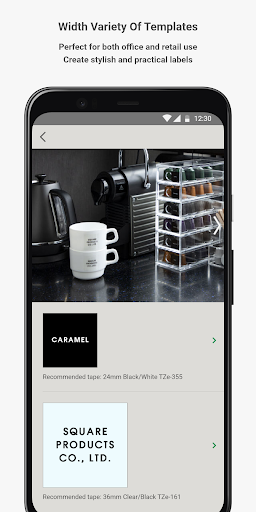
- Easily create stylish and practical labels, decorative tapes, and satin ribbons from a variety of templates perfect for all your labeling, crafting, storage, retail, business, and gift wrapping needs.
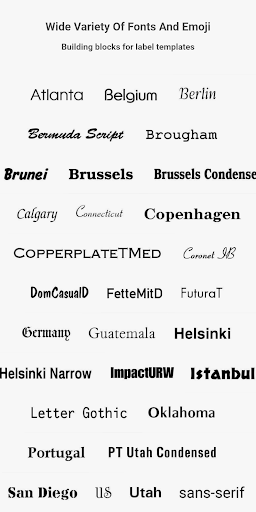
- Choose from a wide variety of fonts, symbols, emoji, patterns, and frames to create and design labels, decorative tapes, and satin ribbons.
- Insert images and logos and preview the final design before printing.
- Insert QR codes using the "Share label" feature to share links to websites or videos. (P-touch CUBE XP and CUBE Plus only)
[New Features in Brother P-touch Design&Print2]
- Text Recognition: Scan and insert text without having to enter it manually. (P-touch CUBE XP and CUBE Plus only)
- Cloud Storage: Upload label templates to the cloud, reuse them, and share them with others.
-Translation Function: Automatically translate scanned or typed text and add it to your label. (P-touch CUBE XP and CUBE Plus only)
[Compatible machines]
P-touch CUBE XP, P-touch CUBE Plus, P-touch CUBE and PT-N25BT
To help us improve the application, send your feedback to Feedback-mobile-apps-lm@brother.com. Please note that we may not be able to respond to individual emails.
What's New
- Bug fixes
- Performance Improvements
Version Information
- Version
- 2.6.0(587)
- Downloads
- 500K+
- Updated on
- Nov 25, 2025
- Released
- Jul 30, 2020
- Requires
- Android 12
Statistics
Google Play Rating History
Rating Distribution
Downloads Over Time
P-touch Design&Print 2 has been downloaded times. Over the past 30 days, it averaged downloads per day.
Shaded area shows 30-day prediction based on historical trends
Historical data collection started recently. More data points will be available over time.
P-touch Design&Print 2 users say on Google Play
 Roselyn Hoffman
As someone with a visual impairment, I love the ability to use my phone for creating labels and adjusting the font, size, and everything else. Although some buttons in their areas are not labeled or not easily accessible with my screen reader, for the most part, I love this app and I am grateful for it.
 Jenn Haefner
I love all options, templates, etc. A few critical suggestions or missing functions: 1) copy or duplicate label/template 2) allow >5 labels in template 3) (*high value) search function in saved & print history (search label text & template name) 4) remove limitation on how many emoji, photo, etc. can be used 5) develop more label previews. Black tape white text never shows realistic; we're even prompted to update & it doesn't. 6) reduce amount of wasted label that prints before, it's TOO much
 Jeffrey Race
When you open the program, it gives you a lot of options for customized types of labels with lots of graphics and borders and icons and things that I don't need don't even want. and then I tried to use organization as a basic starting point and it's still much too cluttered. I want a basic label with the letters that I type in and that's it. that's actually kind of hard to do. now that being said, it does work. I'm able to print my labels for my toolbox and different storage containers.
 Lars Marowsky-Brée
Using it with a Cube Pro. The basic functions and printing work quite well, and there's a sufficient number of fonts and icons for me. But I'm rather annoyed that the templates have features I can't use when designing my own labels - no bar or QR codes, no additional cut markers, no date or number substitution. There's also no way to add any data source for printing series. These features are apparently only available on Mac and Windows, not even a Linux app. So not fully functional on Android.
 Iris Ip
unable to import my own font, disappointing
ApkTrusted Ratings & Reviews
More from Brother Industries, Ltd.
See more apps
Brother Mobile Connect
Free
Brother iPrint&Label
Free
Brother Color Label Editor 2
Free

Brother Pro Label Tool
Free
Brother Print SDK Demo
Free

Brother Artspira
Free
Mobile Transfer Express
Free
Brother Mobile Deploy
Free
Brother My Stitch Monitor
Free
Brother iPrint&Scan
Free

Brother My Design Snap
Free
Brother Print Service Plugin
Free
Similar Apps

Print Master
Free

HerePrint
Free

Phomemo
Free

Collect by WeTransfer
Free

Photobook: Photo Books & Gifts
Free

Thingiverse Printables | 3Drop
Free
NIIMBOT
Free

Smallpdf: Scanner & PDF Editor
Free
Rocketbook
Free

Bambu Handy
Free

Samsung Print Service Plugin
Free

Easy-PhotoPrint Editor
Free

PDFEsign.com PDF E-Sign
Free

Bamboo Paper
Free

Personio
Free

Arenti
Free
Scan this QR code to download

Forwarding you to the page at Google Play market in seconds...
Open Google Play market now