Brother iPrint&Scan v6.14.0
Brother Industries, Ltd.
About this app
Developer Description
Brother iPrint&Scan lets you easily print and scan photos/documents/webpages.
[Key Features]
- Easy to use menu.
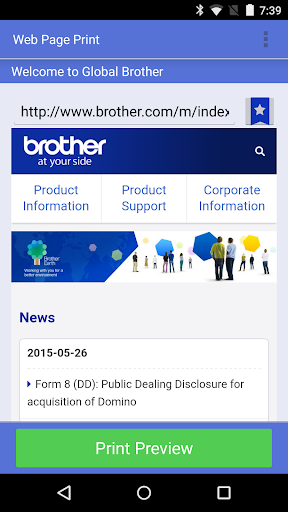
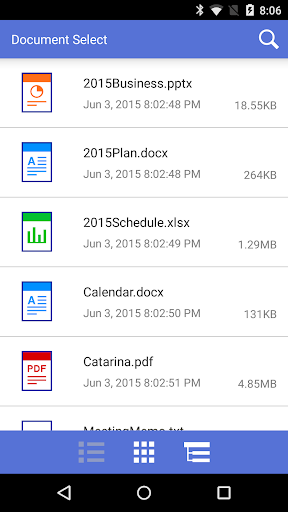
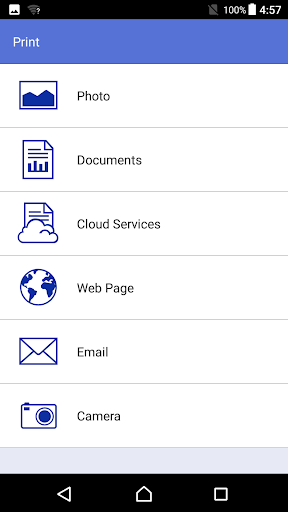
- Simple steps to print your favorite photos, web pages, and documents (PDF, Word, Excel®, PowerPoint®, Text).
- Print your documents and photos directly from the following cloud services: DropboxTM, OneDrive, Evernote®.
- Scan directly to your Android device.
- Save scanned images to your Android device or email them (PDF, JPEG).
- Automatically search for supported devices on a local wireless network.
- No computer and no driver required.
- The NFC function is supported, enabling you to print or scan by holding your mobile device over an NFC mark on your machine and tapping the screen.
*Memory card needed for printing and scanning.
*To use the NFC function, both your mobile device and your machine need to support NFC. There are some mobile devices with NFC that cannot work with this function. Please visit our support website (https://support.brother.com/) for a list of supported mobile devices.
"[Advanced Functions]
(Only available on new models.)"
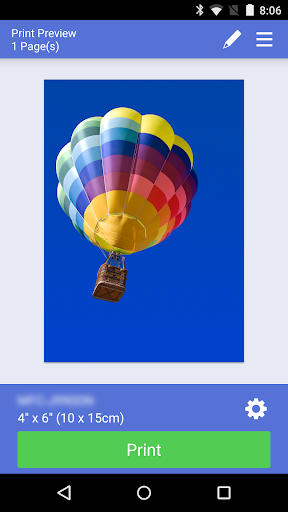
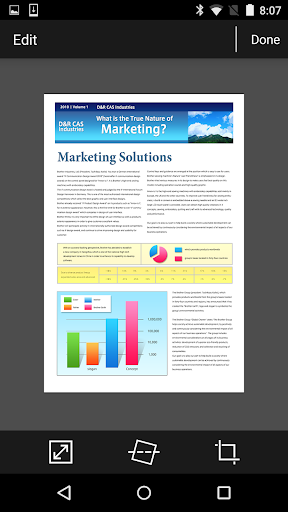
- Edit previewed images using the editing tools (scale, straighten, crop) if necessary.
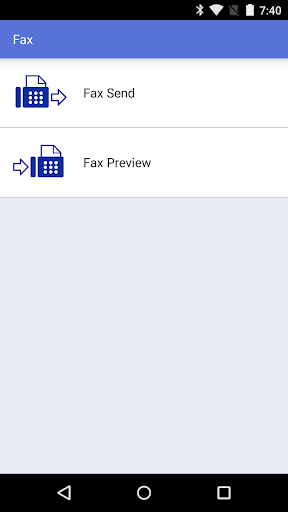
- Send a fax directly from your mobile device.(This app feature requires access to the contacts list on your mobile device.)
- View received faxes stored on your machine on your mobile device.
- The copy preview function enables you to preview an image and edit it if necessary before copying to avoid copy errors.
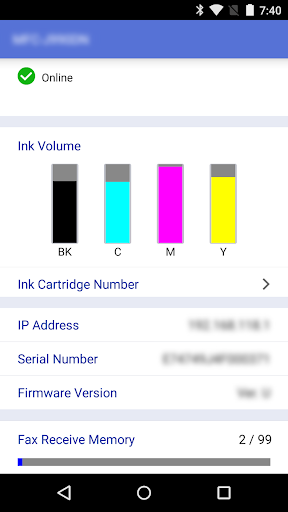
- View the machine’s status such as ink/toner volume and error messages on your mobile device.
*Compatible functions will depend on the selected device.
[Compatible Print Settings]
- Paper Size -
4" x 6" (10 x 15cm)
Photo L (3.5" x 5" / 9 x 13 cm)
Photo 2L (5" x 7" / 13 x 18 cm)
A4
Letter
Legal
A3
Ledger
- Media Type -
Glossy Paper
Plain Paper
- Copies -
Up to 100
[Compatible Scan Settings]
- Document Size -
A4
Letter
4" x 6" (10 x 15cm)
Photo L (3.5" x 5" / 9 x 13 cm)
Card (2.4" x 3.5" / 60 x 90 mm)
Legal
A3
Ledger
- Scan Type -
Color
Color (Fast)
Black & White
[Access Permission Information]
You must check and allow the essential access permissions below to use Brother iPrint&Scan service.
Essential Permission
• Contact information: access to your contact numbers is needed when you use functions like fax, but you can limit access to the specific contact necessary for the service.
Optional Permission
• Location information: It is requested only when you use device search features like Wi-Fi Direct, Bluetooth, or NFC.
Optional data is required to use the corresponding function, and even if permission is not granted, services other than the corresponding function can be used.
*Compatible settings will depend on the selected device and function.
*Evernote is a trademark of Evernote Corporation and used under a license.
*Microsoft, Excel, and PowerPoint are either registered trademarks or trademarks of Microsoft Corporation in the United States and/or other countries.
*To help us improve the application, send your feedback to Feedback-mobile-apps-ps@brother.com. Please note that we may not be able to respond to individual emails.
What's New
You can continue to use the print function via the sharing feature as before.
Version Information
- Version
- 6.14.0
- Downloads
- 10M+
- Updated on
- Oct 28, 2025
- Released
- Aug 31, 2010
- Requires
- Android 7.0
Statistics
Google Play Rating History
Rating Distribution
Downloads Over Time
Brother iPrint&Scan has been downloaded times. Over the past 30 days, it averaged downloads per day.
Shaded area shows 30-day prediction based on historical trends
Historical data collection started recently. More data points will be available over time.
Brother iPrint&Scan users say on Google Play
 MIB Sams
Very good app. Please add support for "Double-Sided Scanning". It will save a lot of time of paper shuffling. Thank you
 Suman Singh
good
 Tony Curtayne
lost connectity from my Samsung A55. Can print from tablet , laptop and desktop. Phone connected to wifi. Just cannot see printer. Think related to latest Android update. Been happy with printer over the journey but can't fathom this one.
 Sanjeevani Pathak
The app is easy to use but a visit in print settings(not even changing anything) makes the whole document process again. Whenever I print something, next time without even giving instructions, it starts to print the same document again and again unless I uninstall the app, not even clearing data helps.
 JM
JM
I dread the days, and they seem to happen randomly, when my brother connection via app to phone starts popping errors. I cannot believe in the days of jumping in the car, and everything connects in seconds, plays tunes, accepts texts and can flip through options of the infotainment center. All in seconds. Brother Printers paired with their apps are as archaic and slow and painful to use. Its gotten to the point where Im ready to move on from this brand that refuses to do any upgrades. Awful.
ApkTrusted Ratings & Reviews
More from Brother Industries, Ltd.
See more apps
P-touch Design&Print 2
Free

Brother Mobile Connect
Free
Brother iPrint&Label
Free
Brother Color Label Editor 2
Free

Brother Pro Label Tool
Free
Brother Print SDK Demo
Free

Brother Artspira
Free
Mobile Transfer Express
Free
Brother Mobile Deploy
Free
Brother My Stitch Monitor
Free

Brother My Design Snap
Free
Brother Print Service Plugin
Free
Similar Apps

Epson iPrint
Free

HP
Free

HerePrint
Free

Samsung Print Service Plugin
Free

RICOH Smart Device Connector
Free

HP Print Service Plugin
Free

Print Master
Free

PDF Scanner Plus - Doc Scanner
Free

Genius Scan - PDF Scanner
Free

Easy-PhotoPrint Editor
Free

Phomemo
Free

Smallpdf: Scanner & PDF Editor
Free

PDF Scanner app - TapScanner
Free

PDFelement-PDF Editor & Reader
Free

MyScript Notes (Nebo)
Free

vFlat Scan - PDF Scanner, OCR
Free
Scan this QR code to download

Forwarding you to the page at Google Play market in seconds...
Open Google Play market now