Marantz AVR Remote v3.12.3
D+M Group









About this app
Developer Description
Control Application for latest Marantz Network AVR (from 2014 year)
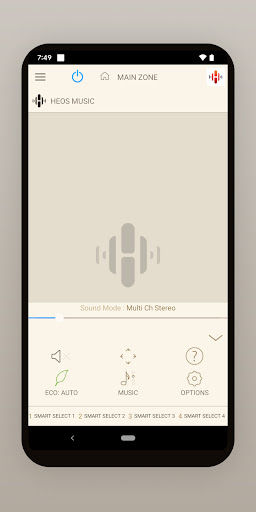
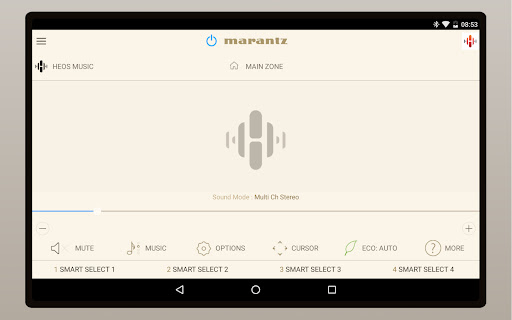
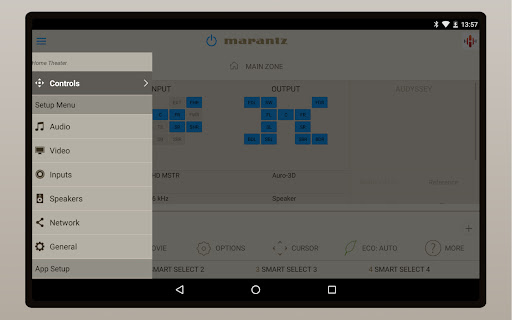
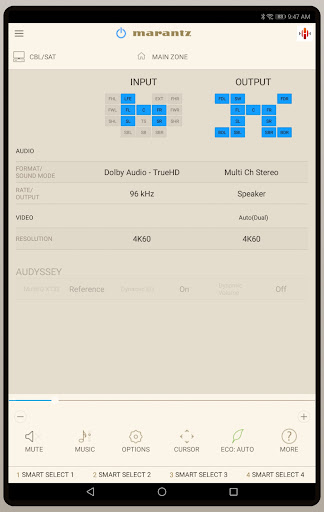
Control the basic functions of your Marantz product with power, volume, input and settings. Have direct access to Smart Select and Surround Modes.
Network browsing is either done with the Marantz AVR Remote app or depending on model by selecting HEOS network as input which opens the HEOS app automatically.
With the Marantz AVR Remote, your Android device just became an integral part of your home entertainment experience.
"Because Music Matters"
Compatible Marantz Models (*1, *2)
2025 New Model
Network AV Pre-Amplifier: AV 20
2024 Model
Network AV Receiver: CINEMA 30
2023 Model
Network AV Receiver: STEREO 70s
2022 Models
Network AV Pre-Amplifier: AV 10
Network AV Receiver: CINEMA 40, CINEMA 50, CINEMA 60, CINEMA 70s
2021 Model
Network AV Pre-Amplifier: AV8805A
2020 Models
Network AV Pre-Amplifier: AV7706
Network AV Receiver: SR8015, SR7015, SR6015, SR5015, NR1711
2019 Models
Network AV Receiver: SR6014, SR5014, NR1710, NR1510, NR1200
2018 Models
Network AV Pre-Amplifier: AV7705
Network AV Receiver: SR7013, SR6013, SR5013, NR1609, NR1509
2017 Models
Network AV Pre-Amplifier: AV8805, AV7704
Network AV Receiver: SR8012, SR7012, SR6012, SR5012, NR1608, NR1508, NR1200
2016 Models
Network AV Pre-Amplifier: AV7703
Network AV Receiver: SR7011, SR6011, SR5011, NR1607
2015 Models
Network AV Pre-Amplifier: AV7702mkII
Network AV Receiver: SR7010, SR6010, SR5010, NR1606, NR1506
2014 Models
Network AV Pre-Amplifier: AV8802A, AV8802
*Not compatible with Marantz models other than the above models. Please use Marantz Remote App for previous Marantz models which support App control.
Main feature:
•On the fly HEOS app switching for network browsing and control for HEOS built-in AVR and AVP
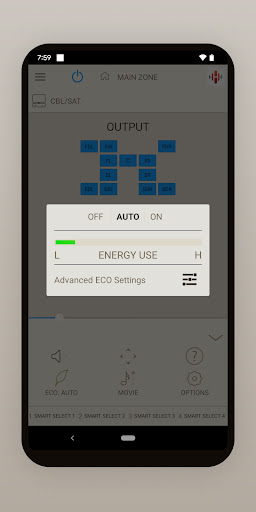
•ECO Mode setting
•Option settings (Sleep Tone, Channel Level etc.) and Selected Setup Features
•Marantz CD Control when your Marantz AVR is connected to Marantz CD Player with a remote cable
•Viewing User manuals
•Multi-Language Support (English, French, German, Spanish, Dutch, Italian, Swedish, Japanese, Simplified Chinese, Russian and Polish.) (*3)
Notes:
*1: Please update the firmware via the system setup menu (General > Firmware). If the App doesn't work well, please try to reboot your mobile device, unplug the power cord of the main unit and reinsert into the power outlet or check your home network.
*2: Please set "Network Control" to "ON" in your product via the system setup menu to use this app. (Network > Network Control)
*3: The OS language setting is automatically detected; when not available, English is selected.
Compatible Android devices:
• Android Smartphones or Tablets with Android OS ver. 8.0.0 (or higher)
• This application does not support smartphones in QVGA(320x240) and HVGA(480x320) resolution.
Confirmed Android devices:
Samsung Galaxy S10 (OS 12), Google (LG) Nexus 5X (OS 8.1.0), Google Pixel 2 (OS 9), Google Pixel 3 (OS 12), Google Pixel 6 (OS 13)
Caution:
We do not guarantee that this application works with all Android devices.
What's New
Notes:
*Please update the firmware via the system setup menu. (General > Firmware) If the App doesn't work properly, please try to reboot your mobile device, unplug the power cord of the main unit and reinsert into the power outlet or check your home network.
*Please set "Network Control" to "ON / Always ON" in your product via the system setup menu to use this app.
Version Information
- Version
- 3.12.3
- Downloads
- 100K+
- Updated on
- Oct 8, 2025
- Released
- Jan 27, 2016
- Requires
- Android 8.0
Statistics
Google Play Rating History
Rating Distribution
Downloads Over Time
Marantz AVR Remote has been downloaded times. Over the past 30 days, it averaged downloads per day.
Shaded area shows 30-day prediction based on historical trends
Historical data collection started recently. More data points will be available over time.
Marantz AVR Remote users say on Google Play
 turbogt2911
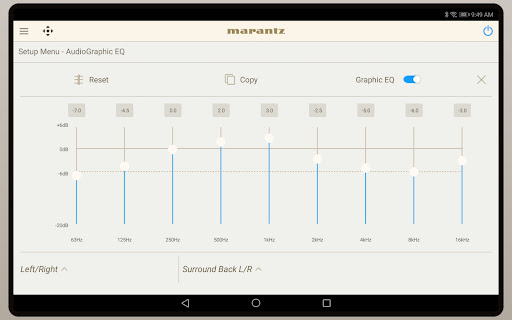
finally figured out that my AVR (SR5015) could NOT be connected via ethernet in order for this app to find the AVR on my network. Wifi only. Works great in adjusting EQ on the fly without having to go into the AVR's settings during a movie.
 Mark Souza
Was working great now states init needs to be updated to work with this app. However no update is available. Reinstall app still doesn't work... Update app has been working fine after system updates. Using for zone 2 outside and zone 1 in billiard room.
 Sonny Cruz
Useful but slow. I use it with an NR1506 and its perfect remotely powering down the receiver, while at home of course. I use it to adjust the volume frequently as well. Other than that, it's so slow I avoid other functions but they all do work. Sometimes the app hangs. It can be frustrating but the convenience of being able to check the receiver's power on status makes it worth keeping on my phone (S23 Ultra).
 Marcos Pereira
Bought a new phone and I cannot find my SR8015 receiver because it's on other vlan. Why I'm not able to set it's IP address instead? Simple as that. I not being able to use this app more than a year. Bought new speakers, need to calibrate them and use this app for quick tweaks. Not happening... Just add the possibility of setting the IP addresses of the devices.
 Jeremy
Used this app years ago and it was junk. Reinstalled now in 2024 and still junk. I cannot believe a company that is supposed to be hi end like marantz has an app that is complete junk. I'm in the market for a new receiver and I'm going to try a different company this time. I use apps for almost everything in my home, no different here, if marantz can't figure this out I'll give another company a shot on my new receiver.
ApkTrusted Ratings & Reviews
More from D+M Group
See more apps



Scan this QR code to download

Forwarding you to the page at Google Play market in seconds...
Open Google Play market now