Denon Remote App v1.1.9
D+M Group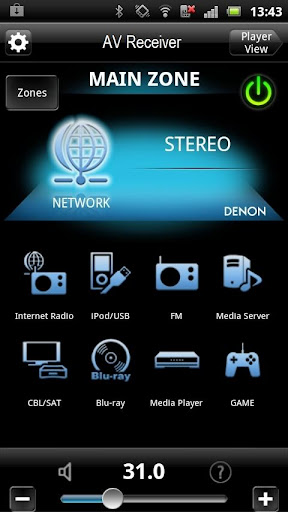








About this app
Developer Description
Denon Remote App allows to control the basic functions of your Denon products.
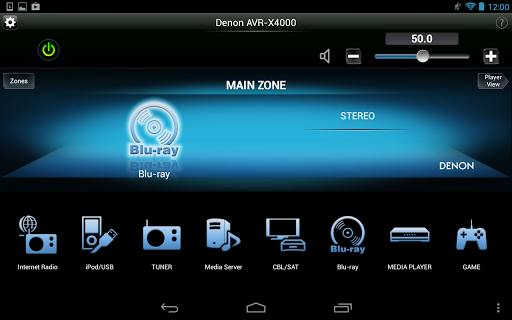
Control the basic functions of your Denon product with power, volume, input and surround mode selection.
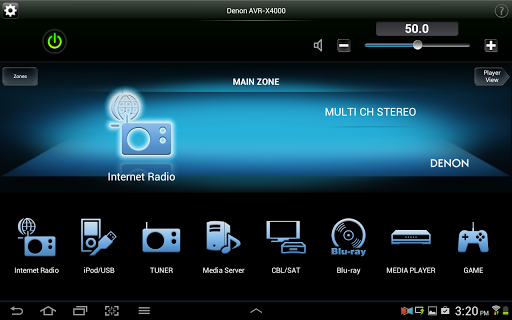
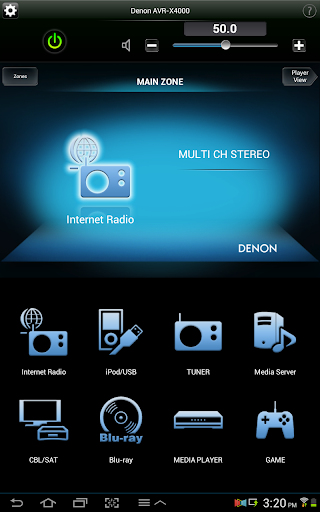
8 customizable home screen short cut buttons allow you to tailor the look and function of the Denon Remote App to suit your needs.
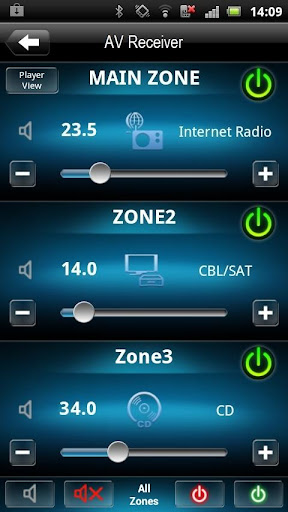
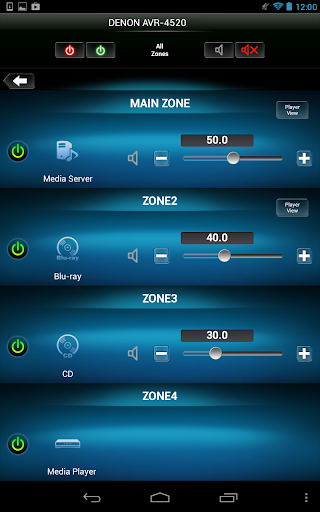
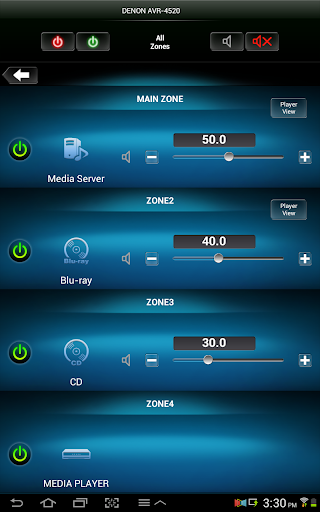
A multi-zone control page lets you adjust power, volume and input selection for all zones from a single screen.
Super-fast Internet Radio browsing as well as easy favorite preset and recall capability will make surfing through the 30,000 free stations a breeze. Fast thumbnail browsing, library search and playlist creation make navigating your large digital media library easier than ever before.
With the Denon Remote App, your Android device just became an integral part of your home entertainment experience.
'Main feature:
• Single Page Multi Zone Control Screen for AV Receivers
• Assignable Home Screen Shortcut Buttons
• Fast Thumbnail Browsing for Network Music File Playback (*1)
• Playlist management for Network Music File Playback (Create/Edit/Delete)
• Frequency Direct FM Tuning
• Fast Internet Radio Browsing (*1)
• Volume Limit Setting
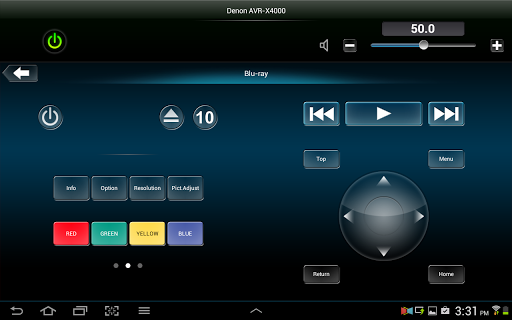
• Denon Blu-ray Player Control when paired with ’13/X Series AVR and Blu-ray 2012 Models (*2)
• Photo Slideshow Transition Adjustment
• AVR and Multi Zone Renaming Capability
• Simple Home Screen Help Display
• Multi-Language Support (English, French, German, Spanish, Dutch, Italian, Swedish, Japanese, Simplified Chinese, Russian and Polish) (*3)
Notes
*1. During fast network browsing, the AVR GUI and Remote App display may be temporarily out of sync.
*2. An HDMI connection between the AVR and Blu-ray player is required. HDMI control needs to be set to ON for both units.
*3. The OS language setting is automatically detected; when not available, English is selected.
Compatible Network models: (Product availability varies depending on regions.)
2015 Models:
Network AV Receiver: AVR-X6200W, X4200W, X3200W, X2200W, X1200W, S910W, S710W
2014 Models:
Network AV Receiver: AVR-X7200W(A), X5200W, X4100W, X3100W, X2100W, X1100W, S900W, S700W
2013 Models:
Network AV Receiver: AVR-X4000/X3000/X2000/X1000, AVR-E400/E300
2012 Models:
Network AV Receiver: AVR-4520CI, 3313CI, 2313CI, 2113CI, 1913, 1713, 1613
Network Music System: DRA-N5 (CEOL piccolo)
* Not compatible with Denon models other than those listed above.
Note:
*Your Denon product may require a firmware update to work with this app. Please update the firmware on your Denon product via the system setup menu.
*Please set "Network Standby / IP Control / Network / Network Control" to "ON / Always ON" in your Denon product via the system setup menu to use this app.
*If the App doesn't work well, please try to reboot your mobile device, unplug the power cord of the main unit and reinsert into the power outlet or check your home network.
Compatible Android devices:
• Android Smartphones with Android OS ver.5.0(or higher) or Android Smartphones/Tablets with Android OS ver.5.0(or higher)
• Screen resolution: 800x480, 854x480, 960x540, 1280x720, 1280x800, 1920x1080, 1920x1200, 2048x1536 *This application does not support smartphones in QVGA(320x240) and HVGA(480x320) resolution.
• Confirmed Android devices:
Samsung Galaxy S5(OS5.0.0), Google(ASUS) Nexus 7 (2013) (OS5.1), Google(LG) Nexus 5 (OS5.0.1), Google(LG) Nexus 4 (OS5.0.1), Google(HTC) Nexus 9 (OS5.0.1), Google(Motorola) Nexus 6 (OS5.1), Google Pixel 2 (OS9), Google Pixel 3 (OS10)
Caution:
We do not guarantee that this application works with all Android devices.
What's New
Notes:
*If the App doesn't work properly, please try to reboot your mobile device, unplug the power cord of the main unit and reinsert into the power outlet or check your home network.
*Please use a latest firmware in your Denon models by checking it via the system setup menu.(General > Firmware)
*Please set "Network Standby / IP Control / Network / Network Control" to "ON / Always ON" in your Denon product via the system setup menu to use this app.
Version Information
- Version
- 1.1.9
- Downloads
- 500K+
- Updated on
- Mar 24, 2020
- Released
- Jul 11, 2012
- Requires
- Android 5.0
Statistics
Google Play Rating History
Rating Distribution
Downloads Over Time
Denon Remote App has been downloaded times. Over the past 30 days, it averaged downloads per day.
Shaded area shows 30-day prediction based on historical trends
Historical data collection started recently. More data points will be available over time.
Denon Remote App users say on Google Play
 Shannon Stopher
App no longer sees my AVR2313 amp. Tried rebooting amp & phone. Checked network Wi-Fi and ip address everything is fine. Tried reinstalling app & still doesn't work. Found out that restarting ( pull power cable out and plug back in) will reboot network device on amp and fixed my issue..... :-)
 Paul Bohn
It is now May, 2024 and the app does connect now! Although I have the current flagship receiver (AVR X8500H) as of 2020 this app could not be connected to that receiver and I had to use the AVR 2016 app. When I installed the receiver I have used a cord to connect it to the network, when it was installed it hooked up to the network with a DHCP connection, I have changed that to a static IP but that doesn't do anything. It sees my TV but not the receiver even when I type in the IP address!
 Joe Carroll
Better than nothing/"Good enough". Seems to pretty much be abandoned at this point, but a lot of people are still using the receivers this is compatible with, so they really should keep updating and refining it. I can't be too mad because I bought my receiver used, but it's far from obsolete, so if I had paid top dollar for it only to be abandoned while the receiver is still useful, I'd be really p*ssed off and would consider different brands for future purchases. You can def tell its an old app
 A Google user
Monumentally unreliable... Randomly connects. Randomly drops out and locks up. Keeps forgetting the address or presents "cant find it" messages, whilst at the same time listing other devices on the network that are not from Denon. Very slow and clunky interface with plenty of lag between changes. If you're desperate to control your Denon then this is (just) ok. Better control is enabled using the web-based interface from a PC or laptop, by entering the ip address into a browser.
 Dmitry
I've had 4 Denon receivers in my house since 2010, ranging from entry level to $3k+ receivers. This app is the final straw in me changing out all of my receivers in the house. It's a joke! It simply does not work, it has a mind of it's own when to connect and when to go into demo mode. What a shame that Denon thinks apps are unnecessary and does not provide support or updates. Everything has an app now! Hope something changes in the future in the mean time, I've given up and so have many others.
ApkTrusted Ratings & Reviews
More from D+M Group
See more apps



Scan this QR code to download

Forwarding you to the page at Google Play market in seconds...
Open Google Play market now