
Denon AVR Remote v3.12.3
D+M Group












About this app
Developer Description
Control application for latest Denon Network AVR (from 2014 year)
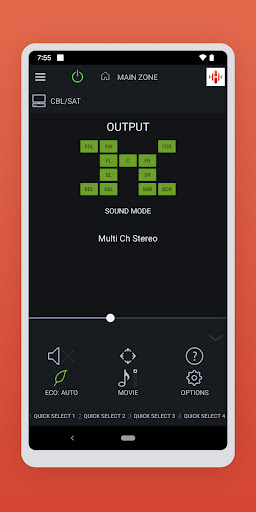
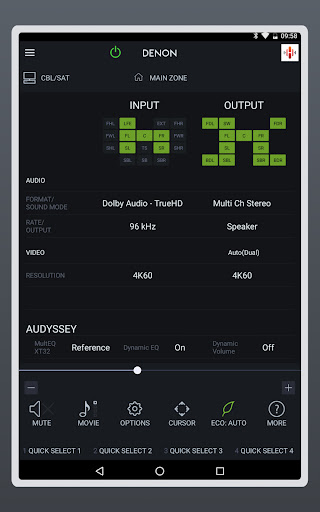
Control the basic functions of your Denon product with power, volume, input and settings. Have direct access to Quick Select and Surround Modes.
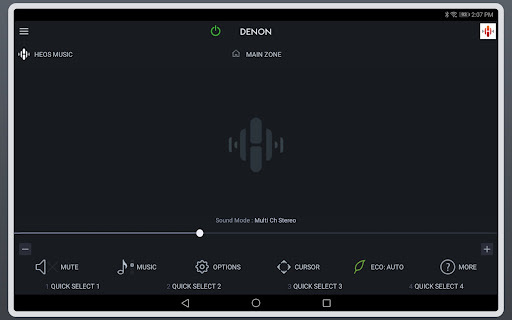
Network browsing is either done within the Denon AVR Remote app or depending on model by selecting HEOS network as input which opens the HEOS app automatically.
With the Denon AVR Remote, your Android device just became an integral part of your home entertainment experience.
Compatible Denon Models (*1, *2)
2024 New Models
Network AV Receiver: AVR-A10H, AVR-X6800H
2023 Models
Network AV Receiver: AVR-X1800H, S770H, S670H, DRA-900H
2022 Models
Network AV Receiver: AVR-A1H, X4800H, X3800H, X2800H, S970H
2021 Models
Network AV Receiver: AVR-X8500HA, X1700H, S760H, S660H
2020 Models:
Network AV Receiver: AVR-A110, X6700H, X4700H, X3700H, X2700H, S960H
2019 Models:
Network AV Receiver: AVR-X3600H, X2600H, X1600H, S950H, S750H, S650H, DRA-800H
2018 Models:
Network AV Receiver: AVR-X6500H, X4500H, X3500H, X2500H, X1500H, S940H, S740H, S640H
2017 Models:
Network AV Receiver: AVR-X8500H, X6400H, X4400H, X3400H, X2400H, X1400H, S930H, S730H
2016 Models:
Network AV Receiver: AVR-X6300H, X4300H, X2300W, X1300W, S920W, S720W
2015 Models:
Network AV Receiver: AVR-X6200W, 4200W, X3200W, X2200W, X1200W, S910W, S710W
2014 Models:
Network AV Receiver: AVR-X7200WA, X7200W
*Not compatible with Denon models other than the above models. Please use Denon Remote App for previous Denon models which support App control.
Main feature:
•All brand new designed screen graphics
•On the fly HEOS app switching for network browsing and control for a HEOS built-in AVRs
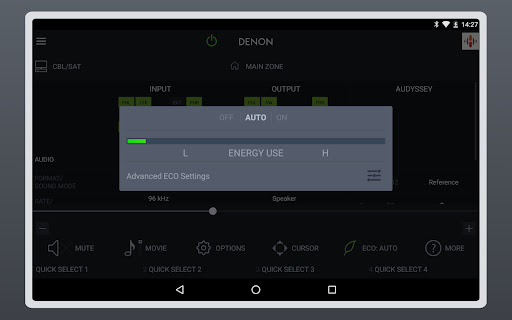
•ECO Mode setting
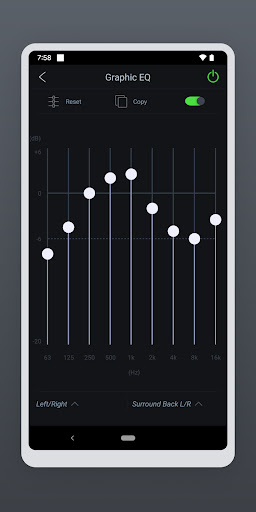
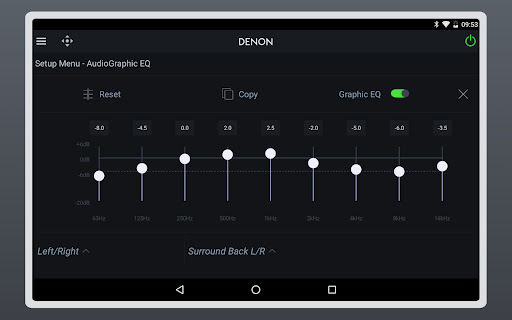
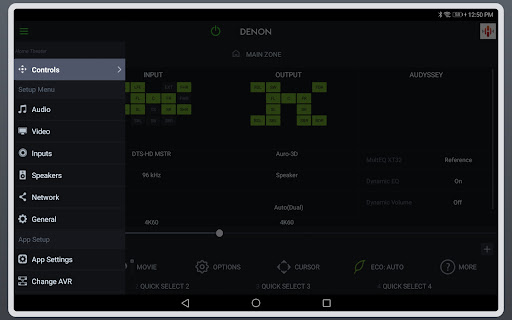
•Option settings (Sleep Tone, Channel Level etc.) and Selected Setup Features
•Viewing User manuals
•Multi-Language Support (English, French, German, Spanish, Dutch, Italian, Swedish, Japanese, Simplified Chinese, Russian and Polish.) (*3)
Notes:
*1: A firmware update for your Denon product is may be needed, please update the firmware via the system setup menu (General > Firmware). If the App doesn't work well, please try to reboot your mobile device, unplug the power cord of the main unit and reinsert into the power outlet or check your home network.
*2: Please set "Network Control" to "ON" in your product via the system setup menu to use this app. (Network > Network Control)
*3: The OS language setting is automatically detected; when not available, English is selected.
Compatible Android devices:
• Android Smartphones or Tablets with Android OS ver. 8.0.0 (or higher)
• This application does not support smartphones in QVGA(320x240) and HVGA(480x320) resolution.
Confirmed Android devices:
Samsung Galaxy S10 (OS 12), Google (LG) Nexus 5X (OS 8.1.0), Google Pixel 2 (OS 9), Google Pixel 3 (OS 12), Google Pixel 6 (OS 13)
Caution:
We do not guarantee that this application works with all Android devices.
What's New
Notes
* Please update the firmware via the system setup menu. (General > Firmware) If the App doesn't work properly, please try to reboot your mobile device, unplug the power cord of the main unit and reinsert into the power outlet or check your home network.
*Please set "Network Control" to "ON / Always ON" in your product via the system setup menu to use this app.
Version Information
- Version
- 3.12.3
- Downloads
- 1M+
- Updated on
- Oct 8, 2025
- Released
- Jan 27, 2016
- Requires
- Android 8.0
Statistics
Google Play Rating History
Rating Distribution
Downloads Over Time
Denon AVR Remote has been downloaded times. Over the past 30 days, it averaged downloads per day.
Shaded area shows 30-day prediction based on historical trends
Historical data collection started recently. More data points will be available over time.
Denon AVR Remote users say on Google Play
 John Cain
Please, please...grant us the option to increase/decrease volume incrementally with +/- controls next to slider for precision. Using a slider increases the likelihood of an unintentional volume spike. Yes, app is slow, but I could live with everything else if the basic volume controls were more appropriate. Please. Pretty, pretty, pretty please--volumn up and down controls, not slider (will change to 5 stars). Edit: this can be done using the device's volume buttons.
 Bill Hardee
I have had my AVR X1800 for a month and am more than satisfied. I just finished my Zone 2 wiring (to existing speakers) and was sitting on the deck enjoying the music and had a thought if Denon had an app to control volume. I installed it, and as soon as I opened it it was connected and working. Tapped Zone 2 and set the volume! pretty basic app, but it works fine.
 Bhanu Prakash
good but keep buffering again and again. connection is not consistent. Audyssey app should be part of this. Why to pay extraa for that after getting an expensive AVR.
 Rove McClain
Please add better optimizations for the Samsung Galaxy Z Fold 7. It would be really nice if you guys could update the design language of the app. The app definitely looks like an app from 2016. It needs to look like a 2025 app. You guys haven't updated the UI design in YEARS. It's very stale and doesn't fit any new device's design language. It's unacceptable. Please optimize the app for Android 16. Please optimize for foldables with an adaptive layout.
 Han So Oh
Very slow and unresponsive. I've got 2 Yamaha receivers in use, and their remote app works seamlessly with both, and never lags or locks up like this Denon app. The volume control takes at least 5 seconds before it changes volume, and you've gotta drag precisely, no way to change in steps. Much faster to just leave a browser open on your phone, set up the receiver's web page. To make matters worst, this app has horrendous battery drain, on par with video streaming apps. *update, stopped working
ApkTrusted Ratings & Reviews
More from D+M Group
See more apps


Similar Apps








Scan this QR code to download

Forwarding you to the page at Google Play market in seconds...
Open Google Play market now