
GIF Engineer Pro vVARY
GyokovSolutions

About this app
Developer Description
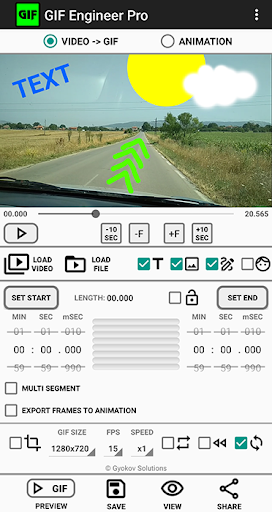
GIF Engineer is video to animated gif image converter and animation creator app
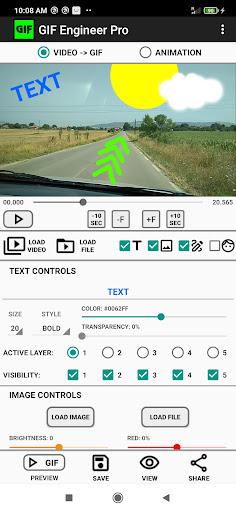
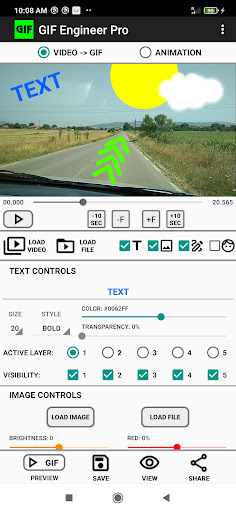
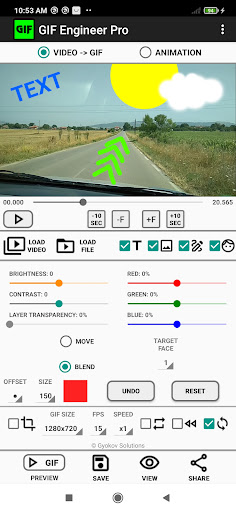
- 5 layers of text
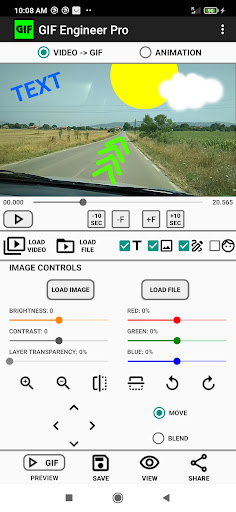
- 5 layers of images
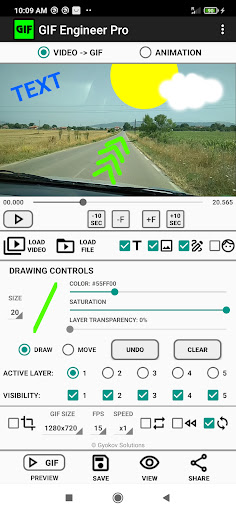
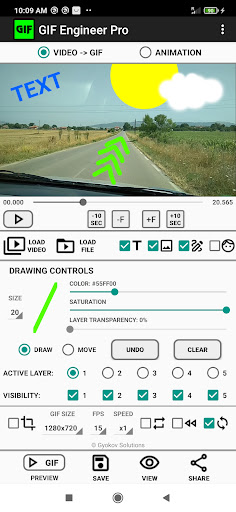
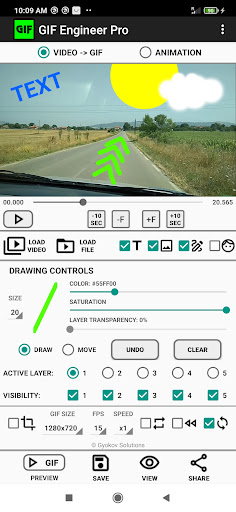
- 5 layers of drawings
- face image or animated face from video for face swap.
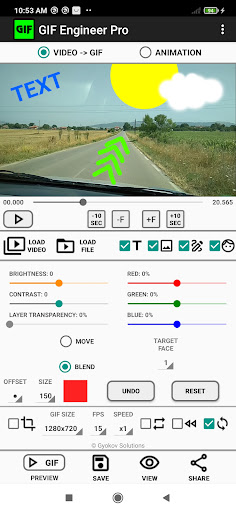
On embedded texts, images and drawings you can control position, scale, rotation, brightness, contrast, transparency, red, green and blue color.
This is one-time payment app. There are no monthly fees.
This is pro version of GIF Engineer app with more features and controls:
- multi segment video to gif - combine several video segments in one gif
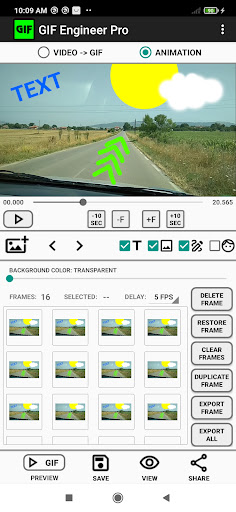
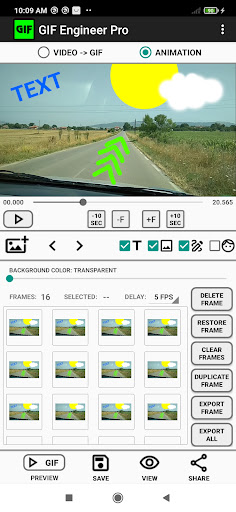
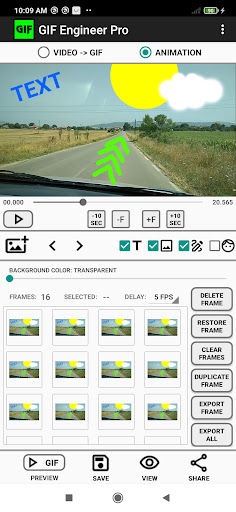
- export frames into ANIMATION where you can delete and reorder them
- open and edit gif images
- 5 layers of text
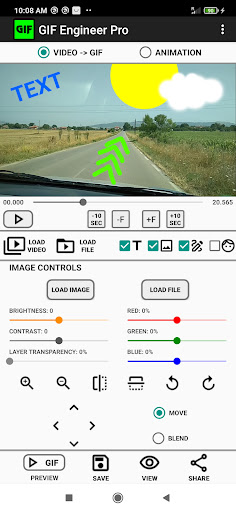
- 5 layers of images
- 5 layers of drawings
- face image for face swap
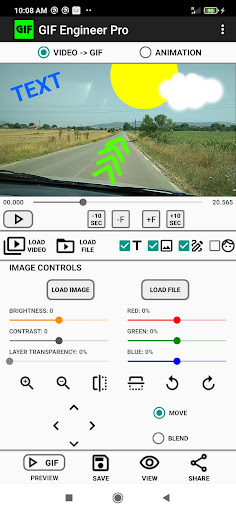
- more embedded image controls - transparency, red, green and blue color adjustment
- blend option for images - clear image background
- buttons for fine tuning embedded picture scale, rotation, flip
- text pinch zoom and rotation
- text transparency
- multi line text
- drawing controls - transparency, rotate, flip, zoom
- gif size 1:1
- frames per seconds: 1-1000
- speed:1/4, 1/2, x1, x2, x4
- gif loop, reverse, forward and backward
- animation delay: 1000 FPS - 60 seconds
App manual - https://gyokovsolutions.com/manual-gif-engineer
The app can be used in two modes:
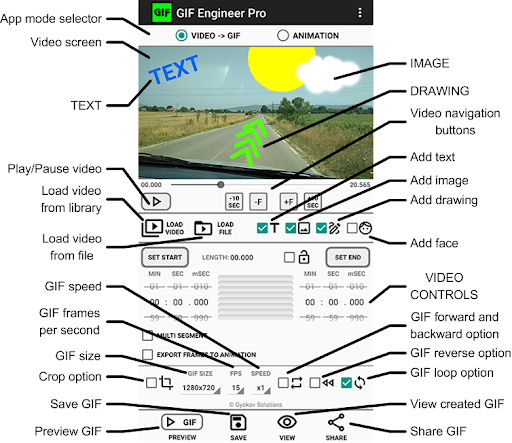
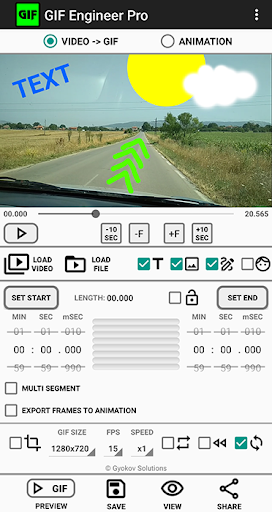
1. Video to GIF image converter - create animated gif images from your videos. You can precisely fine tune video selection up to millisecond.
2. Animation creator - select frames from a video and add pictures and text to create animated gif image.
How to use:
VIDEO to GIF converter:
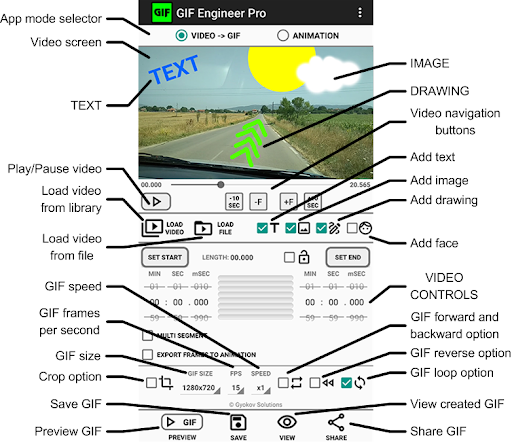
1. Load video from:
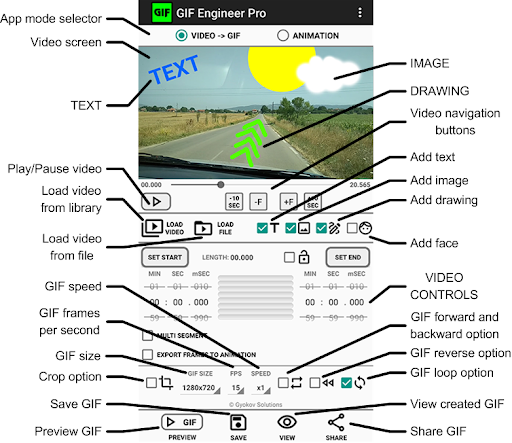
- phone gallery - [LOAD VIDEO] button
- file - [LOAD FILE] button
2. Play video - [PLAY] button.
3. Select part of the video using buttons [SET START] and [SET END] while the video is playing.
4. Fine tune the selection by unlocking and using spinners for start and end. You can fine tune up to millisecond.
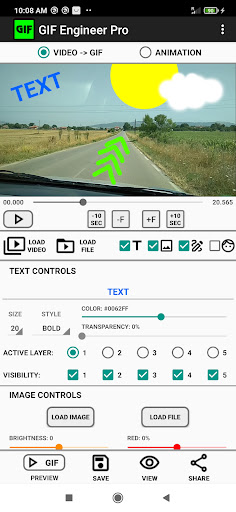
5. Optionally add text by checking [TEXT] checkbox. You can select text position, size and color.
6. Optionally add image by checking [IMAGE] checkbox and loading image. You can move, rotate and pinch zoom image. Also double tap zooms in the image and press and hold zooms out the image. You can also control image brightness, contrast, transparency, red, blue and green color.
7. Preview GIF by pressing [PREVIEW GIF] button and fine tune the selection using start and end spinners if needed.
8. Select GIF options - GIF size {GIF SIZE}, frames per second {FPS}, speed {SPEED} and forward and backward {FW&BW} where also frames in reverse order are added in order to create smooth loop.
9. Create and save GIF image using button [CREATE GIF]. GIF image is saved in phone pictures directory.
10. Open and see the created GIF image using [OPEN] button.
11. Share GIF using [SHARE] button.
ANIMATION CREATOR
1. Load video from:
- phone gallery - [LOAD VIDEO] button
- file - [LOAD FILE] button
2. Play video or seek into video using seek buttons and select frames that you want to include
3. Optionally add text by checking [TEXT] checkbox. You can select text position, size and color.
4. Optionally add image by checking [IMAGE] checkbox and loading image. You can move, rotate and pinch zoom image. Also double tap zooms in the image and press and hold zooms out the image. You can also control image brightness, contrast, transparency, red, blue and green color.
5. Add frame by pressing [ADD FRAME]. If you have chosen to add text then text will be added to this frame. If you have chosen to add image it is added only to this frame.
6. You can change frames order or delete captured frames
7. Set delay between pictures using {DELAY} spinner.
8. Preview GIF using [PREVIEW GIF] button.
9. Select GIF options - GIF size {GIF SIZE}, frames per second {FPS}, speed {SPEED} and forward and backward {FW&BW}.
10. Create and save GIF by pressing [CREATE GIF] button.
11. Open GIF using [OPEN] button.
12. Share GIF using [SHARE] button.
Version Information
- Version
- -
- Downloads
- 50+
- Updated on
- -
- Released
- Jul 23, 2021
- Requires
- Android Varies with device
Statistics
Google Play Rating History
Rating Distribution
Downloads Over Time
GIF Engineer Pro has been downloaded times. Over the past 30 days, it averaged downloads per day.
Shaded area shows 30-day prediction based on historical trends
Historical data collection started recently. More data points will be available over time.
GIF Engineer Pro users say on Google Play
 Sam Zilverberg
Lets you engineer gifs like a pro. One thing that is missing is an android intent, so it appears on "open with" when opening video files.
 vital xs
Seemingly many nice features, but I find interface to be very convoluted and not intuitive, many common sense features are absent or hidden and can't be used, like Undo, or view files - who knows those by the name? That's ridiculous! At least show a thumbnail! Overall, I wouldn't buy it. The few valuable features like frame copy, and timer delay, not worth the headache navigating this puzzling interface. One more example - you add an image to your gif, but how do you delete it??🤦♂️🤯
 Mistah Mark
App does not do what the title says I've had zero luck anybody else
ApkTrusted Ratings & Reviews
More from GyokovSolutions
See more apps
Morse Code Engineer
Free

G-NetTrack Lite
Free

G-NetTrack Pro
Paid

Melody Engineer
Paid
GIF Engineer
Free

G-NetLook Pro
Free
G-NetReport Pro
Paid

Drums Engineer
Free

BLE MIDI Engineer Lite
Free

G-NetView Pro
Paid

G-NetWiFi
Free
G-NetWiFi Pro
Free
Bass Engineer
Free

BLE MIDI Engineer
Free

Morse Code Engineer Lite
Free
Morse Code Engineer Pro
Paid
Scan this QR code to download

Forwarding you to the page at Google Play market in seconds...
Open Google Play market now