Morse Code Engineer v7.8
GyokovSolutions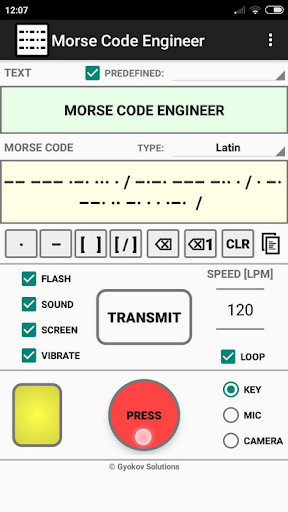


About this app
Developer Description
Morse code audio/light decoder, transmitter and morse code <-> text translator
App features:
- morse code audio/light detection using microphone and camera
- morse code transmission using flash, sound, screen and vibration
- morse code to text automatic translation
- text to morse code automatic translation
- input morse code using button or using buttons for dot, dash and space
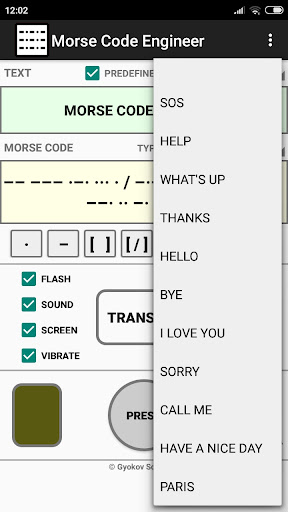
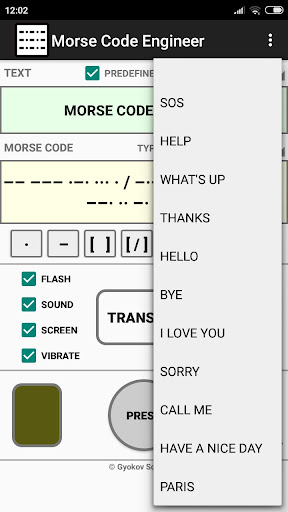
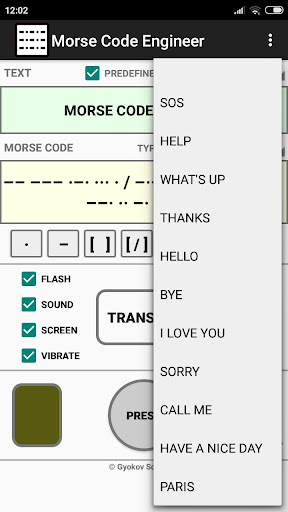
- input predefined words
- add your own predefined words
- calibration for correct speed of the transmission
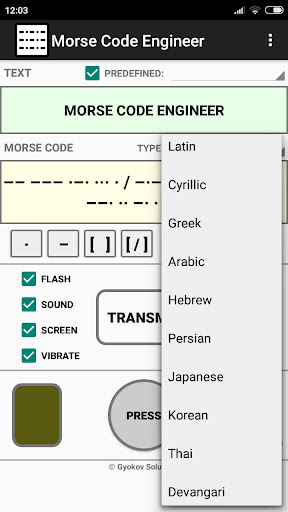
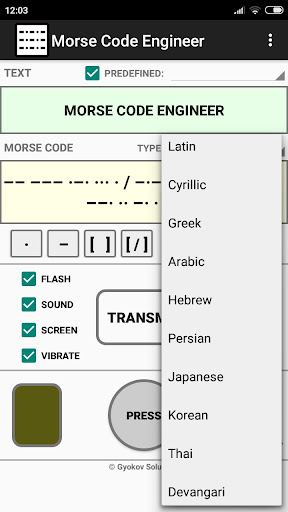
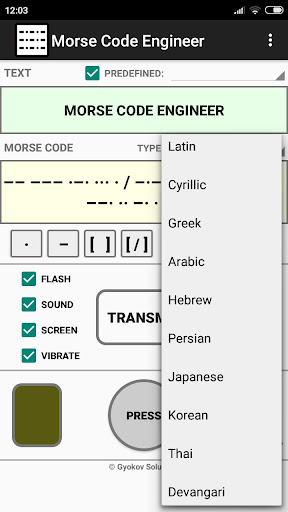
- different code books - Latin (ITU), Cyrillic, Greek, Arabic, Hebrew, Persian, Japanese, Korean, Thai, Devangari
There are free app Morse Code Engineer and paid app Morse Code Engineer Pro. Pro version has no ads and features:
- export of morse code to audio file and animated gif image
- encrypt/decrypt messages with customized encryption book
- adjust gap between characters and words
- customize morse code transmission sound
How to use:
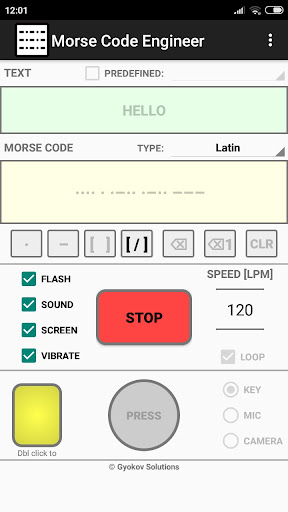
TEXT -> MORSE CODE
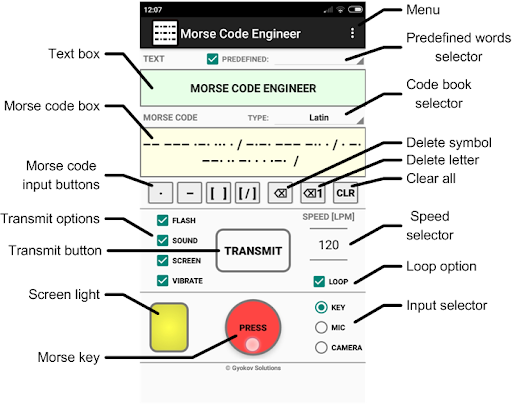
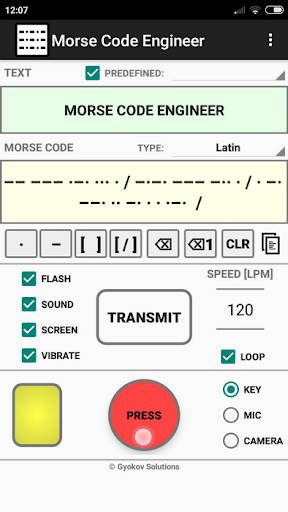
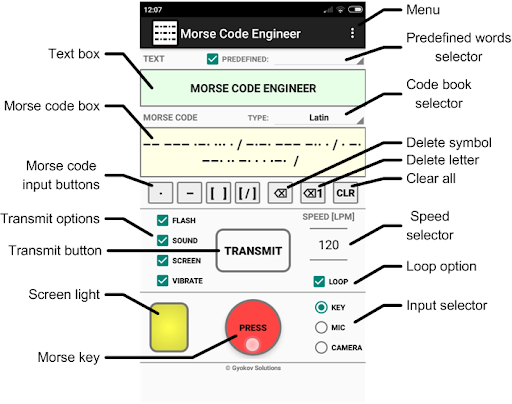
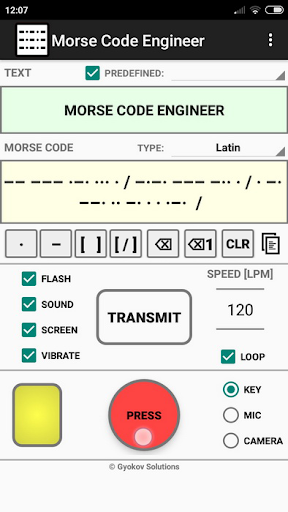
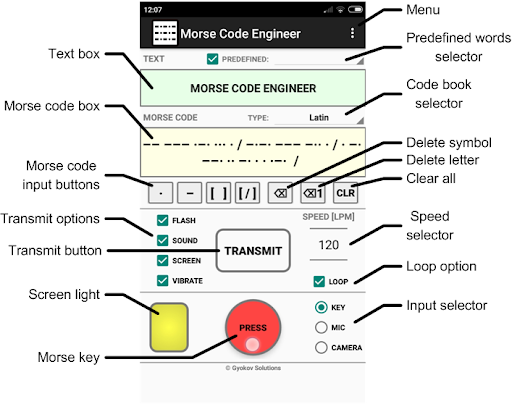
Input text in text box. In morse code box the text will be automatically translated to morse code. You can change code book from drop down menu.
MORSE CODE ->TEXT
Input morse code in morse code box using:
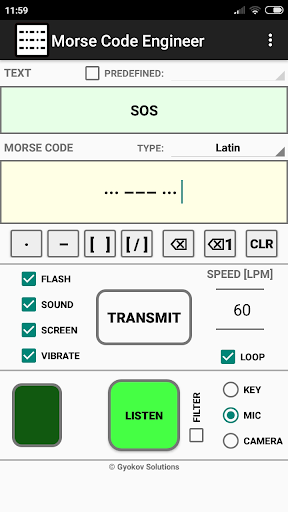
- button key [PRESS] - by doing short and long inputs.
By default the input speed is auto detected and [SPEED] spinner (letters per minute) is updated. You can turn on/off speed autodetection in [SETTINGS - Auto detect speed]. If it is turned off you can use the [SPEED] spinner to adjust the speed of your input for better symbol recognition.
- buttons below morse code box - [ . ] for dot and [ - ] for dash. Use [ ] button to input space between letters. Use [ / ] for spaces between words.
You can clear symbols using backspace button or clear whole letter using backspace button for letters. Using [CLR] button you can clear bot text and morse code boxes.
The morse code will be automatically translated to text and filled in text box. You can change code book from drop down menu.
MORSE CODE TRANSMISSION
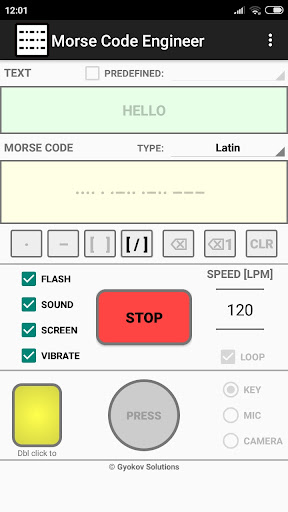
Transmission is started with [START] button and is using:
- flash
- sound
- screen
- vibration
You can control different options using corresponding check boxes.
When screen option is used then double click on small screen while transmission is running will turn full screen transmission. Double click will return to app screen.
You can change speed of transmission using speed spinner (letters per minute). You can loop the transmission by selectiong [LOOP] checkbox.
MORSE CODE AUDIO DETECTION
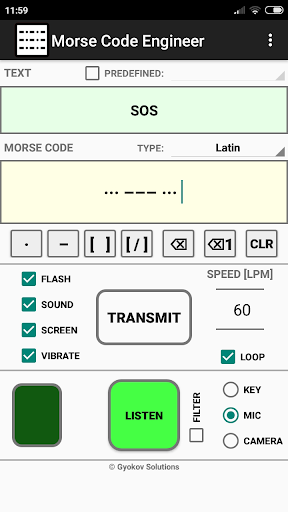
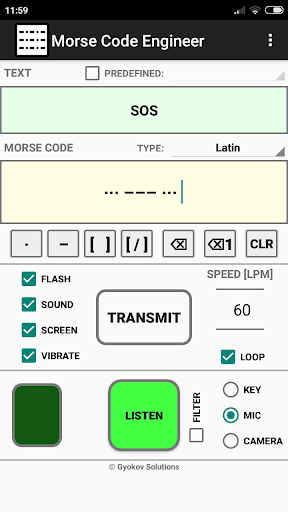
The app can listen and decode morse code transmission. To turn listening on select [MIC] on input panel and press [LISTEN] button. The app listens and detects morse code transmission and writes morse code in morse code box and translated text in text box.
MORSE CODE LIGHT DETECTION
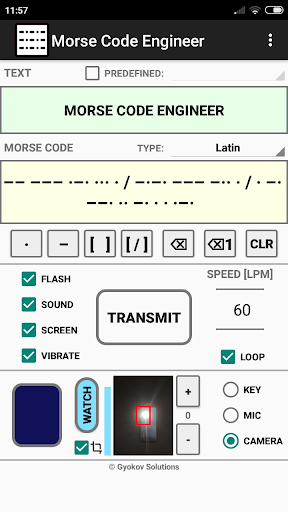
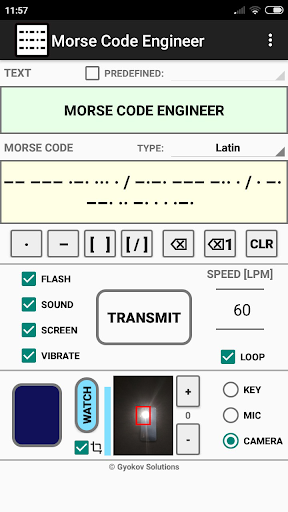
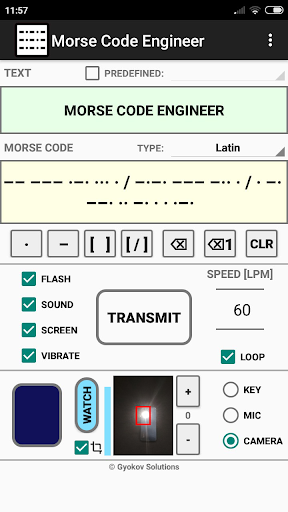
The app can watch and decode morse code transmission using light. To turn listening on select [CAMERA] on input panel and press [WATCH] button. The app watches and detects morse code light transmission and writes morse code in morse code box and translated text in text box.
By default the input speed is auto detected and [SPEED] spinner (letters per minute) is updated. You can turn on/off speed autodetection in [SETTINGS - Auto detect speed]. If it is turned off you can use the [SPEED] spinner to adjust the speed of morse code transmission for better symbol recognition.
MENU OPTIONS:
- Settings - open app settings
- Code Book - shows selected codebook with letters and their morse code
- REMOVE ADS - you can remove ads for current app session (until app is closed) by watching an add
- Calibrate - runs calibration and sets correction time in order to adjust correct speed
- Gyokov Solutions - opens developer's web page
- Exit - exits app
- Version - shows app version
App privacy policy - https://sites.google.com/view/gyokovsolutions/morse-code-engineer-privacy-policy
What's New
v7.8
Settings - Accessibility
v6.1
- Settings - Camera threshold
v6.0
- Settings - Confirm clearing text
- Android 15 ready
v5.5
- option for wifi connection
v5.3
- option for bluettoth connection. Activate it in Settings - Bluetooth connection.
Version Information
- Version
- 7.8
- Downloads
- 10K+
- Updated on
- Dec 16, 2025
- Released
- Aug 19, 2022
- Requires
- Android 7.1
Statistics
Google Play Rating History
Rating Distribution
Downloads Over Time
Morse Code Engineer has been downloaded times. Over the past 30 days, it averaged downloads per day.
Shaded area shows 30-day prediction based on historical trends
Historical data collection started recently. More data points will be available over time.
Morse Code Engineer users say on Google Play
 Ranan Rex
It's a very good app for morce code. I only have an issue when you record morce code, then the speed is set to play back at the same speed when you type it and listen. ( I can't change the speed )
 Kestila
Please please allow us to customize the camera settings (artificial zoom, custom crop)
 Summer Anderson
🆘🎯🌈⛱️🌀
 John Price
Audio decoder is no good. Even with a clean signal it can't decide the CW.
ApkTrusted Ratings & Reviews
More from GyokovSolutions
See more apps
G-NetWiFi
Free

G-NetTrack Lite
Free

G-NetTrack Pro
Paid

Melody Engineer
Paid

Drums Engineer
Paid

GIF Engineer
Free

G-NetLook Pro
Paid

G-NetReport Pro
Paid

GIF Engineer Pro
Paid
Bass Engineer
Paid

G-NetView Pro
Paid
BLE MIDI Engineer Lite
Free
G-NetWiFi Pro
Paid

BLE MIDI Engineer
Paid
Morse Code Engineer Lite
Free
Morse Code Engineer Pro
Paid
Scan this QR code to download

Forwarding you to the page at Google Play market in seconds...
Open Google Play market now