G-NetWiFi Pro vVARY
GyokovSolutions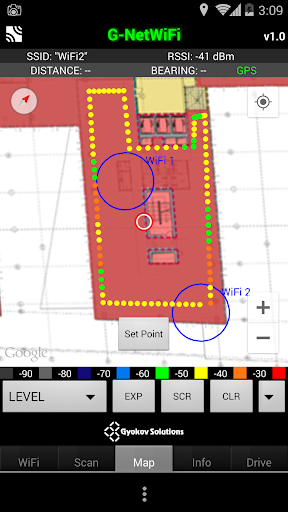
About this app
Developer Description
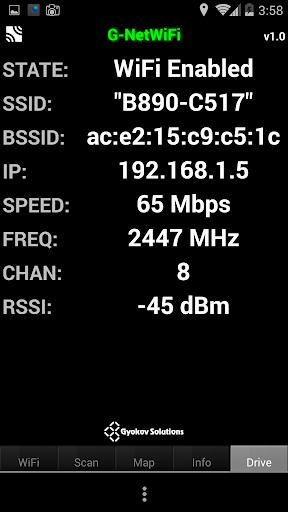
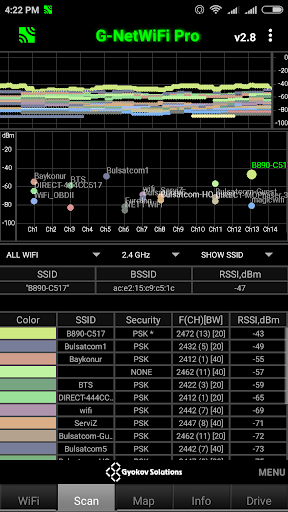
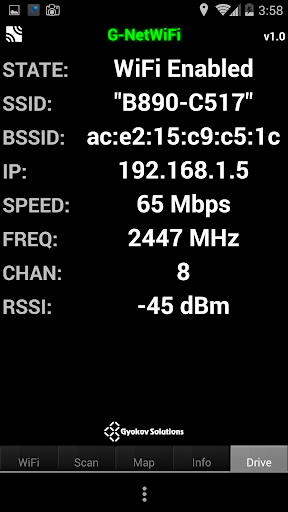
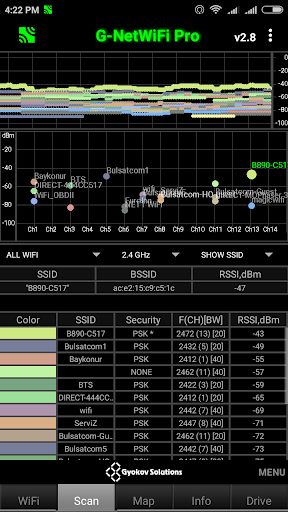
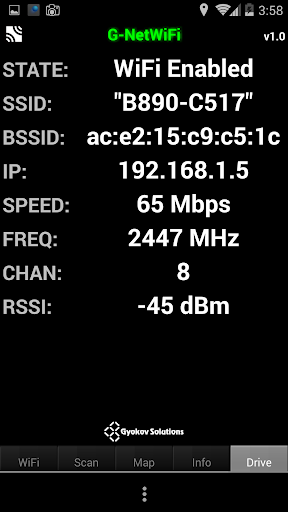
G-NetWiFi Pro is a WiFi network monitor and drive test tool.
It is professional version of G-NetWiFi app for Android OS with many more features and extended logging.
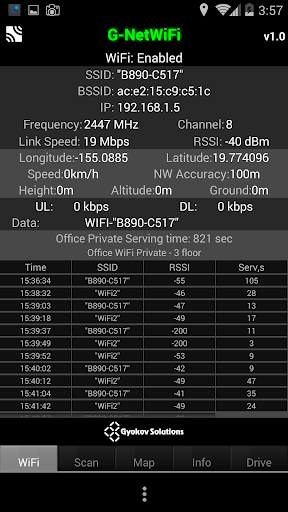
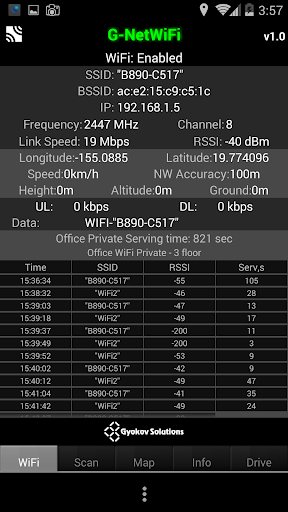
It allows monitoring and logging of WiFi network parameters without using special equipment. It's a tool and it's a toy. It can be used by professionals to get better insight on the network or by radio enthusiasts to learn more about WiFi networks.
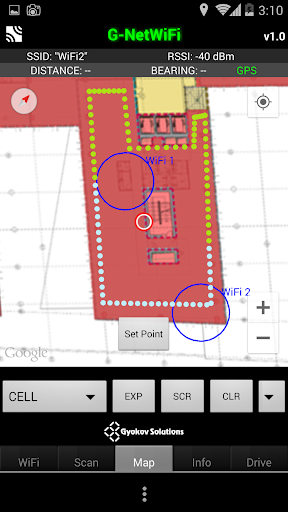
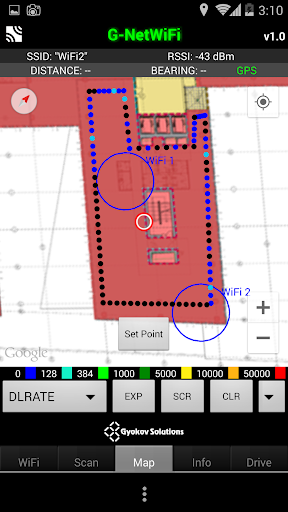
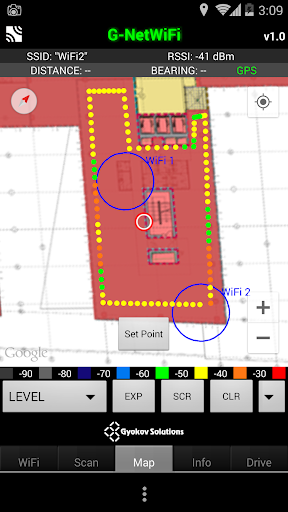
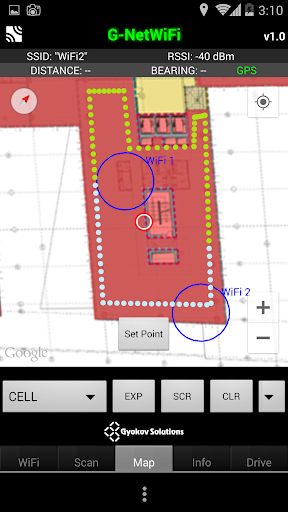
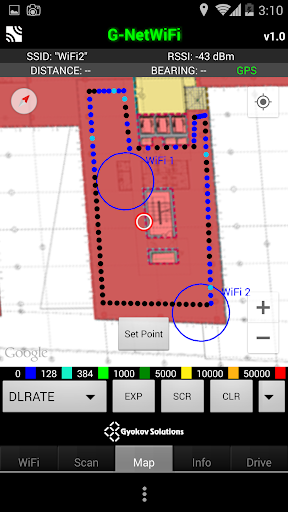
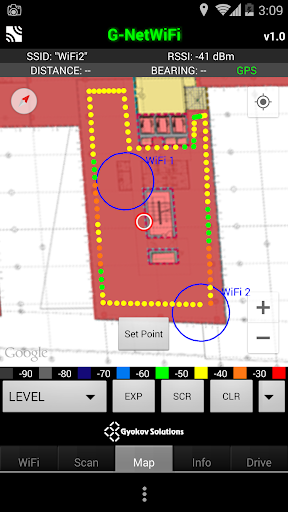
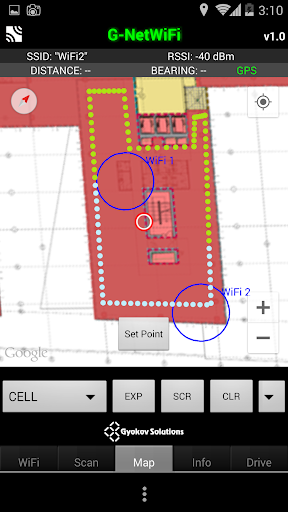
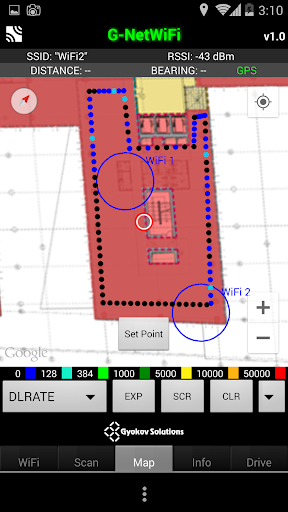
G-NetWifi Pro can be used in outdoor and in indoor environment with loading of floorplans.
Try the free lite version of G-NetWiFi - https://play.google.com/store/apps/details?id=com.gyokovsolutions.gnetwifi
The app uses runtime permissions. Grant needed permissions in Menu - App permissions in order to use all app features.
The main features of G-NetWiFi are:
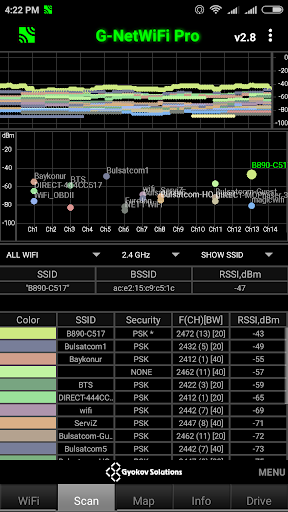
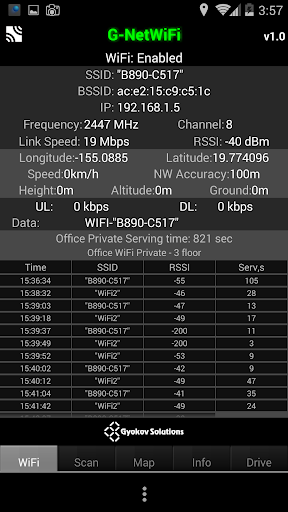
- measuring of WiFi network parameters
- logging of measured values in text and kml files
- Indoor measurements with floorplans load
- Auto indoor mode - suitable for tunnels
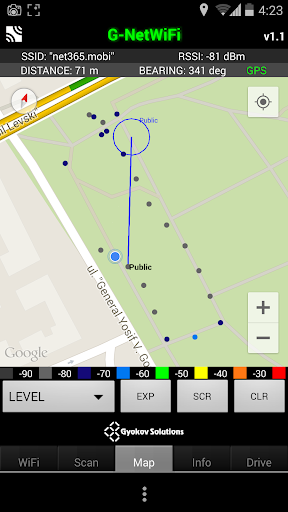
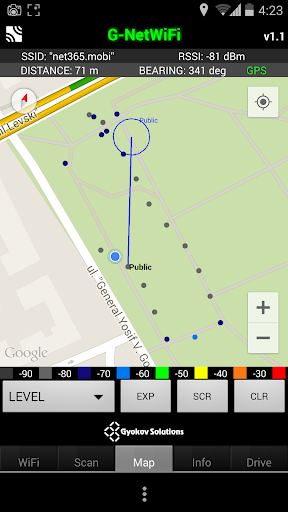
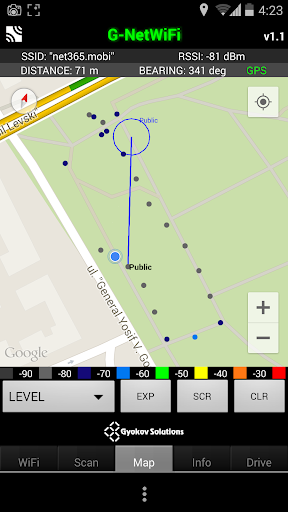
- displaying measured values on map view
- loading of cellfile and displaying WiFi access points and serving cell line on map view
- auto connect to best configured WiFi
- auto configure free WiFi
- data test
- data sequence (ping, upload, download)
Sample logfile - http://www.gyokovsolutions.com/downloads/G-NetWiFi/WiFi_outdoor_logfile.rar
Cellfile
If you have cell information you can create a cellfile and view the sites on the map. In order to do this create cellfile and put it into folder G_NetWiFi_Pro_Logs/cellfile.
Here is a sample cellfile: http://www.gyokovsolutions.com/downloads/G-NetWiFi/cellfile.txt
INDOOR MODE
How to use indoor mode:
1. Go to Settings and activate INDOOR MODE
2. On Map the button [Set Point] and center point will appear
3. Point your current location on the map center and press [Set Point] - a marker will appear on the map
4. Move to the next point. Center map on it and press [Set Point] - several new markers (one for each second) will appear connecting previous and current location
5. Go through the route putting points when you change direction.
6. You can clear the markers using [CLR] button
AUTO INDOOR MODE
AUTO INDOOR mode allows auto filling of measurement points when the GPS fix is not available like in tunnels or on places with bad GPS reception.
AUTO INDOOR mode works only when the log is active.
If INDOOR mode is selected AUTO INDOOR mode is not activated.
How to use it:
1. Enable AUTO INDOOR mode in Settings.
2. Choose threshold for GPS validity
3. Start log.
4. When you enter the tunnel and lose GPS fix the GPS writing on upper right corner of MAP tab will color in blue which means that AUTO INDOOR mode is active and measurements are collected.
5. When you go out of the tunnel and GPS fix is valid the values for GPS accuracy and time are colored in green, the exiting point is auto set and the missing measurements between entering and exiting point are shown on the map and filled in the log.
Loading Floorplans
Load floorplan from image files located in \floorplan folder. Index file index.txt describing edge locations also should be present in the folder
How to load floorplans:
1. In folder G_NetWiFi_Pro_Logs/floorplan put the floorplan images and create text index file (index.txt) with rows for each image and following content (tab delimited)
imagename longitudeSW latitudeSW longitudeNE latitudeNE
where SW and NE are South - West corner and North - East corner.
Sample floorplan: http://www.gyokovsolutions.com/downloads/G-NetTrack/floorplan.rar
Read more here: http://www.gyokovsolutions.com/G-NetWiFi_Android.html
Version Information
- Version
- -
- Downloads
- 500+
- Updated on
- -
- Released
- Mar 3, 2015
- Requires
- Android Varies with device
Statistics
Google Play Rating History
Rating Distribution
Downloads Over Time
G-NetWiFi Pro has been downloaded times. Over the past 30 days, it averaged downloads per day.
Shaded area shows 30-day prediction based on historical trends
Historical data collection started recently. More data points will be available over time.
G-NetWiFi Pro users say on Google Play
 A Google user
No manual, logging not working. Format should given options to save as csv.
ApkTrusted Ratings & Reviews
More from GyokovSolutions
See more apps
G-NetWiFi
Free
Morse Code Engineer
Free

G-NetTrack Lite
Free

G-NetTrack Pro
Paid

Melody Engineer
Paid
Drums Engineer
Paid

GIF Engineer Pro
Paid

G-NetLook Pro
Paid

G-NetReport Pro
Paid

GIF Engineer
Free

G-NetView Pro
Paid

BLE MIDI Engineer Lite
Free
Bass Engineer
Paid

BLE MIDI Engineer
Paid

Morse Code Engineer Lite
Free
Morse Code Engineer Pro
Paid
Similar Apps



Scan this QR code to download

Forwarding you to the page at Google Play market in seconds...
Open Google Play market now