Morse Code Engineer Lite vVARY
GyokovSolutions



About this app
Developer Description
Morse code app for Wear OS and Android devices
The app has no ads.
App features:
- morse code transmission using sound, screen and vibration
- morse code transmission over bluetooth connection
- morse code automatic translation
- input morse code using button
How to use:
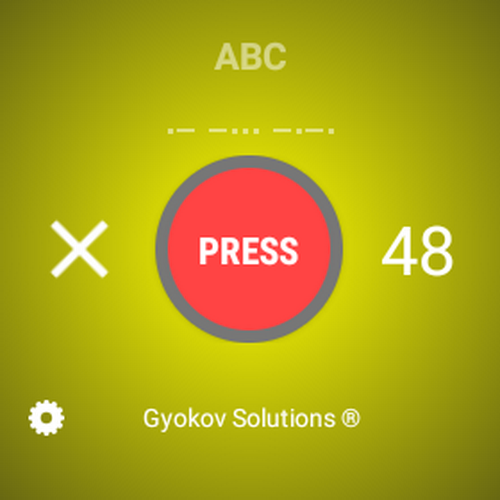
Input morse code in morse code box using button key [PRESS] - by doing short and long inputs.
To open app settings press the gear icon.
SETTINGS
- Vibrate when morse key is pressed
- Flash screen when morse key is pressed
- Play sound when morse key is pressed
BLUETOOTH CONNECTION SETTINGS
- Enable bluetooth server
- Enable bluetooth client
- Select bluetooth server device - select device that is the server
WiFI CONNECTION SETTINGS
- Enable WIFI server
- Enable WiFI client
- WiFI server IP - set Ip of the device that will be used as server
- WiFi server port - select port
- Retranslate - turn on/off retranslation
WEARABLES VIBRATION (Phone version only)
- Wearables vibration - when this is on then notification with vibration will be used instead of normal vibration. If you use some wearable that receives notifications from phone it can trigger vibration in the wearable.
- Wearables vibration method - try both methods
BLUETOOTH CONNECTION TRANSMISSION
Bluettoth transmission allows transmission of morse code over bluetooth connection. One phone is used as server and other phones are used as clients. Connection between seven phones is possible (one server and many clients). There is option in SETTINGS to retranslate messages sent by clients to other clients. Then every phone talks to other phones. When retranslation is not activated then messages from clients are read by server only.
How to activate bluetooth connection feature:
- Activate bluetooth on phones
- Pair phones to the phone that will be server
- Activate SETTINGS – BLUETOOTH CONNECTION. Select server or client. You can be asked to allow bluetooth permission for the phone.
- On server phone server starts automatically
- Connect all client phones to server
- Start to input morse code using MORSE button on server phone. The client phones will start receiving morse code.
- Input morse code on client phone. Then server will start receiving morse code and if retranslation is active then it will retranslate it to other client phones.
- If the client disconnects then when button PRESS is pressed it will attempt to reconnect to server every 30 seconds.
During the bluetooth connection in bottom right corner you will see following information:
1. For server - S (number of connected devices)
Colors:
- Red - Server stopped
- Blue - Listening
- Green - Devices are connected. Number of devices is shown next to letter S
2. For clients - C (bluetooth id)
- Blue - Connecting
- Green - Connected
- Red - Disconnected
- Yellow - Disconnected - Server stopped
- Cyan - Reconnecting
- Orange - Reconnecting
WiFi CONNECTION TRANSMISSION
WiFi connection allows transmission of morse code over wifi connection. One phone is used as server and other phones are used as clients. There is option in SETTINGS to retranslate messages sent by clients to other clients. Then every phone talks to other phones. When retranslation is not activated then messages from clients are read by server only.
How to activate wifi connection feature:
- Activate SETTINGS – WiFi CONNECTION. Select server or client.
- On server phone server starts automatically
- On client phone set WiFi server IP. You can see phone IP in My IP in SETTINGS
- Connect all client phones to server
- Start to input morse code using MORSE button. Other phones will start receiving morse code
- If the client disconnects then when button PRESS is pressed it will attempt to reconnect to server every 30 seconds.
App privacy policy - https://sites.google.com/view/gyokovsolutions/morse-code-engineer-lite-privacy-policy
Version Information
- Version
- -
- Downloads
- 1K+
- Updated on
- -
- Released
- Oct 4, 2023
- Requires
- Android Varies with device
Statistics
Google Play Rating History
Rating Distribution
Downloads Over Time
Morse Code Engineer Lite has been downloaded times. Over the past 30 days, it averaged downloads per day.
Shaded area shows 30-day prediction based on historical trends
Historical data collection started recently. More data points will be available over time.
Morse Code Engineer Lite users say on Google Play
 Flip
Flip
Tbh this was such a specific thing I was looking for and I am greatfull that someone actually did it thanks
 Sofoklis Liodakis
Good
 Andre CarryOn
ok
 johnna yeazle
U have every language but English
ApkTrusted Ratings & Reviews
More from GyokovSolutions
See more apps
G-NetWiFi
Free
Morse Code Engineer
Free

G-NetTrack Lite
Free

G-NetTrack Pro
Paid

Melody Engineer
Paid

Drums Engineer
Paid

GIF Engineer
Free

G-NetReport Pro
Paid

G-NetLook Pro
Paid

GIF Engineer Pro
Paid

G-NetView Pro
Paid
Bass Engineer
Paid
G-NetWiFi Pro
Paid
BLE MIDI Engineer Lite
Free

BLE MIDI Engineer
Paid
Morse Code Engineer Pro
Paid
Scan this QR code to download

Forwarding you to the page at Google Play market in seconds...
Open Google Play market now