Vision Pass v1.0
Transsion Holdings

About this app
Developer Description
This application aims to provide supporting support for terminal devices.
1. Overview
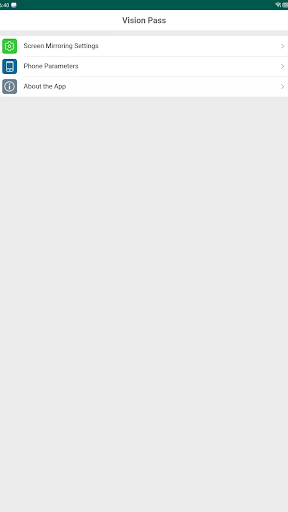
This application aims to provide supporting support for terminal devices and achieve the same-screen function of the display through wired connection. Users can efficiently manage, personalize, and expand the functions of terminal devices with this application. The application not only achieves high-quality same-screen experience, but also provides users with rich device setting functions, including screen rotation, full-screen mode, etc. At the same time, to ensure that terminal devices and applications always maintain the best state, firmware upgrade and application update detection functions are also built-in.
2. Main functional modules
2.1 Same screen function
● Through wired connection (such as HDMI, USB-C, etc.), the screen of the end point device is synchronized and displayed on the target display.
● Support high definition picture transmission, provide low latency, no card screen experience.
● Automatically adapts to multiple display resolutions to ensure clear and stable display.
2.2 Screen configuration feature
The application provides multiple screen setting options to help users adjust the screen display effect according to actual needs.
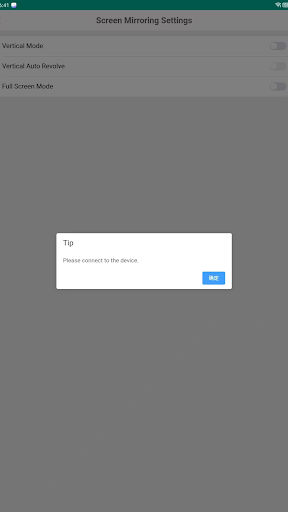
● Screen rotation
Provide screen rotation options of 0 °, 90 °, 180 °, and 270 ° to adapt to different usage scenarios, such as vertical display or inverted installation.
● Full screen mode
Switch to full-screen display mode with one click, eliminate borders and interference, and provide immersive display effects.
2.3 Firmware upgrade feature
● Automatically detect the firmware version of connected terminal devices and compare it to the latest version in the cloud.
● Support one-click online upgrade to ensure that the device always runs in the best performance state.
● During the upgrade process, provide progress display and status prompts (such as downloading, writing, and upgrade completion).
2.4 App update feature
● Automatically check for application version updates and remind users to install the latest version.
● One-click update function ensures that users can quickly obtain the latest features and security patches.
2.5 Language support
The application has built-in multi-language support and automatically switches the language that matches the response based on the user's phone system language.
3.User Experience
This application design focuses on user-friendliness, providing a concise and intuitive operation interface to ensure that all functional modules are easy to access and operate. Through efficient Interaction Design and detailed functional descriptions, it helps users quickly get started and fully utilize all the functions of the device.
4.Application advantages
● High compatibility
Support a variety of terminal devices and display devices, adapt to different brands and models of hardware.
● Strong real-time
Low screen transmission latency ensures smooth and real-time user experience.
●Rich custom settings
Users can adjust the screen display effect according to their personal needs to meet diverse scene needs.
● Safety and stability
Firmware upgrades and application updates ensure that devices and applications are always up-to-date, secure, and stable.
5.Usage scenarios
● Conference presentation
Quickly project the image of the end point device onto the display screen during the meeting to display slides or video content.
● Education and training
Display teaching content on a large screen in the classroom for easy explanation and communication.
● Exhibition shows
Use a monitor to play Promotion Videos or display product details at a trade show or exhibition.
● Family entertainment
Watch videos and play games on the display screen to enhance the entertainment
What's New
Version Information
- Version
- 1.0
- Downloads
- 100K+
- Updated on
- Jul 9, 2025
- Released
- Jul 9, 2025
- Requires
- Android 5.0
Statistics
Google Play Rating History
Rating Distribution
Downloads Over Time
Vision Pass has been downloaded times. Over the past 30 days, it averaged downloads per day.
Shaded area shows 30-day prediction based on historical trends
Historical data collection started recently. More data points will be available over time.
Vision Pass users say on Google Play
 Kirk Jones Jr.
I have a phone led projector 📽 so this app helps me enjoy 🎥 night & game night with my wife and kids thanks to whoever designed this app 4 👍 👍👍👍
 Adam Ford
I tried scanning the one in the book, and it didn't work. I scanned the one on the screen of the projector, and it worked. I also had to change chords once or twice, but it finally worked. It's good it actually worked, and it's 20 bucks. it's not great, but it works OK for 20 bucks. Try the QR code on the screen and make sure your chords are good.
 Dacian D
I would be able to use it if you haven't created like this... I can't accept the terms as the back button on my phone falls on top of accept
 Mark Kal
Finally got it to work with the iJOY portable projector from fiVe BELºW. The instructions are very unclear. After connecting the USB data cable from phone to projector and starting the Vision Pass app, nothing happens. One has to tap back to the home screen without closing the app (don´t use the go-back-button), to see the system dialogue and grant the permission for USB screen casting. They could do a better job with the image conversion from high res. phone to low res. projector. Rendering?
 Kayla Penn
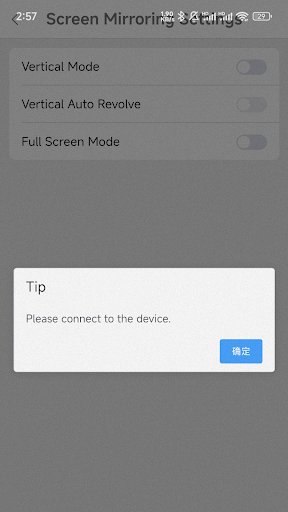
This projector should NOT be advertised as compatible with modern Android phones. I tried to use it with a Samsung S23 FE exactly as instructed, with the included USB cable and the app. The phone only charges, and the “allow mirroring” popup NEVER appears. The app just keeps saying “connect to the device” but that popup will never show on any recent Samsung device. The projector uses an outdated USB-MHL / USB-debugging style mirroring method that Android phones stopped supporting years ago.
ApkTrusted Ratings & Reviews
More from Transsion Holdings
See more apps







Similar Apps

SwitchBot
Free

Kisi
Free
Homey — A better smart home
Free

Xiaomi Community
Free

Link to Windows
Free

AppDash: App Manager & Backup
Free

HQ Video Player & Casting
Paid
Square Home
Free

Ares Dark Icon Pack
Paid

Lorex Classic
Free

Shop Samsung
Free
VicoHome: Smart Home Camera
Free

Universal Remote for Smart TV
Free
Elgato Stream Deck Mobile
Free

OnePlus Community
Free

VIDAA Smart TV
Free
Scan this QR code to download

Forwarding you to the page at Google Play market in seconds...
Open Google Play market now