
MyHyundai with Bluelink vVARY
Hyundai Auto Canada Corp.




About this app
Developer Description
A new dimension of connectivity between you and your Bluelink-equipped Hyundai.
With Bluelink technology, you’re empowered to manage your vehicle from virtually anywhere – whether you’re at the office, at home, or on the go.
To access Bluelink, simply log in with your user email, password, and PIN to access Bluelink’s features. For added convenience, you can also use biometric authentication (fingerprint or face recognition) to send commands quickly. Please note that an active Bluelink subscription is required to use these features. To enroll, contact your dealer or visit mybluelink.ca.
MyHyundai with Bluelink also supports Wear OS smartwatch features. Use voice commands or the smartwatch menu to access select features.
With MyHyundai for Wear OS you can:
• Remotely start your vehicle (R)
• Remotely unlock or lock the door (R)
• Remotely activate the horn and lights (R)
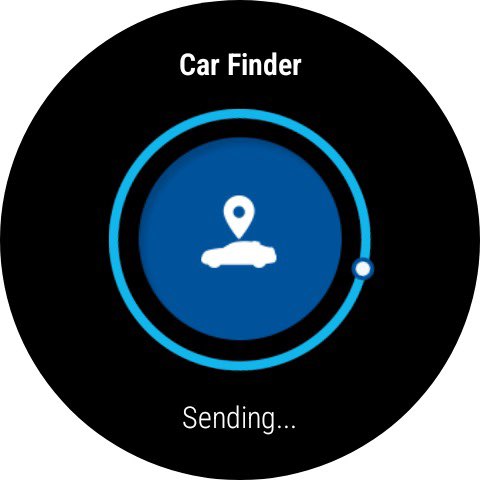
• Find your car (R)
*Note: Active Bluelink subscription and Bluelink equipped vehicle with capabilities required
Always ensure you’re using Bluelink and its devices while parked and in a safe environment. Cellular and GPS coverage are required for full functionality. Feature availability, specifications, and fees may vary by model and are subject to change. Some limitations may apply. For more details, please refer to the Hyundai Bluelink Agreement – Terms and Conditions and , Privacy Notice. These can be accessed by clicking the Utilities tab within Bluelink and then navigating to “Help and Support”.
Version Information
- Version
- -
- Downloads
- 100K+
- Updated on
- -
- Released
- Jan 16, 2026
- Requires
- Android Varies with device
Statistics
Google Play Rating History
Rating Distribution
Downloads Over Time
MyHyundai with Bluelink has been downloaded times. Over the past 30 days, it averaged downloads per day.
Shaded area shows 30-day prediction based on historical trends
Historical data collection started recently. More data points will be available over time.
MyHyundai with Bluelink - Google Play Rankings
Top Rankings
| Rank | Country | Category | List | Change |
|---|---|---|---|---|
| — |
Ranking History in
No ranking data available yet. Rankings are updated daily.
#87 in Top Free Productivity in Canada


MyHyundai with Bluelink users say on Google Play
 Bibiana da Silva
It keeps asking me to download a new app. It's the worst app ever. January 14th, 2025, doesn't let me start my car. It's freaking cold out. When are you going to fix the app. Hurry up and fix it already. Bluelink must have fixed all the problems it works fine now. Thanks 👍
 Guy Souliere
No major issues overall. It would be nice if the app showed how much power was used, and if notifications were shorter and clearer.
 A. B.
A. B.
STOP ASKING ME TO SET UP MY BIOMETRICS (my phone's reader is damaged) and just improve this app's reliability.
 Jason Mak
Everytime I fresh to get the latest charge information for the battery % and estimated range, it errors out and shows "--* and replaces the previous values. it's been like this for a long time and it seems the developers can't resolve this or won't. The remote climate settings help to warm or cool the car which is nice. It doesn't offer heating the seats which would have been really nice. Remote lock is useful sometimes. I would give 3 stars if they fix the above issue.
 Tyler Beckett
Sending charge updates (changing max) from app results in Winter Mode being disabled. Latest update has reintroduced a conversion error. KMs are converted to KM as if the original number was miles. For example, 45.5km on the dashboard shows 72 in app. This was fixed June 2024, but now it's back. EDIT: 3 it's been 5 months since I reported this issue to the phone support and posted this and it's still not fixed despite multiple updates. Support doesn't respond to emails.
ApkTrusted Ratings & Reviews
Similar Apps











Scan this QR code to download

Forwarding you to the page at Google Play market in seconds...
Open Google Play market now