
Screen Draw Screenshot Pro v1.0
Kewitschka Apps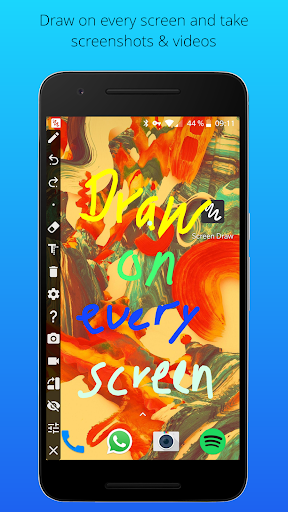




About this app
Screen Draw Screenshot Pro is a tool that allows users to unleash their creativity on every screen by providing a platform to draw and annotate screenshots. This app benefits most creatives, designers, and individuals who frequently need to mark up or highlight parts of their screen. Compared to alternatives in the Tools category, Screen Draw Screenshot Pro stands out with its simplicity and lack of permissions, making it a more private option. However, its paid model and limited features might make it fall short for power users who need more advanced editing capabilities.
Pros
- With over 100,000 downloads and a user rating of 4.1/5, Screen Draw Screenshot Pro has demonstrated its value to a significant number of users, providing social proof of its effectiveness.
- The app's lack of permissions is a significant advantage, ensuring that users' data and device security are not compromised for the functionality it provides.
- The developer's reputation, as indicated by their website and email, suggests a level of professionalism and accountability, which can be reassuring for users.
- The absence of ads and in-app purchases enhances the user experience, making it more straightforward and less distracting.
- The app's offline capability, implied by the lack of internet permissions, means users can create and edit screenshots without needing an internet connection.
Cons
- One concern is the app's paid model, which might deter some users, especially when there are free alternatives available, although the lack of ads can be seen as a trade-off.
- The limited feature set might not cater to the needs of more advanced users who require extensive editing options, which could limit the app's appeal to a broader audience.
- There is a potential risk that the app might not be frequently updated, given its simplicity and the developer's focus, which could lead to compatibility issues with future Android versions.
- The app's performance on lower-end devices or with complex screenshots is not well-documented, which could be a concern for users with less powerful hardware.
Best for: The ideal user for Screen Draw Screenshot Pro is likely a creative individual or professional, such as a designer, educator, or blogger, who frequently needs to annotate or markup screenshots for personal or professional projects, and values simplicity, privacy, and a distraction-free experience.
Developer Description
Screen Draw - Unleash Your Creativity on Every Screen!
Key Features:
1. Draw on Every Screen:
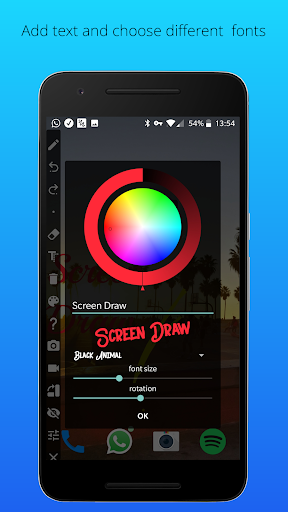
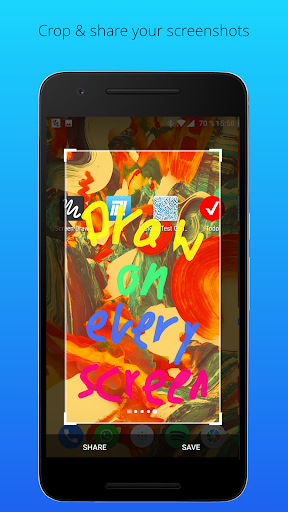
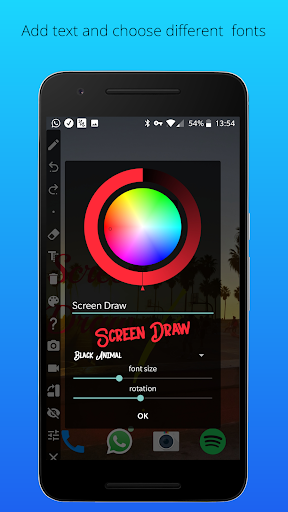
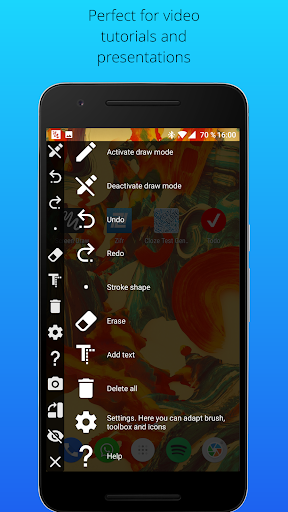
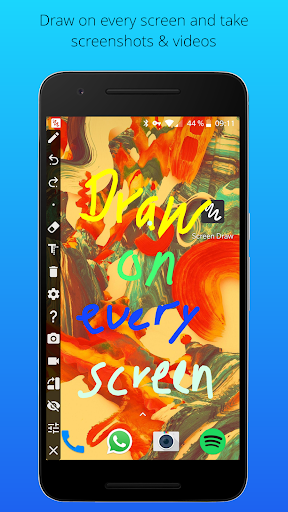
- With Screen Draw, you have the ability to draw on any screen of your smartphone. Express your creativity, highlight essential details, or add annotations to make your content stand out.
2. Take Screenshots and Videos:
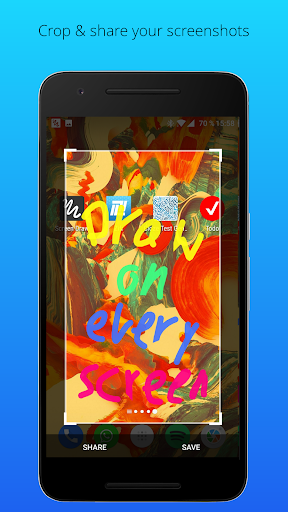
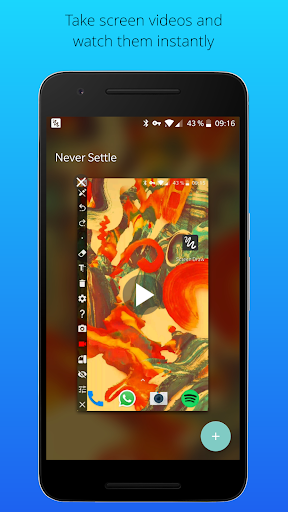
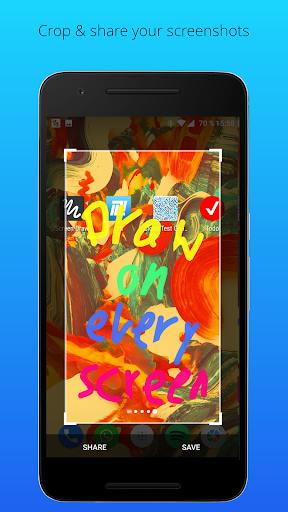
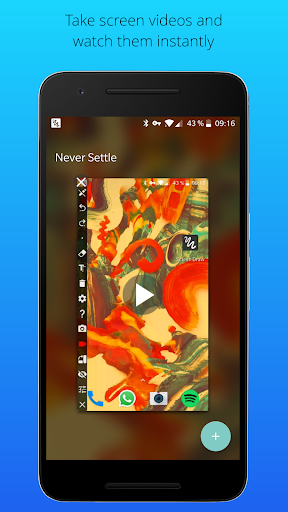
- Capture your screen with just one click! Forget about cumbersome key combinations. Activate draw mode, mark or draw something, and simply click the screenshot button. You can also record videos (Android Lollipop or higher required).
3. Individual Toolbox Placement:
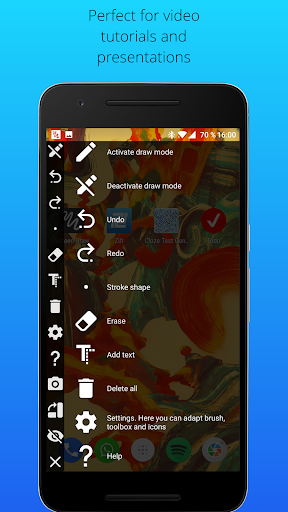
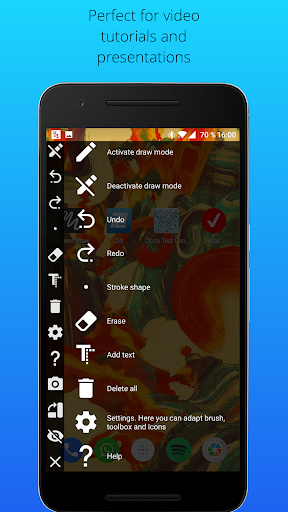
- Customize your experience by placing the Screen Draw toolbox exactly where you want it. Simply drag and drop the toolbox to your preferred location—horizontally or vertically.
4. Adjustable Stroke Color and Width:
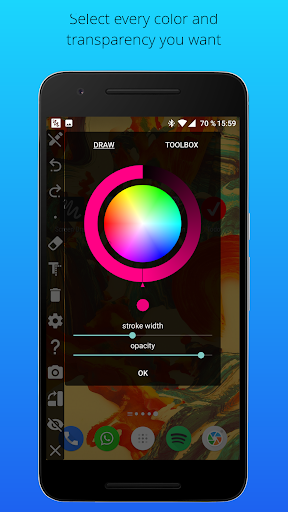
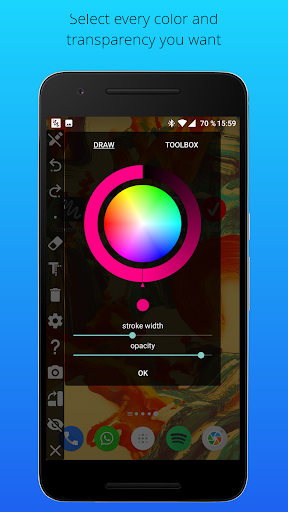
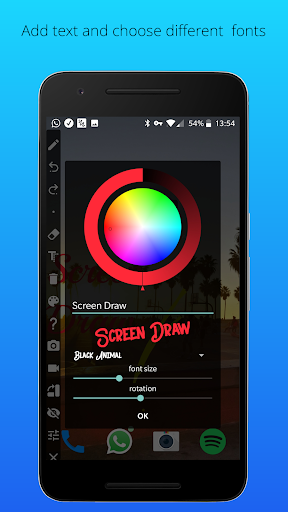
- Personalize your drawings with selectable stroke colors and widths. Choose the perfect combination to make your annotations and drawings visually appealing.
5. Hide Mode:
- Need a clear view of your screen? Easily hide the draw toolbox in the notification bar, keeping it out of the way until you're ready to create.
6. Export Screenshots as PDF:
- Take your screen captures to the next level by exporting them as PDFs. Share your annotated screenshots in a versatile and accessible format.
7. Always Accessible:
- Screen Draw is designed to be always accessible, ensuring that your creativity is just a click away. Access the draw toolbox with a single click, making the process seamless.
8. Undo/Delete Drawing Function:
- Made a mistake? No worries! Utilize the undo/delete drawing function to quickly rectify any errors or changes you want to make.
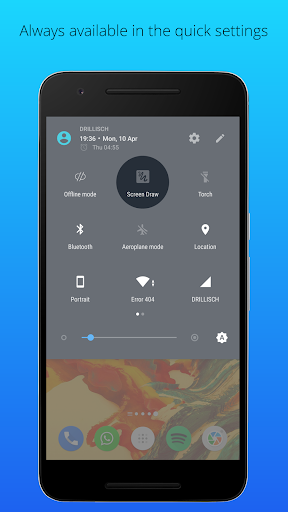
9. Quick Settings Integration:
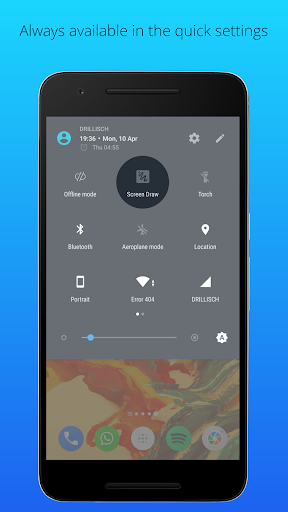
- For Android 7 and above, add the Screen Draw icon to your quick settings for even quicker access to your drawing tools.
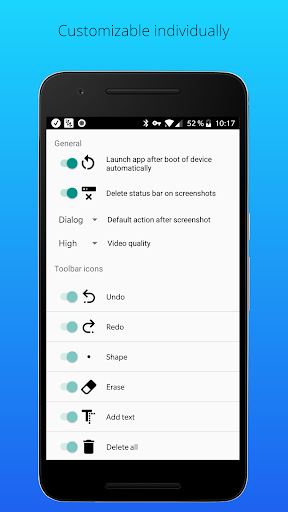
10. Autostart on Device Boot:
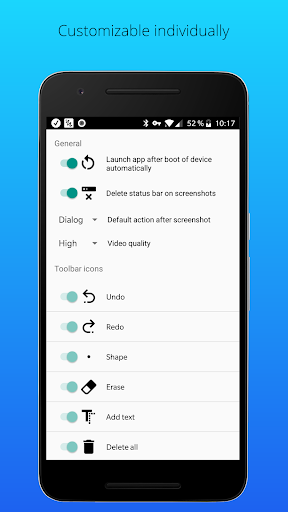
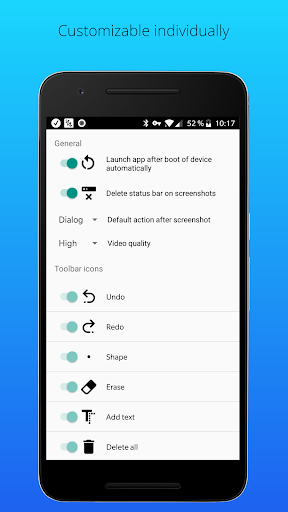
- Enable the autostart feature to ensure that Screen Draw is ready to go every time you boot up your device.
11. Delete Status Bar from Screenshots:
- Enjoy clean and professional-looking screenshots by removing the status bar. Your captures will focus solely on the content you want to share.
Say goodbye to complicated steps and hello to a more intuitive way of capturing, drawing, and sharing on your smartphone. Download Screen Draw now and unlock the potential to create standout content effortlessly! Whether you're a professional or just want to add a personal touch to your screen captures, Screen Draw is the perfect companion for your creative journey.
Privacy
Given that Screen Draw Screenshot Pro requests no permissions, the risk of data collection or privacy breaches appears to be minimal. However, users should still be cautious when sharing annotated screenshots, especially if they contain personal or sensitive information. It's also advisable to review the developer's privacy policy for any additional insights into data handling practices.
Tips
For the best experience with Screen Draw Screenshot Pro, users should start by exploring the app's drawing tools and options to understand its full potential. Utilizing the app in conjunction with other productivity tools can enhance its usefulness, such as sharing annotated screenshots directly to notes or email apps. Additionally, regularly checking the developer's website for updates can ensure users stay informed about new features or improvements.
What's New
● Improvements
● Video function added
● Autostart after boot
● Delete status bar from screenshots automatically
● Default action after screenshot
● Bugfixes
Version Information
- Version
- 1.0
- Downloads
- 100K+
- Updated on
- Feb 26, 2018
- Released
- May 9, 2015
- Requires
- Android 4.0
Statistics
Google Play Rating History
Rating Distribution
Downloads Over Time
Screen Draw Screenshot Pro has been downloaded times. Over the past 30 days, it averaged downloads per day.
Shaded area shows 30-day prediction based on historical trends
Historical data collection started recently. More data points will be available over time.
Screen Draw Screenshot Pro users say on Google Play
 A Google user
And it just gets better and better...This app is very useful for a broad range of tasks. Even though it appears to be for 'fun' and selfies etc., and it is, it is most useful for quick 'on the go' annotations of PDFs, and other documents. It can now export directly to PDF. In truth, this is an EXCELLENT app. And, the developer is very helpful and responsive. Thank you!
 Kilroy 187
Strange app. Haven't been completely through it but everything functions. LG Aristo 5; Android 10 All updates. Just wish I could leave the note on the screen I was writing it on.Now that would be awesome!
 Jnan Sourav Ghosh
From the quick Settings menu, that icon is no use of! If I touch the icon it can disable the app but it can not be enabled from the quick settings menu. So it is no use of. Fix that only then I will rate you 5 star.
 Yuen Yung
If you hid the toolbar you cannot find it again you end up drawing everywhere on your screen. The only way to get out of it is to restart your phone. Horrible!
A Google user
I consider myself fairly competent with apps and software but this is lacking in user interface, so much so after 20 minutes I still can't work out how to go to a gallery picture and draw on it with this app. There's no obvious way to navigate away from this app to what you want to edit. The video function also has no obvious stop button and just keeps restarting!? It looks close to being a good app but without SOME instructions (any!?!) it's a complete waste of time. I'll try something else!
ApkTrusted Ratings & Reviews
More from Kewitschka Apps
See more apps






Similar Apps

Fonty - Draw and Make Fonts
Free
ScreenMaster:Screenshot Markup
Free

Componentry
Paid

Bamboo Paper
Free

Screen Recorder - XRec Lite
Free
Private Screenshots
Free
Color Grab (color detection)
Free

Screen Recorder
Free

SCRIBZEE®
Free

Eklipse.gg: Instant Highlights
Free

PixelFlow: Intro Video maker
Free

AR Drawing – Trace & Sketch
Paid

Wallbox
Free

Smart Video Crop - Video Cut
Free

Design Space: DIY with Cricut
Free
Ink Cards
Free
Scan this QR code to download

Forwarding you to the page at Google Play market in seconds...
Open Google Play market now