
LumaFusion: Pro Video Editing v2.4.1
LumaTouch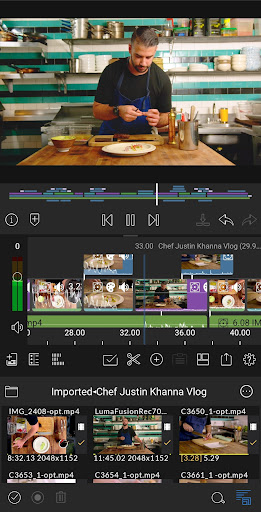
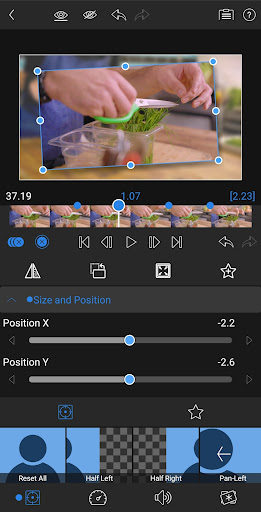
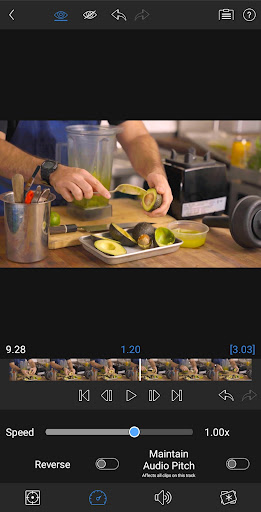
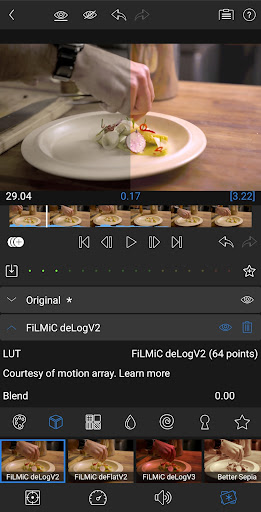
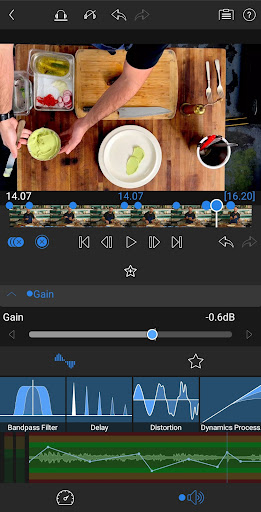

About this app
Developer Description
LumaFusion: The Ultimate Storytelling Experience for Video Editing
PROFESSIONAL EDITING MADE EASY
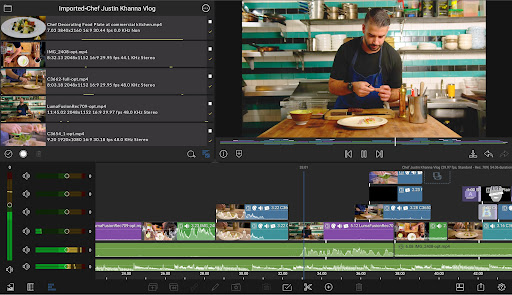
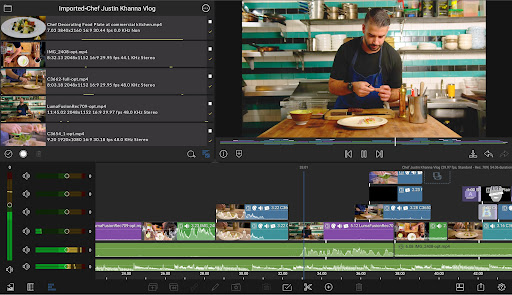
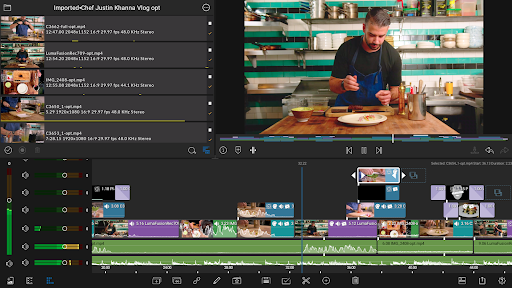
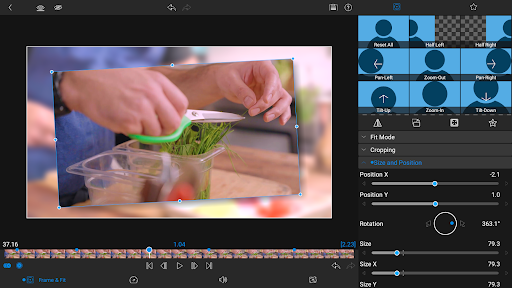
• Six video-with-audio or graphic tracks: Create multiple layer edits with smooth handling of media up to 4K.
• Six additional audio only tracks: Build your soundscape.
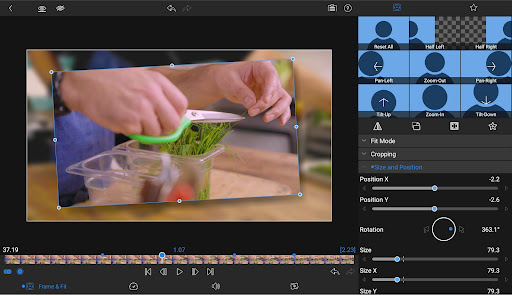
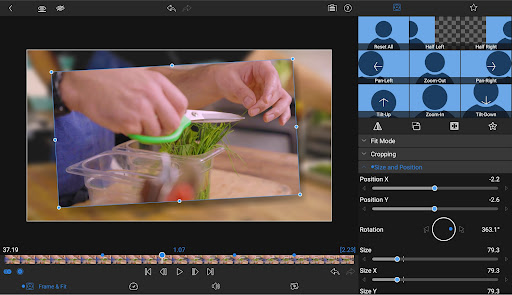
• The ultimate Timeline: Fluent editing using the world’s most flexible track-based AND magnetic timeline.
• Loads of transitions: Keep your story moving.
• Dex Mode capabilities: See your work on a big screen.
• Markers, tags, and notes: Stay organized.
• Voiceover: Record VO while playing your movie.
• Track height adjustment: View your timeline at its best for any device.
LAYERED EFFECTS AND COLOR CORRECTION
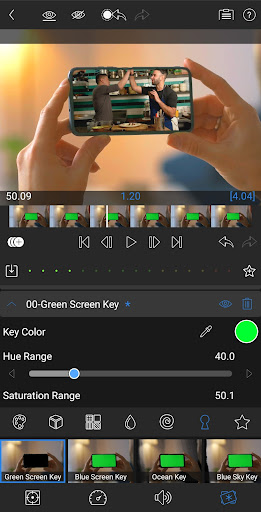
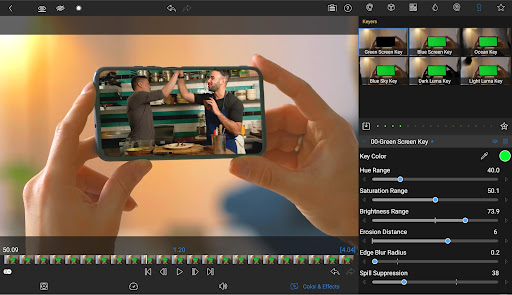
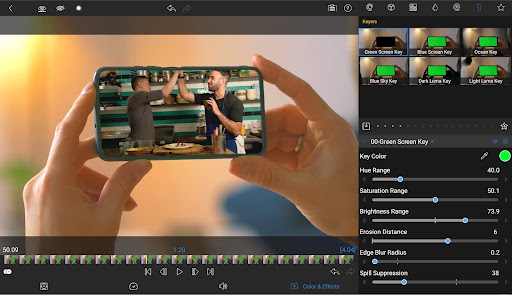
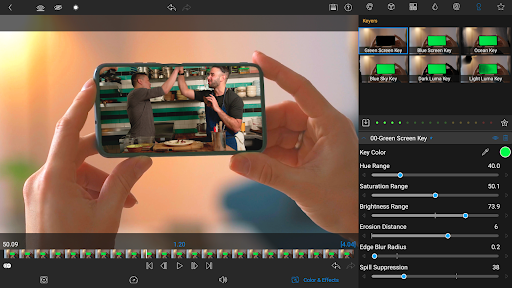
• Green screen, luma, and chroma keys: For creative compositing.
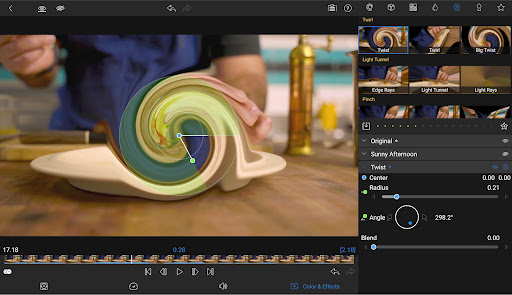
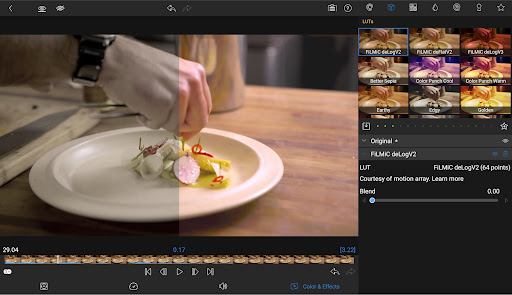
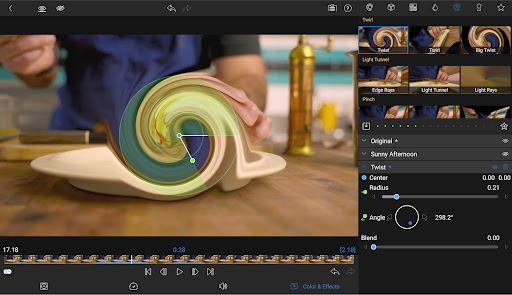
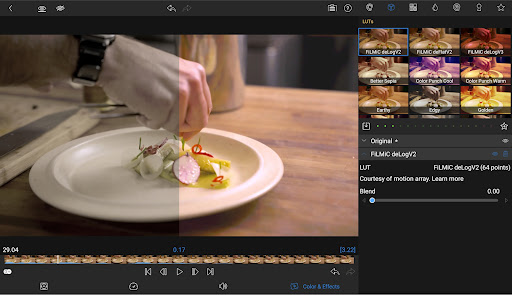
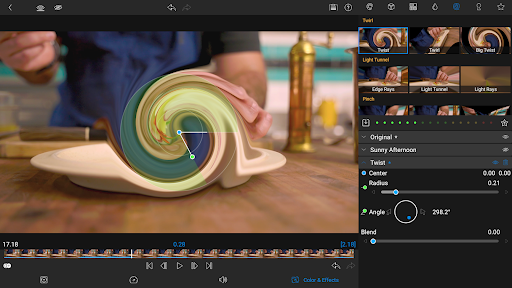
• Powerful color correction tools: Create your own look.
• Video Waveform, vector and histogram scopes.
• LUT: Import and apply .cube or .3dl LUTs for pro color.
• Unlimited keyframes: Animate effects with precision.
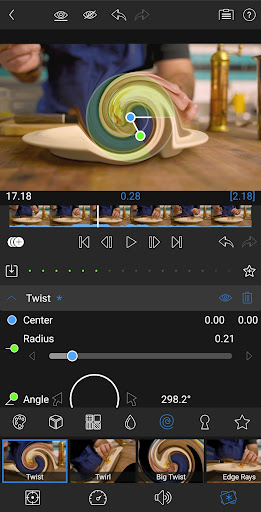
• Customizable text and effect presets: Save and share your favorite animations and looks.
ADVANCED AUDIO CONTROL
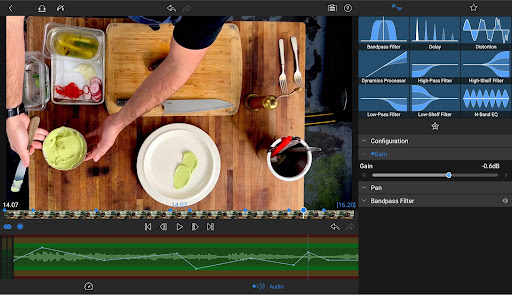
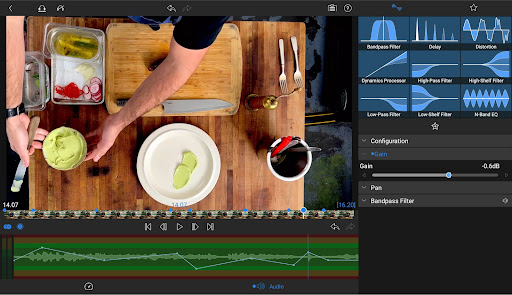
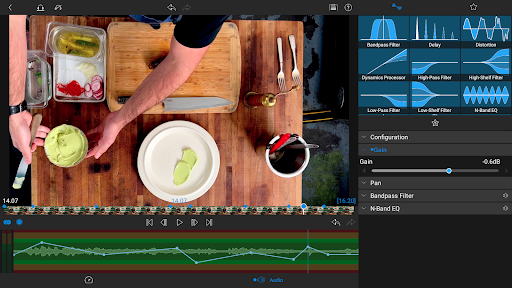
• Graphic EQ and Parametric EQ: Fine-tune audio.
• Keyframe audio levels, panning, and EQ: Craft seamless mixes.
• Stereo and Dual-mono audio support: For interviews with multiple mics on one clip.
• Audio Ducking: Balance your music and dialogue.
CREATIVE TITLES AND MULTILAYER TEXT
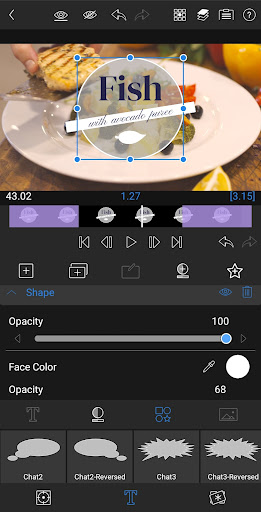
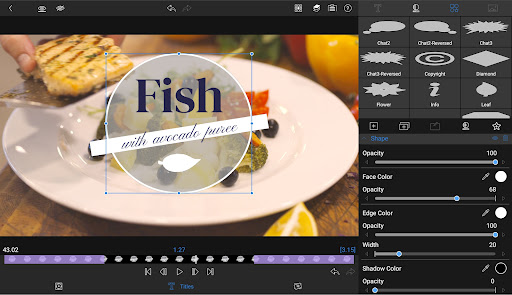
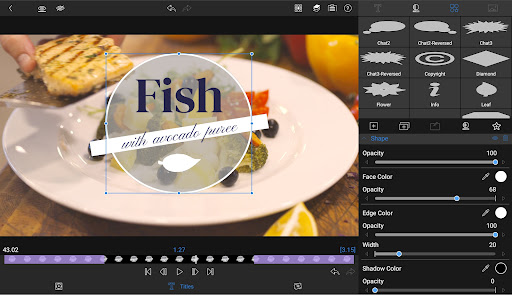
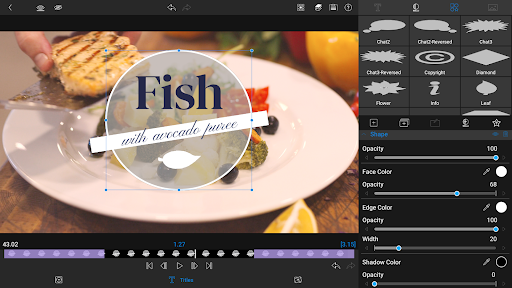
• Multilayer titles: Combine shapes, images, and text into your graphic.
• Customizable fonts, colors, borders, and shadows: Design eye-catching titles.
• Import custom fonts: Strengthen your brand.
• Save and share title presets: Perfect for collaboration.
PROJECT FLEXIBILITY AND MEDIA LIBRARY
• Aspect ratios for all uses: From widescreen cinema to social media.
• Project Frame rates from 18fps to 240fps: Flexibility for any workflow.
• Edit from the Media library and directly from USB-C drives: Access your content wherever it is.
• Import media from cloud storage: Wherever you store it.
SHARE YOUR MASTERPIECES
• Control resolution, quality, and format: Share movies effortlessly.
• Export destinations: Share movies to social media, local storage or cloud storage.
• Edit on multiple devices: Seamlessly transfer projects.
SPEED RAMPING AND ENHANCED KEYFRAMING (available as a single, one-time, in-app purchase or as part of the optional Creator Pass).
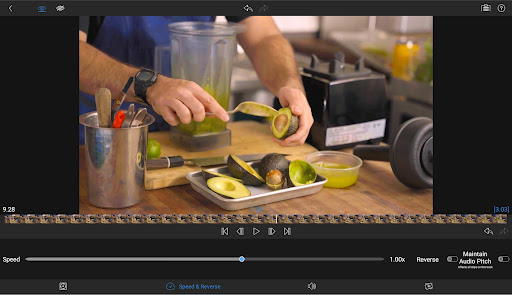
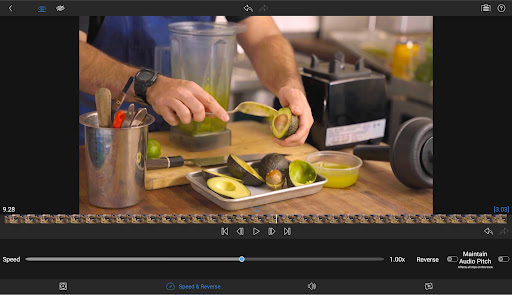
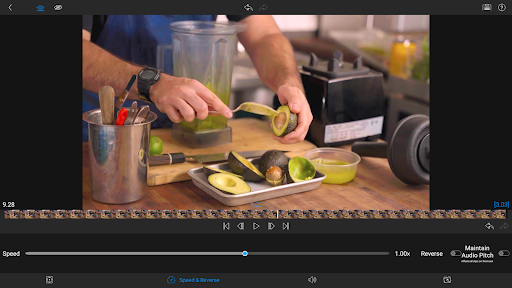
• Speed Ramping: Addeye-catching effects to on-screen motion.
• Bézier curves: Move titles, graphics and clips in a natural curved path.
• Ease in and out of any keyframe: Come to a gentle stop with this easy-to-use feature.
• Move Keyframes: Adjust your timing even after you’ve placed your keyframes.
• Zoom in and out of your Preview for precision when animating.
CREATOR PASS SUBSCRIPTION
• Get full access to Storyblocks for LumaFusion: Millions of High-quality royalty-free music, SFX, and videos, PLUS get Speed Ramping and Keyframing as part of the subscription.
EXCEPTIONAL FREE SUPPORT
• Online tutorials: www.youtube.com/@LumaTouch
• Reference Guide: luma-touch.com/lumafusion-reference-guide-for-android
• Support: luma-touch.com/support
What's New
• Splitting a selected clip would also split all other tracks at the Play head.
• Color issues in the Clip Editor.
In-app purchases
$9.99 - $69.99 per item
Version Information
- Version
- 2.4.1
- Downloads
- 50K+
- Updated on
- Nov 13, 2025
- Released
- Feb 20, 2023
- Requires
- Android 10
Statistics
Google Play Rating History
Rating Distribution
Downloads Over Time
LumaFusion: Pro Video Editing has been downloaded times. Over the past 30 days, it averaged downloads per day.
Shaded area shows 30-day prediction based on historical trends
Historical data collection started recently. More data points will be available over time.
LumaFusion: Pro Video Editing - Google Play Rankings
Top Rankings
| Rank | Country | Category | List | Change |
|---|---|---|---|---|
| — |
Ranking History in
No ranking data available yet. Rankings are updated daily.
#7 in Top Paid Video Players in United States


#50 in Top Grossing Video Players in United States


#3 in Top Paid Video Players in Japan

#4 in Top Paid Video Players in Brazil


LumaFusion: Pro Video Editing users say on Google Play
 Mischa Sofyan
an easy to use and capable video editing software, with a good amount of effects and transitions included. only thing I really want is a way to control playback speed of the preview for quicker QA
 Joemarie Doming
The app is good, really suitable for professional works. However its been two years since we requested a stabilization feature for Android but it seems that it has not been added, it is kind of dissapointing that we don't have that kind of feature. I hope you developer will add that on the next update.
 Viaje De HamcieL
no Video stabilization on android ? additionally not smooth and fully optimistimize on android;
 rip my og fire emblem save
The studio is very capable and the editing tools are very useful, but for whatever reason, it tends to lag and stutter the more time I spent in the app, and when I decided to update, the stuttering starts immediately now and makes the app almost unuseable. I know it's not my phone because everything else runs smoothly. Please fix, this editor is really really good, and costed a chunk of my money.
 Joe X
Joe X
whenever I select and highlight a specific track to cut, it automatically selects and cuts all my tracks? what's going on? this is terrible
ApkTrusted Ratings & Reviews
Similar Apps

LightCut -AI Auto Video Editor
Free

GoPro Quik: Video Editor
Free

Videoleap: AI Video Editor
Free

Splice - Video Editor & Maker
Free

PowerDirector - Video Editor
Free

MP4Fix Video Repair Tool
Free

Spring - Video Editor & Maker
Free

BeatSync: Photo & Music Videos
Free

ActionDirector - Video Editing
Free

YouCam Video: AI Video Editor
Free

Riverside: Record podcasts
Free

Filmora: AI Video Editor&Maker
Free

PixelFlow: Intro Video maker
Free

Video Converter Pro
Paid

VLLO - Video Editor Vlog Edits
Free

Promeo - Story & Reels Maker
Free
Scan this QR code to download

Forwarding you to the page at Google Play market in seconds...
Open Google Play market now