
D-Day Counter & Memo Widget vVARY
MAXCOM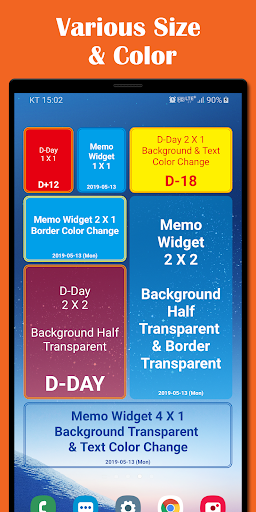
About this app
Developer Description
Simply stick your d-day counter or memo on your home screen !!!
It is Widget applications that to display simple memo, remaining or past date on the Home screen.
Main Function.
- In Common
1) Easy to check on your Home screen.
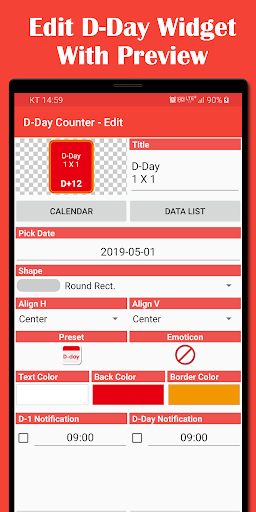
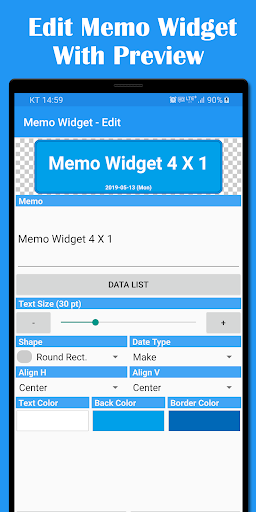
2) A realistic preview.
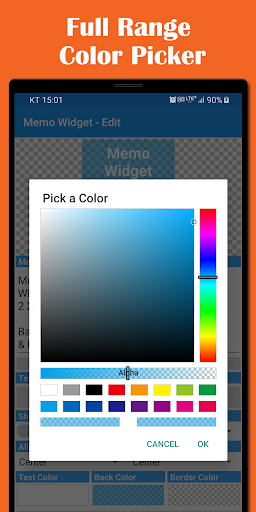
3) Various background and text color settings.
4) Selectable background shape.
- D-Day Counter
1) No time delay of 30 minute compared to ordinary widgets.
2) Using the 'Preset' can enter dates conveniently to the 100-day increments.
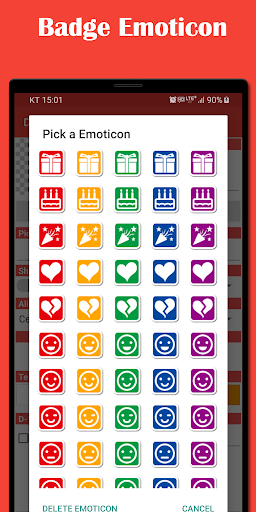
3) Emotional expressions using various emoticons.
4) Convenient input through the reuse of existing data.
5) Freely selectable Notification time.
6) Convenient sharing features.
- Memo Widget
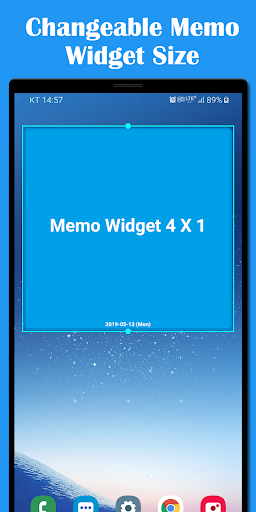
1) Various widget size.
2) Changeable widget size.
3) Various background and text option settings.
Instruction.
1. Installation of the widget.
1) On the Home screen, click Menu → Add → Widgets → D-day counter.
2) Set Title, Date, Text color, Background color and other settings.
3) Using the preview, Make sure that you create the design you want.
4) Touch the Apply button will appear on your Home screen.
2. Use of existing data.
1) Open the list by pressing the Calendar or Widget List button.
2) Calendar list is the phone's calendar data.
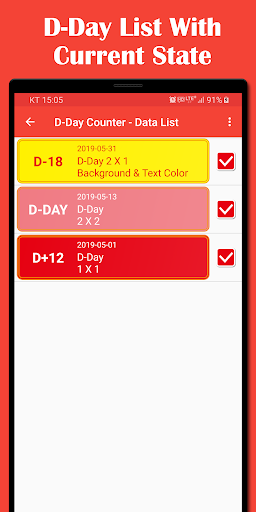
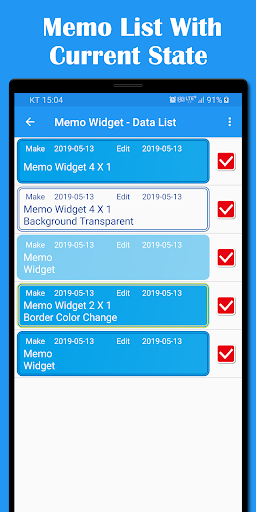
3) Widget List that was used in the existing widget.
4) When you touch the list of import item, and will automatically be applied to the edit screen.
3. Use the given date.
1) Shows Automatically calculated date list based on 'Pick Date'
2) D-Day button shows each 100 days list that include specific date.
3) Days button shows each 100 days list that exclude specific date.
4. Use of emoticons.
1) In the upper right-hand corner of the widget to display emoticons.
2) 20 types of emoticons with five colors.
5. Notification.
1) You can set an alarm that is displayed in the notification bar in the specified time of D-Day or D-1.
2) This feature is not supported on the free version.
6. Share.
1) Using 'Share' can share by applications like 'Email, SMS' etc.
2) Share the title and date of D-Day.
3) This feature is not supported on the free version.
7. Save and Load
1) Save entire widget data to SD Card by Edit → widget list → Save.
2) Saved file path is sdcard/MaxCom/Dday/dday.db.
3) Load widget data from SD Card by Edit → widget list → Load.
4) The saved file will be overwritten with the Current file.
If there is no corresponding data on backuped file, some widget may not use anymore.
Reference.
1. Before specified date : D-X, specified date : D-Day, After specified date : D+X
2. Free version includes ads and some features are not able to use.
Caution.
1. Users of earlier than Ver. 2.0.0 cannot use the existing widget continuously, Because data structure was changed.
2. However, the data of earlier than Ver. 2.0.0 will be automatically transferred to a new version.
3. Previous data can be checked on 'Widget List'.
For more information, please refer to the developer blog http://maxcom-en.blogspot.com
Version Information
- Version
- -
- Downloads
- 1K+
- Updated on
- -
- Released
- Jul 14, 2011
- Requires
- Android Varies with device
Statistics
Google Play Rating History
Rating Distribution
Downloads Over Time
D-Day Counter & Memo Widget has been downloaded times. Over the past 30 days, it averaged downloads per day.
Shaded area shows 30-day prediction based on historical trends
Historical data collection started recently. More data points will be available over time.
D-Day Counter & Memo Widget users say on Google Play
 A Google user
Good aplication
ApkTrusted Ratings & Reviews
More from MAXCOM
See more apps
Max Unit Converter
Free

Biorhythm
Paid

ToolBox
Paid

D-Day Counter & Memo Widget
Free

ToolBox
Free

Max Ruler
Free

Max Altimeter
Free

Max Stopwatch
Free

Biorhythm
Free

Max Mag Detector
Free

Max Protractor
Free

Max Compass
Free
Max Timer
Free

Max Color Picker
Free

Max Counter
Free

Max Decibel Meter
Free
Scan this QR code to download

Forwarding you to the page at Google Play market in seconds...
Open Google Play market now