
Max Ruler v1.2.6.AF
MAXCOM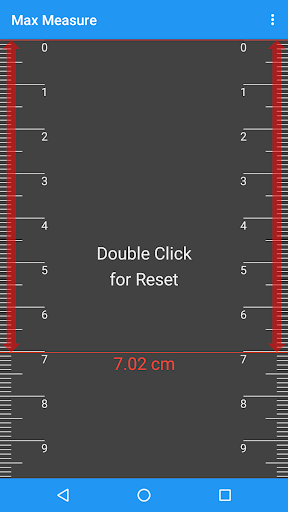
About this app
Developer Description
Max Ruler is various length measuring tool.
Main Function
1. Various measuring method : Gravity Sensor, Camera, Touch screen and Acceleration Sensor.
2. Calibration : Calibration function makes easy and accurate measure when measuring angle with sensor.
Instruction
1. Ruler Mode
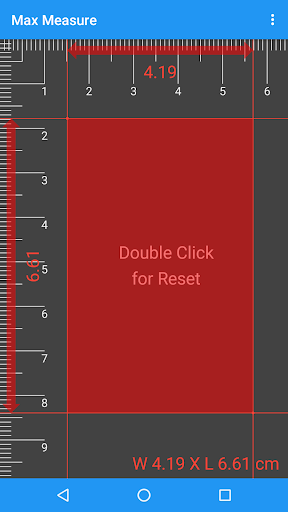
1) Use screen ruler as normal ruler.
2) Get exact length by touching screen.
2. Measuring Tape Mode
1) Set parallel measured object and device.
2) Drag device with screen touch.
3) do 2) several times and read measured value.
3. Rate of Length Mode
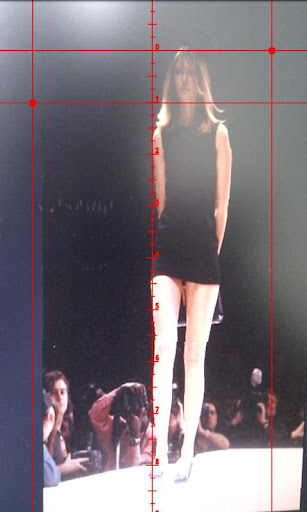
1) Set hair cross to fit on measuring object.
4. Sweep Mode
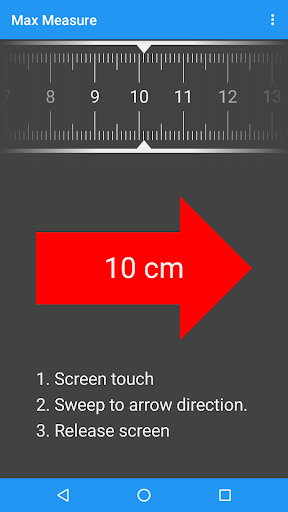
1) Screen touch.
2) Sweep to arrow direction.
3) Release screen like Drag and Drop on PC.
4) If measured length has big error, please put your Device on a flat and measure based surface then touch the screen for 2 sec and menu->Calibration.
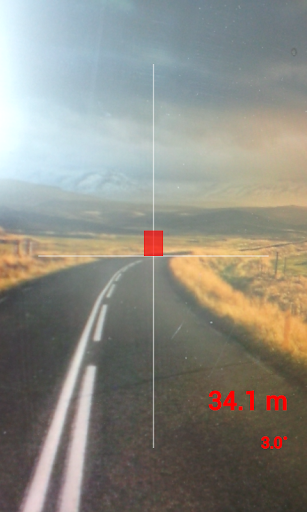
5. Distance Mode
1) Setup your height Menu->Setup.
2) Hold your device on eye-level and center of cross-hair on screen indicates bottom of object.
3) Read distance on screen.
Caution
1. Can be a tolerance caused by sensor accuracy of device.
2. Each Mode has optimized measuring range as
Ruler Mode : 0~10cm (depends on screen size)
Sweep Mode : 0.1~1.5m
Distance Mode : 1~30m
3. Please use with protection wrap or case, especially Sweep Mode.
What's New
- Added auto-focus based on touch position in Distance Measurement Mode.
- Added camera settings.
- Added reset function for origin calibration.
Version Information
- Version
- 1.2.6.AF
- Downloads
- 100K+
- Updated on
- Jul 29, 2025
- Released
- Jun 22, 2011
- Requires
- Android 8.0
Statistics
Google Play Rating History
Rating Distribution
Downloads Over Time
Max Ruler has been downloaded times. Over the past 30 days, it averaged downloads per day.
Shaded area shows 30-day prediction based on historical trends
Historical data collection started recently. More data points will be available over time.
Max Ruler users say on Google Play
 A Google user
Loved the sweep mode. The only app that work in playstore. Results depend on calibration and height. Best works. Flat surface.
A Google user
ruler is fine for up to about 3inches but ad lessens usable space, sweep mode depends on you moving a precise speed to get a fairly accurate result, distance works fairly well
A Google user
Whether or not the I'm measuring on a flat horizontal surface out a vertical wall, the readings are always way off. Do not download this app
ApkTrusted Ratings & Reviews
More from MAXCOM
See more apps
Max Unit Converter
Free

ToolBox
Paid

ToolBox
Free

Max Stopwatch
Free

Max Compass
Free

D-Day Counter & Memo Widget
Free
Max Protractor
Free
Max Timer
Free

Max Mag Detector
Free

D-Day Counter & Memo Widget
Free

Biorhythm
Free
Max Altimeter
Free

Max Color Picker
Free

Max Counter
Free

Max Decibel Meter
Free
Biorhythm
Free
Scan this QR code to download

Forwarding you to the page at Google Play market in seconds...
Open Google Play market now