Max Timer vVARY
MAXCOM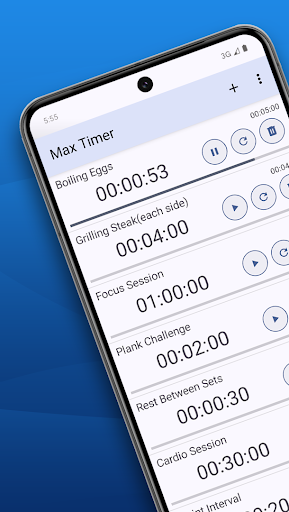
About this app
Developer Description
A multi-timer app to easily customize timer names and durations.
You can customize names and durations for each timer and easily track their progress.
The app also allows you to set an automatic alarm timeout for added convenience.
Key Features
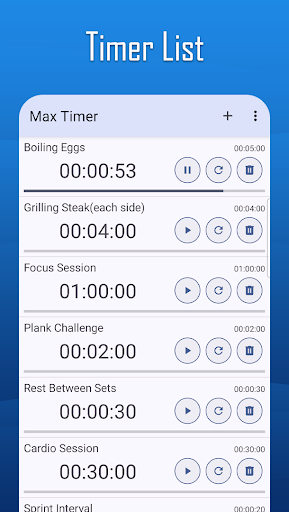
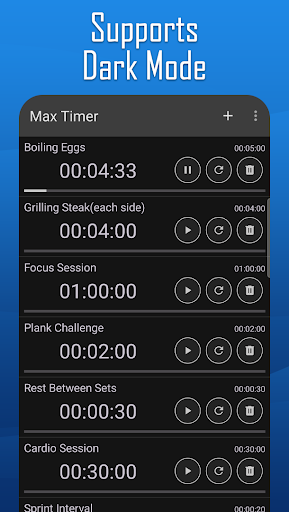
1. Register and use multiple timers in a list.
2. Set custom names and durations for each timer.
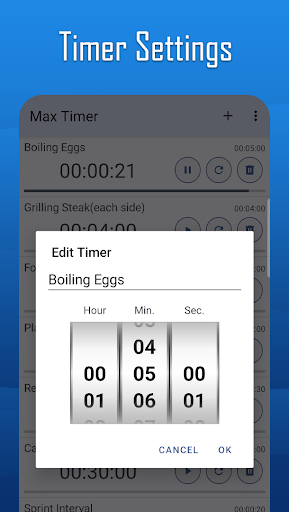
3. Easily set the time using a wheel scroll interface.
4. Check the progress of each timer directly from the list.
5. Set a timeout for alarms to stop automatically.
How to Use
1. Tap the "+" button in the title bar to add a timer.
2. Click on the added timer to set the title and duration.
3. Press the Start button to begin the timer.
4. Use other buttons to pause, resume, reset, or delete timers.
Version Information
- Version
- -
- Downloads
- 10K+
- Updated on
- -
- Released
- Sep 18, 2011
- Requires
- Android Varies with device
Statistics
Google Play Rating History
Rating Distribution
Downloads Over Time
Max Timer has been downloaded times. Over the past 30 days, it averaged downloads per day.
Shaded area shows 30-day prediction based on historical trends
Historical data collection started recently. More data points will be available over time.
Max Timer users say on Google Play
 A Google user
Has ads. Number display is confusing. Numbers above and below need to be grayed out or shadowed. Good alarm category options.
A Google user
Would be a five but the adds are in the way of the start snd stop buttons. Real smart.
ApkTrusted Ratings & Reviews
More from MAXCOM
See more apps
Max Unit Converter
Free

Biorhythm
Paid

ToolBox
Paid

ToolBox
Free

Max Ruler
Free

Max Stopwatch
Free

Max Mag Detector
Free

Max Protractor
Free

Max Compass
Free

D-Day Counter & Memo Widget
Free

D-Day Counter & Memo Widget
Free

Max Altimeter
Free

Max Color Picker
Free

Max Counter
Free

Max Decibel Meter
Free

Biorhythm
Free
Scan this QR code to download

Forwarding you to the page at Google Play market in seconds...
Open Google Play market now