
Microsoft Clarity v1.11
Microsoft Corporation



About this app
Developer Description
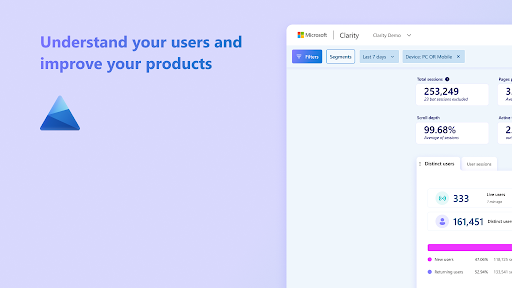
Clarity offers free user insights with session recordings, heatmaps, and Copilot
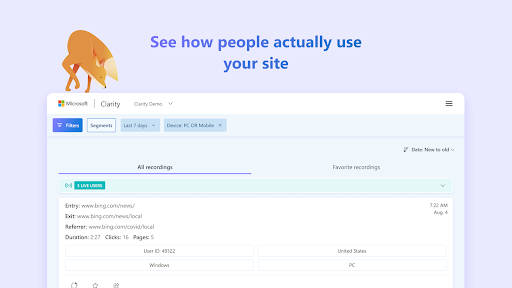
Session Recordings: See User Interactions in Action
* With Clarity's session recordings, you can watch real user interactions on your website. These recordings show every click, scroll, and mouse movement, giving you a front-row seat to how users navigate your site. By reviewing session recordings, you can identify pain points, see where users get stuck, and understand what parts of your site are working well. Whether you're troubleshooting issues or seeking to improve user engagement, session recordings provide invaluable insights into user behavior that can guide your website optimizations.
Heatmaps: Visualize User Engagement
* Clarity's heatmaps allow you to see where users click, move, and scroll on your pages, visually representing user engagement. Click heatmaps show which elements attract the most clicks, scroll heatmaps reveal how far users scroll down your pages, and movement heatmaps track mouse movements to highlight areas of interest. These heatmaps help you quickly understand what grabs users' attention, what content gets ignored, and how users interact with different elements on your site. By analyzing this data, you can make informed decisions about your page layout, content placement, and call-to-action (CTA) positioning to enhance user experience and increase conversions.
Clarity Copilot: AI-Driven Insights
* Clarity Copilot is an advanced AI-powered tool designed to provide deep insights into user behavior. It automatically summarizes session recordings and heatmap data, distilling hours of user interactions into concise, actionable insights. With session summarization, Copilot highlights key moments of user engagement, such as clicks, scrolling behavior, and conversion events, offering a clear view of how users navigate your site. Heatmap summarization reveals which areas of your web pages attract the most attention, showcasing hotspots where users are most active.
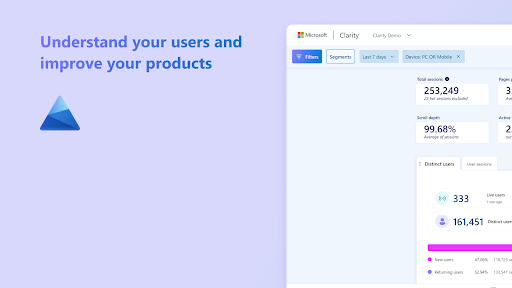
Clarity Dashboard: Comprehensive Behavioral Insights at a Glance
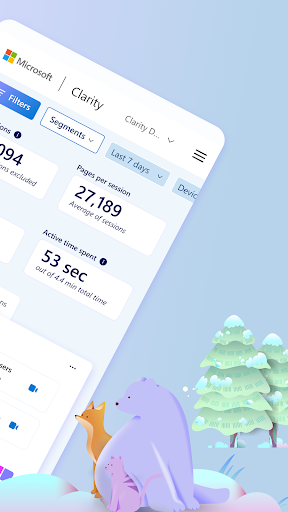
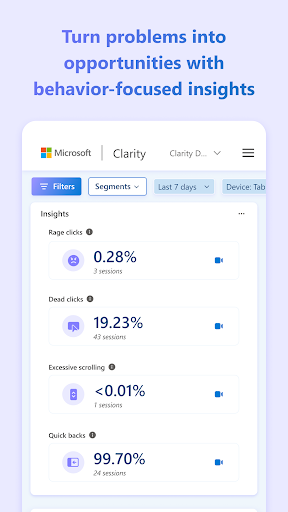
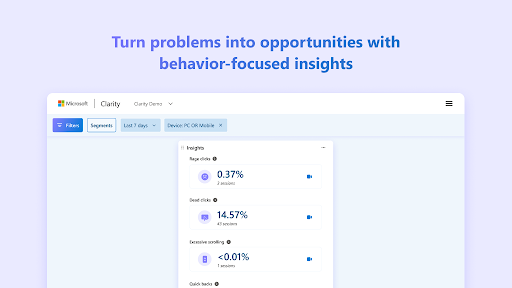
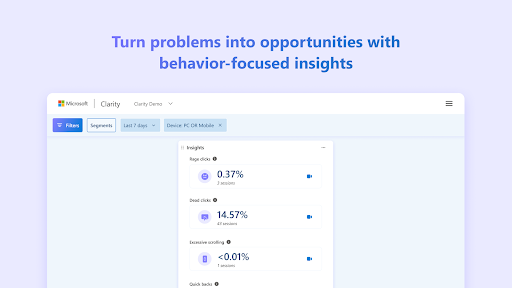
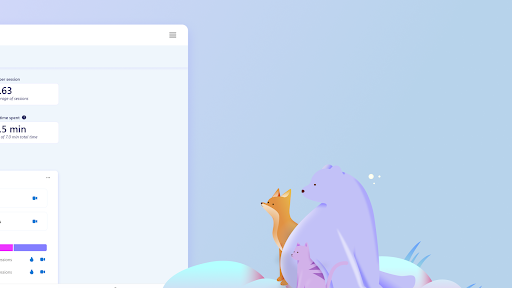
* The Microsoft Clarity dashboard offers a range of features designed to enhance your understanding of user behavior on your website. It includes aggregate metrics for overall site traffic and detailed behavioral insights such as time spent on the site and JavaScript errors. Advanced filters allow for data segmentation based on specific criteria, and integration capabilities enable a comprehensive analytics stack. These features collectively help you make informed decisions to improve user experience.
Privacy-Focused Analytics
* In an era where data privacy is paramount, Microsoft Clarity is designed with privacy in mind. Clarity is GDPR and CCPA compliant, ensuring that user data is handled securely and ethically. It does not collect any personally identifiable information (PII) and provides transparency around data collection practices. With Clarity, you can confidently use behavioral analytics to improve your website while respecting user privacy.
For privacy details, please refer to our Privacy Policy and Legal Terms.
What's New
Version Information
- Version
- 1.11
- Downloads
- 10K+
- Updated on
- Oct 22, 2024
- Released
- Oct 22, 2024
- Requires
- Android 5.0
Statistics
Google Play Rating History
Rating Distribution
Downloads Over Time
Microsoft Clarity has been downloaded times. Over the past 30 days, it averaged downloads per day.
Shaded area shows 30-day prediction based on historical trends
Historical data collection started recently. More data points will be available over time.
Microsoft Clarity users say on Google Play
 pakistan
Very good app. I can see all the activities of the users to enhance my website performance.
 Ali usama
Amazing tool 😍
 J L
J L
Why I didn't install app, set it up, only for you to tell me use the desktop version? Don't push junk out to market ok? What waste of my precious time!!
 amit kumar
every time I sign in, it brings me to sign in again. I tried 6 to 7 times. all credentials were right.
ApkTrusted Ratings & Reviews
More from Microsoft Corporation
See more apps
Microsoft Authenticator
Free

Microsoft Bing Search
Free

Microsoft Azure
Free

MSN
Free

MSN Money- Stock Quotes & News
Free

MSN Weather - Forecast & Maps
Free

IoT Plug and Play
Free

Microsoft Build
Free

Microsoft Bing Webmaster Tools
Free

Link to Windows
Free

Warehouse Management
Free

Bing Wallpapers
Free

Microsoft Advertising
Free

Microsoft Identity Pass
Free

As Dusk Falls Companion App
Free

SMS Organizer
Free
Similar Apps

Boxer - Workspace ONE
Free

Encircle
Free

Confluence Cloud
Free
Hermit — Lite Apps Browser
Free

Viva Engage
Free

Content - Workspace ONE
Free

Quo (formerly OpenPhone)
Free

Kizeo Forms, Mobile forms
Free

RAYNET CRM
Free

CRM Mobile: Pipedrive
Free
Constant Contact Marketing App
Free

Jira Cloud by Atlassian
Free

Aegis Authenticator - 2FA App
Free

HubSpot
Free

DAVx⁵ – CalDAV CardDAV WebDAV
Paid
GMX - Mail & Cloud
Free
Scan this QR code to download

Forwarding you to the page at Google Play market in seconds...
Open Google Play market now