
Walkie Toolkit for Baofeng vVARY
Miguel Q.


About this app
Developer Description
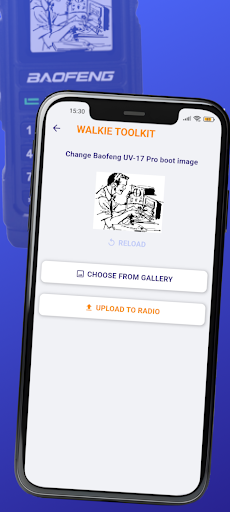
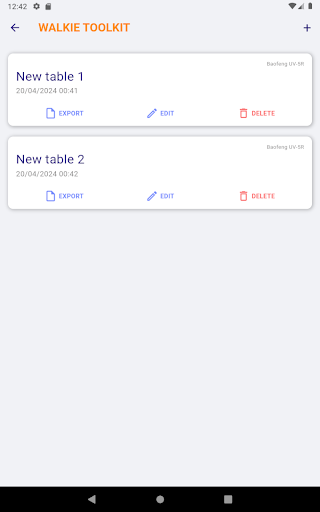
Configure your Baofeng walkie talkie settings and memory with your smartphone
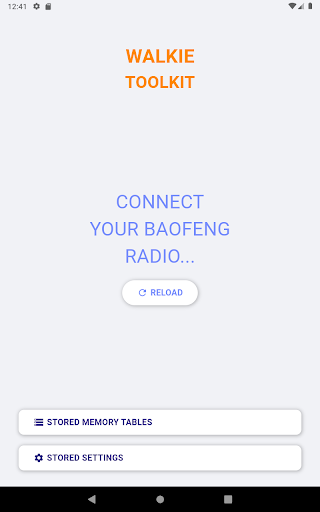
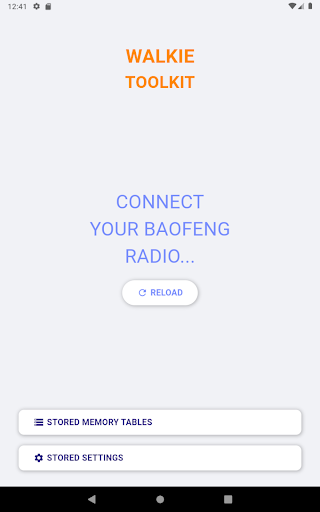
"Walkie Toolkit for Baofeng" allows you to configure your Baofeng radio using the proper USB cable.
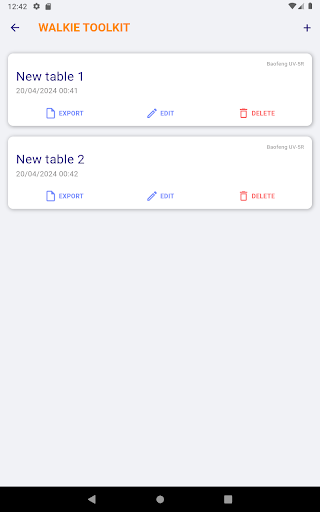
You can read, store, modify and write the settings and memory of your radio.
Current supported devices:
- Baofeng AR-152
- Baofeng BF-888S
- Baofeng F8HP
- Baofeng UV-5R
- Baofeng UV-5RH
- Baofeng UV-82
- Baofeng UV-9R Pro / Plus
- Baofeng UV-10R
- Baofeng UV-13 Pro
- Baofeng UV-17 Pro GPS
Some derived models of the supported devices should work, but we don't ensure the correct function of it.
Version Information
- Version
- -
- Downloads
- 1K+
- Updated on
- -
- Released
- May 16, 2024
- Requires
- Android Varies with device
Statistics
Google Play Rating History
Rating Distribution
Downloads Over Time
Walkie Toolkit for Baofeng has been downloaded times. Over the past 30 days, it averaged downloads per day.
Shaded area shows 30-day prediction based on historical trends
Historical data collection started recently. More data points will be available over time.
Walkie Toolkit for Baofeng - Google Play Rankings
Top Rankings
| Rank | Country | Category | List | Change |
|---|---|---|---|---|
| — |
Ranking History in
No ranking data available yet. Rankings are updated daily.
#34 in Top Paid Tools in Italy

#40 in Top Paid Tools in Mexico


Walkie Toolkit for Baofeng users say on Google Play
 Aaron Stafford
Not sure why this has no reviews. I bought it to program a couple Baofeng 888s that I bought for a gift for a fellow hiker. Worked flawlessly. Took a minute to realize I could make and save a preset to then copy over to the other radios. Once I realized that it took literally 3 seconds to program the other radio. 10/10 hate needing a PC to program. And this is useful ANYWHERE since you just need your phone and a cable.
 Christian Schmierer
The good stuff: I finally have a way to program my UV-9R Pro without a computer. The Not-So-Good Stuff: 1. The USB interface is cranky. 2. Export gives a coded string instead of a formatted block that could be pasted into a spreadsheet. 3. I can only use UPPERCASE, underscore and numbers for tags, while the radio supports spaces, lowercase, and some special characters. 4. Have to compute offset instead of just entering Tx freq. 5. Data entry screen is not Tab key friendly.
 BDC Concepts
I unfortunately purchased this before seeing that it doesn't work with the bf888HD radio. seems like a well built app though.
 Phil Radelat
On my MOTO G 5G 2024 phone, the app's SAVE and UPLOAD button at the bottom of the scren r obscured by the bottom Android bar, and I can't get to them without a fine tipped screen pen. I'm not sure if it's saving data. There r no app settings option, I have no way of knowing where it's saving to. lt downloads fine from my UV-5RX, but that's about it. Is there a way to get those buttons up higher?
 David Myers
Do NOT waste your money. This app is NOT user friendly AT ALL. I've tried to connect to my radio multiple times. I finally figured out I needed to have my developer options on to be able to transfer data. When I was finally able to actually download my previous channel list from the radio I wasn't able to edit it in any way. There are absolutely no instructions for anything. Then, somehow, the app erased everything on my radio. All the work I'd done was just gone. In a word, HORRIBLE!
ApkTrusted Ratings & Reviews
More from Miguel Q.
See more apps


Similar Apps

Radio Trinidad & Tobago
Free

Europamundo
Free

HamStudy.org
Paid

Placer County Sheriff
Free

Coast To Coast AM Insider
Free

Ava: Transcribe Voice to Text
Free

SoundHound ∞ - Music Discovery
Paid

Contours: Ski Snowboard Tour
Free

SIGNALERT
Free

Marquette County Sheriff
Free

Autio - Travel Companion
Free

LANDR - Master & Release Music
Free

DRC - Polyphonic Synthesizer
Free

UE | BOOM by Ultimate Ears
Free

BYLT
Free

JAMMATES
Paid
Scan this QR code to download

Forwarding you to the page at Google Play market in seconds...
Open Google Play market now