
Qustodio Parental Control App v182.32.0
Qustodio LLC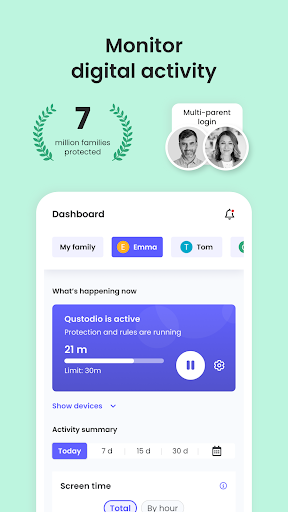
About this app
Developer Description
Screen Time, App and Web Block & Monitoring, Location Tracker
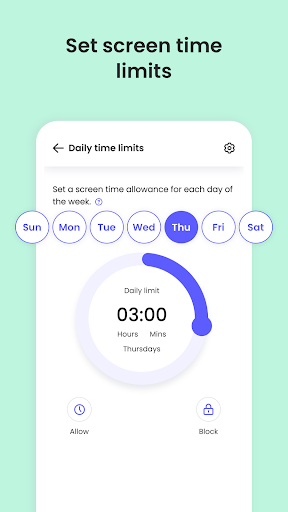
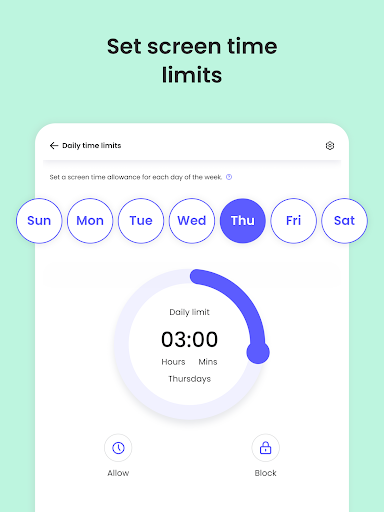
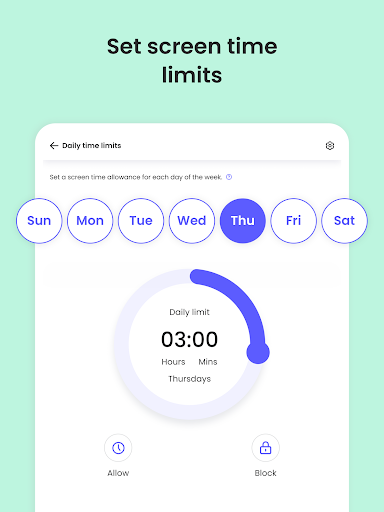
- Screen time limits: Automatically blocks the device after the set time has passed.
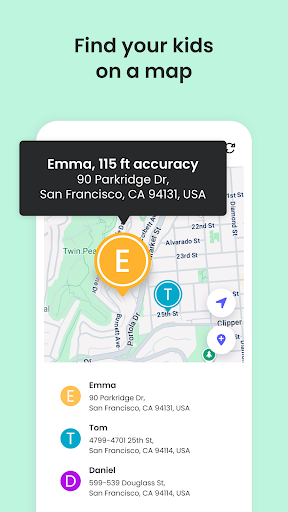
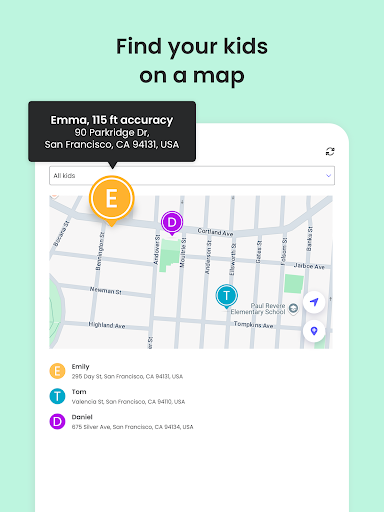
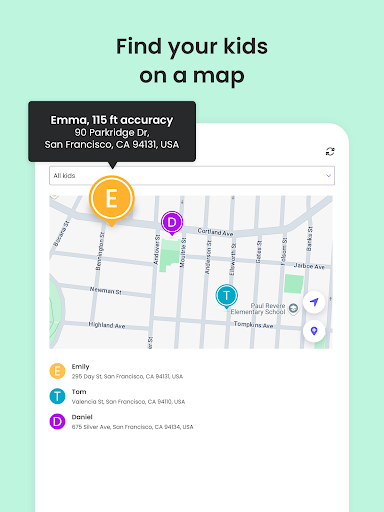
- Family locator & GPS family tracker: Tracks your kid's phone and sends you the GPS location
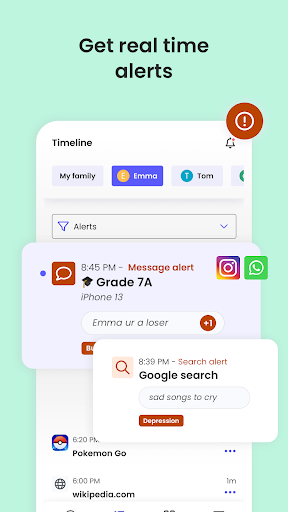
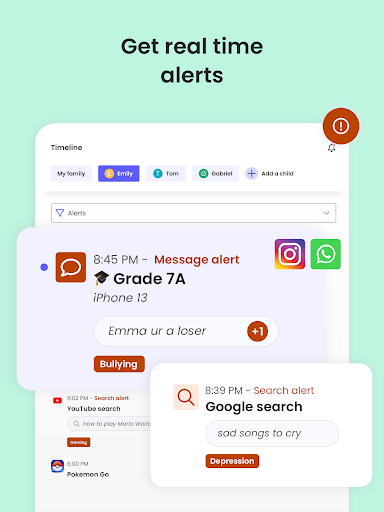
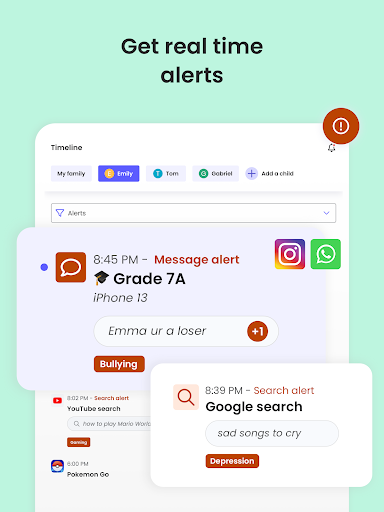
- AI-powered message and search alerts: Monitors and alerts for any suspicious browsing activity, or harmful SMS and social messages.
Start by downloading this Qustodio Parental Control App onto your device. Then download the Kids App Qustodio companion app onto your child’s devices. Together, the apps allow you to seamlessly manage your child’s daily screen time allowance on linked mobile, tablet or desktop devices across platforms including Android, iOS and other major operating systems.
Protect your child’s online safety
✓ Filter content (block games, websites, porn, gambling)
✓ Receive alerts about web activity and blocked websites
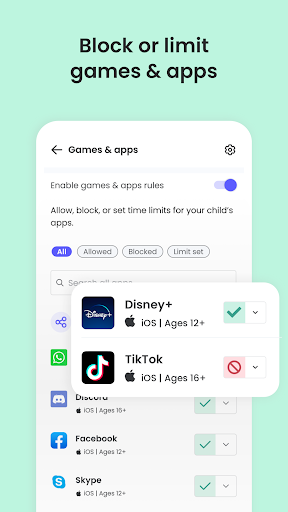
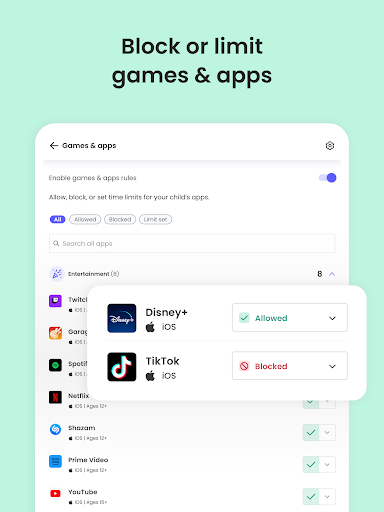
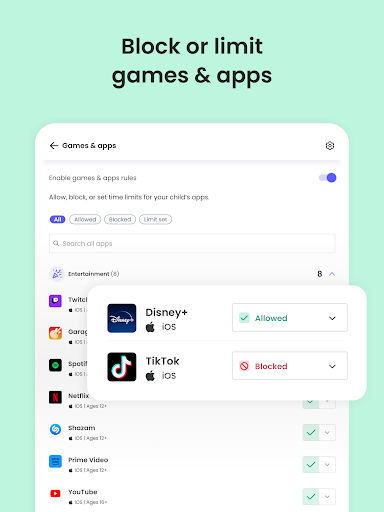
✓ Block games & apps
✓ Enforce safe search
Nurture healthy habits
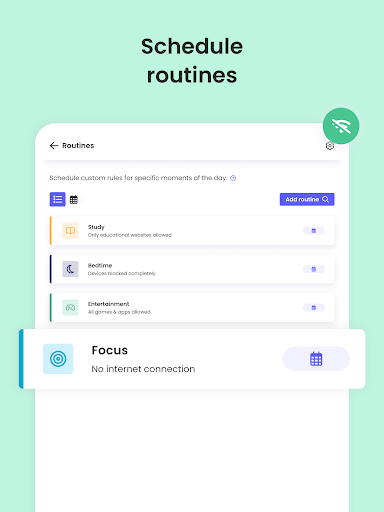
✓ Set daily screen time limits on all content
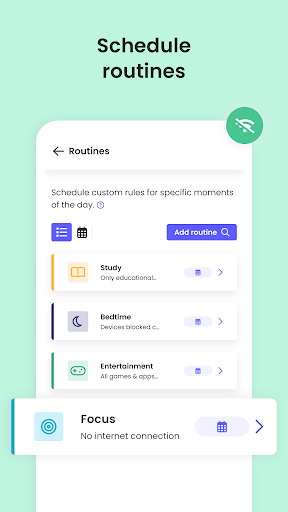
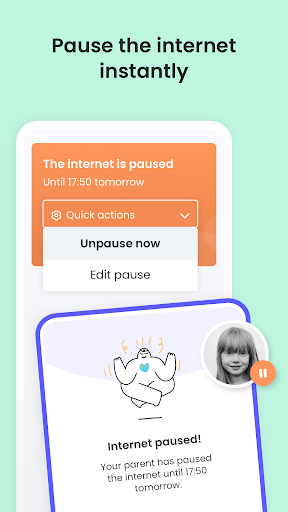
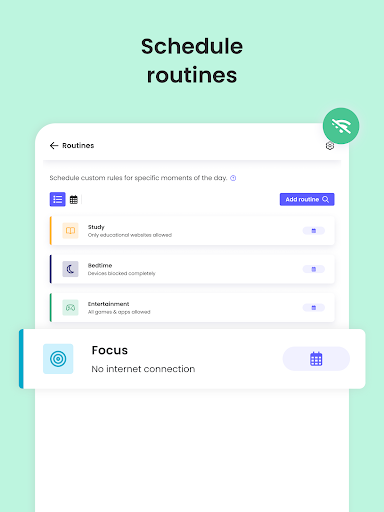
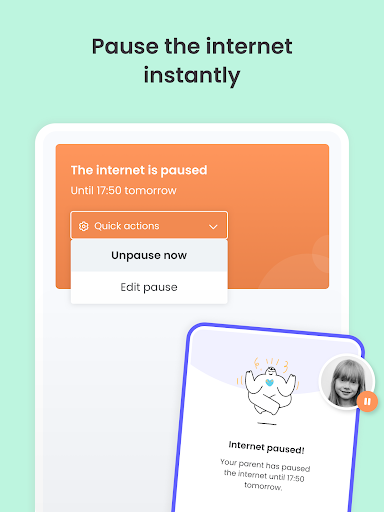
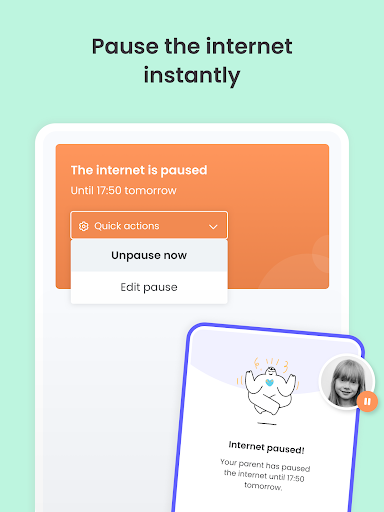
✓ Pause the internet at the touch of a button
✓ Set limits on games & apps
✓ Custom routines for apps and websites
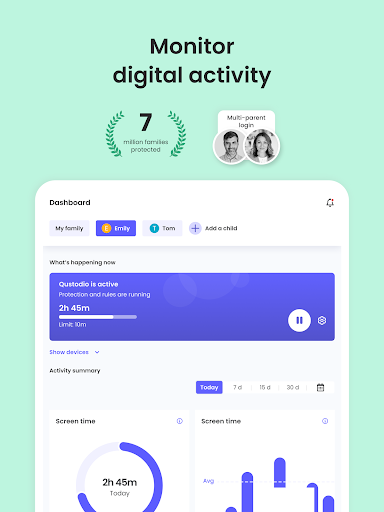
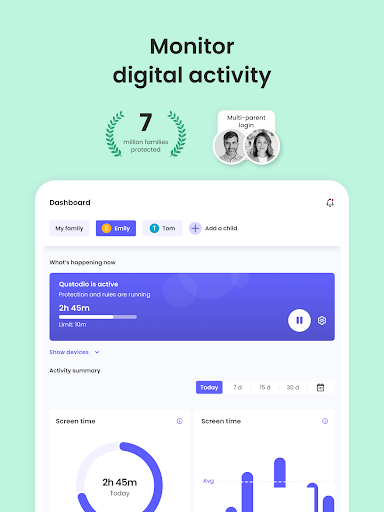
Have full visibility
✓ Receive search alerts
✓ Receive SMS message alerts.
✓ Receive social monitoring alerts. (available WhatsApp, Instagram, and Line)
✓ 30-day online activity reports, as well as daily and weekly reports straight to your inbox
✓Receive app download alerts
✓ Monitor their Youtube activity
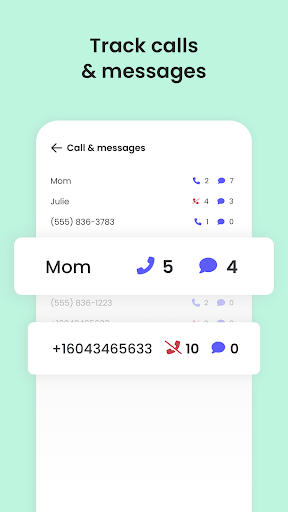
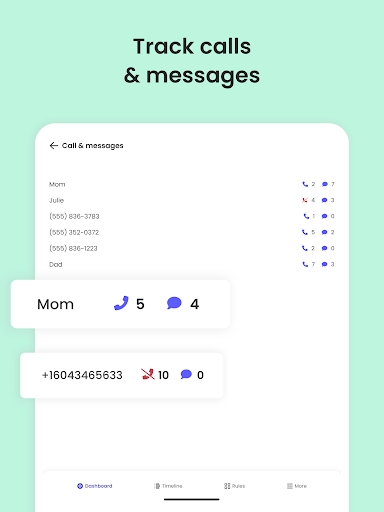
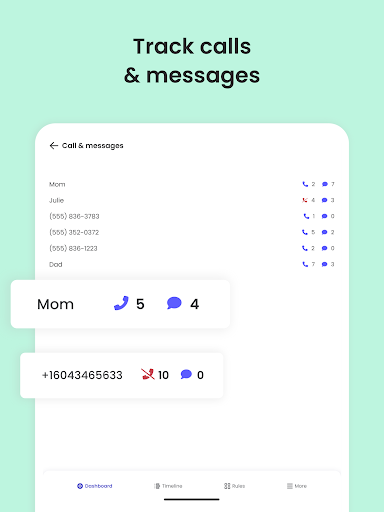
✓ Track and block unwanted calls and SMS messaging
✓ Supervise together: Invite another parent/guardian to monitor and set rules for your child (co-parent)
✓ Monitor on any iOS, Windows, Mac, Android or Kindle device
✓ Get up-to-date app insights
Locate your family
✓ GPS location monitoring (geolocation kid tracker)
✓ Find your child’s phone
✓ Locate kids on the move
✓ Share your location
✓ Save your favourite places
✓ Panic button for your child that can be installed on your child's device
Choose Qustodio’s basic parental control plan to access some of these features, or upgrade to the premium plan for full access to all features
How to protect, block, & monitor screen time with Qustodio Parental Control Apps:
1 – First download Qustodio Parental Control App onto your device (usually your mobile phone or laptop), create an account or log in
2 – Then install Kids App Qustodio on the device you want to supervise
3 – Log in and follow the quick setup instructions
4 – Once done, inappropriate websites will be blocked automatically
5 – To monitor activity and screen time use this Qustodio Parental Control App on a Parent’s device or log in to your online Qustodio Family Screen Time dashboard (https://family.qustodio.com)
Our FAQ:
• Does Qustodio Parental Control family screen time blocker app support Android 8 (Oreo): Yes.
• Does Qustodio family screen time blocker app work on other platforms besides Android? Qustodio can protect Windows, Mac, iOS, Kindle and Android.
• What languages do you support? Qustodio is available in English, Spanish, French, Italian, Portuguese, Dutch, German, Japanese and Chinese.
For support. Contact us here: https://www.qustodio.com/help and support@qustodio.com
Notes:
This app uses the Device Administrator permission. This will prevent a user from uninstalling Qustodio Family Screen Time App without your knowledge.
This app uses Accessibility services to build an excellent device experience that helps users with behavioral disabilities set appropriate levels of access and monitoring of screen time, web content and apps, in order to limit their risks and enjoy life normally.
Troubleshooting notes:
Huawei devices owners: Battery-saving mode needs to be disabled for Qustodio.
What's New
We've made more improvements and fixed some minor bugs to make your Qustodio experience even better. As always, we recommend that you enable auto-updating in the Play Store so both your and your kids' apps are always up-to-date.
The Qustodio Team
In-app purchases
$34.99 - $137.95 per item
Version Information
- Version
- 182.32.0
- Downloads
- 5M+
- Updated on
- Oct 28, 2025
- Released
- Sep 30, 2020
- Requires
- Android 7.0
Statistics
Google Play Rating History
Rating Distribution
Downloads Over Time
Qustodio Parental Control App has been downloaded times. Over the past 30 days, it averaged downloads per day.
Shaded area shows 30-day prediction based on historical trends
Historical data collection started recently. More data points will be available over time.
Qustodio Parental Control App - Google Play Rankings
Top Rankings
| Rank | Country | Category | List | Change |
|---|---|---|---|---|
| — |
Ranking History in
No ranking data available yet. Rankings are updated daily.
#7 in Top Grossing Parenting in United States

#24 in Top Free Parenting in United States

#1 in Top Free Parenting in Spain
#2 in Top Free Parenting in Italy

Qustodio Parental Control App users say on Google Play
 MDR
MDR
I don't have premium, but the free version gives me what I need to make sure that he's not accessing but he's not supposed to, andit's all set by me, as well as screen time. great app.
 Jim Henderson
At first I rated this app poorly because it is not super intuitive to configure and I am a 30 year IT veteran. however their support took about 24 hours to reply but have very detailed help so although it needs some massaging I think it is now getting me more than family link could one nice thing I thought was a bug. when kids hit their limit you can let their devices continue but lock internet access. pretty nice feature
 Abdul Kayum
Very expensive for what it is (compared to other solutions on the market) and the basic upgrade doesn't really offer much more than the other solutions. The best thing about this is that it can be used on both Apple and Android devices. The one feature that would have me renewing my licence next year is the ability to set time limits per device. The kids use a laptop for homework, so when I add extra time to allow them to finish their work, they inevitably use the extra time on their phones.
 Lana B
Monitoring an iPhone with this app is not worth the subscription price. Features are super limited for iPhone. It renders the phone inoperable if put in place as described. Like there's a loop hole for every tool put up. About to give up on trying to monitor my 16yr olds phone and just take it away altogether. Ugh..
 Sunshine and Puppy Dogs
Terrible. Hard to navigate, hard to set up devices, consistently says that my child is out of time when she's not. Worst of all, it doesn't allow me to see her calls/texts, which is the ONLY reason I chose this app. More times than I can count, I watched the video & did exactly as instructed, only to be led right back to the instruction video again. I have spent literal hours trying to get this set up properly. Have sent two emails in 3 days and still get no response from customer service.
ApkTrusted Ratings & Reviews
More from Qustodio LLC
See more apps
Similar Apps
Parental Control - Kidslox
Free
Parental Control App Blocker
Free

Kids360: Parental Control App
Free

AirDroid Parental Control
Free
KidsGuard Pro-Phone Monitoring
Free
StayFree - Screen Time
Free

Findmykids: Kids GPS Tracker
Free

Screen time: App blocking
Free
Parental Control App- FamiSafe
Free
FlashGet Kids:parental control
Free

App Usage - Manage/Track Usage
Free

CrookCatcher • Anti-Theft
Free
Be Closer: Family location
Free

SmartThings
Free

AirDroid: File & Remote Access
Free

AppBlock - Block Apps & Sites
Free
Scan this QR code to download

Forwarding you to the page at Google Play market in seconds...
Open Google Play market now