
Readwise v2.25.1
Readwise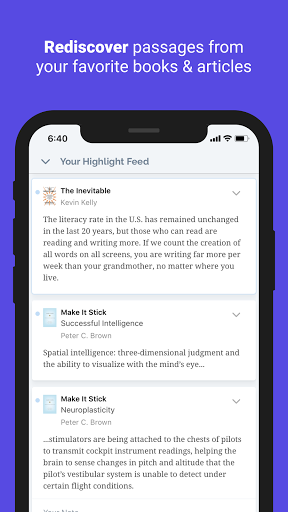

About this app
Developer Description
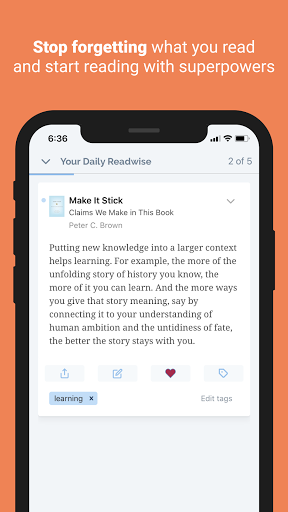
Review your highlights daily. Actually remember & use what you read.
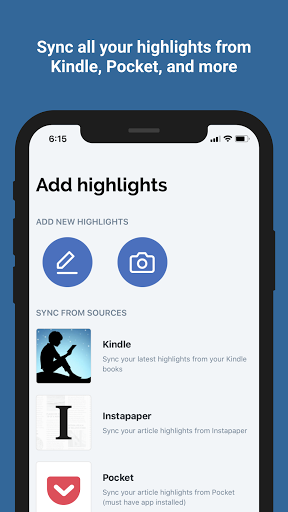
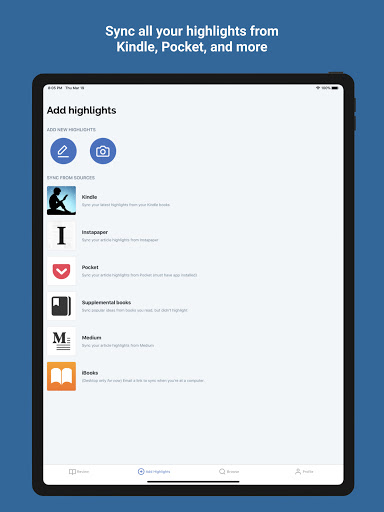
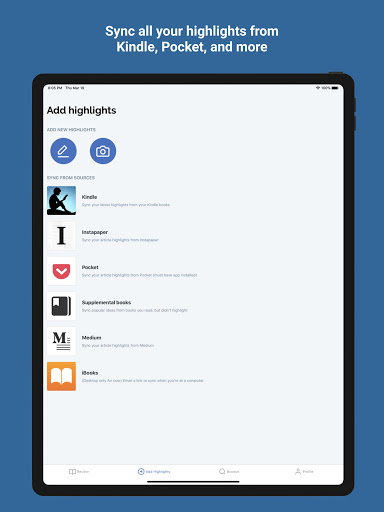
Quickly synchronize your highlights from Kindle, Apple Books, Instapaper, Pocket, Medium, Goodreads, and even paper books. Then start building a daily review habit using the app and daily email. By reviewing your highlights every day, you'll retain dramatically more and you'll finally stop forgetting all the details from books you just finished!
---
“Readwise is my favorite new service this year. Save highlights from Kindle, Instapaper, and now tweets... one of the best long-term personal learning tools I’ve come across.” — Caleb Hicks
“Besides my Kindle, Readwise has been the most influential tech for improving my reading process.” — Blake Reichmann
“If you use Kindle or Instapaper or just enjoy keeping and reading highlights, please sign up to Readwise. It will become one of your cherished services.” — Christopher Galtenberg
---
ACTUALLY USE YOUR HIGHLIGHTS
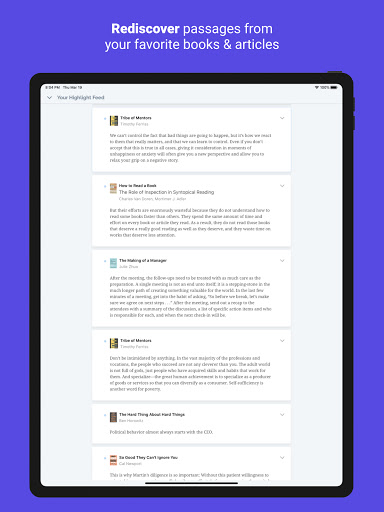
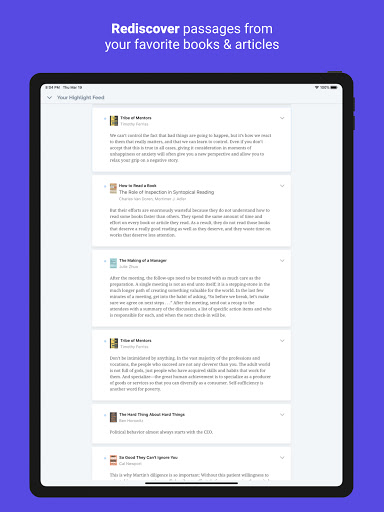
Highlighting is great, but why bother if you're never going to see any of your highlights again? Readwise makes it easy to quickly liberate all your highlights into one place, ensuring that you'll actually see and use them, including highlights from:
• Amazon Kindle
• Apple iBooks
• Instapaper
• Medium
• Goodreads
• Physical Books (using your phone camera)
• Manual Input
• CSV Upload
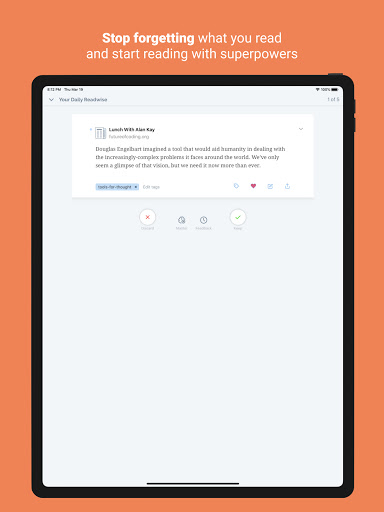
STOP FORGETTING WHAT YOU READ
How often do you finish a book, only to forget the key ideas two weeks later? We don't remember things by just reading them once.
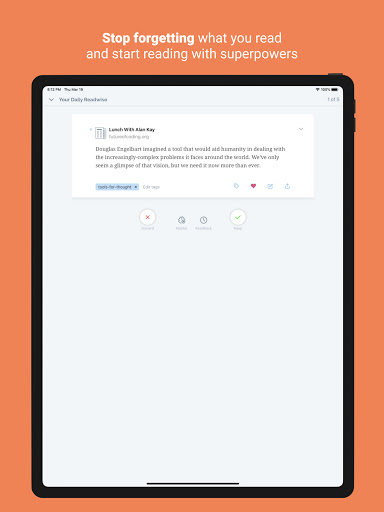
Readwise solves this problem using scientifically proven learning techniques called Spaced Repetition and Active Recall. Readwise resurfaces the right highlights at the right times using a daily email and an app. Readwise even makes it possible to convert your best highlights into flashcards for added retention.
TAG, NOTE, SEARCH, AND ORGANIZE
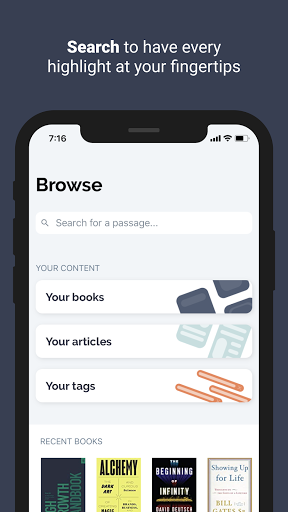
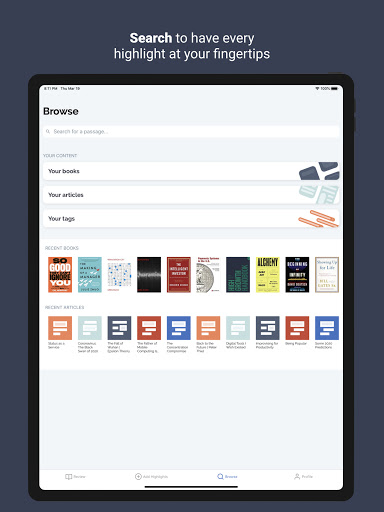
With your highlights all in one place, Readwise enables you to organize and connect these ideas in new ways. Use search to find a highlight instantly; use tag to organize highlights within your library; use notes to add your own annotations.
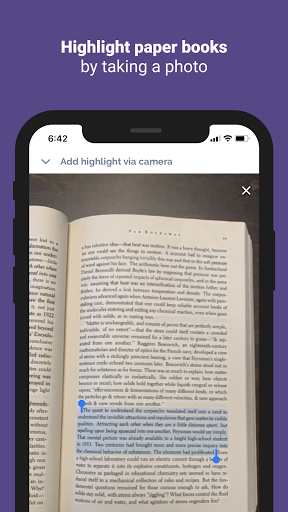
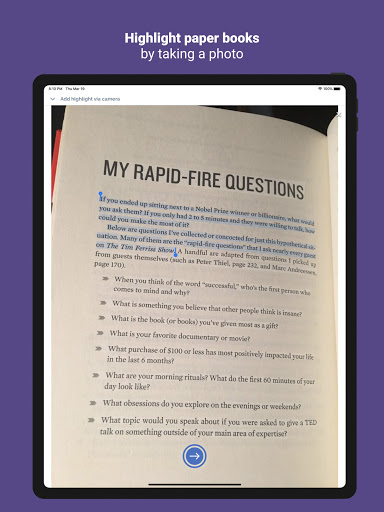
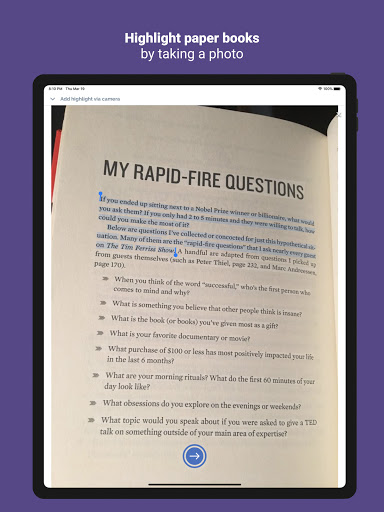
HIGHLIGHT PAPER BOOKS
Readwise also makes it possible to take highlights from your physical books and papers using your phone’s camera. Just snap a pic, highlight with your finger, and have your favorite highlights saved forever.
---
If you are not already a Readwise subscriber, you can get started immediately with a 30-day free trial with no credit card upfront. At the end of the trial, you will not be charged unless you choose to subscribe to Readwise Full or Readwise Lite. Price may vary by location. Manage your subscription from your dashboard.
---
Support: Check out readwise.io/faq or email us at hello@readwise.io
Privacy Policy: https://readwise.io/privacy
Terms of Service: https://readwise.io/tos
What's New
Chat with your Highlights! — Ask any question about what you've read, find any highlight effortlessly (it's like superpowered search).
Also:
• Readwise MCP server for use with Claude, etc
• “Find Similar Highlights” button
• New Craft Docs & Apple Notes exports
• Rebuilt Notion & Roam exports
• Bug fixes: daily review, highlight adding, tweet saves, and more.
For much much more, check out our weekly changelog: docs.readwise.io/changelog
Version Information
- Version
- 2.25.1
- Downloads
- 100K+
- Updated on
- Nov 26, 2025
- Released
- Jun 9, 2021
- Requires
- Android 6.0
Statistics
Google Play Rating History
Rating Distribution
Downloads Over Time
Readwise has been downloaded times. Over the past 30 days, it averaged downloads per day.
Shaded area shows 30-day prediction based on historical trends
Historical data collection started recently. More data points will be available over time.
Readwise users say on Google Play
 Kathy Callueng
Started using in 2 years ago. I'm still using it now. Lost my streak already but it's okay. The reader app is annoying but this highlight app is good.
 A .T
A .T
good app to keep notes and ideas from books in mind , they should put a tutorial on how to use the premium version since I don't see any different between regular and premium version, and how to use the regular's feature, cuz i just use it to remind me of notes and i would like to know more about the app .
 Ela Kaimo
The app is very basic; I can pretty much only use it to review the daily highlights that notify me. There are also few settings to set up syncing between this and other apps, unlike their website. I wish the mobile app had more functionalities that the website offers.
 Irene Richards
The app is great and all, but I'm getting really sick of the lack of timezone and notification timing support—it feels like it's only made for Americans. I've stopped using it because nothing ever comes at a useful time, the notifications are always a day late, and I can't seem to stop the emails no matter what I do. My feedback from months ago seems to have had no effect.
 Richard A
be aware with exports. I like the app as a point product. however if you sync to a third party: if you pause your subscription, on reactivation all pages are reset 🤦♀️ this reset causes duplicates in your destination 😳 Clearly sync is stopped if the account is paused, however page IDs should persist. After months of explaining it's clear they don't understand the issue they are causing
ApkTrusted Ratings & Reviews
More from Readwise
See more apps
Similar Apps

ePlatform Digital Libraries
Free

Bookshelf
Free
Bookclubs: Book Club Organizer
Free

Book summaries: Accelerated
Free
eReader Prestigio: Book Reader
Free
Cantook by Aldiko
Free
Librius: Become Smarter
Free
ReadEra Premium – ebook reader
Paid
Everand: Audiobooks & Ebooks
Free

touchnotes
Free
Bookmory - reading tracker
Free

Writer Journal - Text,Note
Free

getAbstract: Book Summaries
Free

Dolphin EasyReader
Free
Flexcil Notes & PDF Reader
Free
YesWriter - Writing, Notes
Free
Scan this QR code to download

Forwarding you to the page at Google Play market in seconds...
Open Google Play market now