
SimplePractice Client Portal v1.7.11
SimplePractice




About this app
Developer Description
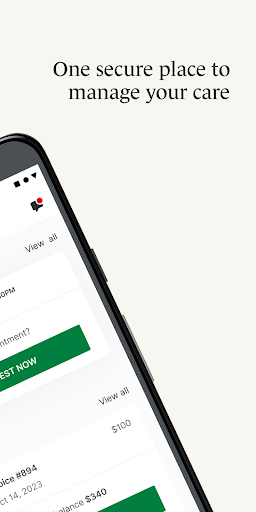
The Client Portal app empowers you to manage care from one secure place
Simplify how you access care with features like:
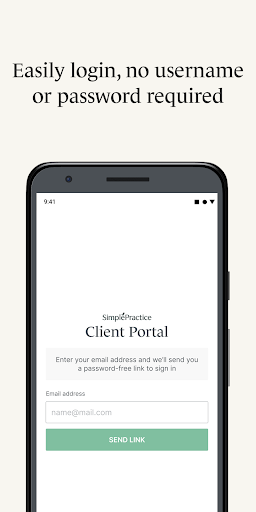
• Passwordless login – Securely log into your Client Portal without the hassle of a username or password by setting up a passcode or turn on biometrics (if enabled on your Android device)
• Personalized notifications – Get push notifications sent right to your phone regarding any new messages, invoices, or documents that have been sent to you by your practitioner.
• Secure messaging – Message your practitioner directly from your phone knowing that all communication is secure and private.
• Upcoming appointments and requests – View all your upcoming appointments, and request a new appointment with your practitioner directly from the app.
• Digital payments – Add new payment methods to pay your bills including HSA and FSA cards. You can even pay directly from the app.
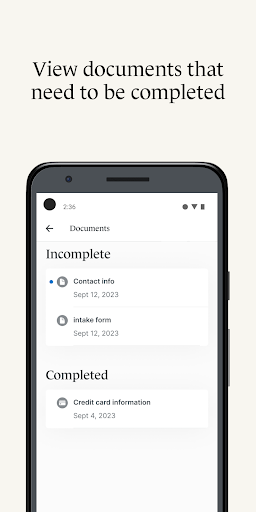
• Digital paperwork – Complete documents and questionnaires related to care on your own time.
• Telehealth – Join virtual appointments with your practitioner directly from the app, so you never have to find a link buried in your inbox again.
• Profile switching – Quickly toggle between any Client Portal you’re managing—whether you’re seeing different providers who use SimplePractice for practice management or are managing care for multiple individuals.
To access the SimplePractice Client Portal Android app, you must be invited to use the SimplePractice Client Portal by your practitioner. When you first log into the app, the email you provided to your practitioner will be used to authenticate your Client Portal access. After you’ve signed up, turn on biometrics or a four-digit passcode for hassle-free login. Please note: what you can see and do within the SimplePractice Client Portal app may vary, and is limited to the specific features your practitioner has enabled for your profile.
Are you currently looking for therapy services? To find a behavioral health therapist that uses SimplePractice near you, visit www.meetmonarch.com.
What's New
Version Information
- Version
- 1.7.11
- Downloads
- 1M+
- Updated on
- Oct 23, 2025
- Released
- Oct 26, 2023
- Requires
- Android 7.0
Statistics
Google Play Rating History
Rating Distribution
Downloads Over Time
SimplePractice Client Portal has been downloaded times. Over the past 30 days, it averaged downloads per day.
Shaded area shows 30-day prediction based on historical trends
Historical data collection started recently. More data points will be available over time.
SimplePractice Client Portal - Google Play Rankings
Top Rankings
| Rank | Country | Category | List | Change |
|---|---|---|---|---|
| — |
Ranking History in
No ranking data available yet. Rankings are updated daily.
#8 in Top Free Medical in United States


SimplePractice Client Portal users say on Google Play
 amy pelc
I was extremely satisfied using this app. It is very easy to log on and in one screen you can see your choices of do you want Billy it'll say none available if there's no bill available it'll say forms it'll show you if there's one available or none or needed it'll show upcoming appointments rate listed on single screen. One of the best health apps I have used so far.
 Renae Riedel
it has been great being able to see my therapist using my phone because I do not drive since my car crash: ) just every once in a while it hangs up on us and we have to reconnect or i would give it 5 stars
 Matthew McLain
I have trouble connecting to my videos but once I do it's great
 Kim Koelman
Great App if it would run on my laptop. I like to use my laptop for these appointments not the small screen on my phone. Needs fix and update.
 Joan Sewell
Horrible app. I have a Samsung Galaxy S24. I filled out it's incredibly long, detailed questionnaire that asked about my childhood, every doctor I've ever seen, names addresses phone numbers, every medication I've been on dates, milligrams, duration etc. I had to look stuff up and spent so long doing. I'm in my 60's so have long history. In the end it wouldn't upload it.
ApkTrusted Ratings & Reviews
More from SimplePractice
See more apps

Similar Apps

healow
Free

athenaPatient
Free

Sydney Health
Free

Zocdoc - Find and book doctors
Free

NimbleRx
Free

Hers: Women’s Healthcare
Free

My Doctor Online (NCAL Only)
Free

myCigna
Free

MyChart
Free

Kaiser Permanente
Free

MyAtriumHealth
Free

Marathon Health
Free

Oscar Health
Free

Providence
Free

CVS Caremark
Free

Circles: Mental Health Support
Free
Scan this QR code to download

Forwarding you to the page at Google Play market in seconds...
Open Google Play market now