
FRep2 v3.0
StrAI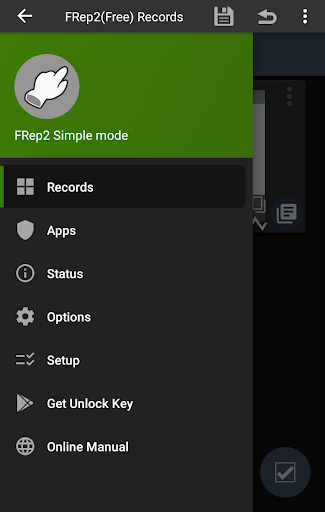


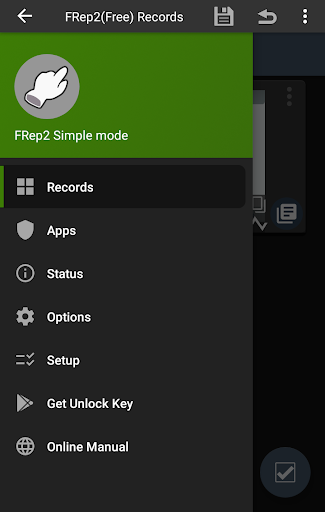


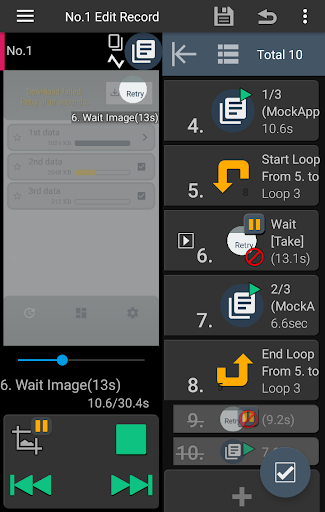


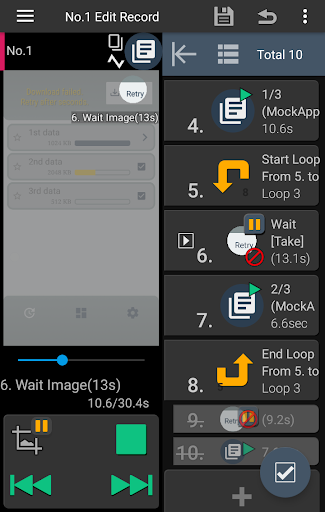

About this app
Developer Description
FRep2 records / replays your touches on running app, with image recognition.
You can easily create an automation clicker by recording your finger movements on the running app. And also, adjusting the prepared items will extend it as a macro with recognizing image to deal with various situations such as flexible network load or multiple scenes.
Your own automatic operation button will be easily created.
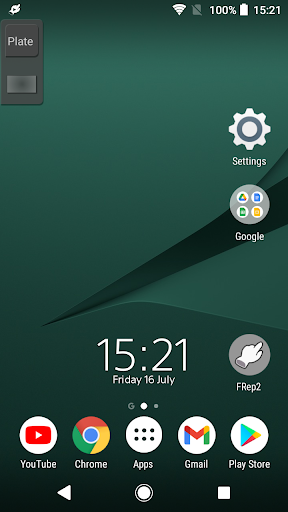
- Easy record/replay touches on app, by the button of floating console
- Console shows/hides depending on playable records for current app
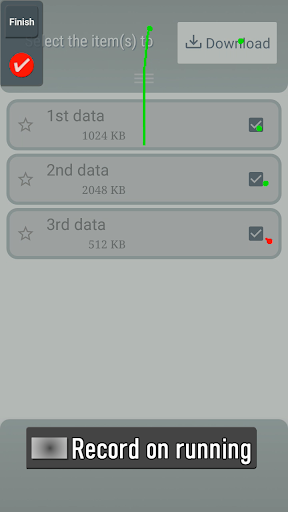
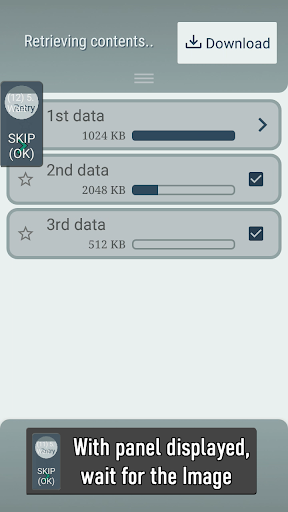
- The timing and/or content of touches can be branched by image matching
With FRep2 Unlock Key, the unlimited number of records, OCR function & Tasker plugin are available.
Usage Example
- Recording analog Tap/Swipe/Flick operations for automatic process/scroll/gesture.
- Preload delayed or continuous pushing in prospect of processing delay, such as CPU load or network communication.
- Avoid blind area or blurring by your finger and/or its shadow.
- Combination with automation App through FRep2 replay shortcut/Tasker plugin.
- Demonstrate your App in actual device.
= Notice =
- This app uses Accessibility Service (ACCESSIBILITY_SERVICE) to replay touch operations, to show the replay process, and to detect current app for responsive switching function of floating console.
- Network access (INTERNET) permission is only used for advertising before unlocked) and localhost communication (within the device) with setup process for precision mode.
- Do not record including personal information and/or password.
- The replay result may differ depending on the load of your device / app. To make good reproducibility, take longer delay for processing wait, stop touch at end point for dragging/flick, and more, try editing sequence to add controls to wait the timing to replay.
== DISCLAIMER ==
THIS SOFTWARE AND THE ACCOMPANYING FILES ARE DISTRIBUTED and SOLD "AS IS" AND WITHOUT WARRANTIES AS TO PERFORMANCE OR MERCHANTABILITY OR ANY OTHER WARRANTIES WHETHER EXPRESSED OR IMPLIED. LICENSEE USES THE SOFTWARE AT HIS/HER OWN RISK. NO LIABILITY FOR CONSEQUENTIAL DAMAGES.
================
What's New
- Fixed issue that the source screenshot location of Image control was not updated when the target image (pixel data) was not changed.
- Fixed issue that triggering FRep2 Shortcut from Tasker or such, caused currently open FRep2 app (for editing) to become unresponsive.
- Modified some UIs.
Version Information
- Version
- 3.0
- Downloads
- 50K+
- Updated on
- Dec 20, 2025
- Released
- Feb 4, 2022
- Requires
- Android 7.0
Statistics
Google Play Rating History
Rating Distribution
Downloads Over Time
FRep2 has been downloaded times. Over the past 30 days, it averaged downloads per day.
Shaded area shows 30-day prediction based on historical trends
Historical data collection started recently. More data points will be available over time.
FRep2 users say on Google Play
 Patrick Charters
Brilliant app! The ability to control what is on the screen without touching it is completely game changing for many mobile games and has certainly saved from many hours of grinding. I love that you an just record touches if you aren't too into the technical side or that you can program your own. I personally have fun coding using the given tools and really customizing my routines. It can be difficult to learn what all the buttons do and the visuals are somewhat lacking however. Would recommend!
 Michael V
Really liked this app. Has a bit of a learning curve and it's not as cosmetically polished as I'd like it to be. I feel like editing the recorded touches and swipes is more difficult than it has to be. Had an issue when dealing with apps that had multiple pop-up menus; the frep2 app wouldn't let me continue adding to my script. Also, the OCR is limited to numbers -- would have liked to see it work with the alphabet. I do appreciate the image recognition which is hard to find in apps.
 Super Style
not support all screenshots.size invelid. please fix
 Afzal Dubaliya
Need to remove screen lock to work on my OnePlus 8 and doesn't show in notification bar to tap to show/hide ..... Please solve this problem
 Tean Sek Siong
From a old user ("FRep Original Version" user) perspective, this second version is a BAD one, especially their interface are not user friendly. Not recommend !
ApkTrusted Ratings & Reviews
More from StrAI
See more apps



Similar Apps

Macrorify - Image Auto Clicker
Free

Westwood Holdings Group
Free

Castro Premium - system info
Paid

Lib of Dev (Open Source)
Free

Lorex Classic
Free

HeadTrack
Paid

TAP Kiln Control Mobile
Free

Emaldo
Free

Cloaked: Protect your privacy
Free

PDK Access by ProdataKey
Free

Touch Screen Test
Free

SwitchBot
Free

Video Recorder
Paid

PEX: Simplify your spending
Free

NETGEAR Orbi – WiFi System App
Free

PADL
Free
Scan this QR code to download

Forwarding you to the page at Google Play market in seconds...
Open Google Play market now