
ScreenDim Trial v1.68
Omega Centauri Software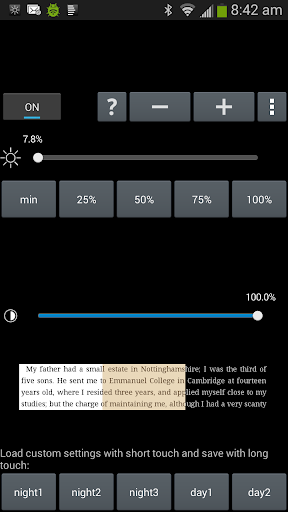
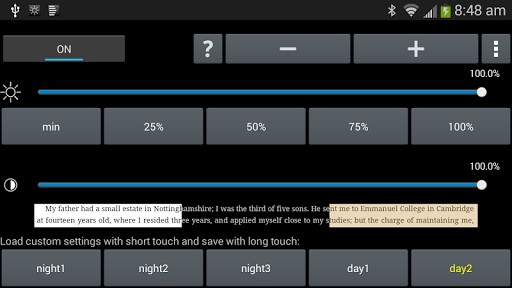
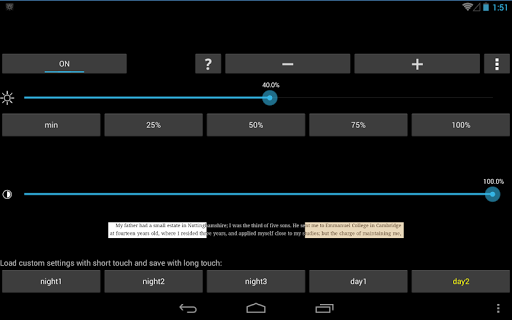
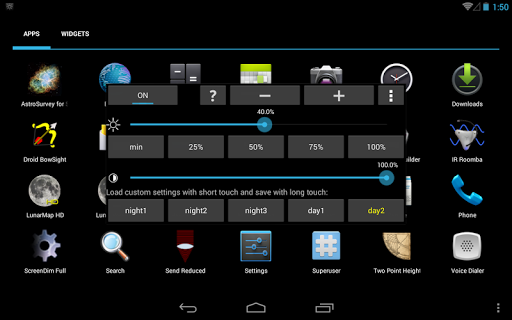


About this app
ScreenDim Trial solves the problem of insufficient screen dimming options on Android devices, particularly beneficial for users who prefer reading or browsing in low-light environments. This app stands out in the Tools category due to its simple yet effective approach to screen dimming, although its mixed user rating suggests some areas for improvement. Compared to alternatives, ScreenDim Trial's lack of permissions requests is a notable advantage, indicating a focus on user privacy. However, its ad-supported model may deter some users seeking an ad-free experience.
Pros
- ScreenDim Trial's ability to dim the screen below the device's normal minimum brightness is a significant advantage for users who value customization and comfort in low-light conditions.
- With no permissions required, this app demonstrates a commitment to user privacy and security, making it an attractive option for those cautious about data collection.
- The app's small size and low Android requirement make it accessible to a wide range of devices, including older models, which is a plus for users with less powerful hardware.
- The developer's provision of a trial version allows potential users to test the app's functionality before committing, which can enhance user satisfaction and reduce negative reviews.
- Given its specific purpose, ScreenDim Trial is remarkably straightforward and easy to use, requiring minimal setup or technical knowledge.
Cons
- The mixed user rating of 3.1/5 suggests that some users may experience issues or dissatisfaction with the app, potentially due to the presence of ads or limitations in its functionality.
- The ad-supported model, while understandable for a free app, may lead to an intrusive user experience, especially if ads are not properly managed or are overly frequent.
- The lack of in-app purchases or a clear path to an ad-free version might limit the app's appeal for users willing to pay for a premium experience or those who prefer to support developers through direct purchases.
- Some users may find the app's functionality too basic or limited, especially compared to more feature-rich alternatives in the Tools category.
Best for: The ideal user for ScreenDim Trial is likely an individual who frequently uses their Android device in low-light environments, such as readers or gamers, and values the ability to customize their screen's brightness for comfort and battery savings, with a preference for simple, privacy-focused solutions over more complex or feature-rich alternatives.
Developer Description
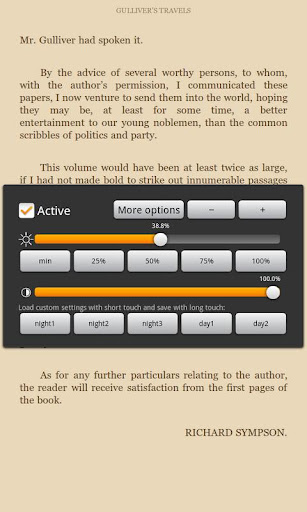
Dim your screen for night use below what your device normally supports
No root required. (But there is an experimental root option which makes things even darker on some devices, e.g., the Nexus 7.)
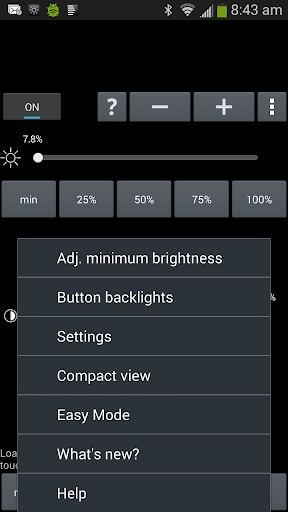
Save your five favorite brightness and contrast settings as a preset, and get it back by touching a single button or by a Launcher shortcut (Screen Dim also provides a Launcher shortcut to cycle through the presets, and another Launcher shortcut to disable it).
ScreenDim also creates a notification item in your status bar so you can easily go back to it to adjust settings.
ScreenDim is the first dimmer that can both adjust backlight brightness below what the system normally permits on many LCD devices and dim the contrast. Some dimmers only filter and lower the contrast, which keeps the black areas unchanged and glowing gray on LCD devices when in the dark and doesn't save battery life (and at least one does it in a way that slows down 2D screen performance by about 30% in my testing). Many other dimmers only change the backlight within the range normally allowed by the OS.
This is a three day trial. After three days, ScreenDim functionality will be disabled and to continue using you'll need to buy Screen Dim Full.
If you have any problems with ScreenDim, email arpruss@gmail.com before leaving poor feedback. There is a lot of variation in how different devices handle screen brightness, and I may be able to adjust ScreenDim to work better for you.
Note 1: On OLED devices, there is no backlight, so all adjustment is contrast-adjustment.
Note 2: If you set ScreenDim too dark for you to see the screen, you can recover by adjusting brightness with the volume buttons while in ScreenDim, or by tapping where the brightness adjust should be on the screen if you don't have volume buttons, or by rebooting your device (on many devices this is done by holding the power button for up to ten seconds to turn the device off and then by turning on the device).
Privacy
Given that ScreenDim Trial requires no permissions, the risk of data collection or privacy breaches appears to be minimal. However, users should remain cautious about the potential for ads to collect non-personal data. To maximize privacy, users can consider using this app in conjunction with other privacy-enhancing tools or ad blockers, although this may affect the app's functionality or the developer's ability to maintain and update it.
Tips
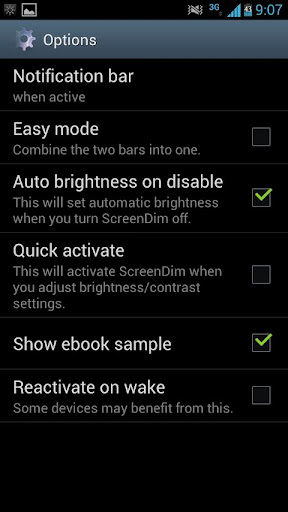
For the best experience with ScreenDim Trial, users should first test the app's dimming capabilities in different lighting conditions to find their preferred setting. Additionally, users can optimize performance by closing unnecessary background apps, which can help maintain a smooth and responsive experience. Furthermore, exploring the app's settings, if available, can provide more tailored control over screen dimming, enhancing overall user satisfaction.
What's New
1.67: better draw-on-top permission support
1.66: Tweaks
1.63: Bug fix
1.62: No longer disable SELinux as per new Google Play policy; if you used Root mode in ScreenDim, you may need to find a way to disable SELinux yourself; alas, we cannot help you
1.60: Experimental root and activate-on-boot support
1.11: Tasker support (see bottom of Help in app for information)
Version Information
- Version
- 1.68
- Downloads
- 10K+
- Updated on
- Nov 30, 2017
- Released
- Dec 22, 2011
- Requires
- Android 2.0
Statistics
Google Play Rating History
Rating Distribution
Downloads Over Time
ScreenDim Trial has been downloaded times. Over the past 30 days, it averaged downloads per day.
Shaded area shows 30-day prediction based on historical trends
Historical data collection started recently. More data points will be available over time.
ScreenDim Trial users say on Google Play
 A Google user
I've been using this for all of 40 minutes, have barely touched any settings/options and I know I'll be buying this app. Try it, you just may love it.
A Google user
it really can brings the brightness down and making the backlight muuuuuch darker. If nothing goes wrong after the trial, I'm sure I will buy the full version.
A Google user
I updated the night 1 button with my customization and when I clicked on night 1 from the notification bar it used the preset settings. If i open the app and click on night 1 the customized settings work, just not from the notification bar. Using Nougat 7.1.1
A Google user
nice
A Google user
wont work unless you pay. rather use other options.
ApkTrusted Ratings & Reviews
More from Omega Centauri Software
See more apps
TinyLaunch with toddler lock
Free

FastLaunch
Free
P1 Keyboard
Free

ScreenDim Full
Paid
Send Reduced Lite
Free
LunarMap HD
Paid
![Color Changer Pro [root] icon](https://play-lh.googleusercontent.com/3VXjjoqLwHWB0o4wFRfQlFjxwdje5iTnsbeCaWF7fVWLU5DsxxYUuCn-qM4q4atwIw)
Color Changer Pro [root]
Paid
![Color Changer Lite [root] icon](https://play-lh.googleusercontent.com/UuHPEjeGBDG1jxX6-rm7doIl1Xm67wDvb8BgfGaG1qUsAixqXq_n2XX_8QaM4VoNNPg)
Color Changer Lite [root]
Free
LunarMap Lite
Free

Raspberry Jam Mod
Free
Send Reduced Pro
Paid

LibriVox Downloader
Free

Two Point Height
Free
Brainlink Firmware Uploader
Free

Giant Heart Rate
Free

Shogi with Bonanza
Free
Similar Apps



Scan this QR code to download

Forwarding you to the page at Google Play market in seconds...
Open Google Play market now