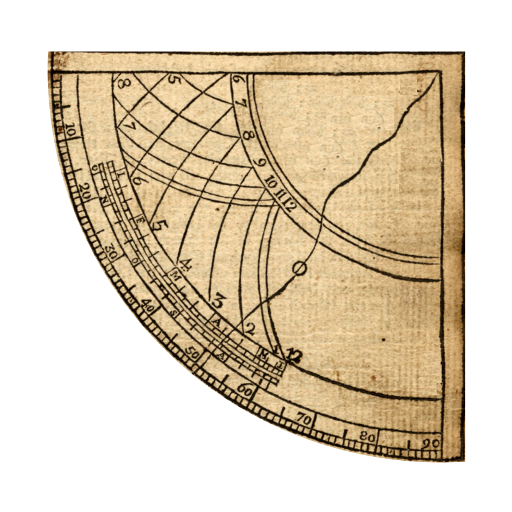
Two Point Height v0.28
Omega Centauri Software


About this app
The Two Point Height app aims to solve the problem of measuring the heights of objects such as buildings and trees, which can be useful for professionals like architects, engineers, and surveyors, as well as hobbyists like rocket enthusiasts. However, with a below-average user rating of 2.1/5, it falls short in terms of user satisfaction compared to other productivity apps. The app's simplicity and lack of permissions may be seen as a positive, but its limited functionality and lack of updates may hinder its potential. Overall, it has a niche use case but needs improvement to compete with other apps in the productivity category.
Pros
- The app has a simple and straightforward purpose, making it easy to use for its intended function of measuring heights.
- With no permissions required, users can be assured that their data is not being collected or shared, which is a significant advantage in terms of privacy.
- The app's small size and lack of ads make it a lightweight and non-intrusive addition to any Android device.
- The developer's website and email are provided, offering a channel for users to provide feedback and suggestions for improvement.
- The app's offline capability is a plus, as users can measure heights without needing an internet connection.
Cons
- The app's below-average user rating and limited number of reviews suggest that it may have significant issues with functionality, accuracy, or user experience.
- The lack of updates, with the current version being 0.28, raises concerns about the app's long-term support and maintenance.
- The app's limited functionality may not be enough to satisfy the needs of professionals or serious hobbyists, who may require more advanced features and accuracy.
- The app's small user base and limited social proof may indicate a lack of community support or resources for troubleshooting and improvement.
Best for: The ideal user for the Two Point Height app is a technically savvy individual, likely between the ages of 25 and 50, who requires a simple and straightforward tool for measuring heights, such as a surveyor, architect, or engineer, and has a basic understanding of Android devices and their capabilities.
Developer Description
Measure the heights of buildings, trees, stomp rocket flights, etc.
Other height-measuring apps may require you to enter the distance to the object ahead of time, or to tap first on the base of the object and then the tip, which makes them not work well for all applications (e.g., stomp rocket flight height measurement). Two Point Height lets you select the two points in either order, and to enter the distance afterwards for greater precision.
You can also sight along the side of the phone, which is useful on sunny days as well as for viewing rockets and other small things that are hard to see in the sky.
Quick instructions: Point at bottom of object, tap on screen. Point to top of object, tap on screen. Enter distance to the object and the height at which you are holding your phone (probably a little less than your own height).
You can also measure the approximate distance to an object if the ground is level and the object is not too far.
Privacy
Since the app requires no permissions, users can be assured that their data is not being collected or shared. However, users should still be cautious when using the app, especially when measuring heights in potentially hazardous environments. To ensure safe use, users should follow standard safety protocols and use the app in conjunction with other measurement tools to verify accuracy.
Tips
To get the most out of the Two Point Height app, users should start by calibrating their device's camera and ensuring that the app is properly configured for their specific use case. Users can also improve accuracy by taking multiple measurements and averaging the results. Additionally, users can explore the app's settings to customize the measurement units and other options to suit their needs.
What's New
0.27: Bug fix, UI improvement
0.26: Added simple clinometer mode
0.25: Better calibration, crosshair adjustment tweak, zoom
0.24: Bug fix
0.23: Friendlier
0.22: Calibration mode
0.20: Help information; front camera support; new icons.
0.11: Black background.
0.10: Clearer explanations of how to use. Support newer devices (and drop support before Android 3.0).
0.05: Better camera handling.
0.03: Add ability to sight along side of device. Fix a crash on some devices.
Version Information
- Version
- 0.28
- Downloads
- 10K+
- Updated on
- Jul 3, 2023
- Released
- Feb 23, 2014
- Requires
- Android 3.0
Statistics
Google Play Rating History
Rating Distribution
Downloads Over Time
Two Point Height has been downloaded times. Over the past 30 days, it averaged downloads per day.
Shaded area shows 30-day prediction based on historical trends
Historical data collection started recently. More data points will be available over time.
Two Point Height users say on Google Play
 A Google user
I have tried several height/distance measuring apps and this is the only one I have found that is anywhere near accurate. I like the fact that the app will allow you to take sighting positions first and provide an estimate of distance, with the option to enter a measured distance later. Too many apps require you to enter this distance first - not much use if you are trying to estimate the height of something half a mile away. I obtained fairly consistent results within 5% of the measured distance on a 78 inch high door at 30 feet. I like that no units are specified, you just enter a number which can be feet, metres, yards, chains, as long as all the units are the same the answer will be correct. I would like there to be some audible confirmation that you have tapped the screen to mark a point, otherwise I like it.
A Google user
≥4.5 to 5s if have measurement choice ie: metric - MM, CM, DM, Meter, KM / IN, FT, YD, Mile. Also a little more in way of instructions would help. Tested again optical-transit w/steel-tape; works well for roughing & estimates, only. Did not expect precise readings ie from a transit & tape. Have tried many other like apps. TPH is as good as any, better than most & easy to use. Def a Keeper!! Mic Pete * Cl;-)~ * Ririe, Idaho USA
A Google user
Im assuming the increments are in Imperial or else the numers given make no sense. Multiple tests of object 12 inches in height 13 inches away give results ~.15 different from tape measure results. App results are relatively consistent. Degrees of tilt on sighting screen is a great idea. Lacks a unit of measure. Inches must be in 10ths requiring out of app calculator.
A Google user
I get it about the units but I cannot guess distance to an object. I also cannot guess what my phone height is nor can i fathom it or any phone is 1.8 of any known unit. That really confuses me why that number would be default. Update: No, lack of units is debilitating to calculate phone height in same unit and be at all accurate requires multiple decimal points. That's why we have units. And i cannot possibly know distance to object or I'd just measure the object!
A Google user
Useless...app itself is asking you distance ?💔smh
ApkTrusted Ratings & Reviews
More from Omega Centauri Software
See more apps
FastLaunch
Free
P1 Keyboard
Free

TinyLaunch with toddler lock
Free

ScreenDim Full
Paid
Send Reduced Lite
Free
LunarMap HD
Paid
![Color Changer Pro [root] icon](https://play-lh.googleusercontent.com/3VXjjoqLwHWB0o4wFRfQlFjxwdje5iTnsbeCaWF7fVWLU5DsxxYUuCn-qM4q4atwIw)
Color Changer Pro [root]
Paid
![Color Changer Lite [root] icon](https://play-lh.googleusercontent.com/UuHPEjeGBDG1jxX6-rm7doIl1Xm67wDvb8BgfGaG1qUsAixqXq_n2XX_8QaM4VoNNPg)
Color Changer Lite [root]
Free
LunarMap Lite
Free
Raspberry Jam Mod
Free
Send Reduced Pro
Paid

LibriVox Downloader
Free

ScreenDim Trial
Free
Brainlink Firmware Uploader
Free

Giant Heart Rate
Free

Shogi with Bonanza
Free
Similar Apps




Scan this QR code to download

Forwarding you to the page at Google Play market in seconds...
Open Google Play market now