Voice Recorder for Wear OS vVARY
Mobimax Apps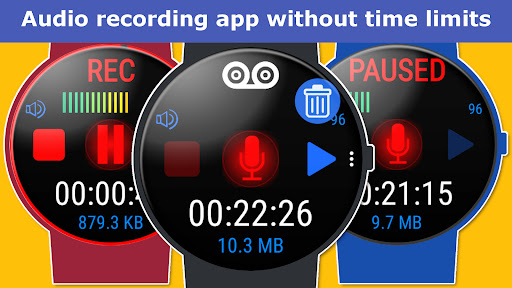

About this app
The Voice Recorder for Wear OS app solves the problem of limited audio recording capabilities on Wear OS devices, benefiting users who need to record audio on-the-go without time limits. Compared to alternatives in the Music And Audio category, this app stands out with its simplicity and lack of time limits, but falls short with its below-average user rating, indicating significant issues that may deter potential users. The app's developer, Mobimax Apps, has a presence online, which adds a layer of accountability. However, the app's overall value is diminished by its low user rating and limited functionality.
Pros
- The Voice Recorder for Wear OS app offers unlimited recording time, making it a valuable tool for users who need to capture long audio sessions, such as lectures or meetings, without interruptions.
- With no ads, the app provides an uninterrupted recording experience, which is a significant advantage over other free recording apps that often display intrusive advertisements.
- The app's simplicity and ease of use make it accessible to users of all technical skill levels, from beginners to advanced users, allowing anyone to record audio with minimal setup.
- The developer's website and email support provide a clear channel for users to report issues or request features, which can lead to a more responsive and engaged development process.
- The app's small size and lack of permissions make it a lightweight and secure option for users who are concerned about data privacy and storage space.
Cons
- The app's below-average user rating of 3.0/5 indicates significant issues, such as poor performance, bugs, or missing features, which may deter potential users and undermine the app's overall value.
- The limited functionality of the app, with only basic recording capabilities, may not be sufficient for advanced users who require more features, such as editing or sharing options.
- The in-app purchase model, with a $3.99 price point, may be perceived as expensive by some users, especially considering the app's limited features and low user rating.
- The lack of transparency about what the in-app purchase unlocks or provides may lead to user skepticism and hesitation to invest in the app.
Best for: The ideal user for the Voice Recorder for Wear OS app is an individual who needs to record audio on-the-go, such as students, journalists, or professionals, who value simplicity, ease of use, and unlimited recording time, and are willing to overlook the app's limited features and below-average user rating in favor of its convenience and accessibility.
Developer Description
Easy to use audio recording app without time limits.
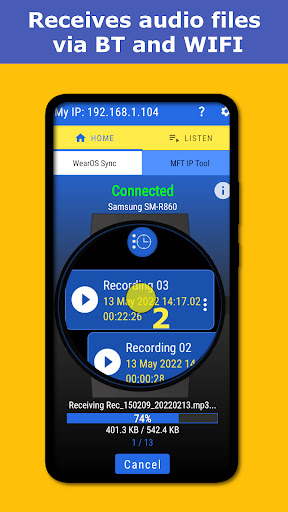
After installing app for Wear OS powered smartwatch you should install Voice Recorder companion app on phone. You need this app to receive audio files from watch. Otherwise options to send files will not work on watch app.
If you installed first Voice Recorder for phone you have to install watch app for your Wear OS powered smartwatch.
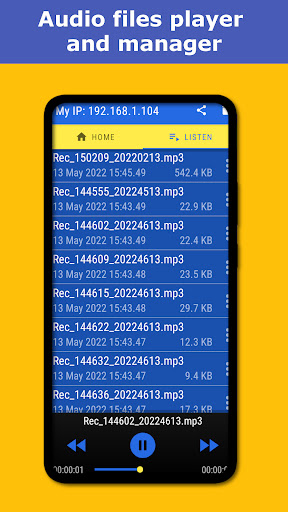
Voice Recorder app on phone allows to receive files, play audio files and share them for further processing by share options exposed by Android system.
Key functions:
1. No time limits. You can record for hours (limited by free storage size).
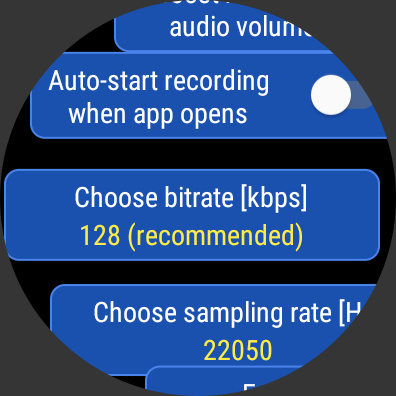
2. Changeable bit-rate from 96 up to 256 kbps.
3. Changeable audio quality and sample rating.
4. Secret recording: audio recording in background even when screen is off.
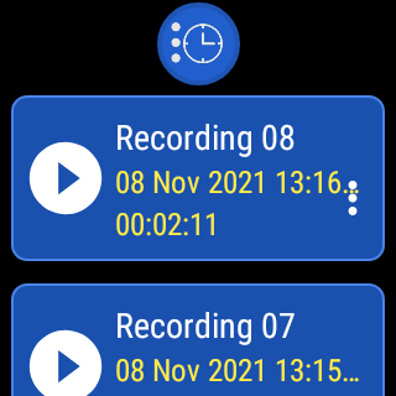
5. Rename and delete your recordings.
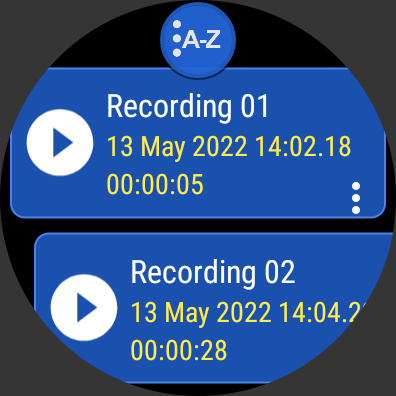
6. Sorting recordings by name, date, duration and file size.
7. Automatic stop when detected out of storage.
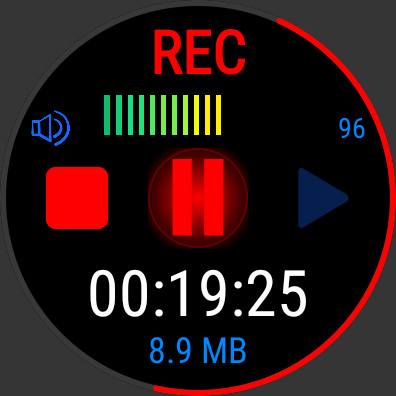
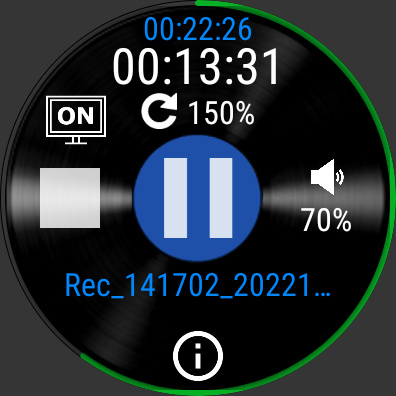
8. Nice graphics audio meter.
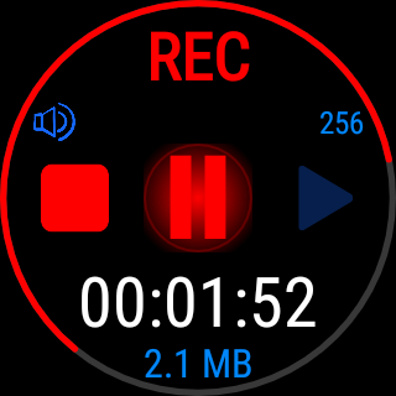
9. Live preview for output file size.
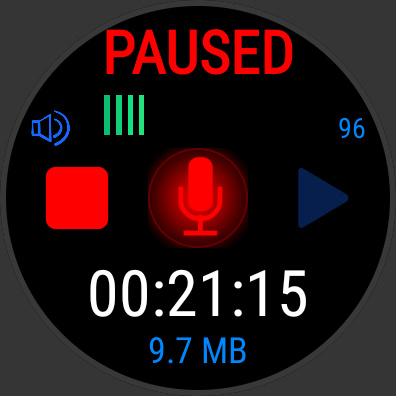
10. Pause function during recording to work like a Dictaphone.
11. Loud audio recording and additionally a possibility to boost audio volume.
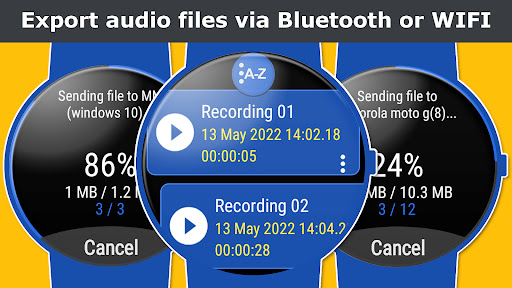
12. Export audio files direct to phone by Wear OS engine or MFT IP Tool (Wifi).
13. Export audio files direct to computer by MFT IP Tool.
14. Built-in audio player to play recordings.
15. Validation system. Orphaned recordings are removed (recording without file).
To play/delete/share/rename/info a recording on the list you have to click an item for longer time in order to open options menu.
Each recording can be exported/send to phone or computer for further processing. To transfer files to phone you have to download Voice Recorder Companion or download MFT IP Tool from our site on computer. Systems Windows, MacOS and Linux are supported).
Tip: if your are going to record for hours choose 96kbps bit-rate and low quality in order to get small file size.
Privacy
Since the Voice Recorder for Wear OS app requires no permissions, it poses minimal risk to user data and privacy. However, users should still be cautious when recording sensitive or personal audio, as it may be stored locally on the device. To ensure secure recordings, users should regularly review and manage their recorded files, and consider using a secure storage solution, such as an encrypted cloud service.
Tips
To get the most out of the Voice Recorder for Wear OS app, users should first ensure their Wear OS device has sufficient storage space to accommodate large audio files. Additionally, users can optimize performance by closing other resource-intensive apps while recording and regularly cleaning up recorded files to free up storage space. By doing so, users can ensure a smooth and uninterrupted recording experience.
What's New
1. Fixed scrollbarl in poupup views.
2. Fixed truncated text in settings view.
In-app purchases
$3.99 per item
Version Information
- Version
- -
- Downloads
- 10K+
- Updated on
- Jul 23, 2025
- Released
- May 20, 2022
- Requires
- Android Varies with device
Statistics
Google Play Rating History
Rating Distribution
Downloads Over Time
Voice Recorder for Wear OS has been downloaded times. Over the past 30 days, it averaged downloads per day.
Shaded area shows 30-day prediction based on historical trends
Historical data collection started recently. More data points will be available over time.
Voice Recorder for Wear OS users say on Google Play
 Axel B.
works ad promised, thanks
 Mike H
I gave a 4 star rating (and i was being generous) for simplicity, good graphics (except for the phone home screen like others say it looks to busy) price and potential BUT why isn't there a feature in the watch menu to be able to change the recording file name in order for me to identify it as I want, A BIG disappointment (this makes it very difficult to identify the file in the phone and watch, especially when transferred to the phone), and yes I have the licensed version.
 Charles Bailey
Looks like a good start! I like how you can have a phone app, and a watch app, and they can sync. I love the concept of having only one app for recording either on my phone, or watch. Unfortunately, this app seems too clunky to be effective. I can record on the watch, but then manually have to tell it to sync with the phone. The phone app, instead of showing or allowing you to record on the phone, seems to only act as a receiver for the watch recordings. Also, the interface just seems too busy.
 Shyam Krishnamurthy
Doesn't work on Huawei GT5
 Wojciech Karkoszka
This app simply doesn't work with my GT5 pro. Huawei Health says the watch is connected. Tha watch app is installed and opened. Still it keeps saying that my watch is not connected.
ApkTrusted Ratings & Reviews
More from Mobimax Apps
See more apps






Similar Apps
Simple Voice Recorder
Free
Recorder AI:Voice&Meeting Note
Free
Easy Voice Recorder
Free

Voice Recorder
Free
Voice Recorder
Free

voice recorder - pro recorder
Free

Ava: Transcribe Voice to Text
Free
Podcast Guru - Podcast App
Free

Talk & Translate AI Translator
Free

Sleep Tracker basic
Paid

ASR Voice Recorder
Free

Chaos Audio
Free
n-Track Studio Pro | DAW
Paid

Koala Sampler
Paid

Overcoming pain based on EMDR
Free

LumaFeed - Newborn Tracker
Paid
Scan this QR code to download

Forwarding you to the page at Google Play market in seconds...
Open Google Play market now