External Keyboard Helper Pro v7.6
Apedroid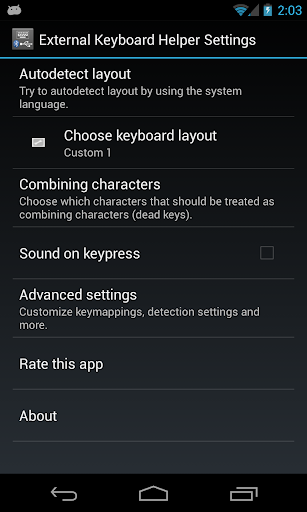




About this app
Developer Description
Take full control over your external Bluetooth or USB keyboard.
INSTEAD CONTACT ME ON: keylayouts@apedroid.com
A non visible soft keyboard (Input Method) intended to be used with hardware Bluetooth and USB keyboards. It automatically brings up the Input Method dialog when Bluetooth keyboard connects or disconnects (on some devices this can also be made to work with USB keyboards). It supports a lot of different keylayouts also provides a lot of configuration options.
This app does NOT require a rooted device and there is a DEMO version available if you want to try it out before buying.
Tutorials
-----------------------
http://www.apedroid.com/android-applications/external-keyboard-helper/get-started
Features
--------------------
* International keyboard layouts.
* Up to 16 application shortcuts can be added (for example start Google Maps with Alt+M etc.)
* Up to 16 text strings can be add (for example insert your email address with Alt+E etc.)
* Remaps the Escape key to BACK (can be turned off)
* Allows you to control which characters should be treated as combining characters.
* A "null" Soft Keyboard to use with hardware keyboards (Bluetooth & USB).
* Automatically brings up Input Method selection dialog when Bluetooth keyboard connects or disconnects (Android 2.3+).
* Automatic detection can also work with USB keyboards on some platforms (experimental) (Android 2.3+)
* App that brings up Input Method selection (for easy access)
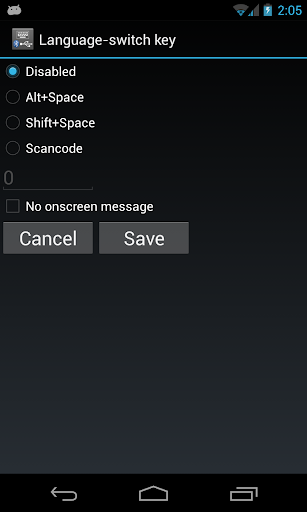
* Switch between up to three layouts of your choice using a key or key combination.
* Can choose keymap automatically based on language setting in your device.
* Blocks long-press-popups on Android 2.x.
* Change the key repeat delay and rate.
* Layouts can be modified and two user defined custom layouts can be configured.
* ConnectBot aware (TAB and CTRL codes)
Currently supported keyboard layouts
-----------------------------------------------------------
* Arabic (101, 102 & 102 AZERTY)
* Armenian (Eastern, Western & Phonetic)
* Austrian
* Belgian
* Bosnian & Herzegovian
* Bulgarian (Phonetic, Phonetic traditional & Typewriter)
* Canadian (French & Multilingual)
* Croatian
* Czech (qwertz, qwerty & programmers)
* Danish
* English (Colemak, Dvorak, Dvorak Left hand, Dvorak Right hand, Dvorak Programmer, GB & US-International)
* Estonian
* Faroese
* Finnish (Finland & DAS)
* French (Bépo, France & Switzerland)
* German (Germany & Switzerland)
* Greek (Standard & Polytonic)
* Greenlandic
* Hebrew
* Hindi Traditional
* Hungarian
* Icelandic
* Italian
* Korean/Hangul
* Latvian
* Lithuanian (Numeric)
* Macedonian FYROM Standard
* Maldivian
* Norwegian
* Persian
* Polish (214 & Programmers)
* Portuguese (Brazil, Portugal & Br-Nativo)
* Romanian
* Russian (Normal, Typewriter & Phonetic)
* Serbian (Latin & Cyrillic)
* Slovak (qwerty & qwertz)
* Slovene
* Spanish (Latin America, Spain/Int & Dvorak)
* Swedish (Normal & Svorak A1|A5)
* Thai (Kedmanee & Pattachote)
* Turkish (F & Q)
* Urdu (Normal & Phonetic)
* Ukrainian
* Vietnamese
All layouts are based on standard USB Keyboard layouts. Bluetooth keyboards sometimes do not follow the standard completely but it is possible to manually customize mappings.
What it does NOT
---------------------------
* It won't fix your BT or USB connected keyboard if it wasn't working in the first place.
* It does not automatically switch Input Method. It only shows the dialog and you will have to choose Input Method manually. This is an intentional limitation built into Android by Google. No user installed app is allowed to change IME without user interaction.
Want to help translating this app to you language?
Go here: http://www.getlocalization.com/ExternalKeyboardHelperPro/
What's New
- Now uses notification are to start IME-selector on detection (due to changes in new Android versions).
- Will ask for Bluetooth and Notification permissions on later Android-versions (due to changes in new Android versions).
Version Information
- Version
- 7.6
- Downloads
- 100K+
- Updated on
- Apr 26, 2023
- Released
- Feb 20, 2012
- Requires
- Android 4.1
Statistics
Google Play Rating History
Rating Distribution
Downloads Over Time
External Keyboard Helper Pro has been downloaded times. Over the past 30 days, it averaged downloads per day.
Shaded area shows 30-day prediction based on historical trends
Historical data collection started recently. More data points will be available over time.
External Keyboard Helper Pro - Google Play Rankings
Top Rankings
| Rank | Country | Category | List | Change |
|---|---|---|---|---|
| — |
Ranking History in
No ranking data available yet. Rankings are updated daily.
#23 in Top Paid Personalization in Turkey

#29 in Top Paid Personalization in France


#59 in Top Paid Personalization in Spain


#59 in Top Paid Personalization in Brazil


External Keyboard Helper Pro users say on Google Play
 Drew Losure-McDermott
If you're having ANY issue with your external keyboard working with your phone, THIS APP is your answer. I've been using it for YEARS - solves the multipress issue and other issues unique to external boards. Has ACTUALLY gotten updates and support consistently during the 10+yrs I've used the app, with no end in sight. PERFECT app from indie dev. NO ADS. Seems free now, was worth 5$; if I'm wrong, pay! Worth it. Easy switch between external and virtual input. Wish I'd more words to detail it!‽¡‽™
 Gonzalo Corvera
Exactly what I needed, I have an iClever Bluetooth keyboard and I needed to be able to use the US-international layout to enter Spanish language accents. A bit of trial and error to get it to work and to find the key combinations, because it doesn't use the exact same conventions as US-international on Windows, but I got there OK
 John Smith
On CCwGTV. Text filed: Apps -> Search for apps and games. Pressing Enter on physical keyboard after typing a text does nothing and I haven't found a way to start the search.
 George Edge
I was using my USB keyboard previously without a problem with Android 12 on Samsung S10+. Then my USB keyboard stopped working and so I tried this APP. I can't get this to work but it comes up so I can choose the external keyboard OK and I rebooted and all that, set permissions near as I can tell, but just doesn't function with my external keyboard. Why are there no detailed instructions??
 Retro Cryptid
An earlier version just plain didn't work on Samsung S7 Pro Tablet. No documentation and half of the settings panels are blank. It's clear from the framework there's supposed to be something in the settings panels (there are several radio boxes), but no text associated with them. And it just doesn't work. I tried to configure a custom mapping to swap caps and control and it just plain didn't work. The most recent version will sometimes work, but resets mappings if I touch the trackpad. garbage
ApkTrusted Ratings & Reviews
More from Apedroid
See more apps
Similar Apps
Naver SmartBoard - Keyboard
Free
Fcitx5 for Android
Free

NebulaBuds
Free

Hue Essentials
Free

Fonty - Draw and Make Fonts
Free

Bose Connect
Free

spacedesk - USB Display for PC
Free

Earz Solo - Game to the Music
Free

Translate: Screen Translator
Paid

One Key: password manager
Free

Amharic Keyboard Ethiopia
Paid

FX File Explorer
Free
Mint Keyboard:Fonts,Emojis
Free

Marshall Bluetooth
Free

ADW Launcher 2
Free
Alphabet & Number for Nursery
Free
Scan this QR code to download

Forwarding you to the page at Google Play market in seconds...
Open Google Play market now