
Background Video Recorder v2.1.4
GeniusTools Labs





About this app
The Background Video Recorder app solves the problem of easily capturing video in the background with a simple one-click interface, benefiting users who need to record video without interrupting their workflow, such as content creators, educators, or individuals who want to capture footage for social media. Compared to alternatives in the Tools category, this app stands out with its ease of use and high user rating, indicating a well-designed and functional application. However, the presence of ads and in-app purchases may detract from the user experience. The app's ability to operate with zero permissions is a notable advantage, suggesting a focus on user privacy.
Pros
- With over 1 million downloads and a 4.4-star rating, the Background Video Recorder has demonstrated its value to a large and satisfied user base, indicating a reliable and effective tool.
- The app's zero-permission requirement is a significant advantage, as it alleviates concerns about data privacy and security, making it an attractive choice for users who prioritize these aspects.
- The simple, one-click interface makes it accessible to a wide range of users, including those who are not tech-savvy, allowing anyone to easily record background video.
- The developer, GeniusTools Labs, provides a professional website and support email, suggesting a commitment to customer support and updates, which is crucial for long-term app reliability and improvement.
- The app's small size and compatibility with Android 7.0 and above ensure that it can be used on a variety of devices without consuming too much storage space or requiring the latest hardware.
Cons
- The presence of ads may interrupt the user experience, especially for those who plan to use the app extensively, and the option to remove ads through in-app purchases may not be appealing to all users.
- The in-app purchase model, with prices ranging from $0.99 to $99.99, might be perceived as aggressive or confusing, potentially deterring some users from fully utilizing the app's features.
- Despite its high rating, some users might find the app's functionality too basic compared to more feature-rich alternatives, which could limit its appeal for advanced users seeking more complex video recording capabilities.
- There is a lack of information on how the developer handles user data collected through the app, which could raise privacy concerns, especially given the sensitive nature of video recordings.
Best for: The ideal user for the Background Video Recorder is likely an individual who frequently needs to capture video for personal, educational, or professional purposes, values ease of use, and is looking for a straightforward, privacy-conscious solution that can operate in the background without requiring complex setup or consuming excessive device resources.
Developer Description
Background video recorder - Easy record video by one click
Quick Video Recorder App - Capture Moments Effortlessly!
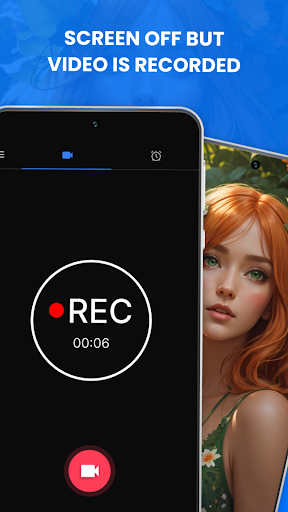
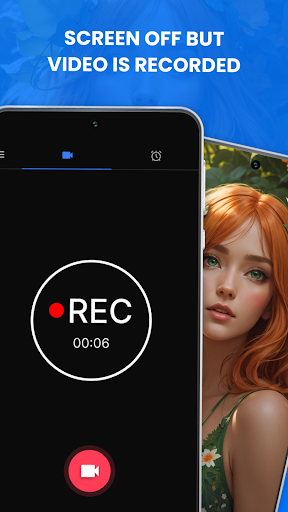
Experience seamless video recording with the Quick Video Recorder App, your go-to software for discreet and efficient video capturing. Whether you need to record videos in the background, off-screen, or with a hidden camera feature, this Background Video Recorder App offers all the necessary functionalities.
Designed for ultimate convenience and discretion, the Secret Camera App Off-Screen allows you to record videos without anyone noticing. Perfect for capturing important moments without interruptions, our Hidden Camera App app ensures high-quality recordings every time.
📄 Discreet Camera Tool Key Features:📄
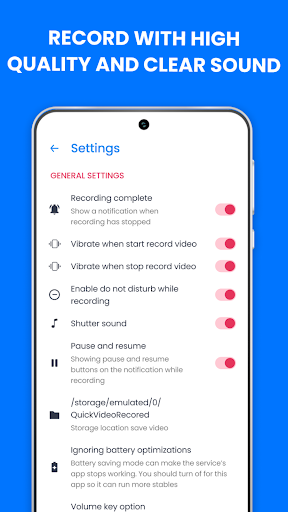
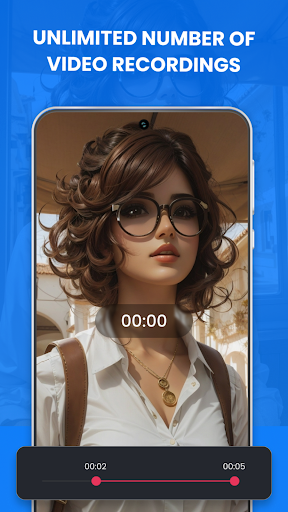
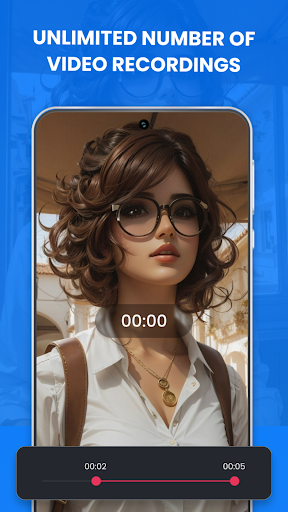
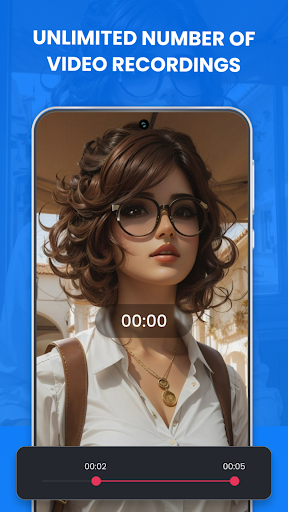
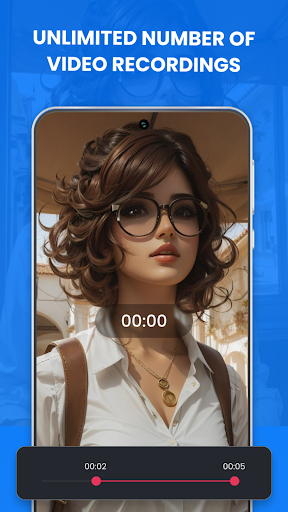
❗Unlimited recordings in Multiple Resolutions;
❗BVR Recorder with or without a preview;
❗Save video recordings on an SD card;
❗Hidden Camera App - Trim videos;
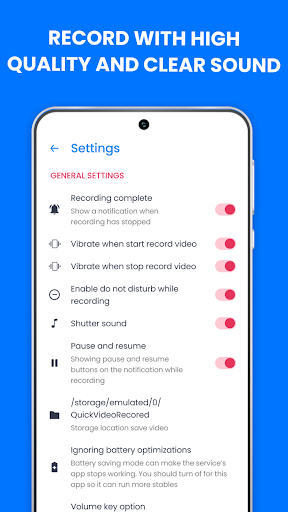
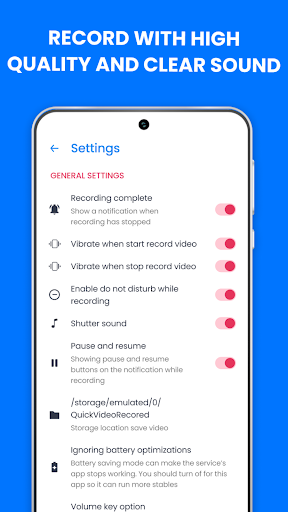
❗Disable previews and shutter sounds;
❗Secret Camera App Off-Screen “Night mode”;
❗Advanced auto white balancing options;
❗Schedule recordings at specific times;
❗Background Recorder Widget icons;
❗Supports both back and front cameras;
❗Discreet Camera Tool With Dash Camera mode;
❗Unlimited video duration;
❗Auto-stop recording when device storage is low.
Discreet Camera Tool for Background Recording:🎥
Capture moments without anyone noticing with the Background Video Recorder App. This discreet camera Tool allows you to record videos in the background while using your phone for other tasks. Whether you need a Hidden Camera App for private recordings or a BVR Recorder for everyday use, this app covers you.
Effortless Recording with Secret Camera App Off-Screen!
The Quick Video Recorder App simplifies the recording process with easy-to-use features and a one-click recording shortcut. Record videos quickly and discreetly with the Quik Video Recorder feature, ensuring you never miss a moment.
Advanced Recording Features:🌙
The Background Video Recorder App is designed to meet all your recording needs with advanced options like night mode, auto white balancing, and customizable recording schedules. Whether you need to record a lecture, capture a special event, or monitor activities discreetly, this intuitive app provides all the necessary tools.
Secure and Reliable Recording:🔒
Your recordings are safe with our secure, well-coded Background Recorder app. The BVR Recorder ensures your videos are stored securely, with options to save recordings directly to your SD card. With our Quik Video Recorder features you never have to worry about running out of storage.
Empower Your Recording with Quick Video Recorder App!
Embrace the full capabilities of the Quick Video Recorder App, Background Video Recorder App, and Secret Camera App Off-Screen. Capture videos discreetly and efficiently with our comprehensive Background Recorder solution. Download the Quick Video Recorder App today and take your video recording to the next level! 🎥📱🔒
Privacy
Given that the Background Video Recorder operates with zero permissions, it does not request access to sensitive data such as location, contacts, or microphone, which reduces the risk of data misuse. However, users should still be cautious when using any app that records video, ensuring they are aware of and comply with all relevant laws and regulations regarding video recording. It's also advisable to review the app's privacy policy, if available, to understand how any collected data might be used.
Tips
To get the most out of the Background Video Recorder, users should first familiarize themselves with the app's settings to understand the available options, such as video quality and storage location. Additionally, closing unnecessary apps can help optimize performance and prevent interruptions during recording. For extended recordings, ensuring sufficient storage space on the device is crucial to avoid interruptions or data loss.
What's New
In-app purchases
$0.99 - $99.99 per item
Version Information
- Version
- 2.1.4
- Downloads
- 1M+
- Updated on
- Jun 19, 2025
- Released
- Jun 13, 2022
- Requires
- Android 7.0
Statistics
Google Play Rating History
Rating Distribution
Downloads Over Time
Background Video Recorder has been downloaded times. Over the past 30 days, it averaged downloads per day.
Shaded area shows 30-day prediction based on historical trends
Historical data collection started recently. More data points will be available over time.
Background Video Recorder users say on Google Play
 Fayzon
Great App! I would gladly pay a 1 time fee to remove the annoying ads, but $15/week is crazy work...
 Israrali Ali Ali
good 💯
 Rai Raghvendra
good
 Hari Shelar
👍
 anjal Fatema
please stop app parmeshon
ApkTrusted Ratings & Reviews
More from GeniusTools Labs
See more apps
Love Test - Compatibility Test
Free
GPS Maps Voice Navigation App
Free

Temperature Metric Converter
Free

ARDraw - Anime Trace & Sketch
Free

Colorful Widget - Magic Widget
Free

Origami Paper Art - Diagram
Free

Lose Weight: -10kg Weight Loss
Free

Black Notepad- Notes with lock
Free

Avatar Maker Cartoon Character
Free

Music Player: MP3 Audio Player
Free

Event Manager: Party Planner
Free

DJ Music Mixer - Virtual DJ
Free

Altitude Meter - Altimeter App
Free

Crown Heart Emoji Camera
Free
Android Clock Widgets
Free

Customized Color Status Bar
Free
Similar Apps

Screen Recorder: Facecam Audio
Free

Screen Recorder
Free

Screen Recorder - Vidma REC
Free

Screen Recorder - AZ Recorder
Free

Screen Recorder - Vidma Record
Free

ADV Screen Recorder
Free

Screen Recorder Video Recorder
Free

Loom – Screen and Cam Recorder
Free

Screen Recorder Unlimited
Free

Screen Recorder GU Recorder
Free

Screen Recorder Video Recorder
Free

Screen Recorder - XRecorder
Free

Screen Recorder - XRec Lite
Free

Screen Recorder - AX Recorder
Free

Mobizen Screen Recorder
Free

Screen Recorder - Record Video
Free
Scan this QR code to download

Forwarding you to the page at Google Play market in seconds...
Open Google Play market now