Video Board v27.8
GyokovSolutions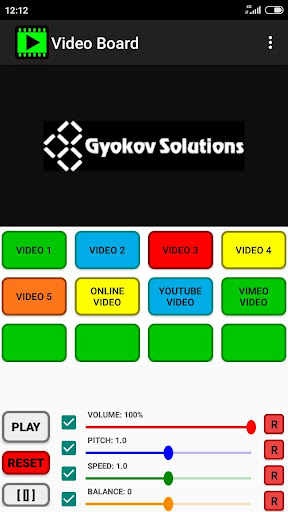
About this app
Developer Description
Create custom videoboard with videos and images from storage or online platforms
- video, audio or image files from your device storage
- online video files using direct link URL
- YouTube
- other online video sharing platforms using their embedding option
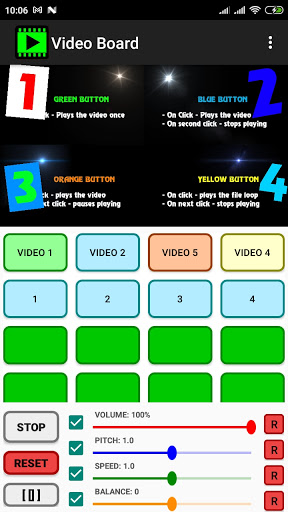
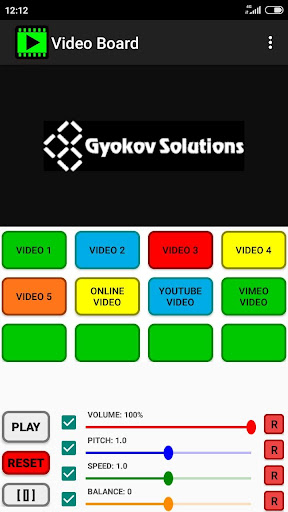
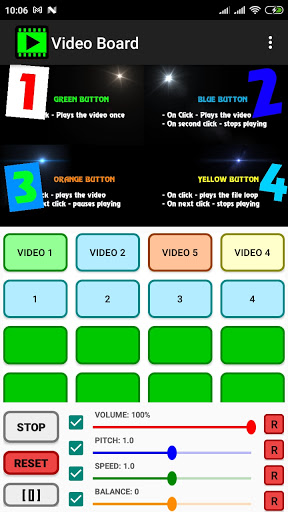
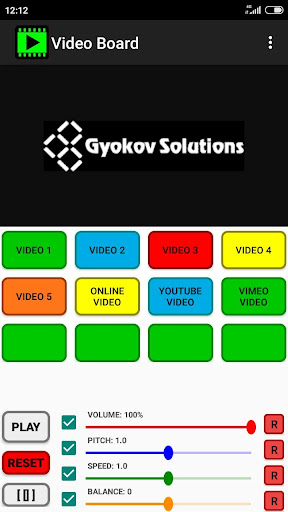
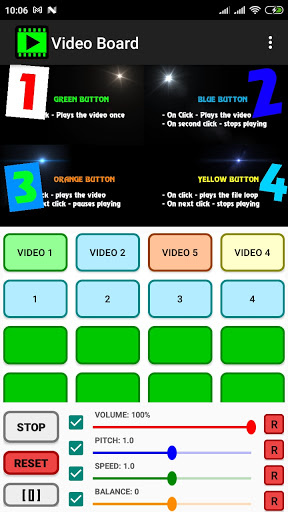
You can create your own unique video board. There are different types of buttons for different playing options and you can control volume, speed, pitch and balance. Also file cropping and fade in/out is possible.
The app can be used for different purposes like:
- educational - musical instrument playing or language learning - assign different video clips to different buttons (or split one big clip to several clips using cropping) and easily access them on button click. Change speed and pitch to match your purposes.
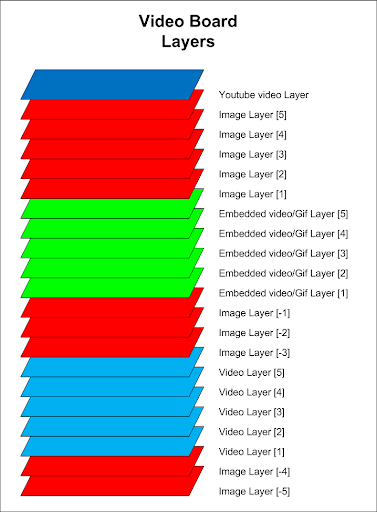
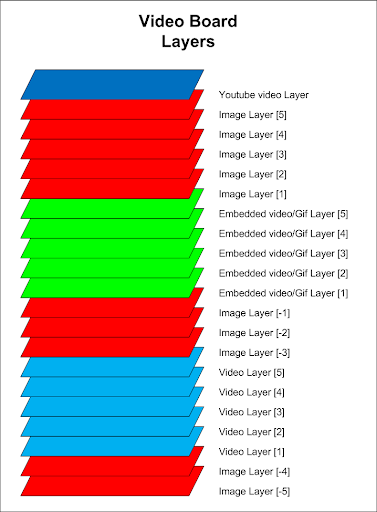
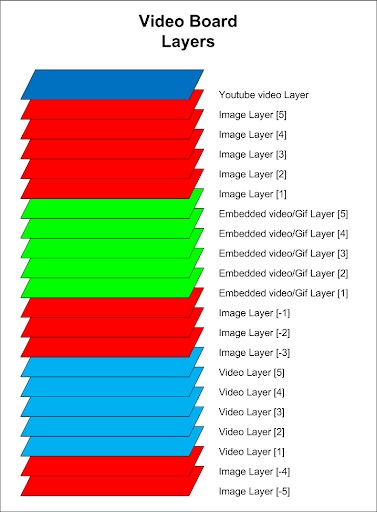
- creating multi layer collages of videos, pictures and animated gif images
- fun - assign videos for different buttons and have fun playing them on different occasions.
App features:
- play custom video and picture files from your device storage or online videos from youtube, vimeo and other online platforms
- use different types of play (loop, start/stop on press etc...)
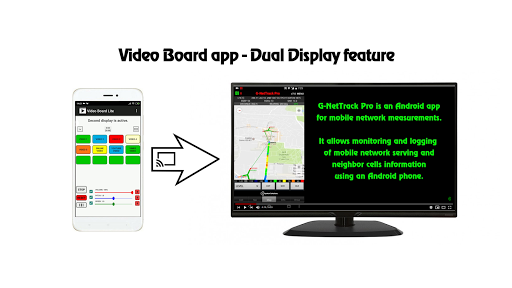
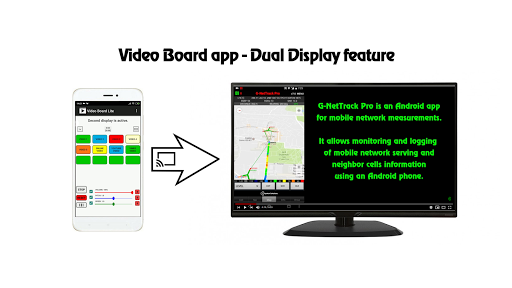
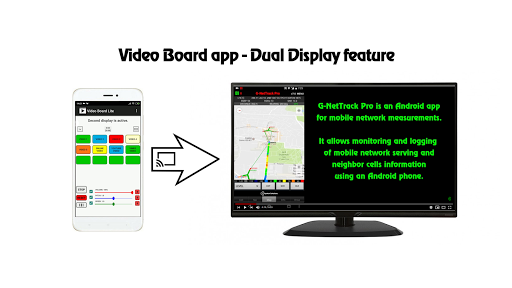
- dual display - show videos on TV or another screen
- multi layer image and videos - show picture and videos over videos
- adjust individual video volume, balance, pitch and speed
- face recognition and automatic face matching of face image over background face image or video
- use cropping
- fade in/out for video
- command buttons for playing several buttons simultaneously
- load text script files for automation
- custom number of buttons
- control volume, pitch and speed
- control brightness and RGB colors
- export and import button configurations
- ping pong effect
Demo app video - https://youtu.be/fHGx4bjXX3s
Dual display feature video - https://youtu.be/TdGue-2vDjE
Multilayer image feature - https://youtu.be/nKACT2Go_uM
How to change the sounds:
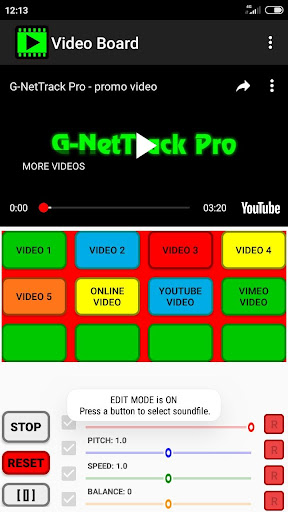
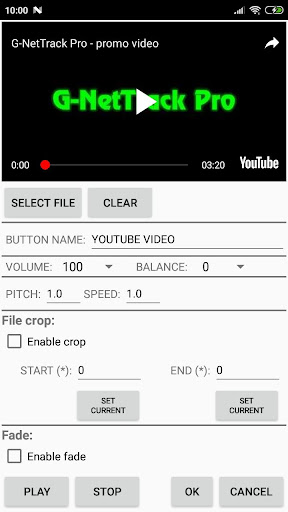
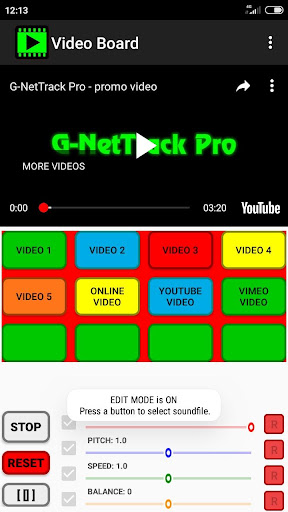
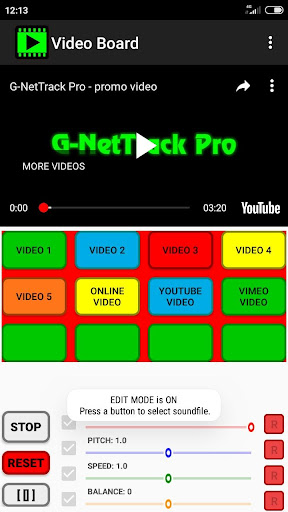
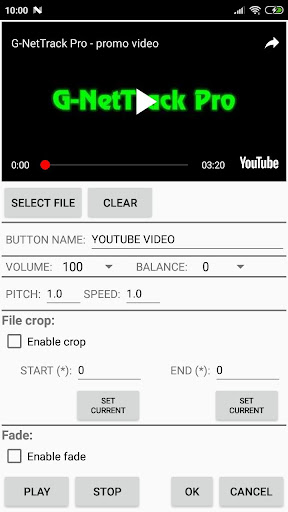
- Go to Menu and turn EDIT MODE on
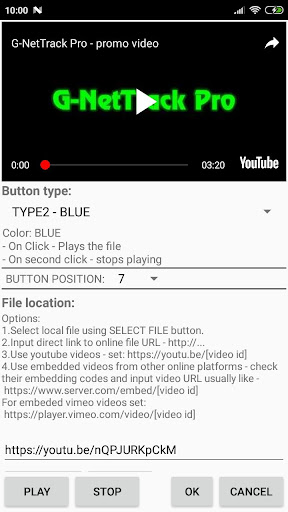
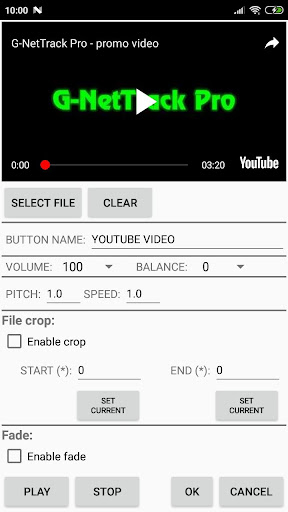
- press a button go to button settings
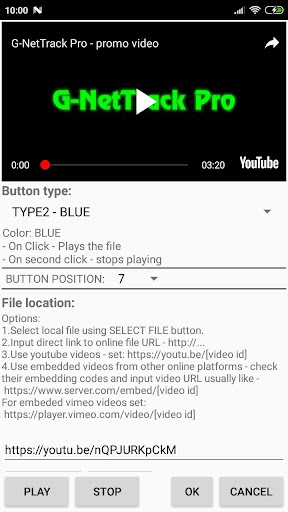
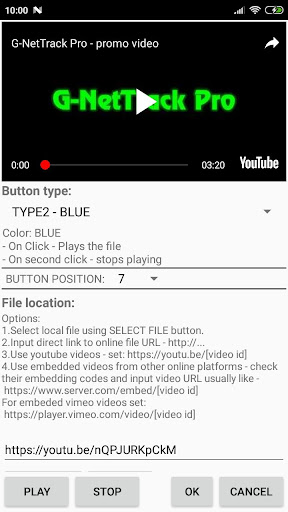
- select file location or input video source URL for online videos
- adjust volume and balance for the sound
- you can use file cropping by enabling it and selecting start and end times
- Exit the EDIT MODE (Menu - EDIT MODE)
Button types:
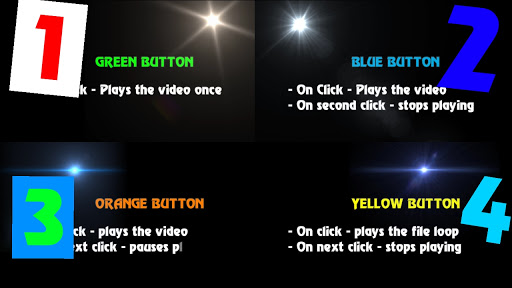
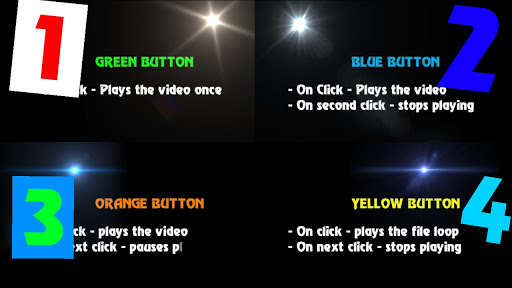
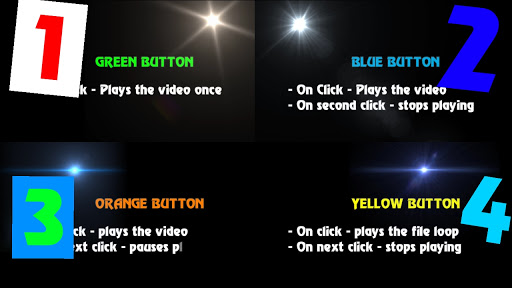
TYPE1: Green
- On Click - Plays the file
TYPE2: Blue
- On Click - Plays the file
- On second click - stops playing
TYPE3: Red
- On Click - Plays the file
- On release - stops playing
TYPE4: Yellow
- On Click - Plays the file loop
- On second click - stops playing
TYPE5: Orange
- On Click - Plays the file
- On next click - pauses playing
- On next click - resumes playing
Supported file formats - https://developer.android.com/guide/topics/media/media-formats.html
BUTTON SETTINGS in EDIT MODE
- Button Type - select button type for different playing behavior
- Select File - select file from files on your device.
- Button Name - select button name.
- Volume - set volume
- Balance - set balance (left - right)
- Pitch - set pitch.
- Speed - set speed.
- File Crop - set start and end position timing.
- Fade - set fade in and fade out time.
TIME INTERVAL SETTINGS
General time format is:
HOURS:MINUTES:SECONDS.MILLISECONDS
For all time intervals you can fill values in format like:
- SECONDS.MILLISECONDS - example - 20.128 means 20 seconds and 128 milliseconds
- MINUTES:SECONDS.MILLISECONDS - 10:25.424 means 10 minutes, 25 seconds and 424 milliseconds
- HOUR:MINUTES:SECONDS.MILLISECONDS - 1:10:20.024 means 1 hour, 10 minutes, 20 seconds and 24 milliseconds
CONTROLS
Volume, pitch and speed controls are for current active video. Pitch and speed controls require Android version 6 or higher.
Brightness, Red, Green and Blue controls are for current active image.
App manual - http://www.gyokovsolutions.com/manuals/videoboard_manual.php
App privacy policy - https://sites.google.com/view/gyokovsolutions/video-board-privacy-policy
What's New
- video, audio or image files from device storage
- online video files using direct link
- YouTube
- online video platforms
This is one time payment app. You can use it on multiple devices with your account.
v27.8
- new video layers on top of other layers
- video layers with layer>1 are movable and resizeable
v19.5
- option in settings for face detection and auto face position adjustment
Version Information
- Version
- 27.8
- Downloads
- 10K+
- Updated on
- Jan 12, 2026
- Released
- Jan 25, 2020
- Requires
- Android 6.0
Statistics
Google Play Rating History
Rating Distribution
Downloads Over Time
Video Board has been downloaded times. Over the past 30 days, it averaged downloads per day.
Shaded area shows 30-day prediction based on historical trends
Historical data collection started recently. More data points will be available over time.
Video Board users say on Google Play
 147 Sujit Shendarkar
It's a preety basic yet useful app
 Dane Godwin
PROS: #1 It does what it says. It's a video board which can also be a sound board. #2 It has lots of options and some customization. #3 The developer is extremely responsive and fixes bugs quickly. CONS: #1 The menu system is very dense and can be hard to navigate. #2 It can be hard to understand how to use all the options. FINAL THOUGHTS: I recommended the app. It seems to have a lot of options and hidden features. Just realize that you will have to be patient while learning the user interface.
 Edward Ajami
very basic, still only 12 buttons available
ApkTrusted Ratings & Reviews
More from GyokovSolutions
See more apps
G-NetWiFi
Free
Morse Code Engineer
Free

G-NetTrack Lite
Free

G-NetTrack Pro
Paid

Melody Engineer
Paid
Drums Engineer
Paid
GIF Engineer
Free

G-NetReport Pro
Paid

G-NetLook Pro
Paid

GIF Engineer Pro
Paid

G-NetView Pro
Paid
Bass Engineer
Paid
G-NetWiFi Pro
Free
BLE MIDI Engineer Lite
Free

BLE MIDI Engineer
Free
Morse Code Engineer Lite
Free
Similar Apps





Scan this QR code to download

Forwarding you to the page at Google Play market in seconds...
Open Google Play market now