Hoverbots Code+Control App v1.3.5
Franckh-Kosmos Verlags GmbH & Co. KG




About this app
Developer Description
For use with the “RSM – HoverBots” engineering kit by Thames & Kosmos
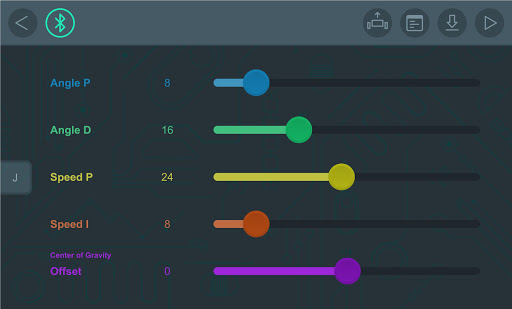
The HoverBots kit allows you to build and program six amazing robots that balance on two wheels! With this app installed on a supported Bluetooth-enabled device, you can remotely control, program, and adjust the balance settings of your robots.
HOW TO USE:
Position the balancing robot model with its wheels on a smooth floor in an open area.
Turn on the switch and hold the model upright with its weight on the floor until you feel its motors turning. Then the model will start balancing on its own.
Open the app on your device.
Establish a Bluetooth connection between the app and the robotic base unit.
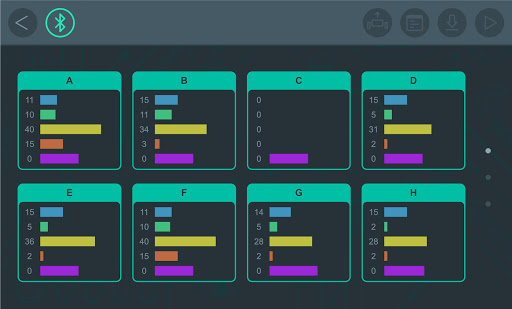
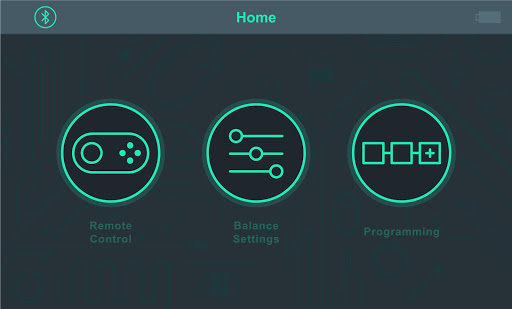
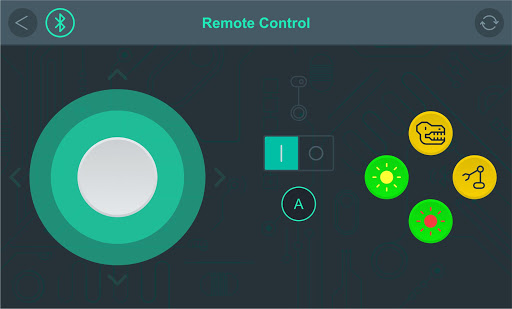
There are three different modes: Remote Control, Balance Settings, and Programming. Refer to the product manual for more details.
*****
If your device does not meet the minimum Android OS requirements, email support@thamesandkosmos.com for further support.
*****
Questions or suggestions for improvements:
Mail to apps@kosmos.de
We are looking forward to your feedback!
*****
What's New
Version Information
- Version
- 1.3.5
- Downloads
- 1K+
- Updated on
- Sep 29, 2025
- Released
- Sep 27, 2019
- Requires
- Android 12
Statistics
Google Play Rating History
Rating Distribution
Downloads Over Time
Hoverbots Code+Control App has been downloaded times. Over the past 30 days, it averaged downloads per day.
Shaded area shows 30-day prediction based on historical trends
Historical data collection started recently. More data points will be available over time.
Hoverbots Code+Control App users say on Google Play
 A Google user
I could not connect via bluetooth but found a forum post that explained it. 1) Do not pair using the usual Android settings functionality. Only use the app. 2) For some reason, I had to turn on location/GPS first in order to connect. After this, I was able to fully connect and my son is having a blast. I'm not sure why these steps were omitted from the otherwise impressive documentation (at least for a toy), but the product is quite impressive after getting beyond this initial hurdle with Bluetooth connection issues.
 Bellamy “B” W
It's as good as you can get for a control app, but the robot however is amazing, the controls are great and I feel they are sturdy and work great! I have the waiter bot equipped right now! It's really good!
A Google user
Yes it was fun to build but when I try to use the app it doesnt work, the little logo thing just goes to the side?
A Google user
Nothing worked. My son received a bot for Christmas and I built it. Once I turned it on, however, the app refused to show anything. Nothing registered. I am pretty good with technology, having worked in the field, and even I can't figure it out. Not terribly impressed with this product.
ApkTrusted Ratings & Reviews
More from Franckh-Kosmos Verlags GmbH & Co. KG
See more apps
KOSMOS Helper App
Free

Catan Assistant
Free
Robotics: Drone
Free
CodeGamer
Free
Thames & Kosmos Junior
Free
Super Sphere Code+Control App
Free
KOSMOS Proxi
Free

Kosmos-Plus
Free
Birds of Europe
Paid
Robotics - Smart Machines
Free
RSM Assembly Instructions – Tr
Free
KAI Robotics
Free

Thames & Kosmos Sidekick
Free

KOSMOS Mazzy
Free

HoverBots Assembly Instruction
Free

Wildkrankheiten erkennen
Paid
Similar Apps
CDC HEADS UP Rocket Blades
Free
Handpaner - Virtual handpan
Paid

Specialized
Free

INKBIRD
Free

QR & Barcode Scanner
Paid
Manatee: Family Mental Health
Free

Applied Ballistics Quantum
Free

Navimow
Free

Scientific Calculator Pro
Paid

DeRadar
Paid

GARDENA Bluetooth® App
Free
Abacus: Math Trainer
Free

PADL
Free
Scan this QR code to download

Forwarding you to the page at Google Play market in seconds...
Open Google Play market now