
MultiTimer: Multiple timers v1.10.2
Persapps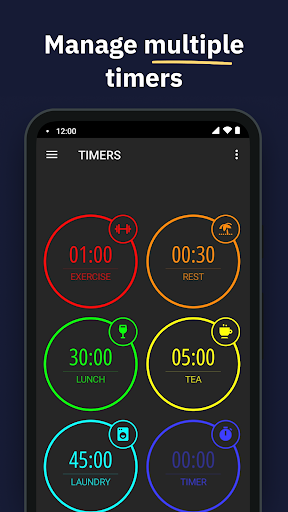







About this app
Developer Description
Kick off multiple timers! Start a stopwatch, countdown, cooking timer, and more.
Whether it’s daily tasks, cooking, studying, or workouts, MultiTimer offers customizable timers for any situation. With options like task timers, kitchen timers, Pomodoro timers, and many other features, you'll always be organized and efficient.
**UNIVERSAL TIMERS FOR ANY SITUATION**
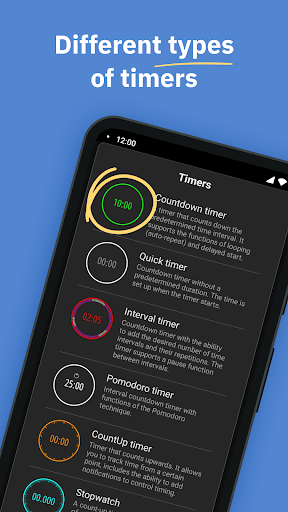
Create multiple timers for any purpose. Choose from:
- Countdown
- Quick Start
- Count Up
- Pomodoro
- Interval Timer
- Stopwatch
- Counter
- Clock
- Buttons
**FLEXIBLE LAYOUT FOR YOUR NEEDS**
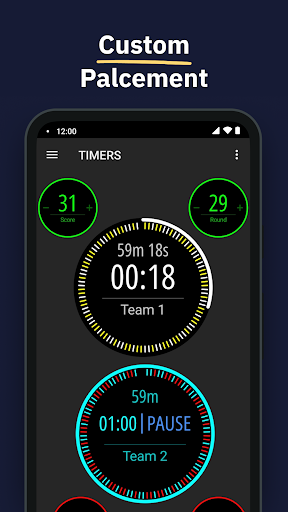
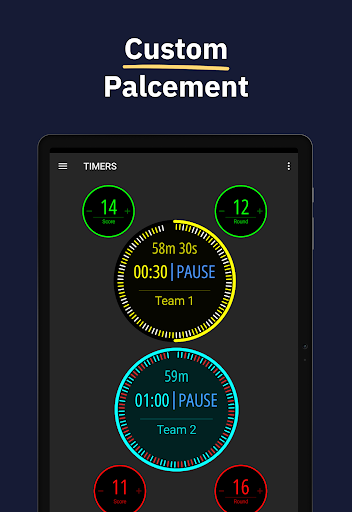
Customize timer boards the way you like. Choose between adaptive and flexible layouts. Copy, delete, and move timers at your discretion. Create multiple boards to place different timers side by side and manage them effortlessly.
**PERSONALIZE YOUR TIME**
Give your timers and counters a personal touch with numerous labels, colors, icons, alert styles, sounds, and notifications.
**MAXIMUM CONTROL & CUSTOMIZATION**
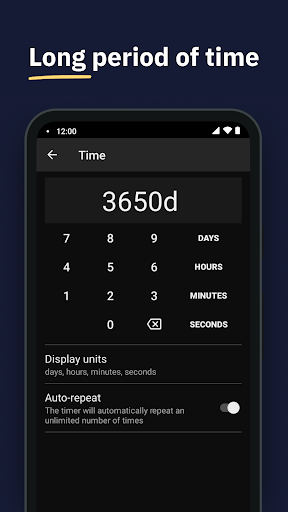
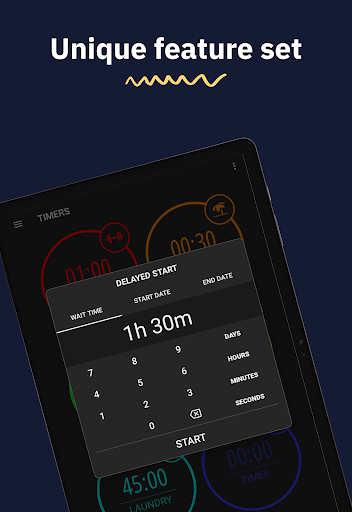
Full control over your timers. Set timer start delays, add or subtract time from running timers, and choose the "Autorepeat" option for automatic timer restart.
**SAVE TIME WITH EASE**
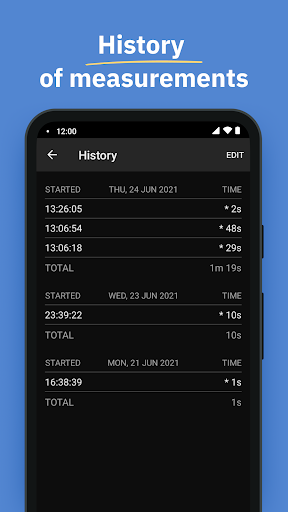
Track and save the entire history of your timers and counters.
**SHARE TIMERS**
Use the web feature to share a link with friends, family, or colleagues to track ongoing or upcoming events or tasks.
**AND MANY OTHER GREAT FEATURES**
- Place timers on separate screens (boards) or manage them in fullscreen mode.
- Use the interactive widget on the home screen.
- Export boards and timers to another device.
- Use the built-in tools to run and manage multiple timers at the same time.
- Undo the last actions in the application to an older state, preventing accidental erroneous actions with timers.
MultiTimer is your indispensable assistant, whether in the kitchen, gym, at work, or in the office. Focus on what really matters with quick timer settings, optimize your time management, and achieve your goals faster and more efficiently.
Download MultiTimer and start managing your time today with unlimited boards, timers, and various features (some features are part of the Pro upgrade).
We love feedback! Send your suggestions and ideas to support@persapps.com or use the "Feedback" option in the app settings.
**ADDITIONAL INFORMATION:**
Terms of Use: http://persapps.com/terms/
Standard Agreement: https://www.apple.com/legal/internet-services/itunes/dev/stdeula/
Icons by icons8: https://icons8.com/
What's New
– Fixed some bugs.
In-app purchases
$1.99 - $17.99 per item
Version Information
- Version
- 1.10.2
- Downloads
- 100K+
- Updated on
- Oct 15, 2025
- Released
- Jul 15, 2021
- Requires
- Android 6.0
Statistics
Google Play Rating History
Rating Distribution
Downloads Over Time
MultiTimer: Multiple timers has been downloaded times. Over the past 30 days, it averaged downloads per day.
Shaded area shows 30-day prediction based on historical trends
Historical data collection started recently. More data points will be available over time.
MultiTimer: Multiple timers users say on Google Play
 Jon Ball
I've tried a number but this one's far above the rest even at the free level! I needed an app to time my exercises and stretches, ideally on auto-repeat but with pauses between each set. This one has beautiful widgets, a gorgeous dashboard with all my timers, and lots of customizable options for the alerts (silent, vibrate, and/or sound of my choice; 1s or 6s alarm).
 1crazydame
Great app. Had the lifetime version for years for iPhone (regretfully), but I won't purchase the Pro version for Android due to the VERY limited customizations. When it comes to customizing other multi timer apps beat this, and they're MUCH cheaper for lifetime use. When I can customize wallpaper options for boards, customize shapes for timers, customize colors and transparency for widgets, include a voice alarm option, then the price will be worth it, and I'll spring for the lifetime purchase.
 Bethany Urry
I love this app, but for some reason, the sound doesn't go off at the correct time. When it goes off, it varies. It is always after the full time has elapsed, but it can be anywhere from 10 seconds after to 105 seconds after.
 Gus
Gus
Way to difficult to be practical. Also is not reliable. I am a paid user and will not purchase again. Find something easier to use. Heck, sometimes the timers can't even be set.
 Simply Marketing
Updates a few months ago ruined this timer for me. 1. Memory issue. The whole app freezes and crashes if a timer has short sections repeated several time and runs for more than 30 mins. Runtime display issues. 2. Timer doesn't show properly over the round pic that covers the timer. 3. If the timer text is 1 character too long it shows as blank when timer runs. It used to show the whole text in a smaller font.
ApkTrusted Ratings & Reviews
Similar Apps

Interval Timer: Workout, HIIT
Free

Time Timer Visual Productivity
Free

The Clock: Alarm Clock & Timer
Free
Pomotimer - ADHD & Study Timer
Free

Focusmeter: Pomodoro Timer
Free
Challenges Alarm Clock
Free

SupaTask - Daily Planner, Todo
Free
Simple Alarm Clock
Free
Alarm Clock
Free

Boosted Time Tracker
Free
YourHour - Screen Time Control
Free

Engross: ADHD Focus Timer
Free

TimeTune - Schedule Planner
Free
Timer Plus - Workouts Timer
Free
Toggl Track - Time Tracking
Free

Timelog - Goal & Time Tracker
Free
Scan this QR code to download

Forwarding you to the page at Google Play market in seconds...
Open Google Play market now