
Time Timer Visual Productivity v4.2.10
Time Timer LLC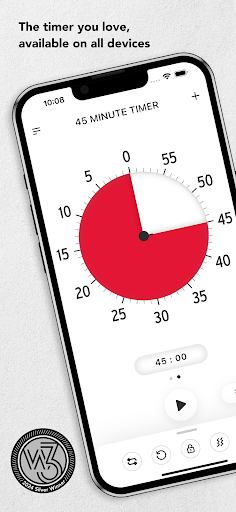




About this app
The Time Timer Visual Productivity app effectively addresses time management and focus issues by providing a visual representation of time, making it easier for users to stay on track. This app benefits individuals with attention deficit hyperactivity disorder (ADHD), autism, or those who struggle with executive function, offering a unique approach compared to traditional time management tools in the Education category. While it stands out with its visual timer, the lack of a comprehensive guide for first-time users might make it less accessible. Overall, its simplicity and effectiveness make it a valuable tool for those seeking to improve their productivity.
Pros
- With over 100,000 downloads and a 4.2/5 rating, the app has demonstrated its effectiveness and gained significant social proof, indicating a high level of user satisfaction.
- The absence of ads ensures an uninterrupted user experience, allowing individuals to focus on their tasks without distractions.
- The developer's reputation, as evident from their official website and support email, suggests a commitment to user support and feedback incorporation, which is crucial for an educational app.
- The app's offline capability and lack of required permissions ensure that users can utilize it anywhere, without worrying about data privacy or internet connectivity.
- The option for in-app purchases provides users with the flexibility to access additional features, enhancing the app's functionality and customization.
Cons
- The app's limited guidance for first-time users might lead to a steep learning curve, potentially discouraging some individuals from fully utilizing its features.
- The $9.95 cost per in-app purchase item might be perceived as expensive by some users, especially considering the app's basic version is free, which could limit its accessibility to a wider audience.
- The lack of a free trial or a more comprehensive preview of the in-app purchase content might make it difficult for users to decide whether the additional features are worth the cost.
- The app's compatibility, limited to Android 10 and above, might exclude users with older devices, reducing its overall reach and versatility.
Best for: The ideal user for the Time Timer Visual Productivity app is an individual, likely within the age range of 8 to 60, who struggles with time management, focus, or executive function, possibly due to conditions like ADHD or autism, and is seeking a simple, visual tool to improve their productivity and stay organized, with a moderate level of technical skill to navigate the app's features and customization options.
Developer Description
Improve time management skills, executive function, and focus.
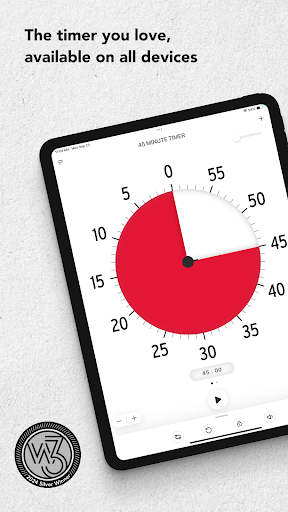
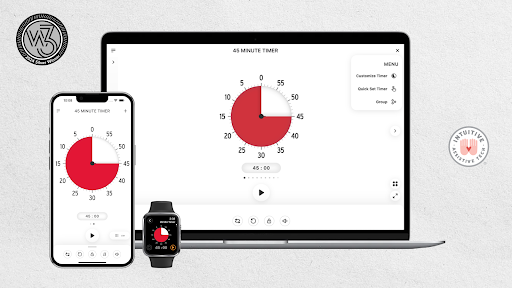
From the makers of the original red disk timer, the Time Timer® App transforms the powerful visual tool trusted by families, teachers, therapists, and productivity pros for over 30 years into a fully customizable experience on your device.
Whether you’re helping students build focus, supporting kids through daily routines, or simply managing your own tasks without overwhelm—Time Timer makes time feel more tangible and manageable.
What Makes Time Timer Different?
Iconic Visual Timer
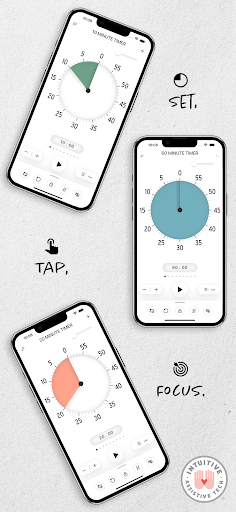
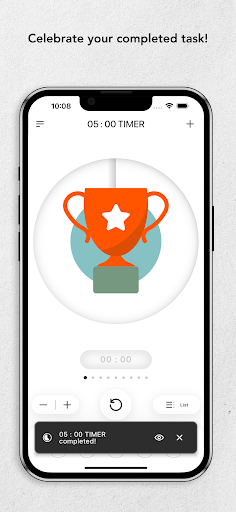
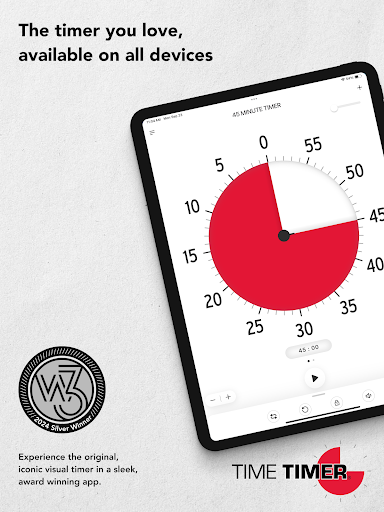
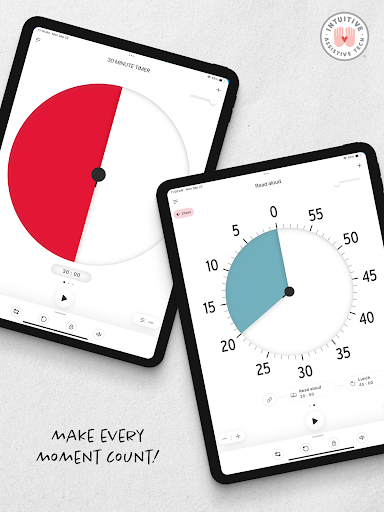
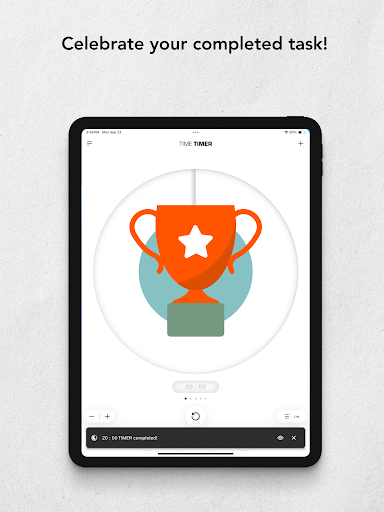
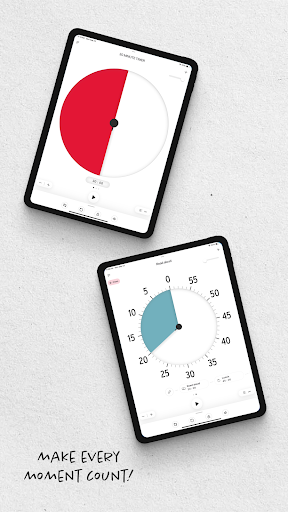
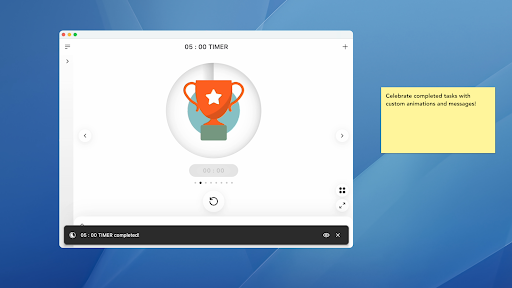
Watch time disappear as the disk gets smaller—a simple, intuitive way to feel time passing, not just track it.
Inclusive by Design
Trusted by people with ADHD, Autism, executive function challenges, or just a busy brain. Invented by a mom for her child, Time Timer has supported users of all abilities for decades.
Flexible for Every Routine
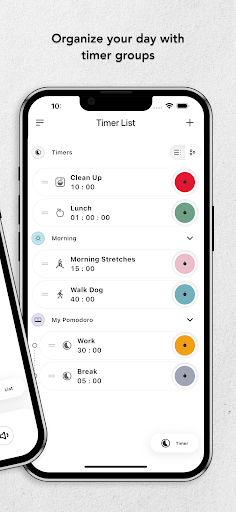
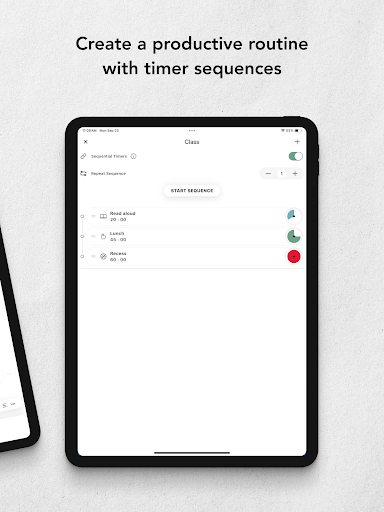
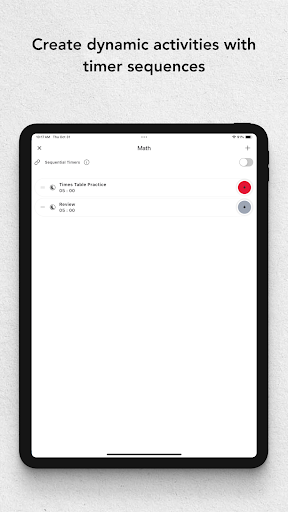
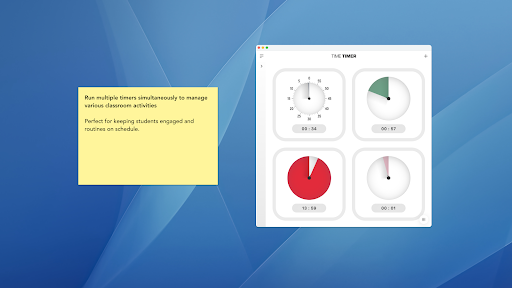
Use it once or build structured sequences. Create presets for daily habits. Run multiple timers at once. Make routines visual and calm transitions.
Trusted in Schools, Homes & Workplaces
From kindergarten classrooms to therapy sessions to boardrooms, Time Timer helps reduce resistance, improve focus, and make time awareness easier for everyone.
Free Features Include:
Create up to 3 timers
Run multiple timers at once
Use the original 60-minute red disk — or choose any duration
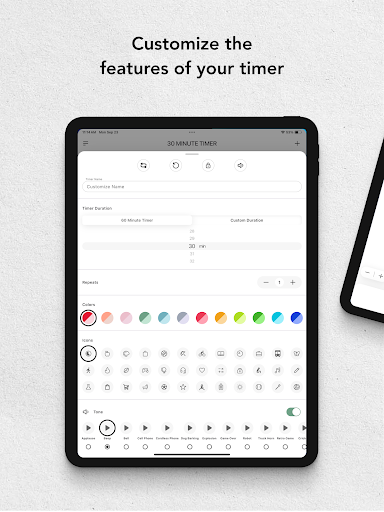
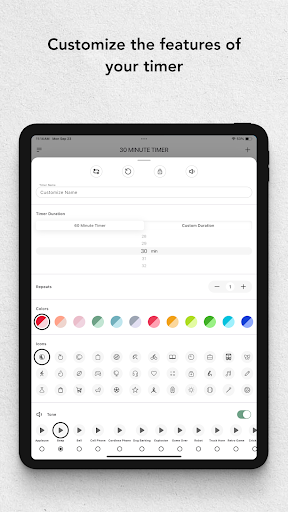
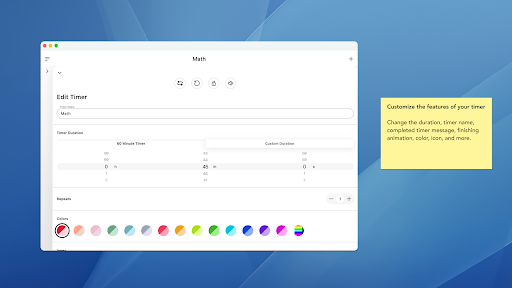
Adjust sound, vibration, and color with limited options
Premium Features Unlock Even More:
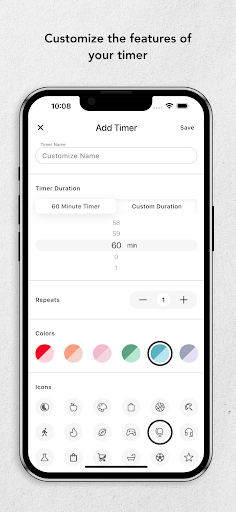
Unlimited customization
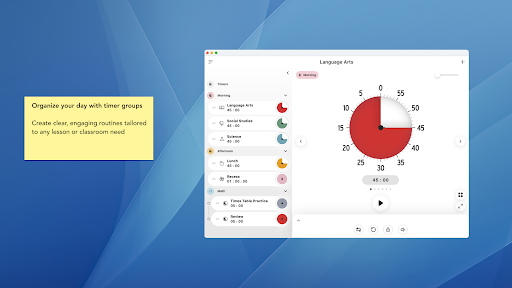
Build routines with timer sequencing (morning checklists, therapy steps, work sprints)
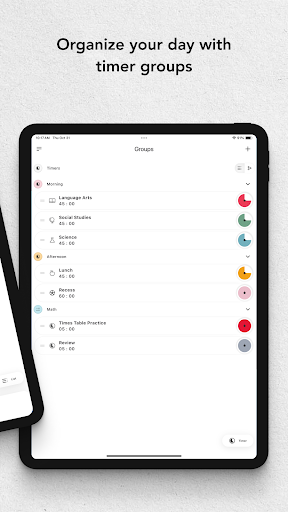
Organize timers with Groups
Sync across mobile and desktop devices
Quick Set +/- buttons for fast adjustments
Customize disk size and detail level
Use Time Timer For:
Morning and bedtime routines
Homework and study blocks
Transitions between tasks
Work sprints and focus sessions
Therapy, coaching, or classroom support
Daily life skills for kids, teens, and adults
Why It Works
Time Timer® transforms time from something abstract and invisible into something your eyes can track and your brain can trust. That’s why it’s backed by research, loved by educators, and recommended by occupational therapists worldwide.
Created for real life. Trusted for decades. Download Time Timer today and feel the difference.
Privacy
Given that the Time Timer Visual Productivity app requires no permissions, the risk of data collection or privacy breaches appears to be minimal. However, users should still be cautious when making in-app purchases and ensure they are buying from the official developer. To maintain privacy, users should also review the developer's privacy policy, available on their official website, to understand how any collected data might be used.
Tips
For optimal use, users should start by familiarizing themselves with the app's timer customization options to tailor the experience to their specific needs. Additionally, integrating the app with other productivity tools, such as calendar apps, can enhance its effectiveness. Regularly reviewing and adjusting the timer settings can also help users stay on track and maintain productivity over time.
What's New
In-app purchases
$9.95 per item
Version Information
- Version
- 4.2.10
- Downloads
- 100K+
- Updated on
- Nov 21, 2025
- Released
- Aug 2, 2012
- Requires
- Android 10
Statistics
Google Play Rating History
Rating Distribution
Downloads Over Time
Time Timer Visual Productivity has been downloaded times. Over the past 30 days, it averaged downloads per day.
Shaded area shows 30-day prediction based on historical trends
Historical data collection started recently. More data points will be available over time.
Time Timer Visual Productivity users say on Google Play
 Marcus Gardner (George)
Its so Cool to use for School!
 Jess B
I like the app, but it would be a lot more useful if it had picture in picture functionality so I could see the timer while working in other apps. It would be nice to be able to use the timer on my device while working on digital tasks. I'm more likely to get sidetracked when working on a screen, so being able to see the timer in the corner of the screen would be so helpful. A widget or visibility from the lock screen would also be awesome.
 Zach M
Used to be a great app - is it supported at all? I paid for the premium version few years ago, when it was working perfectly well. But now it is sort of useless, since it doesn't make an audible sound or vibrate, even though the options are available and ticked on. It seems like the developers have abandoned this app - if not, I would love to hear their feedback, and when they cam fix the problem!
 Debbie H.
Why isn't there a WIDGET available for this app?! Useless and extremely frustrating that the only option is to leave it on full screen!! I tried making the app window "float" so it's smaller yet visible but you can't make it too small or else the "disc" disappears!! Still takes up more than half the screen!
 Thomas Uhl
I purchased the app and have used it a long time. Apparently, I have to subscribe now to use the same features I already paid for. High tech planned obsolescence! update: I bought the app and obtained access to all of its features. I used it for a number of years. There was no free version previously, It was a one-time purchase and not a subscription. They have restricted access to features I already used.
ApkTrusted Ratings & Reviews
More from Time Timer LLC
See more apps
Similar Apps

Focusmeter: Pomodoro Timer
Free
Focus To-Do: Pomodoro & Tasks
Free

Timelog - Goal & Time Tracker
Free

TimeTune - Schedule Planner
Free

Flipd: Focus & Study Timer
Free

Boosted Time Tracker
Free

MultiTimer: Multiple timers
Free

Engross: ADHD Focus Timer
Free

Student Calendar - Timetable
Free
Sectograph. Day & Time planner
Free

WaterDo:To Do List & Schedule
Free
Challenges Alarm Clock
Free
Pomotimer - ADHD & Study Timer
Free

SupaTask - Daily Planner, Todo
Free

Daily Planner Organizer: Brite
Free
Time Planner: Schedule & Tasks
Free
Scan this QR code to download

Forwarding you to the page at Google Play market in seconds...
Open Google Play market now