
Autodesk Construction Cloud v7.69.1
Autodesk Inc.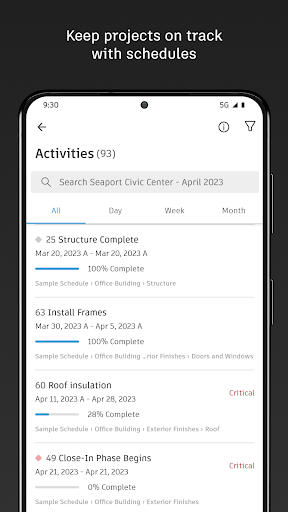

About this app
The Autodesk Construction Cloud app solves the problem of fragmented construction management by providing a centralized platform for teams to collaborate, access plans, and track progress. It benefits construction professionals, such as architects, engineers, and contractors, who need to streamline their workflows and improve communication. Compared to alternatives in the Business category, Autodesk Construction Cloud stands out with its robust feature set and seamless integration with other Autodesk tools, but falls short in terms of user rating and feedback. Its 3.2-star rating suggests that some users have experienced issues with the app, which may be related to its complexity or performance.
Pros
- The app has a large user base with over 1 million downloads, indicating its popularity and social proof among construction professionals.
- Autodesk is a reputable developer with a strong track record of delivering high-quality software solutions, which lends credibility to the app's functionality and support.
- The app's offline capability allows users to access plans and documents even without internet connectivity, making it a valuable tool for construction sites with limited connectivity.
- The app's integration with other Autodesk tools, such as BIM Collaborate and Docs, provides a comprehensive construction management solution that can enhance productivity and collaboration.
- The developer provides regular updates, which suggests a commitment to addressing user feedback and improving the app's performance and features.
Cons
- Some users have reported issues with the app's performance, including crashes and slow loading times, which may be related to the app's complexity or device compatibility.
- The app's monetization model, which includes in-app purchases, may be a concern for some users who prefer a one-time payment or free alternative.
- The app's user rating is relatively low compared to other business apps, which may indicate that some users are not satisfied with its functionality or support.
- The app requires Android 8.0 or later, which may limit its compatibility with older devices and exclude some potential users.
Best for: The ideal user for Autodesk Construction Cloud is a construction professional, such as an architect, engineer, or contractor, who needs a centralized platform to collaborate with teams, access plans, and track progress, and has a moderate to advanced level of technical skill and familiarity with construction management software.
Developer Description
The field app for Autodesk Build, BIM Collaborate, Docs and PlanGrid.
Construction teams leverage Autodesk Construction Cloud’s simple automation, smart connections between tools, and comprehensive workflows to deliver quality construction projects on time and under budget.
The Autodesk Construction Cloud mobile app brings Autodesk Build, Autodesk BIM Collaborate, Autodesk Docs, Revit, Navisworks, PlanGrid and AutoCAD to the field with construction and document management, collaboration tools, and project data available from anywhere.
Autodesk Construction Cloud is made for the project team, like…
• the superintendent managing quality on site
• the project manager tracking progress in real-time
• the BIM team identifying issues ahead of installation
• the architect on a site walk
• and the owner leveraging construction data and as-builts to improve daily operations
Here’s how we do it.
CONSTRUCTION COLLABORATION
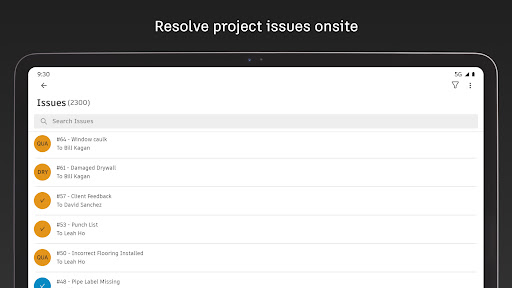
+ Issues
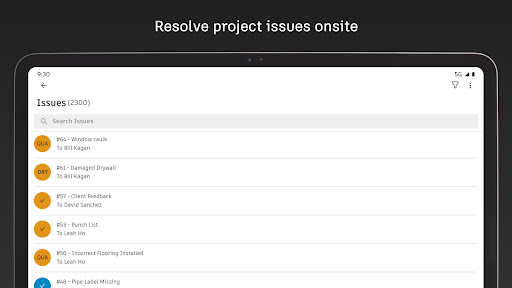
Track issues, from design to handover, all in one place. Resolve issues faster by adding due dates, responsible parties, and easily reference photos, associated files, and RFIs.
+ Schedule
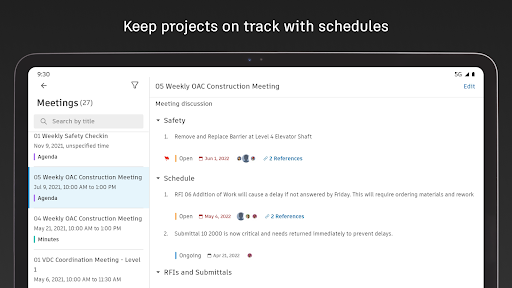
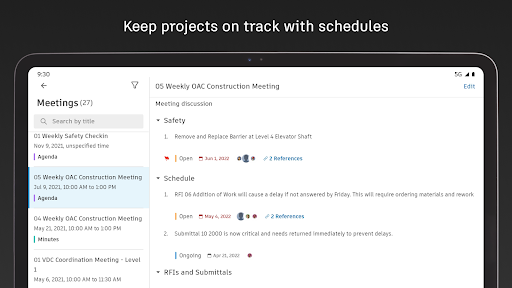
Keep projects on track with a centralized schedule. View the schedule by different timespans or filter by critical items, review dependencies, and assess schedule suggestions.
+ Forms
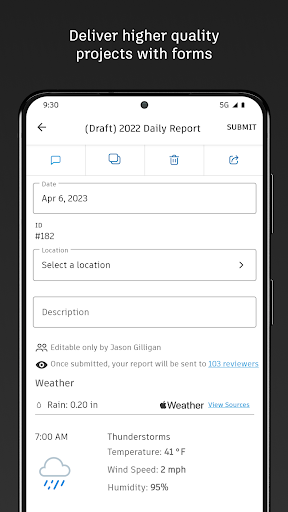
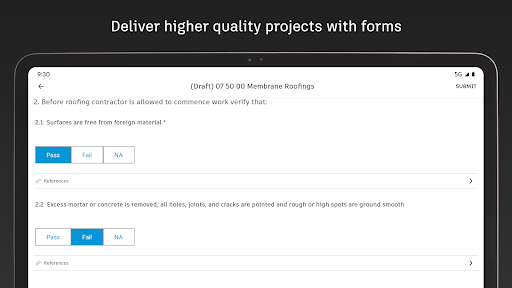
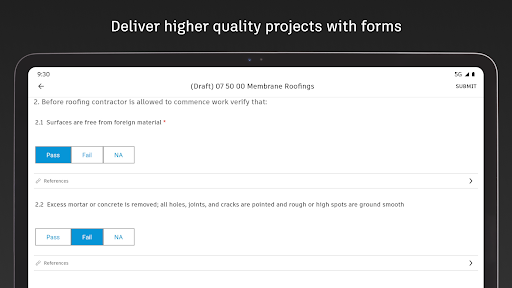
Gather critical information with forms that adapt to project requirements. Build a comprehensive safety program or track daily checklists.
+ Assets
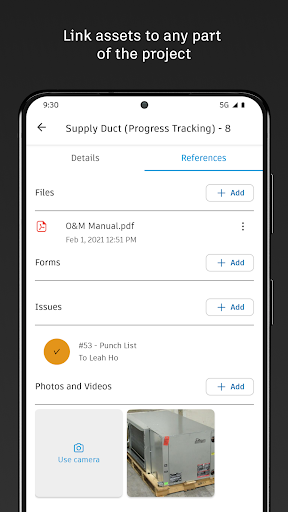
Easily manage the lifecycle of project assets from design through commissioning and handover. Assets are tracked, stored, and connected to other workflows.
+ Meeting Minutes
Stay ahead of the next meeting by creating meetings and agendas. Link references like issues, models, RFIs or photos. Check on outstanding items and follow up, all from the field.
FILE MANAGEMENT
+ Sheets and Drawings
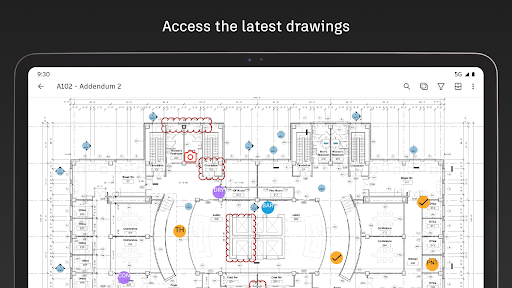
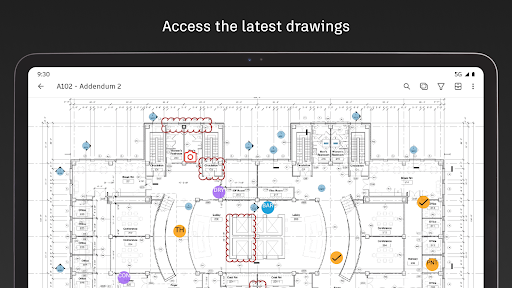
Quickly access the latest drawings and shared plans with quick downloads and dynamic search. Compare, share, and markup sheets directly from the field to take the guesswork out of installation.
+ Models
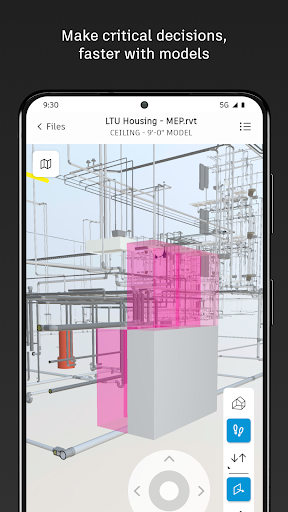
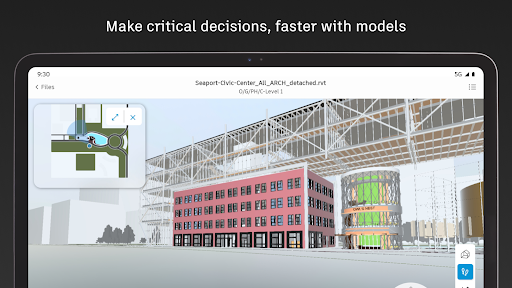
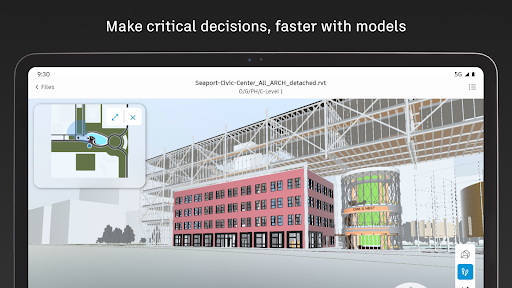
Make critical decisions faster with access to 3D models in the field. View installation details and effortlessly navigate single or multi-trade models to build with confidence. Supports Revit and AutoCAD file types and many more including RVT, DWG, NWC, IFC, NWD.
QUALITY CONTROL
+ RFIs
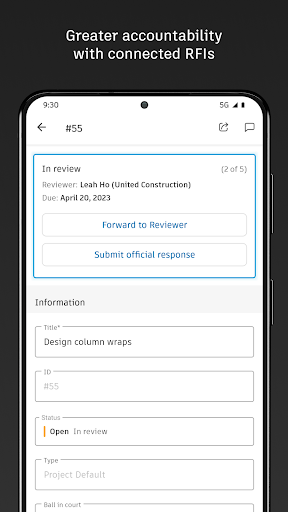
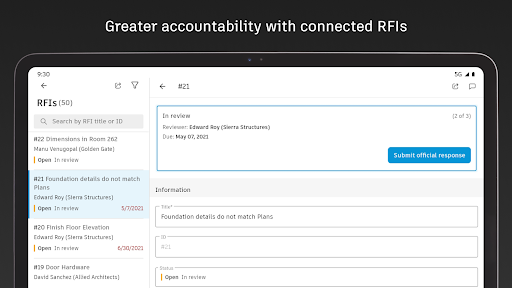
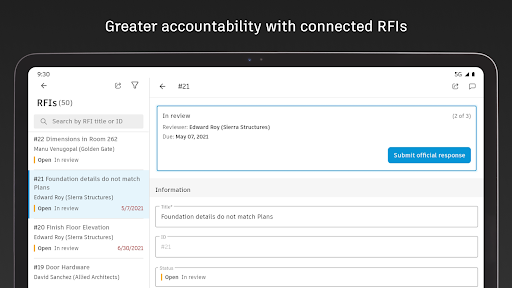
Reduce the risk of data loss with seamless RFI management. Connect RFIs across the project lifecycle to cut down on duplicate work.
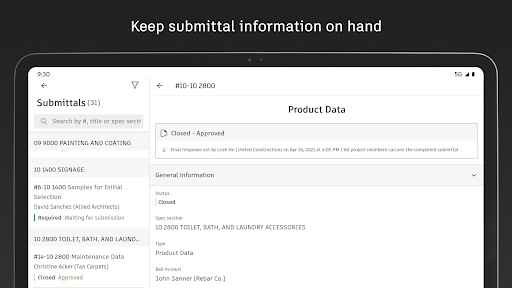
+ Submittals
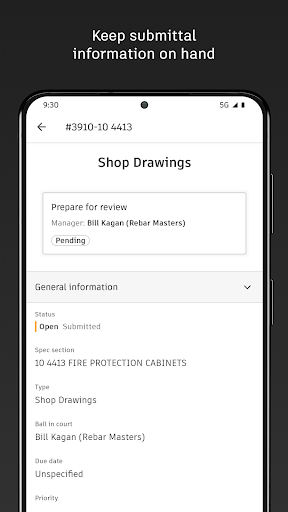
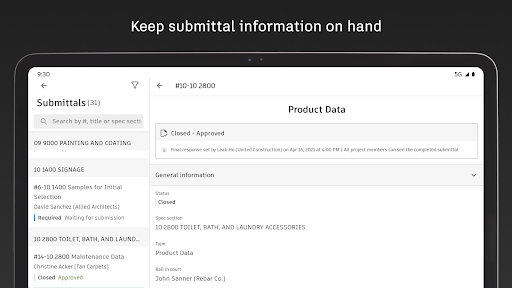
Keep all relevant submittal information on hand. With search, quickly find the necessary submittal to view progress and next steps.
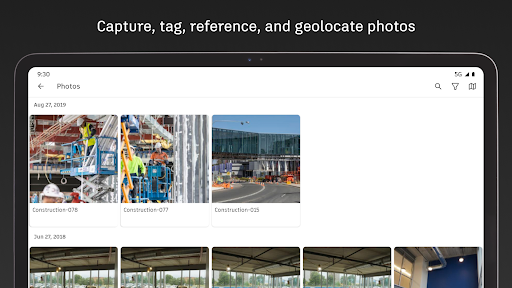
+ Photos
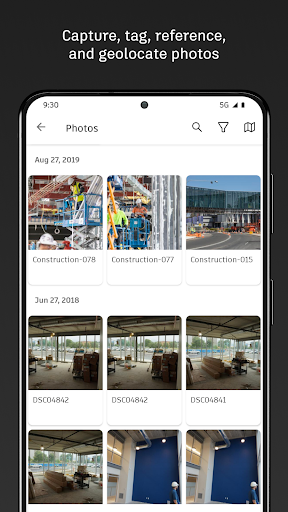
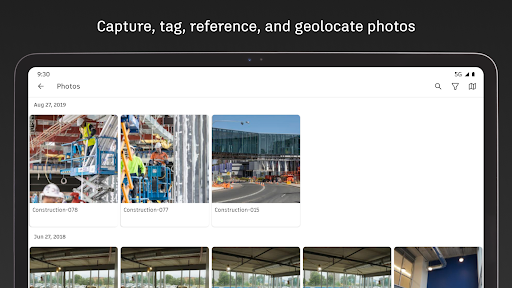
Use photos to track progress and add references to issues, RFIs, schedule activities, and more. With autotags and filters, quickly find the photo you need.
See what our customers say:
“The ability to access 3D models from the field eliminates confusion and allows us to come to a real-time resolution for any issues onsite. This capability reduces risk and provides cost and time savings while ensuring we deliver high-quality projects to our clients.”
Briana Mitchell, Project Manager, Boldt Company
“We have about 460 field employees and for them to access documents in real-time directly on their iPhone or their iPad is priceless.”
Ken Mabe, Director of Field Operations, Eckardt Group
“I’m excited about being able to effortlessly tag a snippet from a drawing onto an RFI and immediately assign responsibilities and track how the project team interacts with a particular issue or RFI. The ability to track an issue’s progression in real-time helps us manage any roadblocks immediately.”
Amy Kozlowski, Project Manager, Herrero Builders
Privacy
Since the app does not request any permissions, it is likely that Autodesk Construction Cloud uses alternative methods to collect data, such as user accounts or in-app analytics. Users should be cautious when creating an account or providing personal information, and review the app's privacy policy to understand what data is collected and how it is used. To protect their data, users should also ensure that their device and app are updated with the latest security patches.
Tips
To get the most out of Autodesk Construction Cloud, users should first set up their account and familiarize themselves with the app's interface and features. They can also optimize the app's performance by closing unnecessary tabs and background apps, and take advantage of the app's offline capability by downloading plans and documents in advance. Additionally, users can integrate the app with other Autodesk tools to enhance their construction management workflow.
What's New
Hammering out bugs
Reinforcing code stability
Clearing debris for improved performance
The Autodesk Construction Cloud mobile app provides field and on-the-go access to Autodesk Build, Autodesk Docs, Autodesk BIM Collaborate, Autodesk BIM Collaborate Pro, and PlanGrid.
Your input helps us continuously improve, we’d love to hear from you.
If you enjoy using ACC, please consider leaving a kind review!
In-app purchases
$1.00 - $144.99 per item
Version Information
- Version
- 7.69.1
- Downloads
- 1M+
- Updated on
- Jan 15, 2026
- Released
- May 3, 2014
- Requires
- Android 8.0
Statistics
Google Play Rating History
Rating Distribution
Downloads Over Time
Autodesk Construction Cloud has been downloaded times. Over the past 30 days, it averaged downloads per day.
Shaded area shows 30-day prediction based on historical trends
Historical data collection started recently. More data points will be available over time.
Autodesk Construction Cloud users say on Google Play
 Reggie Mason
This is one of the effective in assisting with reporting on your construction projects, reporting on tasks is easier and faster
 Chad
Chad
Please move the new Assets Markup button on the 'On this sheet' button to the main row of buttons. Similar to the iOS app.
 Robert Walker
Please add the ability to choose aspects not to download. My 1 project is over 100gb and that could be cut down a good portion if I could choose not to download pictures added by others or document folders that do not pertain to me.
 T VH
T VH
It's a cheap app but I'm used to it. My main problem is just trying to pay my bill. What a hassle, always being threatened with being locked out of my account. I actually have to get locked out in order to pay my monthly fee...I've tried to fix the problem with tech but since I paid thru play store they can't help. Also when I try to pay them directly I have to up grade to Dozer and I don't want to update to Dozer..it's a hassle.
 Jay G
Jay G
Should at least have the option to view the project without downloading pages first in the app, PC browser allows this. Even if you select "No sheets to be downloaded" it dumps the entire project onto your device. Also does not redraw any windows when going to view tasks. Literally cant see any of them on mobile and the sidebar stays in the same spot. This app needs attention for the unlimited sheet subscription fees you charge.
ApkTrusted Ratings & Reviews
More from Autodesk Inc.
See more apps





Similar Apps

ArcSite
Free

magicplan
Free
ZWCAD Mobile - DWG Viewer
Free

AR Plan 3D Tape Measure, Ruler
Free

EdrawMax: AI Flowchart Diagram
Free

Moblo - furniture 3D modeling
Free
DrawPlan
Free

GeoGebra Geometry
Free

Creality Cloud - 3D Printing
Free

Polycam: 3D Scanner & Editor
Free
DWG FastView-CAD Viewer&Editor
Free
Floor Plan Creator
Free

HomeByMe
Free

Planner 5D: AI Home Design
Free

KIRI Engine: 3D Scanner App
Free

ConstructionOnline
Free
Scan this QR code to download

Forwarding you to the page at Google Play market in seconds...
Open Google Play market now